Viewing entries in
Layout

Editing Instagram photos

Editing Instagram photos

A quick post written on my iPad while enjoying my vacation here in beautiful Vietnam. I make a lot of Instagram snaps and here is the way I edit photos in the application. 

I do not use the pre-installed filters, they are random permutations of image adjustments that distort my photo too much. Instead I go in edit mode. 

The most important adjustment to any image is its composition: use zoom in/out, move left right, make sure the horizon is straight with the left most edit function. Then, on to brightness and contrast. Move the sliders and see whether your image improves or not. Next, highlights and shadows. That's it. 

You see the functions I don't touch: saturation, color overlays, structure, blur, etc. etc. 

SlideMagic: a platform for magical presentations. Free student plan available. LEARN MORE
Column titles

Column titles

I add them when they mean something. It is important to know whether the data is about 2015 or 2016 for example. On the other hand "description", "item", "option", "date", "comment", "scenario" etc. are not always necessary. See if you can do without them

SlideMagic: a platform for magical presentations. Free student plan available. LEARN MORE
Tone down the ambition

Tone down the ambition

Below is a professional print ad for Audi, trying to convince us that its heritage of cars is still present in today's models.

The concept is a very simple one. The way it is visualised is highly complex. To pull off something like the above requires a significant investment in a designer who knows what she is doing. Any attempt to DIY it will make your slide look amateurish.

But if you are not a global car brand with a million dollar advertising budget, you can still get that visual concept across.

  • A simple time line of cars
  • Overlapping circles with car images
  • Shapes around the current car with images of vintage cars

You can relax the ambition level of the type of visualisation you want to use. You cannot compromise on the professionalism of your slide.


Image from WikiPedia

SlideMagic: a platform for magical presentations. Free student plan available. LEARN MORE
Start with counting

Start with counting

The most fundamental feature of my presentation design app SlideMagic is the strict use of a grid to layout your slide. And there is a good reason for that.

Every slide I design start with counting. How many points. How many options. How many pro's and con's for each argument. How many years. How many competitors. How many types. How many team members. How many steps.

Even or odd number of items? If you end up with a nasty number (11, 13 for example), you find ways to combine 2 points, leave one of, split one up. 

Then think of shapes, which boxes are "long" (text), which boxes are square (images, icons), which boxes vary in text content, which are the same.

Then comes the thinking about layouts: 3x3 5x1, 1x4, 2x2?

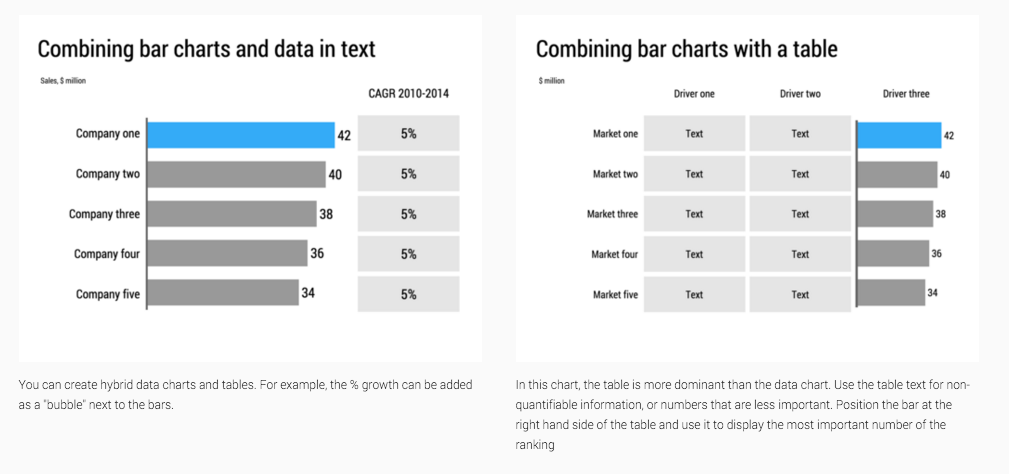
Almost every slide has a table hiding in it.


Image from WikiPedia

SlideMagic: a platform for magical presentations. Free student plan available. LEARN MORE
More complicated slides

More complicated slides

For some reason, I find myself designing more complicated, busy slides recently. Busy does not mean more text and bullet points. Busy means showing complex arguments in diagrams: boxes that overlap, are interwoven, move from one into the next.

My guess there are a number of potential reasons:

  1. My presentations are mostly investor decks, and the most important use of my slides is actually the moment when the recipient opens and reads them on the computer. The standup presentation that follows (if the first screening was successful), is almost a formality in terms of slide content, it is more about having the opportunity to get the know the people behind the slides.
  2. Misuse of cliche stock images or forced visual analogies have started to make people tired of certain big picture slides. "Oh, it's going to be this type of presentation, let's page down to the meat quickly".
  3. Larger, and higher resolution screens create a temptation to design more complicated slides (thinner fonts, thinner lines, more subtle colour shadings). Today, these slides even look great on a retina iPad. (Old crappy VGA projects are a different story though).
  4. Big, page filling image slides, are actually not that hard to make and this might be a segment of work that gets done more and more in-house.

So, not a return to crammed bullet points, but diagrams lifted to a higher level.


SlideMagic: a platform for magical presentations. Free student plan available. LEARN MORE
How do you do it?

How do you do it?

A question I often get after a very simple make over of a slide. Answer:

  • Make boxes the same size
  • Line everything up in a grid
  • Cut excess filler words and passive verbs
  • Us one accent colour
  • Harmonize fonts
  • Reset image aspect ratios
  • Fit everything inside a frame with white space around it

"You make it sound so simple, but it is not.". It actually is. If you struggle doing it in PowerPoint, use SlideMagic, my presentation app.

SlideMagic: a platform for magical presentations. Free student plan available. LEARN MORE
One visual concept

One visual concept

I like to use one single visual concept as much as I can in a presentation. Two by two matrices, graphs, frameworks, they all require time to absorb by an audience. If you have to through in a new one on every single page, things can get pretty tiring. Management consultants tend to do this, and forget that the audience did not spend 3 months on the project but is hearing the story for the first time.

Luckily common issues in a presentation are often related:

  • Why is something difficult to do  (problem)
  • What is your solution
  • Why is the competition different

If you can fit all of this in a variant of the same diagram, you will save the audience a lot of time.


Art: Robert Antoine Pichon, Le Pont Aux Anglais, 1905

SlideMagic: a platform for magical presentations. Free student plan available. LEARN MORE
Netflix on its movie icons

Netflix on its movie icons

Some interesting reading here by Netflix who analysed how effective icons/tiles of its movies and TV shows were. 

SlideMagic: a platform for magical presentations. Free student plan available. LEARN MORE
Layout puzzles

Layout puzzles

Not every presentation slide is about finding the right image. In my work, I encounter a lot of "layout puzzles": tables or diagrams of boxes that need to convey complex trade-offs and relationships. The challenge is to convey the message simply, without making things too simplistic.

Here are some of the steps I go through:

  • Group things together, split things up until I get to table rows/columns or boxes that are more or less on the same level of importance
  • Edit down text to get clear box/row/column labels that are as short as possible, or when short is not an option, each have about the same amount of words (the number of lines covered is very relevant in typography)
  • Enforce some sort of grid to the page. Each box/column/row should have the same size, or span a multiple of grid elements. (In my presentation app SlideMagic it is not possible to violate this principle)
  • Swap rows and columns so that similar items end up next to each other. Re-arrange boxes in the diagram so that connected boxes are close and connecting lines do not cross.
  • At the final stage, add colour to make visual groupings that you could not create with physical proximity or connecting lines.

This might sound like tedious work, but the end result is often a diagram that forms the backbone of your entire presentation.


Image from WikiPedia

SlideMagic: a platform for magical presentations. Free student plan available. LEARN MORE
Presentation design without the design

Presentation design without the design

Most business presentations can be done perfectly without sophisticated and complex visual concepts. That image of an elephant balancing on a ball, or a 3 dimensional constellation of rotating database cylinders might not be necessary to get your point across.

Instead focus on the non-design challenges:

  • Finding nice full page images that can introduce the problem you are trying to solve
  • Recutting, regrouping, re-wording the key problems and your solution in a very clear and crisp table
  • Deciding what are the key statistics and data you want to use to show that your solution works and that the company is having momentum
  • Organising the more "boring" facts about your product/company in some decent looking tables in the back of the deck (team, product offering, pipeline, terms, etc.)

Full page images, tables, and simple graphs, that's all  you need (and all you will find in my presentation app SlideMagic). Doing more complicated things is more risky:

  • A perfectly executed simple slide looks a lot better than an amateurish looking effort at something that is more than you can pull of.
  • You can hire an expensive graphics designer to do the concept for your, but her style will be dramatically different from the slides you want to add yourself to the deck last minute

Keep it simple, and do that really well.

SlideMagic: a platform for magical presentations. Free student plan available. LEARN MORE
But it looks so simple!

But it looks so simple!

Often when I produce a slide with simple rectangular boxes and just once accent colour plus a black and white image (hey that looks like a SlideMagic slide), I get the comment that "things look really simple, unsophisticated".

No icons, no shadings, Helvetica, no drop shadows, no rounded corners, no gradients, no nothing.

Here is the trick: it is the composition of the slide that makes things sophisticated. And that is the hard part to get right. Look at the work of the famous Swiss graphics designers of the 1960s. Most of them designed posters with the very same tools that you have in your hands when opening PowerPoint.

Look some of the simpler posters, look at your slide, look back at the poster, look at your slide. Spot the difference, and fix it!. It is layout, not fancy graphics.

And, my presentation app SlideMagic makes it a bit easier than PowerPoint or Keynote.

SlideMagic: a platform for magical presentations. Free student plan available. LEARN MORE
A business card web site

A business card web site

I made a brief side step into web design last week, when a VC fund for which I created the fund raising presentation needed a web presence as well.

This fund (like many other businesses), needed a simple "business card", a decent, professional-looking web presence that works on all types of browsing devices. It was not trying to sell a product to consumers, it was not giving access to a content library, it was not powering a market place. 

Many of these business card web sites look poor:

  • People pick the wrong platform. A template that offers too many features, that can only be maintained by a web developer.
  • People let the design be driven by the menu structure that the template offers, rather than the content
  • People enthusiastically create active content sections (blog, news, links to social media pages) that then are not maintained.

For business card web sites, keep things very simple, but over-invest in the design of the web site. And design does not mean spectacular effects, video, and clever popups. Does the page look balanced and good (on both large and small screens). Pretty much like you would design paper/print work.


SlideMagic: a platform for magical presentations. Free student plan available. LEARN MORE
Ponder charts

Ponder charts

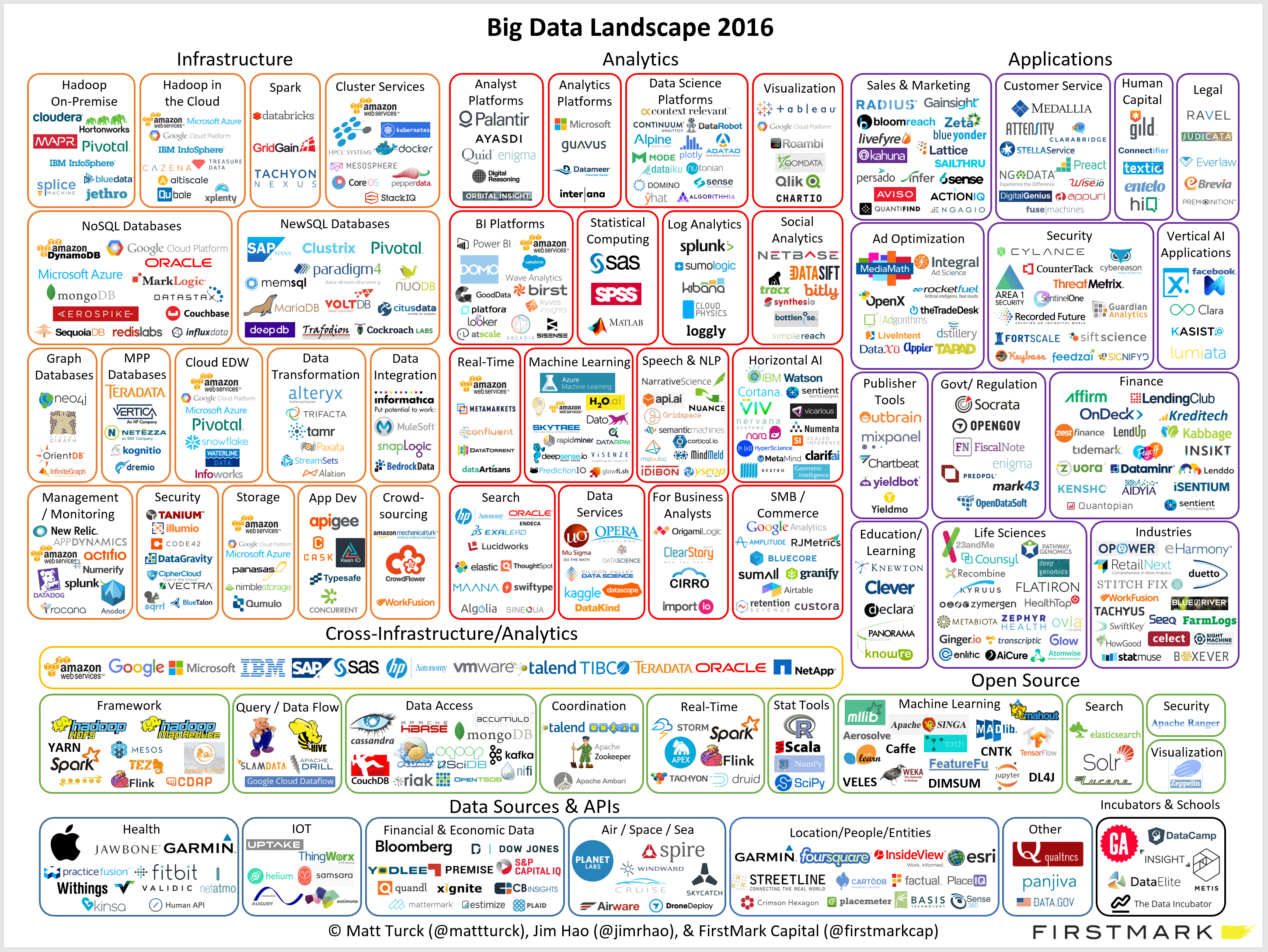
Not every PowerPoint slide is meant for presentations to a big audience. Some charts are meant for pondering behind a big screen. The one below is an example (made by FirstMark Capital).

Venture capitalists love these industry overviews full of logos and sectors. You could make this chart cleaner:

  • Replace logos with small text boxes
  • Perfectly line up all these tiny text boxes in a grid
  • Replace the rounded-corner shapes with shaded rectangles without a framing line

But that chart would be less fund to ponder....

SlideMagic: a platform for magical presentations. Free student plan available. LEARN MORE
If things are busy, make a busy chart

If things are busy, make a busy chart

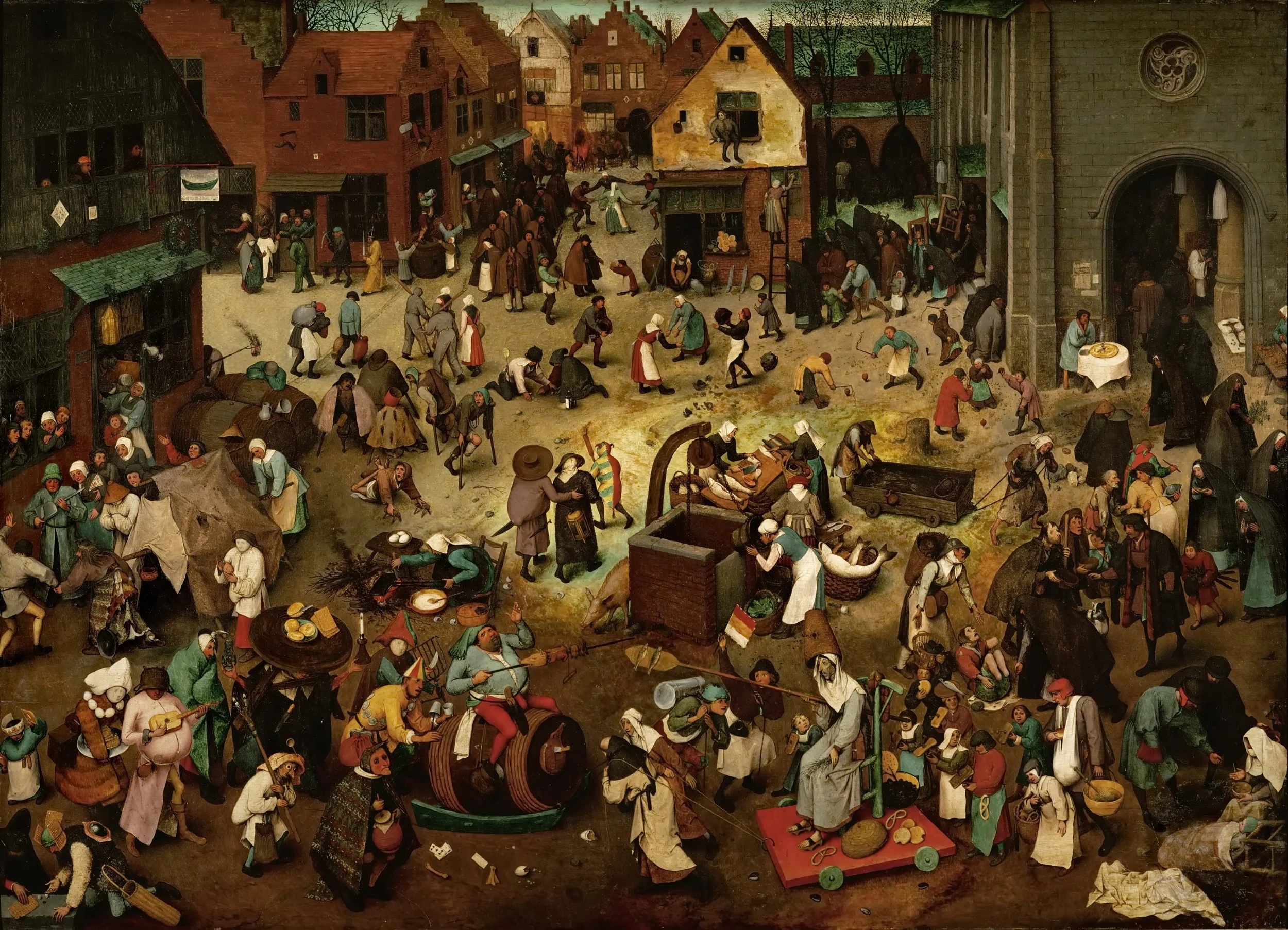
Chart loaded with detail are usually not the best way to convey a message. Except, when your message is that things are actually very busy, complex, interrelated. Then by all means make a busy chart. When presenting, don't feel tempted to go into the detail of its content though, the message stays "things are busy" and [click] you can go on to the next chart.


Art: The Fight Between Carnival and Lent, by Pieter Bruegel the Elder in 1559

SlideMagic: a platform for magical presentations. Free student plan available. LEARN MORE
We say, but we don't do

We say, but we don't do

Many people start of a presentation design project with "we want a presentation like Apple". A great intention. But after you come back with a first version (black background, a few words per slide, no bullets, no agenda pages, no summaries, no logo, no page numbers), people feel that it looks too dark, the flow is not clear, they want to summarise upfront what they are going to say, it is hard to refer to pages, it needs some branding, and to make sure that a certain point comes across, you better spell it out word for word on the slide.


Image by Danny Lion

SlideMagic: a platform for magical presentations. Free student plan available. LEARN MORE
A new way to organise my presentation templates

A new way to organise my presentation templates

I am experimenting with a new way to organise SlideMagic presentation templates and started adding them to www.slidemagic.com/templates. I will be adding more over the coming days. Please let me know if you have request for specific slide concepts I should add and I will see whether I can help you.


SlideMagic: a platform for magical presentations. Free student plan available. LEARN MORE
Counting the boxes

Counting the boxes

The first thing I do for almost any slide is "counting the boxes": how many points does each argument have, how many people are there on the team, how many layers to the technology, how many steps in the process.

This drives the layout of the slide: 2 columns with options and 3 arguments each, a 5-step value chain, a 6 x 4 grid of logos, 5 management bios next to each other, 10 columns of sales data, etc. This layout will make sure that your slide looks evenly spaced out. You are also see that in most cases, the (bullet point) list grid structure is actually not the one you need.

PowerPoint and Keynote do not have very strong grid capabilities. Spacing out equally sized boxes across a slide is a pain, and table editing is not much better. And that is why I made the grid structure the central feature of my own presentation app SlideMagic, try it out!


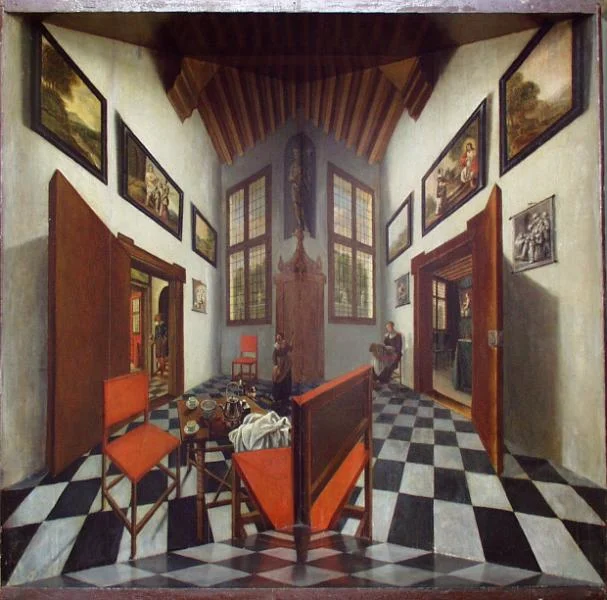
Art: Perspective boxPieter Janssens Elinga, 1623

SlideMagic: a platform for magical presentations. Free student plan available. LEARN MORE
"We need to add this bullet"

"We need to add this bullet"

Group editing of a slide deck is difficult, especially if it involves a lot of people, and especially if some of the people editing dial in from a remote location. If you do not have the full view of the presentation (either because you are far away, or you have not been involved in the process that much), you should resist the urge to ask the junior analyst to add "an extra bullet to the slide that say [fill in message]". There is a good chance that that point is already made on another slide.


Art: Dogs Playing Poker by C. M. Coolidge

SlideMagic: a platform for magical presentations. Free student plan available. LEARN MORE
Flatten those bullet point hierarchies

Flatten those bullet point hierarchies

They appear often in business presentations: hierarchies of bullet points:

  • A summary point that partly repeats what is said below
    • A sub summary point that partly repeats what is said below
      • A sub sub summary point that partly repeats what is said below

The worst of all bullet point sins: the lone bullet point that jut hangs there without a brother or sister.

Breaking up a problem/story in its components is great for solving problems: you can get a hypothesis quickly and carve up your team to work on each of the individual bits. They might even work as the skeleton of a presentation story flow.

On actual slides though, it is a different matter. These hierarchies are hard to read and process. You read the summary, read the supporting points, then combine the supporting points to internalise the summary again. Too much.

For a presentation, you need to flatten the bullet points. 

  • Kill bullet point hierarchies as much as possible, creating a linear flow
  • Then, spreading out each bullet point on a separate chart (as much as possible).

Ever wondered why my presentation app SlideMagic does not even feature the option of a bullet point?


SlideMagic: a platform for magical presentations. Free student plan available. LEARN MORE
What is wrong with your presentation summary page

What is wrong with your presentation summary page

In every client project, I try to get rid of the dreaded summary page in front of the presentation. Instead, I give a very clear description of what we are actually talking about, and a teaser of what the presentation is going to show.

Here is a check list of things I regularly see on first pages.

  • It is written in font size 8, in looooong sentences that stretch over the screen (especially on 16:9 wide screens)
  • It is an invitation to tell the entire story (too detailed for a summary, but not detailed enough to cover the content correctly)
  • It is written in chronological order, then we did this, then we did that, then we did this, rather than an order that makes sense to the audience
  • The same point / bit of information is repeated multiple times
  • It is loaded with quantitative data, but because of the text format, this data is impossible to understand / relate to each other
  • It contains dry information, and no encouragement what so ever to be excited about the content that is going to follow
  • It is full of values, mission statements, generic trends, buzzwords and other vague concepts that are context, rather than the core of your idea
  • It is full of details (number of employees, founding year, etc.) that are not a crucial part of the "summary" of your story
  • It has sub bullets, and worse bullets that have just 1 sub bullet hanging below it. It uses different font sizes for the main bullets, and the sub bullets. Bullets are not properly intended, (space space space space)

Art: detail of a painting by Gavin Rain

SlideMagic: a platform for magical presentations. Free student plan available. LEARN MORE