Viewing entries in
SlideMagic

Using templates in SlideMagic

Using templates in SlideMagic

In little bursts of work I will be updating my presentation app SlideMagic over the coming weeks. I noticed that many users stick to the 9 box grid that is the default blank layout of a new slide. Yesterday we released a new insert routine. You now get presented with a number of slide layouts to choose from when inserting a new slide, without having to import and/or clone template slides.

Try it out and let me know what you think.

SlideMagic: a platform for magical presentations. Free student plan available. LEARN MORE
The latest cool presentation app

The latest cool presentation app

I saw this Tweet by Garr Reynolds (Presentation Zen):

I agree fully, and as the CEO of an aspiring presentation app (SlideMagic), I am not contradicting myself. SlideMagic is of course cool, but not because it adds spectacular features. It makes you design slides in a very strict grid so that your slides look good regardless of your design experience. Try it yourself.


SlideMagic: a platform for magical presentations. Free student plan available. LEARN MORE
How do you do it?

How do you do it?

A question I often get after a very simple make over of a slide. Answer:

  • Make boxes the same size
  • Line everything up in a grid
  • Cut excess filler words and passive verbs
  • Us one accent colour
  • Harmonize fonts
  • Reset image aspect ratios
  • Fit everything inside a frame with white space around it

"You make it sound so simple, but it is not.". It actually is. If you struggle doing it in PowerPoint, use SlideMagic, my presentation app.

SlideMagic: a platform for magical presentations. Free student plan available. LEARN MORE
SlideMagic 2.0

SlideMagic 2.0

I have been incredibly busy with client work over the past months, but over the summer, I plan to turn my attention back to SlideMagic, my presentation design app. Two ideas have started to form in my head:

  • A smart way to get you to select the right basic slide layout depending on the sort of message you want to deliver
  • A tool that helps you select and stitch a story flow together, depending on the type of story you want to deliver

Obviously I could also focus on making existing features better: a more accurate PowerPoint conversion, better rendering on iPads for example.

For beta users out there, what do you want to see? You can let me know via jan at slidemagic dot com.

SlideMagic: a platform for magical presentations. Free student plan available. LEARN MORE
The shortcomings of application windows

The shortcomings of application windows

The main reason to design a new presentation app that is an alternative to PowerPoint (SlideMagic) is the flaw in the windows/mouse-based user interface design that has been with us since the end of the 1980s. Users can drag, move, place, distort, objects as they see fit. Inexperienced designers will get it wrong and put things in the wrong places.

Over my holiday, I have been listening to this Andreessen Horowitz podcast that discusses whether tablets are finally ready to eliminate the laptop:

Some other interesting points that came up:

  • "Where is my mouse?", the mouse pointer is actually not the most logical computer input device. After 2 decades we have gotten used to it, but is not perfect. In the 1980s, engineers combined multi-tasking and windows as one user interface concept. They are different.
  • Arranging and resizing application windows as actually not that user friendly. Most of the time, you want 1, 2, maybe 3 applications open in a convenient grid. (Similar to placing objects on a slide).
  • One of the big shortcomings of tablets today is the ability to create presentation slides (making small edits is not a problem). Maybe it is time to expand SlideMagic to work with touch screens :-)

Image from WikiPedia

SlideMagic: a platform for magical presentations. Free student plan available. LEARN MORE
Presentations are short cuts

Presentations are short cuts

Many of a company's operational processes have become a lot more efficient over the past decades, partly with the help of automation and computers.

Above the factory floor, middle management of corporations gets more efficient as well. Computers take over routine tasks, and slide/dice data so it becomes easier to make decisions.

Human communication among decision makers is pretty inefficient. People are bad at formulating and selling their ideas. Presentations have helped though: they have replaced long-winded memos and forced people to get to the point faster. Visuals are easier to digest, and more importantly, it is faster to skip through useless pages of a presentation (PGDN, PGDN) than looking for "the meat" in a text document.

This realisation might help you with the design of your everyday presentations. It should look decent. It should get to the point. It should show interesting, unusual, unexpected facts and insights. You want to get to a decision, you are not aiming to publish a complete, scientific document.

Here is where my presentation app SlideMagic comes in, adding even more shortcuts to make corporate decision making more efficient, and less cumbersome, boring and time consuming.


Image from WikiPedia

SlideMagic: a platform for magical presentations. Free student plan available. LEARN MORE
The real competition

The real competition

As a CEO you are paranoid with competitors who are doing things that are very similar to what you are trying to do. But that is usually not the competitive differentiation you need to emphasise in a sales presentation, especially if you are a tiny startup.

The real challenge will often be to get the client to break away from her current practice. Either a big established product, or maybe she is not investing at all in the sort of solutions you are trying to offer.

In my case as the CEO of presentation app SlideMagic, I could pitch it against other new and small presentation solutions that are out there in the market. But that is not the choice people need to make. I even would not consider PowerPoint to be my competitor for a feature-by-feature comparison. I am competing against the inefficient approach to presentation creation and delivery in corporations. And that is a real challenge :-) 


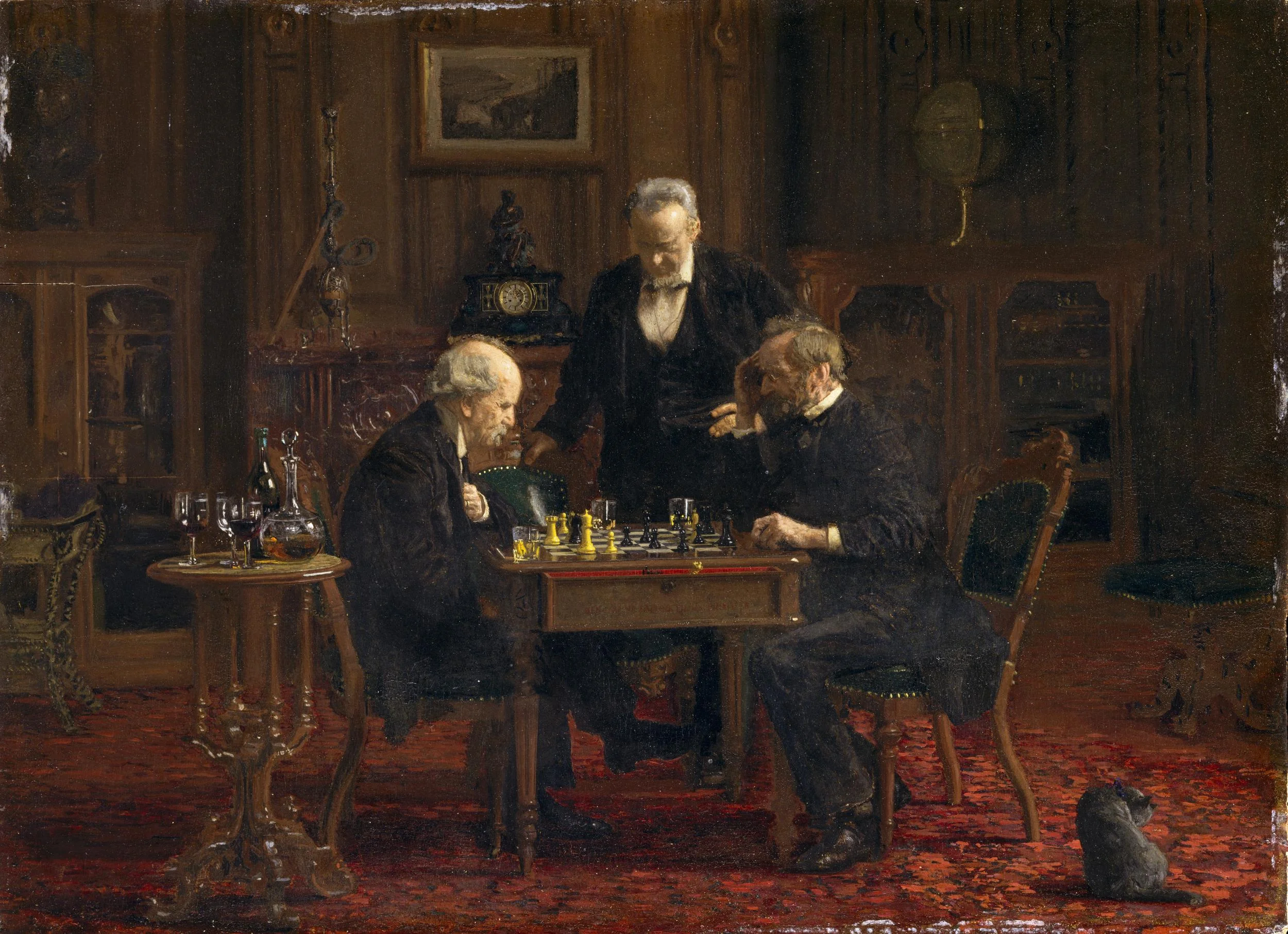
Art: The Chess Players, by Thomas Eakins

SlideMagic: a platform for magical presentations. Free student plan available. LEARN MORE
But it looks so simple!

But it looks so simple!

Often when I produce a slide with simple rectangular boxes and just once accent colour plus a black and white image (hey that looks like a SlideMagic slide), I get the comment that "things look really simple, unsophisticated".

No icons, no shadings, Helvetica, no drop shadows, no rounded corners, no gradients, no nothing.

Here is the trick: it is the composition of the slide that makes things sophisticated. And that is the hard part to get right. Look at the work of the famous Swiss graphics designers of the 1960s. Most of them designed posters with the very same tools that you have in your hands when opening PowerPoint.

Look some of the simpler posters, look at your slide, look back at the poster, look at your slide. Spot the difference, and fix it!. It is layout, not fancy graphics.

And, my presentation app SlideMagic makes it a bit easier than PowerPoint or Keynote.

SlideMagic: a platform for magical presentations. Free student plan available. LEARN MORE
It takes too much time...

It takes too much time...

Some new users of my presentation app SlideMagic complain that you cannot import any existing PowerPoint presentations, you have to start from scratch to design your pitch. "This will take me too much time!"

There are 2 reasons why SlideMagic does not import PowerPoint presentations (export is OK though):

  1. Technical: SlideMagic uses a very strict slide layout, which simply cannot be matched (automatically) to the wide variety of PowerPoint designs
  2. Behavioural: SlideMagic aims to make corporate communication simpler and less time consuming. The fact that it takes too much time to re-create a PowerPoint presentation one-for-one in SlideMagic probably says something about your presentation. SlideMagic has excellent tools and templates to take your message and show it in simpler form.

If you really need to import that one complex PowerPoint slide, you can always use a screen shot and import it as an image.


Image by Alexandre Duret-Lutz on Flickr


SlideMagic: a platform for magical presentations. Free student plan available. LEARN MORE
On stage, it does not matter anymore which software you used

On stage, it does not matter anymore which software you used

On Quora, I see questions like which presentation software did [company X] use at [event Y]. For the audience there is no difference. The same simple, good slide can be made in PowerPoint, Keynote, Google Slides, and Adobe InDesign. The exception is probably Prezi and its complex zooming capabilities.

The process that got you there makes a big difference though. How easy is it set up a basic presentation template (colours, fonts, positions of titles, page numbers, aspect ratio), how is it to create a basic slide layout other than a list of bullets, how easy is it to align items properly on a grid, how easy is to create basic data charts, how easy is it to keep everything consistent page after page, how easy is it to do basic image manipulation (cropping and repositioning).

Either the audience cannot tell in which program the presentation was made and you were either a design pro or have made a huge effort to master the software. Or, the audience can spot your software instantly (most likely PowerPoint), which means that you did not get much further than the standard slide template.

(A secret: you can get away with taking design short cuts in my presentation app SlideMagic and no one will notice).


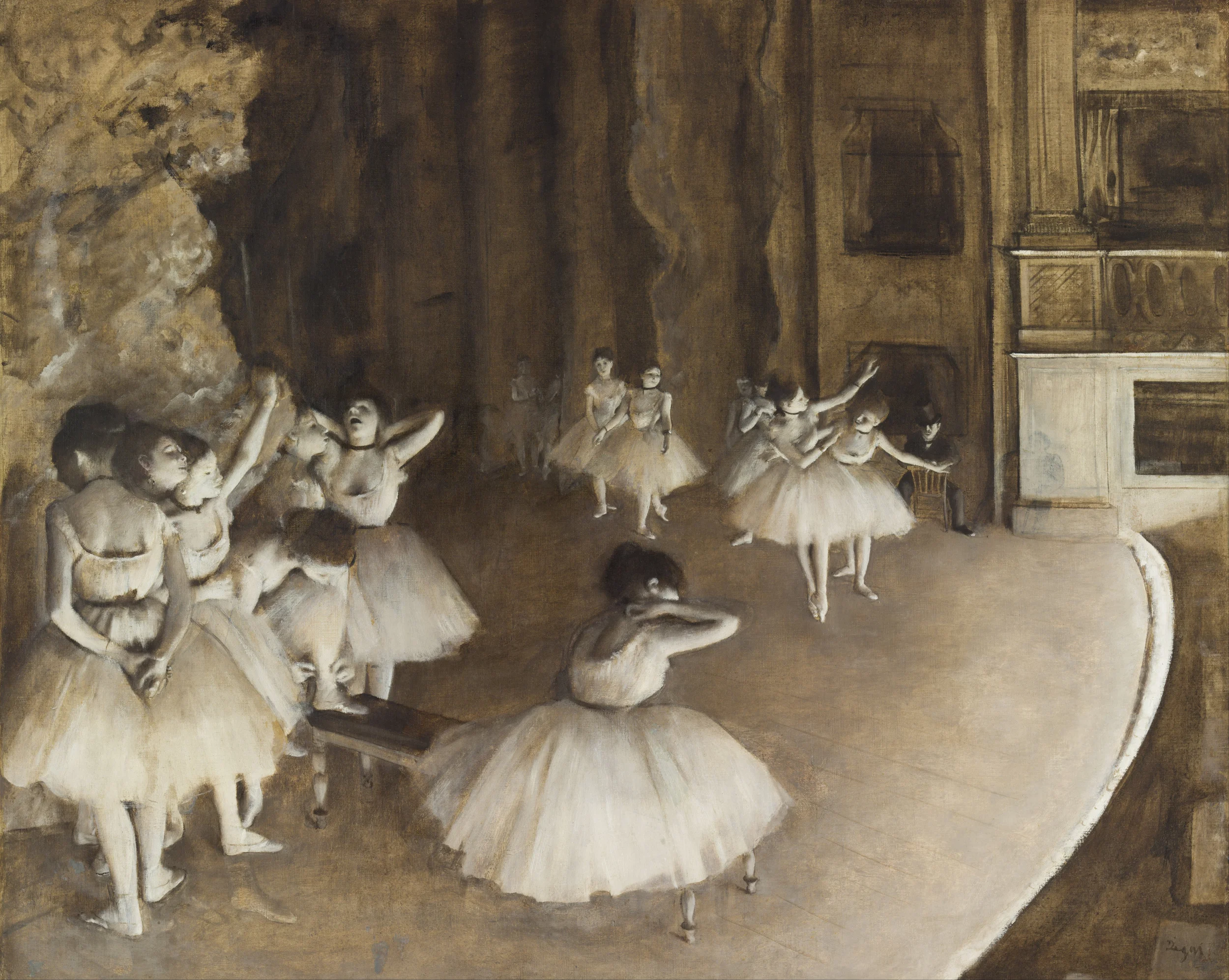
Edgar Degas, Rehearsal on stage, 1874

SlideMagic: a platform for magical presentations. Free student plan available. LEARN MORE
Corporate language simplification is next

Corporate language simplification is next

A lot of the progress of humanity boils down to improving and simplifying communication. There were huge wins when we figured out how to speak and coordinate hunting strategies, learned how to read/write/print books, speak long distance instead of taking the ocean liner, video, etc. etc.

More subtle improvements happened as well. Clear, simple language impacts the premium/position that bosses, priests, doctors, lawyers, politicians, can command. Long-winded corporate memos and formal letters made way for informal emails and now messaging to get to the point, quickly.

What we lose in style, we gain in efficiency and clarity. Gone are the beautifully hand-written letters without grammatical errors. Now we have the universal "business English" with a tiny vocabulary, full of mistakes, and pronunciation can be whatever you see fit. The English might not be perfect, or sophisticated, its meaning is crystal clear.

The same happens to corporate language. Management consultants took a first stab at making memoranda logical and structured. The exhibits in these documents slowly become more important than the written words themselves. And now presentation software/slides has become the main language in which we do business.

We need a crisp, simple, visual language to get a business concept across. Everyone can understand it, everyone can use it. That's what I am trying to do in the presentation app SlideMagic.


Art: Pieter Breugel the Elder, The Tower of Bable, 1563

SlideMagic: a platform for magical presentations. Free student plan available. LEARN MORE
A new way to organise my presentation templates

A new way to organise my presentation templates

I am experimenting with a new way to organise SlideMagic presentation templates and started adding them to www.slidemagic.com/templates. I will be adding more over the coming days. Please let me know if you have request for specific slide concepts I should add and I will see whether I can help you.


SlideMagic: a platform for magical presentations. Free student plan available. LEARN MORE
Counting the boxes

Counting the boxes

The first thing I do for almost any slide is "counting the boxes": how many points does each argument have, how many people are there on the team, how many layers to the technology, how many steps in the process.

This drives the layout of the slide: 2 columns with options and 3 arguments each, a 5-step value chain, a 6 x 4 grid of logos, 5 management bios next to each other, 10 columns of sales data, etc. This layout will make sure that your slide looks evenly spaced out. You are also see that in most cases, the (bullet point) list grid structure is actually not the one you need.

PowerPoint and Keynote do not have very strong grid capabilities. Spacing out equally sized boxes across a slide is a pain, and table editing is not much better. And that is why I made the grid structure the central feature of my own presentation app SlideMagic, try it out!


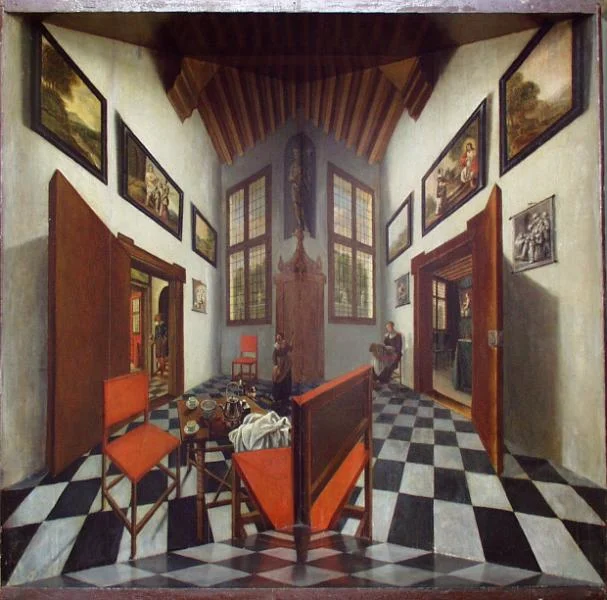
Art: Perspective boxPieter Janssens Elinga, 1623

SlideMagic: a platform for magical presentations. Free student plan available. LEARN MORE
How to present pros and cons

How to present pros and cons

A question came in on Twitter the other day:

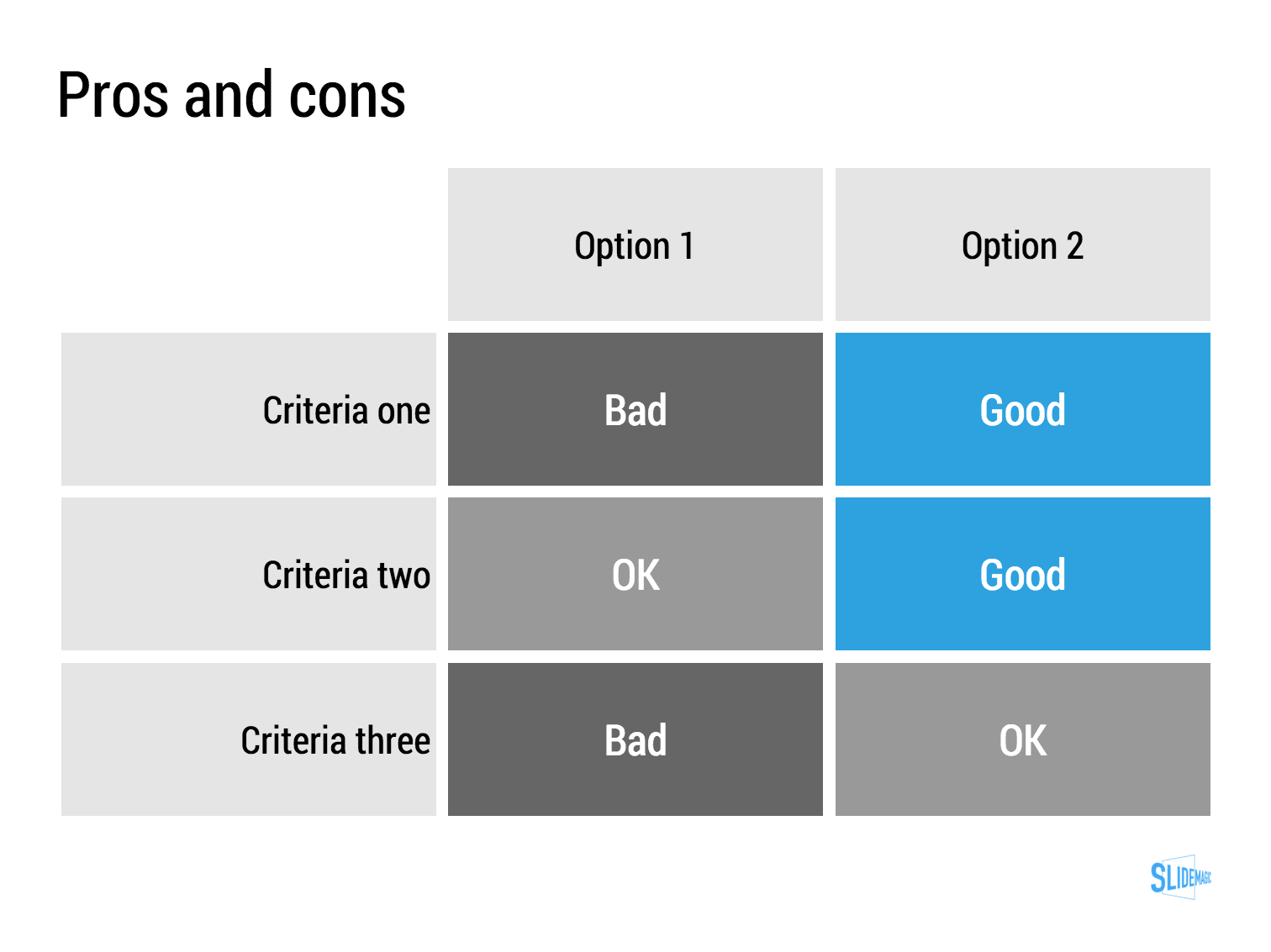
My answer is: a simple table, like this one I prepared quickly in my presentation app SlideMagic (you can clone it to your own SlideMagic account in the presentation template file that contains on the slides I have used on this blog).

The difference between a good pro/con slide and a bad one is not the design in itself, it is how your present the argument. A presentation slide is a tool to get a decision, it is not a laundry list of pros and cons that you evaluated in your analysis. Put your analysis aside, and design from a blank sheet of paper:

  • Group similar arguments together, if an argument is sort of the same, combine them
  • Sort the rows in the table in such a way that things visually line up. For example you start with rows where both options are "good" (all blues), then do the "OK/good"s, then the "OK/OK"s. etc.
  • Isolated and focus those arguments that are going to drive the decision and/or are controversial. "Option 1 is cheaper, option 2 is faster but the what will make the difference is whether we think [criterion 3] is important.
  • Cut words rigorously until you have a page that is still meaningful but does not look cluttered.

SlideMagic: a platform for magical presentations. Free student plan available. LEARN MORE
The broken Apple Keynote interface, is it me?

The broken Apple Keynote interface, is it me?

I have now created many, many client presentations in Apple Keynote. And most of the clients who request a presentation in Keynote rather than PowerPoint are proud that they are willing to use more design-oriented products. For many years, Apple Keynote was ahead of PowerPoint: a cleaner user interface, cleaner templates, those alignment guides that pop up when you want to position an object. And in addition, you were using the same product that Steve Jobs, the master presenter, was using for his slides.

With the latest release of PowerPoint, I think both applications are at par. With each one of them, you can create both beautiful presentations, and horrible decks full of bullet point slides.

The workflow of Keynote though makes me scratch my head. While more complicated tasks are taken care of very well, it is the basic functions such as changing fill colours, font colours, aligning, that drives me crazy. Too many clicks, and I am always looking where to click. Initially I though it was me, but after month and months of trying things are still not getting better.

PowerPoint has a more cluttered interface but after some time working with it your eyes look on locations/icons and you instantly click without having to think. The solution for both programs is clear: create space for one user customisable tool bar. PowerPoint for Mac had one, but it disappeared with the 2016 update, Keynote needs one.

The above partly informed the design of my own presentation design app SlideMagic. You actually need very few functions to create beautiful charts. Most reviews of software tools are still 1990 style: a comparison of features. What you really should be measuring is how fast/easy it is to get a decent end product. Hopefully Microsoft and Apple are not reading this post, so SlideMagic can keep its competitive advantage!


Image of an A380 cockpit from Wikipedia

SlideMagic: a platform for magical presentations. Free student plan available. LEARN MORE
Example PowerPoint conversions

Example PowerPoint conversions

Many of you are requesting PowerPoint conversions of the templates that ship with SlideMagic. You will see that the conversion works nicely, but that it is inconvenient to make structural slide edits in the PowerPoint version of the file, doing them in SlideMagic is much easier.

If you want to check out how converted SlideMagic presentations look, I have put the files all in this shared Google Drive folder.

SlideMagic: a platform for magical presentations. Free student plan available. LEARN MORE
Combining tables and data charts

Combining tables and data charts

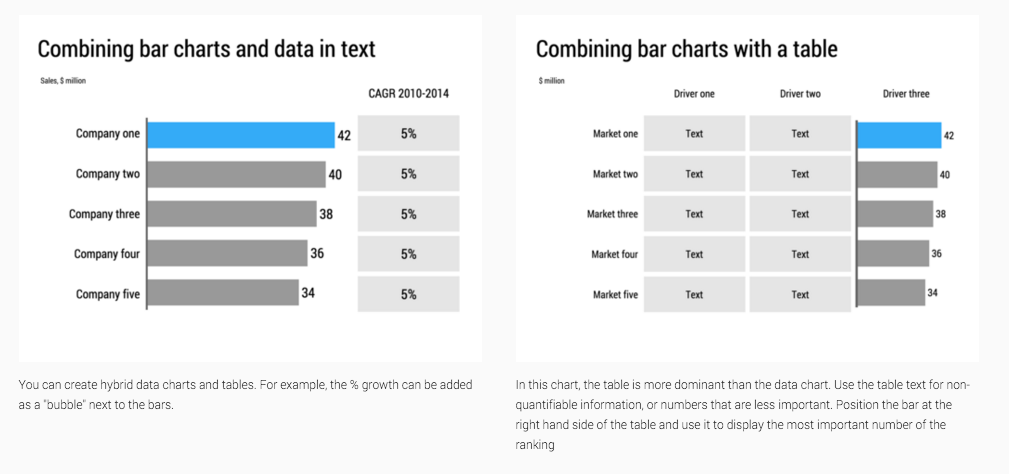
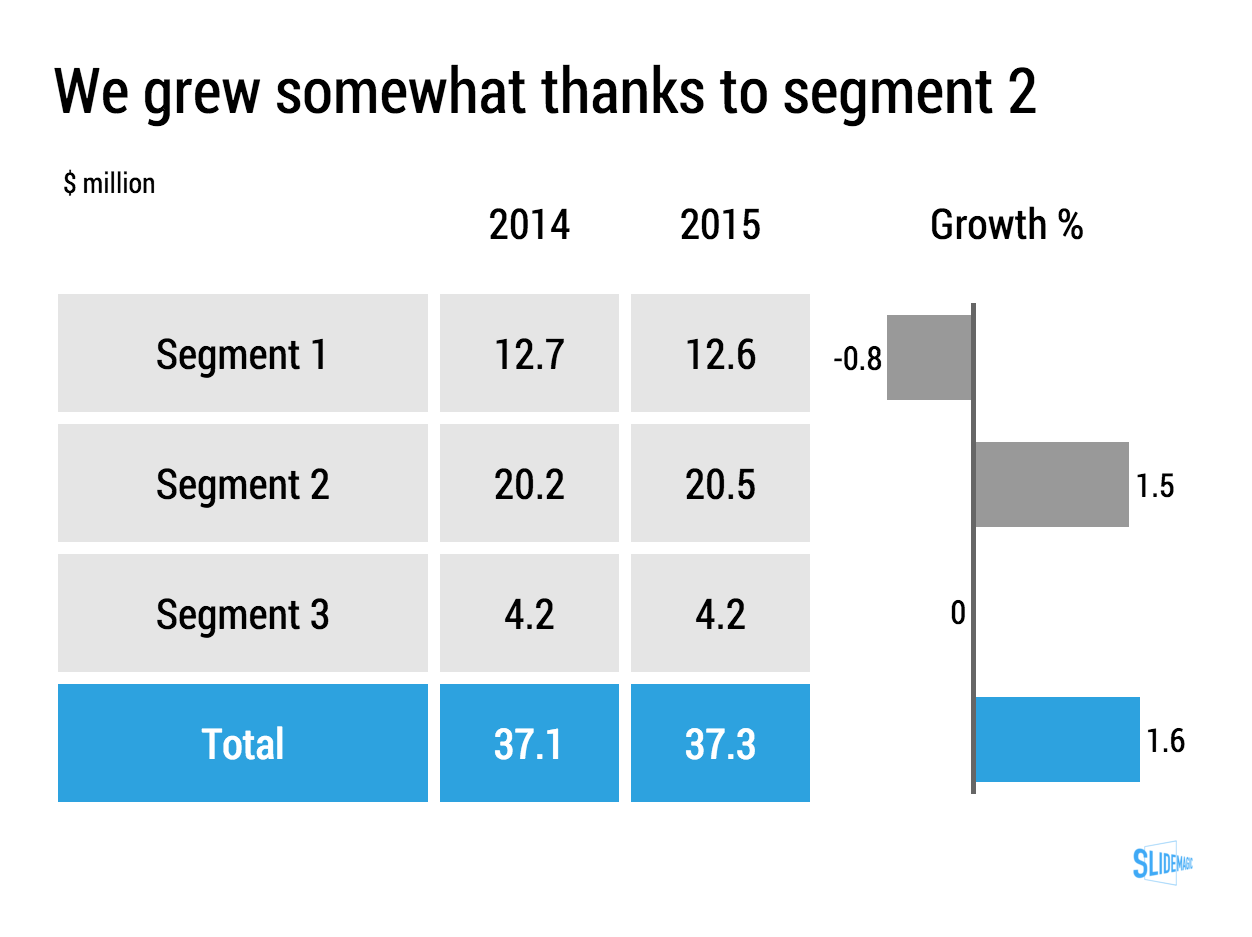
Lining up a data chart and a table in PowerPoint or Keynote is very tricky. And that is a shame, because it is one of the most useful compositions to present data. Just tables, and you cannot really see the trends. Just data charts, and it all becomes cluttered.

I took the data from an earlier blog post and quickly turned it into a combined table/data chart. You can clone the slides I create in presentation app SlideMagic into your own SlideMagic account by clicking this link.

Screenshot 2015-11-29 11.37.34.png


SlideMagic: a platform for magical presentations. Free student plan available. LEARN MORE
Convert SlideMagic presentations to PowerPoint

Convert SlideMagic presentations to PowerPoint

Many people have asked for this feature. I might have found a partially automated solution for this. Partially means, slides are converted automatically, but the overall workflow is still manual.

Before I start investing a lot of resources (time and money) in developing a fully automated solution, I want to test demand. Soon, I will be adding a "PowerPoint" button to SlideMagic, but in the interim, you can email to (ppt at slidemagic dot com) an editable link of your presentation (generate it via the SHARE menu in SlideMagic) and we will send you back a PowerPoint file.

It is important to send the link using the SHARE function, nobody but you can open the links in your browser for privacy/security reasons.

Make sure that you have the Roboto Condensed font installed on your machine. It is a free font provided by Google

  1. Exit PowerPoint
  2. Go to the Roboto Condensed download page
  3. Tick the 400 and 700 boxes
  4. Download using the "arrow down" icon at the top right
  5. Double click the downloaded files to install the fonts
  6. Re-open PowerPoint

Roboto Condensed cannot be installed on iOS devices. If you want to edit your converted SlideMagic presentation in PowerPoint for iOS consider replacing the Roboto Condensed font for Helvetica Neue Condensed. Here is how to swap fonts across an entire presentation on a Mac. But hey, SlideMagic runs pretty well in Safari on iPad, no need to convert to PowerPoint for this.

Some disclaimers:

  • It is a partially manual solution, please be patient, delivery can be instant or take some time.
  • A human will open your presentation, we are nice people and unlikely to read it all in detail and/or post things on the Internet though. Still some corporate compliance regulations might have an issue with this
  • There might be glitches in the quality of the conversion, if so, we would like to hear about them.

You will see that the end result looks pretty decent and small text edits work great, but - and this is the reason I created SlideMagic - if you want to make fundamental edits to a SlideMagic slide in PowerPoint you will hit the limitations of PowerPoint. For example, adding a row or column to your grid and getting everything to line up nicely is a small operation. I suspect you will quickly go back into SlideMagic, do the edit there, and convert again. Hopefully, in the end you will just forget about the conversion and stay inside SlideMagic.

So, hopefully the option of converting your SlideMagic presentation to PowerPoint will give you increased confidence to try it out, there is nothing to lose, you can always fall back to good old PowerPoint.

Not a SlideMagic user yet? Sign up here.


SlideMagic: a platform for magical presentations. Free student plan available. LEARN MORE
Multiple weak signals make a strong one

Multiple weak signals make a strong one

I played around with the new "connectors" in my presentation app SlideMagic and used them to create a chart that visualises how multiple weak signals can come together into a strong one. I have added this chart to the SlideMagic template with charts that I discussed on the blog, you can clone it to your SlideMagic account here.


SlideMagic: a platform for magical presentations. Free student plan available. LEARN MORE