Viewing entries in
SlideMagic

Better image search UI

Better image search UI

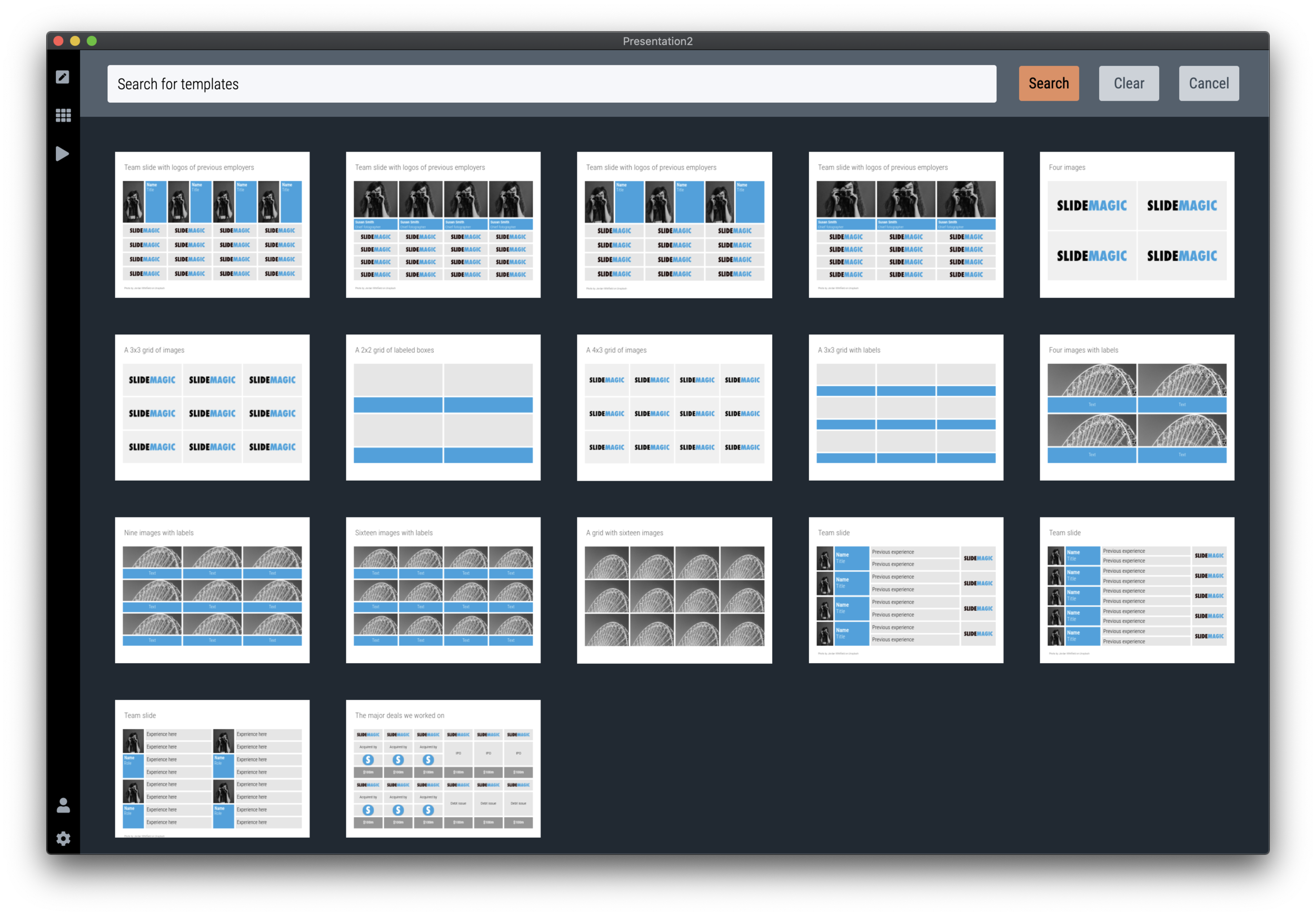
Version 2.3.5 of SlideMagic went up this morning. The interface for searching images from within the desktop application now looks a lot better in a grid layout that takes into account portrait or landscape aspect ratios of photos.

Screenshot 2020-04-28 11.33.58.png

I will further improve the in-app image search soon, with a preview ability to test the image in your slide, and combining more than one image bank provider. A lot is changing in the world of online stock images at the moment, to the extend where I often find free images to be of better quality than paid ones.

Business presentations are different from ads or consumer graphics design projects: picking the right image and getting the credits right is what matters. More to come soon.

The image search API calls are still a beta feature with limits on the amount of searches per hour and/or the image resolution, as I need to make sure my (unusual desktop) app gets the back linking and credits done in agreement with the image bank provider.

One more feature was added: tool tips for the app icons after feedback from a user. Leave your mouse stationary for a second, and the app will suggest what you can do here. Most icons and actions are obvious, but while placing them, I realised that indeed a few things were hidden and/or unclear.

You can download the latest version of SlideMagic here.

SlideMagic: a platform for magical presentations. Free student plan available. LEARN MORE
Just push harder

Just push harder

When repositioning images in SlideMagic, there used to be the slightly lag when dragging the mouse. I spent days and days over the past year trying to fix this, but got to a point where I gave up after reading posts of other developer who compromised on a “fudge” approach for the exact same issue (in a different software of course).

Well, no longer. As of version 2.3.1, images follow the mouse button precisely. Deep, deep, down in the world of CSS was a weird way of calculating things, that combined with how I keep track of a slide coordinates made this one particularly tricky to solve, but it is done.

Also in 2.3.1 you icons are no longer “flattened” when you copy paste them, but you can now still change their colour and appearance, just as in the original.

The new version should automatically install in the background, or you can force the upgrade by visiting the SlideMagic app download link and pick your version for either Windows or Mac OSX.

Photo by Alora Griffiths on Unsplash

SlideMagic: a platform for magical presentations. Free student plan available. LEARN MORE
V2.2.9

V2.2.9

A new version of the SlideMagic app is now available for download with very detailed improvements to how the app responds to clicks. These are not earth shattering new features, but are incredibly important to make the app workflow even better. You can visit the download link to force a new install, otherwise, your app should update in the background.

UPDATE: Make that 2.3.0, now with direct full access to the entire slide database from within the app. (PowerPoint conversion and downloads require a pro subscriptions)

Photo by Harpal Singh on Unsplash

SlideMagic: a platform for magical presentations. Free student plan available. LEARN MORE
Startup Board update deck

Startup Board update deck

You can now access entire slide decks (“stories”) from the home page of SlideMagic. A few days ago I added a slide deck template for a startup Board update. As I upload the new slide decks, individual slides will get added with the right tags to the slide database as well so they will pop up when you search for relevant layouts.

More slide decks to follow. Let me know if you have any special requests.

SlideMagic: a platform for magical presentations. Free student plan available. LEARN MORE
Testing the first SlideMagic stories

Testing the first SlideMagic stories

I reshuffled the code on the server, so I can now stitch entire decks (I call them “stories”) together that you can download in one go. I think these stories can complement the offering of individual slides.

  • Slide templates are focussed on one particular design or image that cover a certain topic

  • Story templates are all about well, the story. I expect them to contain mainly very simple slide layouts, what matters is what is written in them, and in what sequence they are put together.

I am starting with a quick make-over of the YCombinator seed deck, you can download it for free here. See the original post on YC for the background.

It is available both as a .pptx and a .magic file, but it with these simple slide layouts where the power of SlideMagic comes in: quickly adding or deleting rows without messing up your slide layout. You know which I would pick :-)

There is still work to do, you can’t get to the stories easily from the top slide menu. Also, the user interface can be confusing now when as a user you are not sure whether you are browsing slides or stories. Also, in-app story downloads are not your implemented . Work in progress.

SlideMagic: a platform for magical presentations. Free student plan available. LEARN MORE
Stories coming next

Stories coming next

I am using the current quiet to beef up the usefulness of SlideMagic. Next up are stories, bundles of slides with a coherent story that stitches them all together: startup pitches, board updates, budget plans, CVs, strategy reviews, etc.

The slide decks are easy for me to create, I need to solve a technical and a design challenge:

  • Technical: the whole SlideMagic architecture is based on individual slides, I need to start linking them together to stories.

  • Design: I need to come up with an intuitive user interface to browse and select stories easily.

Work in progress.

Photo by Erik Brolin on Unsplash

SlideMagic: a platform for magical presentations. Free student plan available. LEARN MORE
Alpha testing: SlideMagic PowerPoint plugin

Alpha testing: SlideMagic PowerPoint plugin

If you want, you can try out the SlideMagic plugin for PowerPoint. When installed, it opens a task pane on the rights side of your PowerPoint screen, you can log into SlideMagic, search for templates, which when downloaded appear in a new PowerPoint presentation. With a copy-paste or drag, you can add them to your presentation.

I am currently in the process of getting SlideMagic Ltd. approved as a Microsoft Partner to add it to the official Office app store. Microsoft is experiencing some capacity issues at the moment as the working-from-home-world is overloading its cloud servers.

To beta test the add-in in the mean time, you can do the following. This is a slightly advanced process, sorry.

  • Download the slidemagic.xml file here

  • On Mac follow these instructions (original on the Microsoft site). Copy the .xml file in this folder: /Users/<username>/Library/Containers/com.microsoft.Powerpoint/Data/Documents/wef (if you cannot see the Library folder in your Finder, select the ‘go’ dropdown in the Finder, then press the OPTION key and it should appear. Restart PowerPoint and a new icon “Start SlideMagic” should appear.

  • On Windows, the process looks a bit more tricky: see here.

  • The easiest is actually the online version of Office (instructions). Open PowerPoint in your browser, select Insert, select Add-ins, click manage my Add-ins, then upload my Add-in to upload the slidemagic.xml file.

This is all still work in progress.

SlideMagic: a platform for magical presentations. Free student plan available. LEARN MORE
PowePoint plug-in mechanism works

PowePoint plug-in mechanism works

A follow up on yesterday’s post: the basic mechanism of the PowerPoint plug in works. I can side load the app in a task panel, let users log in, you can search for templates, to add a slide to your presentation I can only open it as a new presentation with 1 slide at the moment, you have to copy the slide across to your own file.

It is fascinating to see all the stages this slide goes through (automated mostly):

  • I design the slide in the SlideMagic app

  • Upload them to the template server

  • The server converts them to PowerPoint and create screenshots

  • The server updates the tags

  • PowerPoint connects to the server and loads the side panel

  • User logs in, and searches

  • PowerPoint loads the PPTX file from the SlideMagic server

As soon as you download the SlideMagic slides into PowerPoint you instantly see the strength of SlideMagic when it comes to adjusting templates. Try adding a row to the SWOT diagram, it is hard.

Screenshot 2020-03-25 18.29.28.png
Screenshot 2020-03-25 18.31.33.png

I am not expecting to unseat PowerPoint’s install base any time soon, and the optimal situation would be where both applications can work together nicely. A robust plug in can help users who are hesitant to make the full switch to SlideMagic (and included in these users are people that work for companies that have very tough security policies to run software from new vendors on corporate machines.)

The next step is to make the plugin robust and get it distributed properly in the Office app store. Work in progress

SlideMagic: a platform for magical presentations. Free student plan available. LEARN MORE
Working on a PowerPoint plug in

Working on a PowerPoint plug in

I am continuing to experiment with how people access the slides of SlideMagic. Currently I am building a side panel plug in for PowerPoint, where subscribers can log in and paste slides directly into a PowerPoint presentation.

Now that I have mastered both front end and back end development, the search mechanism and user interface is easy to create. The tricky bit will be the final step, when it comes to adding a downloaded slide into an existing presentation. Microsoft does not give PowerPoint a high priority when it comes to the Office Javascript API. Let’s see how it goes.

Screenshot+2020-03-24+18.25.12.jpg

SlideMagic: a platform for magical presentations. Free student plan available. LEARN MORE
Happy with the search engine

Happy with the search engine

Over the past few days I have ironed out a lot of small issues with the template search engine. Most of them were behind the scenes, how I can classify, tag, and group slides in a world of duplicates, typos, plurals, and related keywords. I think things are really starting to work now. Now it is just a matter of continuing to add templates that are useful (i.e., not diluting search results for the sake of template volume). I am aiming for a Google-type improvement: the front page won’t change much, the usefulness of the search results will get better and better over time.

PS. That Unsplash image on the cover is really nice, I quickly added a template based on it on the template store, you can find it here.

Photo by Steven Lelham on Unsplash

SlideMagic: a platform for magical presentations. Free student plan available. LEARN MORE
Better defaults

Better defaults

In version 2.2.5 I cleared up the default settings in SlideMagic. The way things used to work were aimed at a professional presentation designer: the presentation settings including logo and colour were saved as default as soon as you save the presentation. I have changed that: defaults get saved in the background as soon as you make active changes to the settings yourself, loading and saving a presentation with different settings than yours does not impact your defaults.

I made a big effort to avoid the whole book keeping of colour templates and profiles. I think SlideMagic does the right thing in the background now, and given the few settings options there are, it is easy to adjust something if needed.

You can download the latest version here.

SlideMagic: a platform for magical presentations. Free student plan available. LEARN MORE
How to create a logo page in a presentation

How to create a logo page in a presentation

Yes, I have been in this situation as well:

Below is a short video that shows how SlideMagic makes creating logo pages in a presentation really easy. In the first example, I start from scratch with a completely blank page. Notice how logos get plopped in, and how everything lines up instantly in the grid, and how easy it is to add columns, text boxes without having to re-arrange and re-align the entire page. (I have added this slide as a free slide on the template store, you can find it here, stripped of the logos I used because I could not verify copyrights)

The alternative is to start with one of the built-in templates of SlideMagic, search for “logo” in the app and see what slides come up:

Screenshot 2020-03-04 14.46.37.png

Now you can customise the page and swap the logos for the ones you need.

Screenshot 2020-03-04 14.47.52.png

The exact same search available in the online template bank as well (try searching for logo), but users who are downloading the PowerPoint version directly from the web site miss out on the magic of SlideMagic when it comes to manipulating image grids.

My suggested strategy: tweak things in SlideMagic, and export at the very last moment to PowerPoint if you have to share things with your colleagues. You will save a lot of time making those nasty logo grids.

SlideMagic: a platform for magical presentations. Free student plan available. LEARN MORE
Better PDF conversion

Better PDF conversion

I just released V2.2.3 of SlideMagic, with a big feature update: a new approach to exporting PDF. Until now, I created PDF files by having the program recreate a .magic slide in .pdf, element by element, picture by picture, letter by letter. This got me to 99% accuracy, the 1% being cases where small mistakes would be introduced. For example, a word dropping to the next line because of tiny deviations in font size.

Unlike PowerPoint exports, PDF files are set in stone, you want to send that presentation to an investor, there is no way to fix a quick glitch.

So I changed the approach, the new PDF exporter takes a screen shot of the exact page you created and puts it in a high resolution PDF file. What you see is what you get, 100% of the time, by design. In the process, I could actually delete hundreds and hundreds of lines of code.

The app should upgrade itself in the background for existing users, or you can force the upgrade by downloading a new version from the site.

Other V2.2.3 improvements are mainly under the hood. For the geeks: the app has been upgraded from Electron 6 to 8, with a very recent version of Chrome, and both app and server now share the exact same code to render slides, images, and PowerPoint files, which will save me lot of time as I make improvements. I basically paid my duties for fixing “quick and dirty” copy-paste coding of a few months ago.

Photo by Austin Distel on Unsplash

SlideMagic: a platform for magical presentations. Free student plan available. LEARN MORE
Closing the old template store, subscribers can move to the new one

Closing the old template store, subscribers can move to the new one

The new platform now includes the entire collection of the slides of my old Shopify templates store (and much more of course). Yes, it might be costing me SEO rankings, but I am going to close it down: multiple platforms are confusing for users, and hard to manage. Also the old store was difficult to use for subscribers who had to go through some check out process every time they want to download a slide.

For each paying subscriber with an active subscription, I have created an account on the new platform with a Pro subscription that expires at the same time your subscription on the old store did. I don’t store your passwords, so you have to go to slidemagic.com (this site), go to the log in page, and hit “forgot password”. After entering the email address you used for the old store, you should receive a link where you can create a new password (invisible to me).

I will keep the slide download option running on the platform, because that is what people are used to when it comes to buying presentation-related things online, but selling templates is not the main point of SlideMagic. The pro subscription also unlocks the full feature set of the downloadable presentation app. Try using it:

  • Super easy to customise templates

  • A lot, lot more templates available

  • PowerPoint export so your colleagues do not have to notice (of course you can tell them about the secret of SlideMagic).

If you are stuck email [email protected], and I am here to help.

Photo by Rhys Moult on Unsplash

SlideMagic: a platform for magical presentations. Free student plan available. LEARN MORE
Presenting sensitivities

Presenting sensitivities

I added a few more slides to the database today, one of them was this one: a template to present a sensitivity analysis.

Why this particular layout?

  • It is nicely spaced out, a calm composition for so much data

  • Numbers are disconnected from the spreadsheet: rounded up, entered by hand

  • Colours, bold, are used to direct the eye to what is important, and what is secondary

Some thoughts about how and when to present this type of analysis:

  • Presenting sensitivities and not the same as analysing them. The latter is the homework that you should have been doing before the presentation. Figure to what factors your model is sensitive, decided whether that is how it should be, then gather more information where needed to increase your confidence in variables that can make a big difference. What is left to discuss are sensitivities after you did everything to minimise and/or understand them.

  • The ranges of the variables you show should be realistic. This is not an exercise in mathematics, but an attempt to really understand what drives the future.

  • Pick dimensions that are not correlated, if the risks on the x and y axes are the same, you are not adding much insight.

  • Try flipping the analysis upside down, instead of showing deviations from the base case, show “what you would have to believe” in order to get to a certain number.

  • Be careful when sharing this type of data if you are in some negotiation about valuation. If the other side understand your model, they can basically salami slice the valuation using your own excel. You need to understand the sensitivities, but sharing them directly might not be smart.

The slide layout is available inside the SlideMagic app, or here on the web site.

SlideMagic: a platform for magical presentations. Free student plan available. LEARN MORE
404 clean up

404 clean up

After putting the new site on my own server in the root of slidemagic.com, replacing squarespace, I got to see the amount of traffic my 10-year-plus blog is actually getting. First, I thought that I was under attack, but they all seem legitimate Google searches that keep on coming and coming.

Over the years, I have moved my blog across various platforms, and now I could see that the link conversion did not work very well, a huge amount of 404 / page not found errors. I let the server log run for 24 hours and by now have probably caught most errors with smart redirects. Let me know if you still encounter problems.

The logs also shows the ridiculous amount of automated hacking attempts. My site is not very high-profile (yet), but various IP addresses from the usual countries are constantly trying to find the Wordpress log in page (I am not using Wordpress) and other security leaks. Let’s I hope I did not leave a door open anywhere.

I am putting more protection in place at the moment, which might in turn result in short hick ups in the web site’s availability. Apologies for that, but hopefully it will prevent bigger problems in the future.

SlideMagic: a platform for magical presentations. Free student plan available. LEARN MORE
Against the light

Against the light

In the early 1990s at McKinsey, presentation design was actually document production. Hand-written sheets of paper would be entered into a computer by full time graphics designers. Each word, each line, each graph. Then the whole thing would be printed and bound in books.

I remember the final quality check of the Amsterdam office manager: holding the pages against a strong light to see whether the titles, footers, page numbers, and margins of the slides lined up. You were in trouble if they didn’t.

Getting these basics right is very hard in today’s PowerPoint, If you copy and paste slides between masters, the alignment of objects will be off. If you change screen sizes (from narrow to wide screen and back), things go all over the place. Or, if you use/buy other people’s templates, they won’t fit well in your company’s slide layout. This is not PowerPoint’s fault, any software that needs to give total design freedom to its users will have this side effect.

I went through this the hard way myself, as I am making the slides of my “old” template store compatible with the new format of SlideMagic 2.0. Hundreds of slides that require small corrections to get things to line up properly.

With SlideMagic, professional designers might complain about the lack of flexibility in layouts, the rest of us will be extremely happy with how easy it is to tweak templates, screen sizes, and copy slides between presentations.

Photo by Bank Phrom on Unsplash

SlideMagic: a platform for magical presentations. Free student plan available. LEARN MORE
Slidemagic 1.0 templates merged into 2.0

Slidemagic 1.0 templates merged into 2.0

I am working hard to get rid of the Shopify template store with its shopping carts that are great for buying t-shirts, but not convenient for downloading presentation templates.

As a first step, I have now merged most of the slides of the Shopify store into the SlideMagic 2.0 database. Beta testers who go to the web site, see the templates alongside the new ones generated by the app without noticing the difference.

For 80% of the slides, I could easily convert them to .magic (the boxy ones). These slides appear in the template store with both a .magic and .ppt download option (the .ppt conversion is generated by my software, rather than the manual adjustments for screen size etc.). For the other 20%, I have uploaded the .ppt file without a .magic option. If you are just after .ppt downloads (hopefully you will change your mind at some time), you can use the template store without noticing the difference.

Screenshot 2020-01-17 16.14.39.png

Users that access the slide database from within the SlideMagic app will not see the PowerPoint-only options.

So, hopefully I can retire the Shopify site soon, and I will migrate the subscribers to the new site. And, this exercise gave me some insights into what shapes I should add to SlideMagic, and what shapes are actually not required at all.

This is all a bit of a ramble by a product manager who is trying to justify and integrate past product decisions :-) What it means in practice:

  • You signed up for the SlideMagic template store in the past: you can access the same templates, but also new ones

  • You signed up for the new SlideMagic 2.0 app: you will have access to a great set of templates that are super easy to customise and don’t even miss the PowerPoint-only ones. (And, all your work can be converted to PowerPoint at the press of a button)

The SlideMagic 2.0 template database is now already a lot bigger than the 1.0 one. To be continued.

SlideMagic: a platform for magical presentations. Free student plan available. LEARN MORE
(Finally) free to really think

(Finally) free to really think

For the first time in months, I am spending more time designing slides than writing code as I am building up the template database. It is a great feeling to see all that hard work paying of now as I add one slide after another to the database at a very high speed.

Screenshot 2019-12-15 12.56.15.png

This also puts me in a position to start thinking really what SlideMagic (maybe 3.0?) could do, now that I have a basic platform in place that can store/search templates, all listening to a uniform design layout. What if there are eventually thousands, and thousands of slides, keywords, concepts? Things can get interesting!

Yes, there is still the challenge of turning 2.0 into a proper company…

To be continued.

SlideMagic: a platform for magical presentations. Free student plan available. LEARN MORE
Finding the right portrait image

Finding the right portrait image

Today was another day of template building, I am reaching the point where the SlideMagic app starts to contain more slides than the SlideMagic template store that I host with Shopify.

Screenshot 2019-12-12 17.47.39.png

I did some work on finding good portrait shots today. Although now there are many free photo sites around with abundant amount of images of people, it is still tricky to find the right photos to use in your presentation. Here are some of the filters I apply subconsciously as I go through hundreds and hundreds of images at high speed:

  • Too much stock photo: you know what I mean

  • Clothing mismatch: too fancy dress, very light outfit in a cold environment

  • Trying too hard to pose

  • Artistic shots of people who look unhappy, depressed, beautiful, but not for a business presentation

  • Shots of people who look unnaturally happy

  • A background that is too recognisable

  • A screen with a message that is too recognisable, grabs too much attention

  • Too pretty, cutesy

  • Weird posing

  • Trying too hard

  • Background mismatch (a church, the Sahara) while checking your phone

  • An outdated phone (this image was taken 15 years ago)

  • Background too busy to add text, other visual elements

  • The list goes on

Hopefully SlideMagic will save you the time I spent to find the right images.

P.S. For those who are interested in the cause of yesterday’s mystery bug that made items disappear in the small thumbnails on the left of the screen. Well, flipping an image (which I did on that particular slide) is a time consuming CPU operation, the computer starts it, but then goes on doing other things in parallel, one of which is scrolling the selected slide thumbnail in the visible part of the window (you see it sitting just at the bottom). The scroll stops the other slide rendering operations. And unlike pretty much anything in Javascript, there is no event to catch and manage this. A small 0.1s delay when needed solved the issue for now. That was 1 hour of yesterday’s day :-)

Photo by Baylee Gramling and Photo by Lindbergh Paimalan on Unsplash on Unsplash

SlideMagic: a platform for magical presentations. Free student plan available. LEARN MORE