Google Docs moving to canvas

Google Docs moving to canvas

A bit of a technical post. Google Docs is changing the way it renders documents. Instead of HTML, it will move to something called “canvas” (no, not Canva, the design platform), partly because of the same limitations of web page layouts that I have been battling with SlideMagic.

HTML was created in the 1980s to render text and links in web browsers. Over the years many features were added that improved its graphics capabilities. The result are the modern web pages, mobile apps, and desktop apps such as SlideMagic that we know today.

HTML is great for displaying content on a huge range of devices, different sizes, different process speeds, different resolutions, different generations of technology. The NYT front page will look great on all these screens.

But graphics applications require more than that. Specifying the exact crop of an image, exactly setting the font size to prevent an orphan word of a title dropping to the next line. What-you-see-is-what-you get editing. Copy-pasting of text or images. Exactly scaling up or down a layout rather than changing the point sizes of fonts with steps.

In SlideMagic, I had to apply a lot of tricks to get things to work, and basically created my own (x, y) coordinate space to do what I want. It looks like Google is going a similar way. My approach is to use vector graphics, that can scale to any size you want while being able to detect mouse clicks on elements.

Google is taking it further and moving to a complete blank “canvas”. Everything is “painted” bit by bit, letters are drawn, images are merged in, selection boxes are merged in with the document. To drag a box of text, Google will have to write software that fills the pixels of the box with the underlying pixels, then redraw all the pixels a bit to the right.

Google has slightly more developers than SlideMagic that can work on this. Hopefully it will open source the technology it develops for this for others to use.

[Geeks can enjoy a full discussion here]

Photo by Kai Wenzel on Unsplash

SlideMagic: a platform for magical presentations. Free student plan available. LEARN MORE
Selling hours as a presentation designer, should you?

Selling hours as a presentation designer, should you?

Building on a great blog post by Seth Godin.

In my (previous) career as a presentation designer, I walked the path from selling hours to selling presentations, but I did not start with this “pricing for value” right away. Finding your pricing strategy as a freelancer is tricky, especially if your field of work is not yet well established (which was the case with freelance presentation design back in the mid 2000s).

What did I do?

  • At McKinsey, we were billing hours, and I made an estimate what someone at my level (just before partner) could charge per day without the direct McKinsey brand. That daily rate was the input for project proposals priced per day, with a directional, but not binding budget. If the client gave an unclear project briefing, insisted on tons of meetings and revisions, or had lots of iterations, that was her problem. (I always was confident enough to offer a full refund for unsatisfactory work though, and there were probably only 2 projects in 15 years that took me up on that offer).

  • This daily rate soon translated into the dreaded hourly rate, and I was truly selling time. Not scaleable and instantly comparable to all other by-the-hour consultants that work at a client. It was important though for me to find out how much time it actually took me to create presentations. Which type of projects I could do amazing work in very little, and where I delivered less “bang for the buck”. Most designers could calculate their time by pages that needed make overs, each page so many minutes. In my case, I had to come up with the whole story (concept) and then execute it in PowerPoint and get the client to buy into it. Far less predictable. Bit by bit, I moved to projects I liked most, clients I connected with most, and noticed that I got much, much faster at my work.

  • As I got busier, I could raise my hourly rates (pure demand/supply, “sorry, no problem, let’s work together some other day”, but arguments about hourly rates, I hated those. So I switched to project pricing now that I had the confidence to size up project properly. I always did keep an hour book keeping in the background to keep myself in check, but never used it to renegotiate projects budgets with clients. It was much easier to raise prices for entire projects than hourly rates (which usually needed to be approved by purchasing departments)

So in a sense, I captured part of my productivity and experience improvements through this approach. It was not a carefully planned strategy though, it happened more or less automatically over the years.

The key: do projects you enjoy, do great work, and specialize in highly specific field of design / highly specific type of clients where you can truly build a premium micro brand (sorry for the marketing speak). Good luck!

Photo by Agê Barros on Unsplash

SlideMagic: a platform for magical presentations. Free student plan available. LEARN MORE
Which meetings work remote, which don't

Which meetings work remote, which don't

An interesting perspective from AVC:

  1. Three-hour internal strategy session with VC partners worked great in person

  2. Shorter follow-on investment decision meeting with Singapore-based startup worked great remote

I think we will get smarter which meetings work remote and which ones don’t.

Why does meeting type 1 work in person?

  • People are in the same location anyway, and can all be in the same room (no “zooming in”)

  • A great setting to bounce off ideas between people who know each other well, have worked with each other for a long time,

  • That meeting required a significant amount of time to go through things (3 hours on Zoom… no). Also the relative cost of a commute for a 3 hour meeting is lower, than spending the same time in traffic for a 30 minute chat.

  • The type of interactions in this meeting are probably “messy”: lots of n-to-n question, answers and discussions. (Unlike a 1 to n presentation with a few specific questions)

  • It depends on personality: extroverts love to go back to long in-person problem solving sessions, introverts might not

Meeting 2 is the opposite:

  • 1 to n presentation with Q&A

  • Predictable content and questions to cover

  • The meeting was shorter, and maybe stacked with other similar type meetings.

  • And the obvious one: people were a continent apart, and the meeting (or even a call) might not have happened if it weren’t for Zoom.

The short pitch via Zoom (even if you are close physically) has opened up a real new way to connect. In a call investors can’t really size up the team. With this uncertainty, a full meeting with filled with small talk and other logistics is too expensive and will not happen. The Zoom call fits right in between.

So different type of meetings, different type of format.

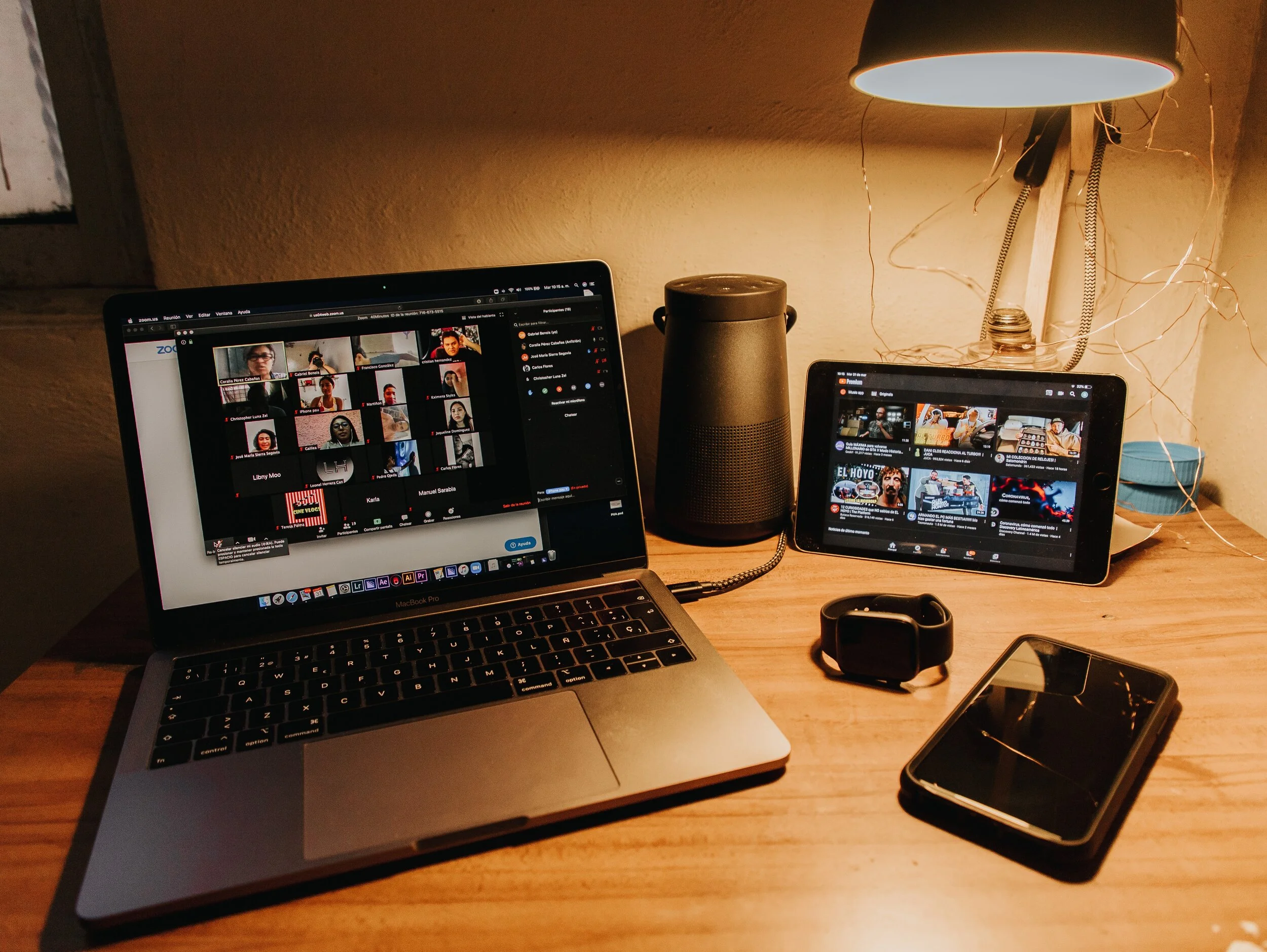
Photo by Gabriel Benois on Unsplash

SlideMagic: a platform for magical presentations. Free student plan available. LEARN MORE
Everyone or no one

Everyone or no one

If everyone is on a Zoom connection, the meeting works, we have gotten used how to deal with the new setup. If a few people are present in person, and a some others are “Zooming in”, the meetings dynamics are broken.

When planning meetings for next year, think about the time, money, and the environment wasted in travel, and prioritize which meetings really have to be in person, and which ones can be done remote. If you go for in-person, everyone has to show up though. Another reason to think twice about that option

Photo by Marvin Meyer on Unsplash

SlideMagic: a platform for magical presentations. Free student plan available. LEARN MORE
Dreading the start

Dreading the start

You have that big presentation coming up and you cannot get yourself to get started on it. Too many distractions, and too few ideas what to actually do.

Some ideas:

  • Open a little (paper or digital) scratch pad somewhere and start jotting down ideas weeks before your presentation. Presentation design and storytelling are creative processes that need some brain incubation time. Your subconscious mind will chew on ideas you started without you realizing it. It is possible to crank out slides the night before the presentation, it is not possible to crank out creative ideas under last minute time pressure. Start early, even with scribbles and notes

  • If you have a bit of time, postpone looking at existing decks and start fresh. Maybe the thought of having to iterate that same old boring, stale presentation is preventing you from getting into it.

  • The other extreme: make one really great “killer” slide for which you have a clear idea and push it all the way to the finished product. Ignore story flow and its overall context, just make it. This ice breaker or sneak peek of what slides in your deck could look like might get you over that initial writers block and get motivated to get started.

SlideMagic: a platform for magical presentations. Free student plan available. LEARN MORE
Making a sentence a bit longer than needed

Making a sentence a bit longer than needed

I just caught myself adding a few words to a sentence that added no meaning whatsoever to the slide, but the layout of the whole page just looked so much better… Usually, it’s the other way around.

Photo by Sharon McCutcheon on Unsplash

SlideMagic: a platform for magical presentations. Free student plan available. LEARN MORE
Why do the Bidens look so huge in this picture?

Why do the Bidens look so huge in this picture?

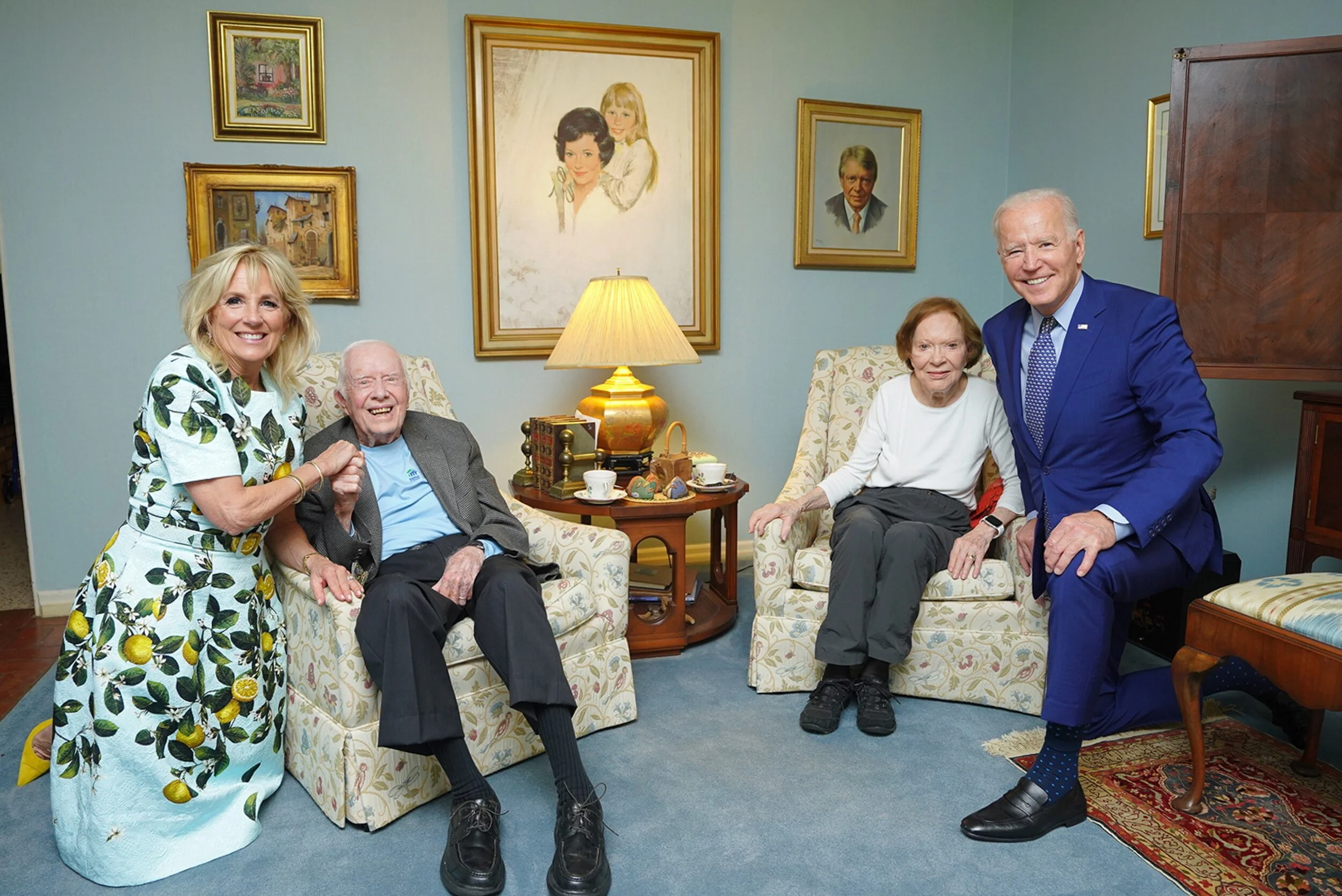
Something does not seem right in this photo:

The Bidens look gigantic compared to the Carters. What happened? The photographer used a wide angle lens to fit everyone in the frame, but was standing very close to the subjects. The result: distortion. Look at Jimmy Carter’s shoes, they seem at the scale scale as Jill Biden.

This is the opposite effect of the “Corona crop” where taking a picture of people with a zoom lens, and then cropping a small shot, suggests a very dense crowd when people are not that close to each other.

If you are not an honest journalist but rather need a picture of a dense crowd for your presentation, you can use the “Corona crop” effect to your advantage, the resulting image might not reflect the truth, but it does not look weird. The “Carter crop” on the other hand, will always look distorted and unnatural.

SlideMagic: a platform for magical presentations. Free student plan available. LEARN MORE
Your own style

Your own style

Musicians learn other people’s music, and then use it to create their own style. Architects, painters, writers, chefs, follow a similar trajectory. But even if you are not Beethoven, you have probably acquired skills this way. Carpenters, teachers, mechanics.

When it comes to presentations, use this process as well. Develop a (very small) set of slide layouts that you know how to use well. It becomes a visual vocabulary that you can use to express pretty much anything.

This is why people that spend some time at a management consulting firm can churn out all these slides without effort. This is why simply copying a slide template out of the blue and trying to fit it to your situation rarely gives good results.

SlideMagic has done the hard work for you. You get a consistent style that you can adopt as your presentation style, and each slide is simply a small tweak of a language you have learned to understand.

SlideMagic: a platform for magical presentations. Free student plan available. LEARN MORE
Aide memoire

Aide memoire

The highschool teacher of my daughter handed out small cards to the class. Every student was allowed to fill it with whatever they feel like and take it to the upcoming test, or… sell it to the teacher for 3 points extra. The teacher’s sneaky strategy: making that card is actually 80% of the work of mastering the material for the test.

This is a bit like holding a small piece of paper in your hand during the wedding speech, or peaking at the speaker notes when doing a stand up presentation. In the world of Zoom, it can even be more blunt: lots of cheat sheets around your screen that nobody can see.

There are 2 ways to approach these cheat sheets:

  1. Write down the actual content that you want to remember, literally.

  2. Fill it with little hints that make you remember things.

The second strategy is more effective, it is easier to remember things, it takes less space (or time to look at your cheat monitor) and you will present things in a more natural way (reading out bullets from your speaker notes is even worse practice than reading them from your slide).

Maybe write “P.O.P.” or “pop” when the three words you need to remember start with a P, an O, and another P. This is similar to the strategy that memory champions use: put things you need to remember in an imaginary 3D space. (Number 42 sits under the pink elephant, next to the grand piano).

The result of this is that the cheat sheet is only relevant for you, other people don’t know the context. As a result, it is not a good strategy to simply copy the piece of paper of the best student in class and think you do not have to put in the hard work to pass the test.

Photo by Kelly Sikkema on Unsplash

SlideMagic: a platform for magical presentations. Free student plan available. LEARN MORE
What is wrong with this picture?

What is wrong with this picture?

Zoom is introducing some “immersive” backgrounds to group video calls. A nice try, but something does not look completely right in this image:

Screen Shot 2021-04-27 at 8.54.44.png

It is very hard to get 3D photoshops right. If it does not look perfect, I recommend not even giving it a try in your presentation. It is like handing the pen to your 4 year old for one of your 30 slides. Instant loss of professionalism.

Why is it tricky for Zoom? Headshots are taking at different distances from the camera, and the camera position of the room is very high, in an environment with a very strong unnatural 3D distortion.

If I were Zoom, I would keep it simpler, with an artificial rendering of headshots, taking out their distracting backgrounds of bookshelves, kitchens and children’s toys, and paying careful attention to the relative size of the heads, position of the eye line.

SlideMagic: a platform for magical presentations. Free student plan available. LEARN MORE
Order of data series

Order of data series

Here is a (sad) chart from today’s Economist:

The Economist put the data series that carries the main message of the chart at the bottom, pushing up all the other data series. My preferred option is the other way around, put it on top. In that way you can see all other regions staying pretty much stable, while India grows strongly.

(Unrelated). India has a very large population, and you need to look at COVID in that perspective. In terms of caseload, it is still behind other regions (such as Europe). The problem is the quality of the healthcare system, and the availability of basics such as oxygen in emergency rooms. Europe could handle the load (more or less), India is in a far worse position. Also, the India stats are averages for the entire country. On a region-by-region basis, there are likely to be places with much bigger caseloads than Europe. Let’s hope that it gets better.

SlideMagic: a platform for magical presentations. Free student plan available. LEARN MORE
Busy economics slide in SlideMagic

Busy economics slide in SlideMagic

I stumbled on the slide below by @ING_economics.

Screen Shot 2021-04-21 at 15.16.25.png

This is a slide intended for reading, rather than serve as the backdrop for a TED Talk. It can be improved on a number of fronts:

  • Move the aspect ratio to 16 x 9 to make more space for text in the boxes

  • Actually reduce the font size (we are reading anyway), to make the text fit better in the boxes, with more white space, and less irregular sentence wrapping

  • Make the rounded edges less extreme

  • Make the dark colour accents a bit less strong

  • And most importantly, fix those misalignments that make me cringe…

I did a quick re-do in SlideMagic, with is particularly powerful when it comes to text tables. I added the slide to the SlideMagic library, search for “economics” in the desktop and it will show up.

Screen Shot 2021-04-21 at 16.35.58.png

SlideMagic: a platform for magical presentations. Free student plan available. LEARN MORE
Apple event - "auditorium camera position"

Apple event - "auditorium camera position"

Apple is known for setting the standard when it comes to product presentations. It is interesting to see what they produced in yesterday’s event within the constraints of COVID. A pre-recorded, pre-produced long-format “television commercial” without a live audience.

As we know from Zoom calls, webinars-style presentation of slides with a presenter voice over can be pretty boring. Adding a small picture-in-picture video of the presenter makes things a little bit more interesting, but it still does not capture the energy of a live presentation.

Apple used an auditorium-style camera position in some of the presentations:

Screen Shot 2021-04-21 at 10.24.52.png
Screen Shot 2021-04-21 at 10.26.44.png

This enables the speaker to walk around, to create a much more interesting presentation. Big budget, multiple camera editing completed the effort.

This is something you could copy, if your business has a large neutral wall, record yourself event without slides in the background, peeking at a small presenter laptop, and later on edit the slides in the background. Or if you have an amphitheater around (if you are a university student), you are lucky and can use that.

I guess this could also be a good idea for some future startup, that maybe can record you in a much smaller setting, and add the digitally created auditorium in a later stage. I see Prezi moving in the direction of video now, but it tries to make the slides more dynamic and exciting. I think this opposite approach is more effective: very calm slides with an energetic presenter.

SlideMagic: a platform for magical presentations. Free student plan available. LEARN MORE
Slide layouts and aspect ratio

Slide layouts and aspect ratio

The aspect ratio of a slide influences the type of layout you come up with. Over the years, presentation slide aspect ratio tend to follow the dimensions of computer screens. The first computers typically had a 4x3 screen ratio (80 x 25 characters of a punch card, sort of resembling an A4/letter format, and probably easier to design when you need to redirect electromagnetic beams in pre-LCD traditional televisions/monitors), while modern machines have wide screens in 16 x 9 ratios (the preferred format in movies).

A 4x3 canvas is very different from a 16x9 canvas when it comes to design (spoiler, I prefer the 4x3).

Most diagrams and frameworks work best when width and height are about the same. When you look at many of the classical management consulting frameworks, you can see that they were originally designed in a 4x3 aspect ratio. Modern interpretations simply stretch them out, making the whole thing look unbalanced.

Screen Shot 2021-04-20 at 7.53.18.png

Process diagrams and tables on the other hand, work great in widescreen format. There is a lot of space for left-to-right steps or columns with information.

What to do?

  • There is nothing wrong with white space. If your diagram needs a 1x1 aspect ratio, put it in the middle of your 16x9 slide and resist the temptation to fill the left and right sides with text or other distracting clutter

  • Alternatively, consider putting the titles of your slide on the side, creating a mover vertical canvas for the body of your slide (SlideMagic can switch seamlessly between different slide title layouts).

Screen Shot 2021-04-20 at 8.02.21.png
Screen Shot 2021-04-20 at 8.04.50.png

SlideMagic: a platform for magical presentations. Free student plan available. LEARN MORE
CMMI template

CMMI template

One of the users requested a template for the Capability Maturity Model Integration framework (more information on the site of ISACA’s CMMI Institute).

I worked of the following original (not created by CMMI):

Screen Shot 2021-04-18 at 13.04.47.png

Next to the general layout, there is also a lot of improvement possible in the text. Overlaps, and jargon can be removed. Here is the template that I added to SlideMagic, search for “CMMI” and it will pop up in the SlideMagic app.

Screen Shot 2021-04-18 at 13.07.15.png

This is my interpretation of the framework, and not endorsed by the Institute. But this reflects how I think you should treat all these diagrams by consulting firms, academics, and business schools: use and adapt them for your own situation. If the jargon does not make sense for you, take it out.

SlideMagic: a platform for magical presentations. Free student plan available. LEARN MORE
Communication culture

Communication culture

Most presentations are not IPO roadshows or TED Talks, so it does not make sense to invest a lot of time and money in them (i.e., hiring expensive designers). But that does not mean that they need to look horrible and boring.

If almost all the documents a company’s employees work with are hacked together, poorly structured, boring lists of bullet points, you start eroding the place’s culture. The energy of a meeting is zapped by a quick glance of the PowerPoint slide sorter (“oh no, 90 minutes of this coming up”). Young trainees learn that this is the standard they should aspire to. At the same level of office supplies running out, poor cleaning, crappy laptops, cheap coffee. Everything points to the work environment where it is OK to cut corners, and only give things your best when you leave the place in the evening. Eventually, it will impact presentations and documents for an external audience as well.

The idea behind SlideMagic is that these every-day presentations can still look organised, fresh, and inviting without a big investment.

Photo by Adrian Curiel on Unsplash

SlideMagic: a platform for magical presentations. Free student plan available. LEARN MORE
Forget about folders

Forget about folders

Filing and categorisation systems are a pain. It is tedious to put things in the right folder on your hard drive, put the data of a file in year, month, day format to make them sort, and final versions always become final final, final final final, really final v2. Google replaced Yahoo’s internet categorisation with search.

Back in the 1990s there was a Partner in McKinsey’s London office who gave up on filing (mostly paper at that time) and simply shoved everything chronologically in his cupboard, all clients mixed. Finding something was as simple as looking into your calendar and going back to the appropriate time. Usually, you roughly remember. It takes a tiny bit longer to find something, but save a ton of time doing, and nothing falls through the cracks because of a misplacement.

The same strategy might also work for your digital files in 2021. Your calendar becomes the index to dig something up from the “pile”.

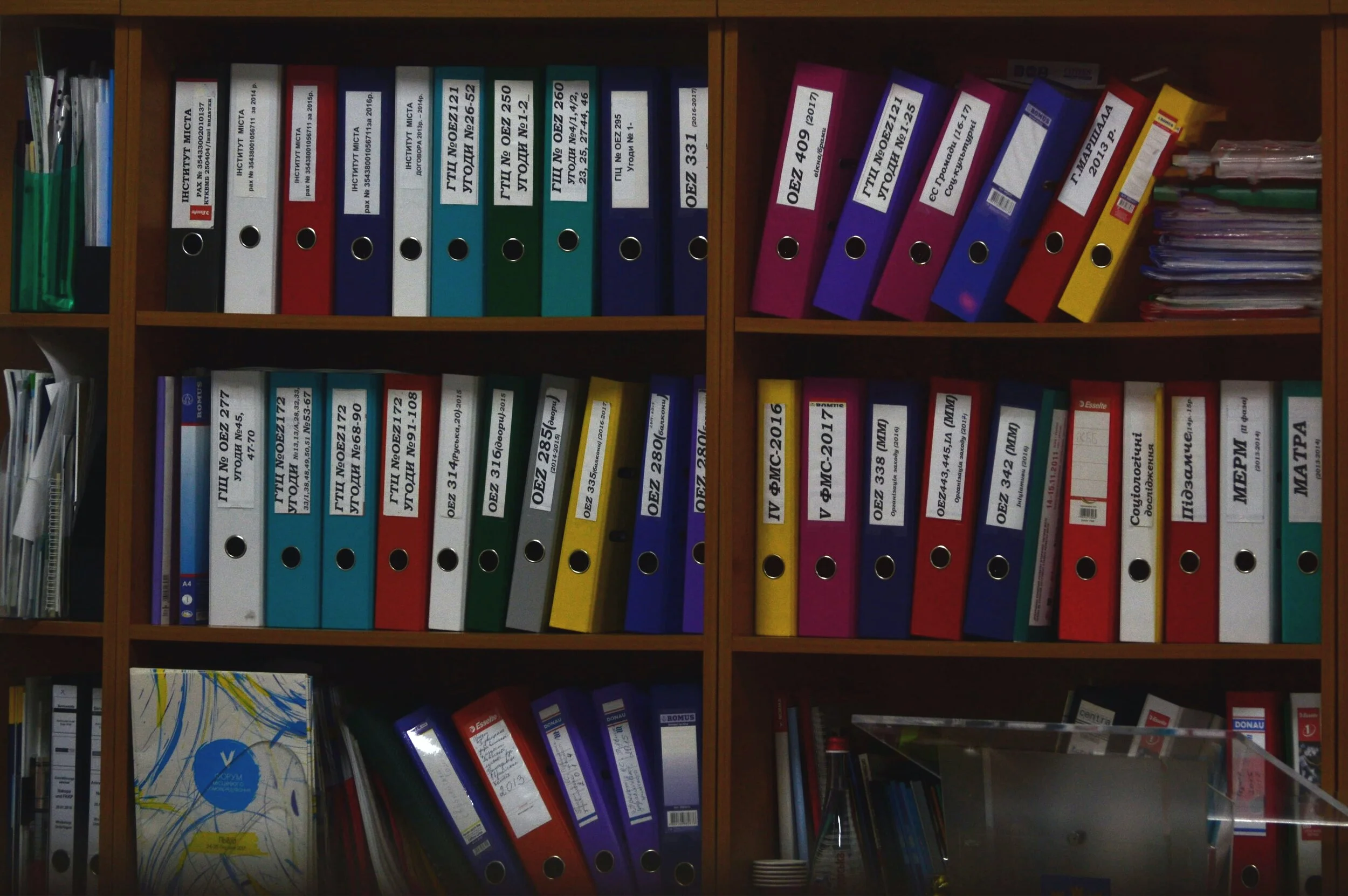
Photo by Viktor Talashuk on Unsplash

SlideMagic: a platform for magical presentations. Free student plan available. LEARN MORE
The five ingredients of a successful startup pitch

The five ingredients of a successful startup pitch

I added the slide used in this tweet to the SlideMagic library. In SlideMagic it is super easy to quickly create a grid with lots of boxes. There is a lot of redundant information on the slide, but the repetition on the other hand serves a purpose here.

Screen Shot 2021-04-11 at 10.17.42.png

Search for “pitch” in the SlideMagic app and it will pop up for you to use (alongside some other investor and musical pitch related slides).

Screen Shot 2021-04-11 at 10.16.00.png

SlideMagic: a platform for magical presentations. Free student plan available. LEARN MORE
Pondering SlideMagic 3.0

Pondering SlideMagic 3.0

Over the past month or so I have been slightly ‘distracted’. My wife (a life science investor) and I are working on an exciting new business that can change the way the pharma industry works (and cure a lot of patients in the process).

It is amazing to see how quickly I can now put things together compared to when I started the work on SlideMagic 2.0. Product development and prototyping is now really fun, as you can try out different things, make 180 degree design changes overnight without the need to re-brief large development teams.

This new confidence, combined with taking a step back from everyday development on SlideMagic is sparking some ideas that could ultimately turn into SlideMagic 3.0. Unlike 2.0, ideas are no longer held back with my ability to implement them, which is an interesting freedom to experience.

The gradual SlideMagic development process might not be a textbook startup case, but I believe this tinkering is the only way to get to a credible alternative presentation design tool. I am convinced that it will get there slowly, and then suddenly.

Photo by Allec Gomes on Unsplash

SlideMagic: a platform for magical presentations. Free student plan available. LEARN MORE