Lots of them

If that is your message, you can write the sentence “There are 45 applications” with a cutely formated 45 on a background of a stunning image. The other solution is to write out the applications in 45 boxes that are nicely spaced out over the page. The latter solution is more cluttered, but actually makes the point in a more convincing way.

SlideMagic: a platform for magical presentations. Free student plan available. LEARN MORE

Data chart surgery

Related to Monday‘s post, there is another way to use a poor quality data chart image in your slide. Crop out all text elements (axis labels, footers, titles, etc.) until you are just left with the lines/bars/columns themselves. Set the background color of your slide to the same color as the image and manually recreate the text labels (if necessary, many graph images contain huge footers and duplicate titles that you do not need).

SlideMagic: a platform for magical presentations. Free student plan available. LEARN MORE

Pretty versus effective

This Tweet is spot on:
Making pretty slides (beautiful picture, nice font) is not the same as making effective slides.

SlideMagic: a platform for magical presentations. Free student plan available. LEARN MORE

Extracting data from a poor graph

Sometimes the image quality of a graph is low, and/or the color scheme does not match yours, that you may want to recreate the data chart in PowerPoint. If there are proper labels, it is no problem. If not, here is a fix:
  1. To measure the values of a column or bar chart accurately, you need an image that is as big as possible. I usually make a physical printout of a stretched chart image on an A4 paper.
  2. Measure the bars/columns in millimeters
  3. Decide the real value for your biggest bar/column, and using its millimeter value determine the value for all the other bars/columns
  4. Now you can recreate the data chart. Since your values are not 100% accurate, do not use data labels, but simply put a value axis on the side of the graph (like it was the case in the source image).

SlideMagic: a platform for magical presentations. Free student plan available. LEARN MORE

Make the point on every page?

If there is a very important message in your story, there is no need to make it on every page in your presentation. Fifteen half-baked bullet points are not as powerful as one carefully crafted slide that drives your message home. Added side benefit: you can make your presentation even shorter!

SlideMagic: a platform for magical presentations. Free student plan available. LEARN MORE

Where do all the posts come from?

I get this question sometimes. Almost all content on this blog are disguised client examples. Every morning I sit down, reflect on what happened yesterday, and extract from it a small piece of advice that could make you a better designer. The advantage of being in the trenches of presentation design day to day.

SlideMagic: a platform for magical presentations. Free student plan available. LEARN MORE

Why is this a big deal?

“Our solution is flexible!”

To you and all the other industry insiders it is perfectly obvious why being flexible matters. For everyone else, including potential investors, it is not clear what flexible means, and why it is a big deal.

Explaining the problem is often more convincing than explaining the solution.

SlideMagic: a platform for magical presentations. Free student plan available. LEARN MORE

Add a face to an endorsement

The common way to present people that endorse you is a bullet point list of names and titles. Make that much more powerful by changing that to a mosaic of faces. Avoid the uniform conference-speaker-headshot-gallery, rather:
  • Use different image formats (B&W-color, suit-jeans, etc.)
  • Use a different aspect ratio than the 3:2 passport picture (landscape for example)
  • Use action shots (people presenting standing on stage)
Now this makes for a much more dynamic visualisation of the people who support you.

SlideMagic: a platform for magical presentations. Free student plan available. LEARN MORE

Selling without slides

When pitching to a new client, you often carry a deck of slides with you to cover your uncertainty. “At least I can lecture about X or Y and flood the prospective client with facts”. In the end what makes the sale is not the lecture about you, but the dialogue about the client’s issues.

It also works for me and my presentation design business. A quick email conversation when a prospect asks “What do you charge and send us a link to an example of your work” is less likely to convert into a project then a half an hour conversation about the actual story.

Most of the times, clients think they are looking for slide make-overs, while actually they need a story redesign. Stating: “I redesign stories and look here is where I have done it 500 times before” does not make the same impression as doing the actual thing on the fly.

SlideMagic: a platform for magical presentations. Free student plan available. LEARN MORE

Sort your bars

Sometimes bar charts have a clear order, a ranking of items. In other cases it is less obvious. Still, you slide looks visually more appealing when you sort them in descending order even if the ranking is not the core of your message.

SlideMagic: a platform for magical presentations. Free student plan available. LEARN MORE

Smarter questions -> better stories

If you are writing an investor presentation you can Google what questions should be covered:
  • What is the market?
  • What is the competition?
  • What is the business model?
  • Who is in the team?
Or, you can take it one step further and already anticipate the most obvious questions an investor might have:
  • I am doing something similar to Google, is that smart?
  • I look like I am 21, isn’t that a bit young to run a startup?
  • We have been working for 18 months and still there is no prototype, will it ever arrive?
Smarter questions lead to smarter investor presentations.

SlideMagic: a platform for magical presentations. Free student plan available. LEARN MORE

Being sick and designing

Back in my days as a management consultant, I would surrender to an illness only when I had a really big fever and stay in bed. Now, as a designer it is different.

My work no longer involves in running around, chasing things, sitting through meetings. And even the slightest disruption of your health has a direct impact on your design work and creativity. I often sense the onset of a cold before the first real symptoms such as a soar throat: not being able to focus, a simple chart that I simply cannot get right.

Well in these cases, there is always the end of the month accounting to do...

SlideMagic: a platform for magical presentations. Free student plan available. LEARN MORE

In NYC at the end of April

I will be in New York at the end of April. Let me know if you would like to connect in person.


SlideMagic: a platform for magical presentations. Free student plan available. LEARN MORE

Full "Pitch It!" PDF available

I just uploaded the PDF version of "Pitch It!" which can now be purchased and downloaded. You can view it on any device that can display PDFs.

When compared to the iPad version, 99% of the interactive functionality is preserved, I replaced touch objects with static image galleries.

Distribution of this book is not restricted by Apple’s policies, and is available anywhere in the world.

I am looking forward to your feedback (content, and - hopefully minimal - technical glitches).

Pressing the button below will take you to the PayPal check out page:

Buy Now

SlideMagic: a platform for magical presentations. Free student plan available. LEARN MORE

New look? Don't forget PPT...

When I get the brand guidelines from a client (explanations about logos, colors, fonts), the PowerPoint section is usually at the back, put there as an afterthought after brochures, business cards, and letterheads are being discussed.

Designers usually do not pay much attention to PowerPoint (PPT is uncool for serious designers) and you end up with fonts, shapes, and concepts that are 1) hard to incorporate in presentation design software (no, most people do not have Frutiger installed on their machines) and 2) - more importantly - are very hard to understand for the layman designer.

The face of a company used to be the letterhead, but today it is the website, and yes, the PowerPoint presentations that are cobbled together by the amateur designers and shown to customers everywhere, all the time.

So, when designing a new corporate look, think about those amateur designers, and the best way to do that is to design your look for PowerPoint, then adjust it to other canvases. Sorry.

SlideMagic: a platform for magical presentations. Free student plan available. LEARN MORE

The consulting presentation

As a former management consultant, I can say it: consultants make very poor presentations. But what about these fancy looking documents full of graphs (exhibits as they are called)? Well, they are decks meant for reading, not for presenting to a live audience.

And as documents intended for reading, they are pretty good. Consultants have replaced a word processor with a slide design program, which adds more writing freedom:
  • It is easier to add data charts and data tables
  • It is easier to add structure to a text (frameworks in consulting speak)
  • It is easier to group edit a document that consists of 1-page-1-topic that can be shuffled
Still, consulting reports meant for reading can be designed better: cutting jargon and using simpler language (synchronising key performance indicators across behaviour segments takes up a lot of space and does not mean much to the layman), and think better when to use data charts (often one single data point gets put down in one single column chart with one single column).

Now, this document is great for people who have been deeply involved in the project (consultants on the team, team members from the client). To win over the hearts of people who will see the recommendations for the first time, a whole new presentation needs to be designed from scratch. And unfortunately, most consulting firms do not make this final step.

SlideMagic: a platform for magical presentations. Free student plan available. LEARN MORE

Why do Keynote slides look better?


I was asked to answer this question on Quora the other day. My hypothesis that it does not have anything to do with the preinstalled templates or the software’s underlying capabilities.

I think that on average the population of Keynote users are better designers. If you invested the effort to get to grips with a new presentation design tool, you are probably likely to be able to design better slides.

SlideMagic: a platform for magical presentations. Free student plan available. LEARN MORE

Testing - Pitch It in PDF

I am preparing the conversion of my book Pitch It into PDF based on the comments I received yesterday. In the process, I am becoming an expert in Adobe InDesign as well. The challenge will be to translate the interactive iPad content into static sequential images.

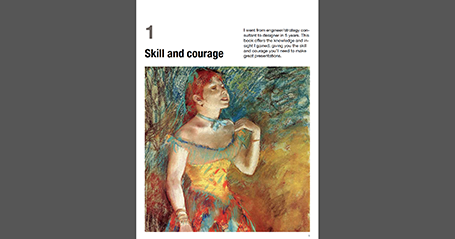
Here is a trial of the first chapter, which is available for download for $0.01 (PayPal obviously does not allow $0 transactions). If you want, you can check it out and let me know whether the format works and how you liked the shopping experience. But I understand it if you save the $0.01 for the full version (chapter 1 is an introduction and does not contain any of the core content of the book).


You can download the first chapter by clicking the button below for a $0.01 charge:

Buy Now

SlideMagic: a platform for magical presentations. Free student plan available. LEARN MORE

Table with fat lines

For boxy charts, I find it very convenient to use tables as the basic organising structure. Use big fat lines to separate the cells. In this way, it is easy to add, delete cells, combine, and split them. The Mondriaan look.

SlideMagic: a platform for magical presentations. Free student plan available. LEARN MORE

A non-iPad version of my book

A question for people who do not have an iPad and want to purchase my book about presentation design. Would you prefer a highly illustrated PDF file that can only be read on high-end Kindles or computers, or a mainly text-based document that will render nicely on all Kindle devices (but lacks the illustrations)?

SlideMagic: a platform for magical presentations. Free student plan available. LEARN MORE