Catch those fresh impressions before they are gone

Catch those fresh impressions before they are gone

When someone briefs me on a new presentation design project, I usually do not scribble in a note book during the conversation. One, it prevents a direct dialogue. The client is not passing on his food orders to a waiter who looks down at a piece of paper all the time. And, when you write down, it is hard to inject questions. But there is a second reason.

Writing down your impressions after a discussion 10 minutes after the meeting is over is a wonderful way to let your brain do the first sorting of what is important, and what is not. I don't write down the entire conversation sequentially, rather, I write down the big ideas that struck me. They are not in the right order, they are not at the same level in the story hierarchy, they overlap. Still they are all thoughts that "need to go in somewhere'.

Ten to fifteen minutes is the optimal delay, after that your memory starts fading and you will lose that thought.


Art: Jean Siméon Chardin, Soap Bubbles, 1733

SlideMagic: a platform for magical presentations. Free student plan available. LEARN MORE
How to clean up a PowerPoint presentation or template

How to clean up a PowerPoint presentation or template

PowerPoint (and yes, Apple Keynote as well) offers way too many styling and customisation options.

  1. Non-designers pick the wrong options: shadows, gradients, colours, fonts, and position things all over the grid without worrying about balance or layout
  2. There are technical complications as well: copying and pasting slides across creates a mess of different templates, with different defaults. And even if you want to change something because it looks bad, few people know how to do it (straighten out column sizes, fixing that hanging bullet).

The objective of my presentation design software SlideMagic is to free you of all this stuff. If you have to work in PowerPoint, my advice is: make things look like SlideMagic slides! The easiest way is to work in SlideMagic, then convert to PowerPoint. Second best alternative: stay in PowerPoint.

Here are some of the steps I go through when I am faced with the challenge of cleaning up 100 slides of PowerPoint in a very short time:

  • Copy the file, delete all but 2 slides, open the slide master, and delete all but 2 slides in it, so you are only left with a title page, and a regular page.
  • Fix the slide master
  • Create horizontal and vertical drawing guides in the slide master
  • Do a brutal font replace across all slides to get rid of any legacy fonts
  • Set the colour scheme, save and apply to all slides
  • Insert a blank text slide, and create a shape and and a text box. Fix fonts, alignment, line spacing, padding, colours, right click them and set them as default shapes.
  • Open the original file and copy all the slides, paste them in the small file you just created
  • Select all slides (except the title slides) and change its format to slide 2 in the slide master
  • Open the slide master and delete all master designs you don't need (i.e., you are again left with 2 slide masters)
  • Do a global font replace again

So far, the presentation set up. Now follows the adjustment of each slide:

  • Fix colours, kill: gradients, drop shows, glows, bevels, underlines
  • Make sure everything fits in the slide frame, your drawing guides
  • Cut text dramatically, take out duplications, indirect verbs, words like "in order to", cut, cut, cut
  • Change vertical layouts into more horizontal ones: instead of "sub title, bullet bullet bullet", create a category for subtitle on the left, and put the (chopped) bullets to the right of it. Like the SlideMagic tables

Often it is just faster to re-create the slide from scratch rather than trying to fix it. And in SlideMagic, you will be even faster. You can't put objects in the wrong place, and all slides use the same basic "slide master". Good luck!


SlideMagic: a platform for magical presentations. Free student plan available. LEARN MORE
A typical startup pitch story line

A typical startup pitch story line

I noticed that many of the pitches I have been designing recently follow this kind of narrative:

  • [Something] has been going on for ages
  • It is hard to understand that with all technological progress we still have to do [this], [this] way
  • Well, there is a good reason for, because until now it was not possible to get [this] right
  • Enter [company] that for the first time can offer [this] and [that] at the same time
  • This is not as easy as it sounds: for example look how hard it is to do [this]
  • It is not hard to see why in a couple of years, everyone who used [this] will now be using [that]

After this, the more standard "about" section follows with information about the company, the product economics, financials, team, etc. etc.


Art: Vincenzo Campi, The Fruit Seller, 1580

SlideMagic: a platform for magical presentations. Free student plan available. LEARN MORE
You are wasting time on PowerPoint

You are wasting time on PowerPoint

The majority of business presentations are not TED Talks, are not major product launches, are not State of the Unions. Corporations automate and simplify many processes: accounting, HR, planning. These non-critical "presentations" are the glue/oil on which corporate middle management runs. Decision making and deal making is done around endless iterations of confusing and boring PowerPoint decks because we do not have time (see the irony) or are not in the same place to communicate directly and clearly and sort things out on the spot. Asking for another version of a PowerPoint deck and a meeting next week is the most convenient form of procrastination.

My presentation app SlideMagic (sign up to try it) has been created to kill this inefficiency and give everyone a simple tool to create good enough, decently designed business documents that can be created in an instant, freeing up time to do more interesting and important things.

Here are 2 types of internal corporate documents and reasons why you spend too much time creating them, and the audience is spending too much time decoding them.

  • Big decision trade offs. The audience wants to understand what the options are and a clear set of pros and cons (preferably quantified and comparable) to make a decision. And, yes, they want to know which option you prefer. You write endless pages with market context, general trends, project team history, description of the work, without getting to the point.
  • M&A deals. Consultants produce endless amount of pages with company backgrounds, company history, description of assets. While the buy side is out to make a DCF valuation model. It needs to understand what the basic business units are, how the economics of the business work, and how to think about forecasting things in the future. Maybe you should not write down a generic business description, but instead create a document that spoon feeds assumptions for a valuation model.

SlideMagic: a platform for magical presentations. Free student plan available. LEARN MORE
Meaningless quotes

Meaningless quotes

Social media is full of inspirational quotes, and some of them make their way into business presentations as well. I am not a big fan of them. A few nice ones from Quartz:

“By maturing, we self-actualize.”
“We dream, we vibrate, we are reborn.”
“Choice is the driver of purpose.”

And now there is research that found a negative correlation between people who like these quotes and IQ (it looks genuine).

When are quotes useful in presentations?

  • When they are relevant to what you are talking about
  • When they are given by someone with credibility
  • When they have a nice, unexpected, twist or contradiction
  • When they are not cliche
  • When they are easy to read/digest (most of the time, this means short)

It is not very often that you find one that matches all these criteria.

UPDATE February 2018: I have added a new post about using quotes in PowerPoint to the blog


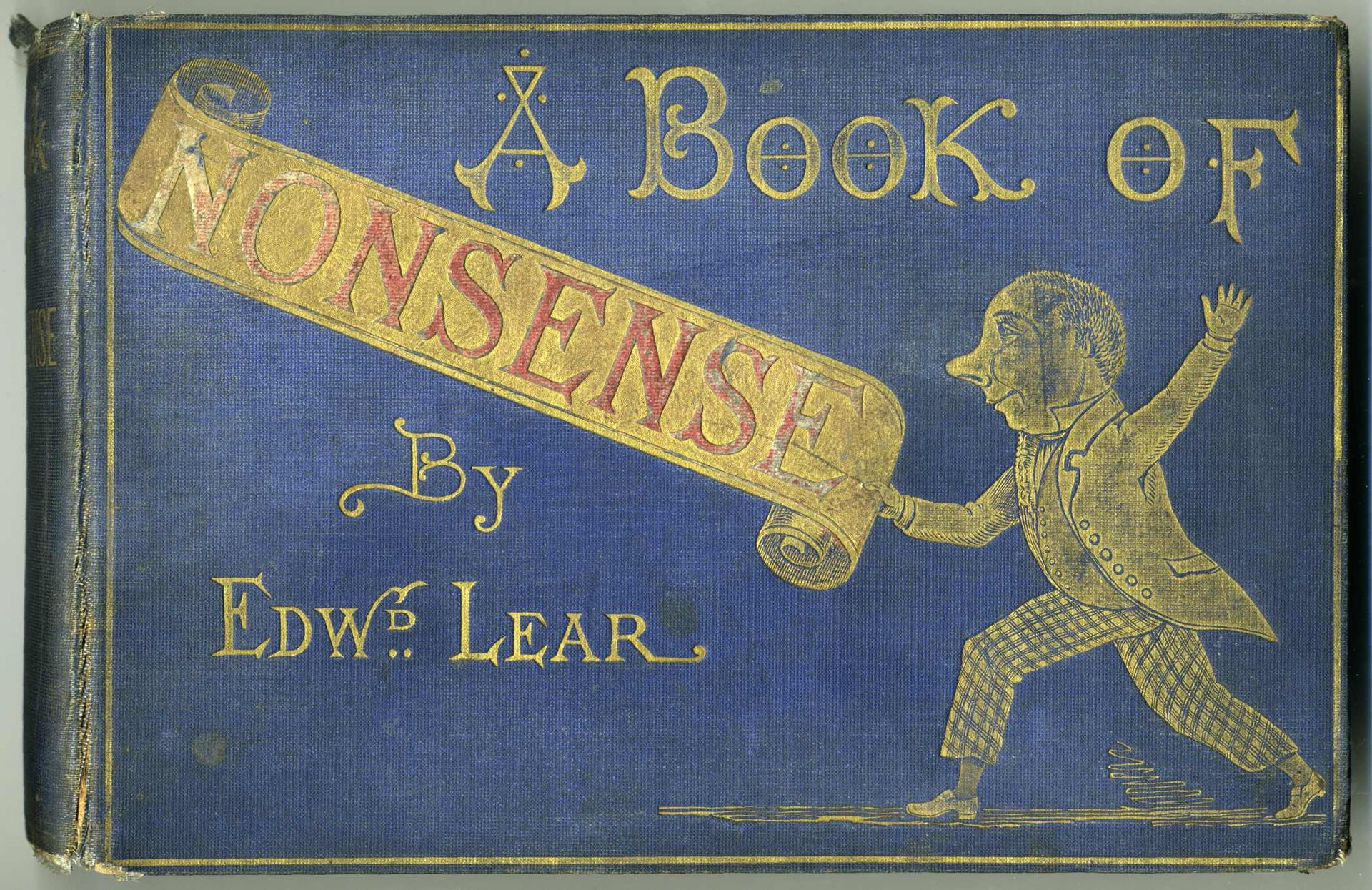
Image: The book of nonsense by Edward Lear

SlideMagic: a platform for magical presentations. Free student plan available. LEARN MORE
Example PowerPoint conversions

Example PowerPoint conversions

Many of you are requesting PowerPoint conversions of the templates that ship with SlideMagic. You will see that the conversion works nicely, but that it is inconvenient to make structural slide edits in the PowerPoint version of the file, doing them in SlideMagic is much easier.

If you want to check out how converted SlideMagic presentations look, I have put the files all in this shared Google Drive folder.

SlideMagic: a platform for magical presentations. Free student plan available. LEARN MORE
What is wrong with your presentation summary page

What is wrong with your presentation summary page

In every client project, I try to get rid of the dreaded summary page in front of the presentation. Instead, I give a very clear description of what we are actually talking about, and a teaser of what the presentation is going to show.

Here is a check list of things I regularly see on first pages.

  • It is written in font size 8, in looooong sentences that stretch over the screen (especially on 16:9 wide screens)
  • It is an invitation to tell the entire story (too detailed for a summary, but not detailed enough to cover the content correctly)
  • It is written in chronological order, then we did this, then we did that, then we did this, rather than an order that makes sense to the audience
  • The same point / bit of information is repeated multiple times
  • It is loaded with quantitative data, but because of the text format, this data is impossible to understand / relate to each other
  • It contains dry information, and no encouragement what so ever to be excited about the content that is going to follow
  • It is full of values, mission statements, generic trends, buzzwords and other vague concepts that are context, rather than the core of your idea
  • It is full of details (number of employees, founding year, etc.) that are not a crucial part of the "summary" of your story
  • It has sub bullets, and worse bullets that have just 1 sub bullet hanging below it. It uses different font sizes for the main bullets, and the sub bullets. Bullets are not properly intended, (space space space space)

Art: detail of a painting by Gavin Rain

SlideMagic: a platform for magical presentations. Free student plan available. LEARN MORE
Over emphasizing

Over emphasizing

We are not trying to be a social network, it only looks that way. We are not trying to be a social network, it only looks that way. We are not trying to be a social network, it only looks that way. We are not trying to be a social network, it only looks that way. We are not trying to be a social network, it only looks that way. We are not trying to be a social network, it only looks that way. 

If you have to repeat it that often, people might just think you are.


SlideMagic: a platform for magical presentations. Free student plan available. LEARN MORE
Two reasons the story does not come out well

Two reasons the story does not come out well

  1. The curse of knowledge, you are so deep in the material that you:
    • Cannot see anymore what points of your story are obvious to an audience, and which points are not (and vice versa, which points are difficult to understand while you think they are very clear
    • Cannot see anymore which details are important / add flavour to the story, and which details are tangents that lead to nowhere
       
  2. You probably hang on to a story structure that you designed for your first presentation a long time ago. Your company and your story has moved on, but your slide deck has not.

Art: Franz MarcDie großen blauen Pferde (The Large Blue Horses), (1911)

SlideMagic: a platform for magical presentations. Free student plan available. LEARN MORE
Combining tables and data charts

Combining tables and data charts

Lining up a data chart and a table in PowerPoint or Keynote is very tricky. And that is a shame, because it is one of the most useful compositions to present data. Just tables, and you cannot really see the trends. Just data charts, and it all becomes cluttered.

I took the data from an earlier blog post and quickly turned it into a combined table/data chart. You can clone the slides I create in presentation app SlideMagic into your own SlideMagic account by clicking this link.

Screenshot 2015-11-29 11.37.34.png


SlideMagic: a platform for magical presentations. Free student plan available. LEARN MORE
The mood of images

The mood of images

The first layer of the image in an image is what it is about, a tree, a house, a car. The second layer though is what general mood it evokes. Even if your images depict the right thing, somehow they do not feel right, and it is hard to pin down why. Here is a check list, I am exaggerating on purpose. 

  • Cheesy, tacky, not real, fake people
  • Something aggressive, violent, scary
  • Things are gross, ugly, not pretty, repulsive
  • A bit too racy
  • Girly, cutesy, childish
  • Dark, somber (including colours)
  • A closed, trapped setting
  • College humour that is actually not really funny
  • Cliche: ice bergs, dominos, 

I am exaggerating on purpose. That image of the apple pie is probably not "gross", but subconsciously, there is something not tasty about it. The image of the solider is not violent, but somehow a military association sets the wrong tone of the presentation.

The opposite is also true. The best images can uplift your mood and somehow makes your feel right. Images can set your mood pretty much like a painting / piece of art can.

If your image does not feel right, it probably is not right.

SlideMagic: a platform for magical presentations. Free student plan available. LEARN MORE
The user is always right

The user is always right

Sometimes I get the strangest support questions by users of my presentation app SlideMagic. Obviously, the user did not explore the help pages, or did not try out all the menu options, or did not understand the philosophy behind SlideMagic. Initially, I felt like pointing that out. Now I figured out that it is my problem, not the user's.

User interface is entering an interesting phase. Mobile/tablet apps all look very cute but it is often incredibly difficult to find the most obvious functions. Desktop/laptop applications have become so bloated that obvious functions are hard to find, or are still in places "because they have always been there for the past 10 years" to serve the large install base of users. Every time I set up a new presentation, or create a new slide in PowerPoint I find myself doing a large number of repeat clicks (by now at incredible speed) that basically do very simple things (creating and aligning a grid of boxes for example).

I keep on trying to get it right.


Art: Vladimir Makovsky, Teacher Visiting a Village, 1897

SlideMagic: a platform for magical presentations. Free student plan available. LEARN MORE
Selfies are not professional head shots

Selfies are not professional head shots

Images are a great way to liven up an "about" page on a web site or a team page in a presentation. The best images are the one where all team members are present in one image. You can overlay name tags and get a great composition. No issues with images in a different style, images that are outdated. And it shows how well the team works together.

Second best alternative is individual images. But please avoid selfies. Most people assume that where-is-the-button-I-need-to-press look when taking a selfie. It does not come across very professional. The least you can do is ask a colleague to take a quick picture with your phone if you are in a hurry.

SlideMagic: a platform for magical presentations. Free student plan available. LEARN MORE
What if things did not change that much?

What if things did not change that much?

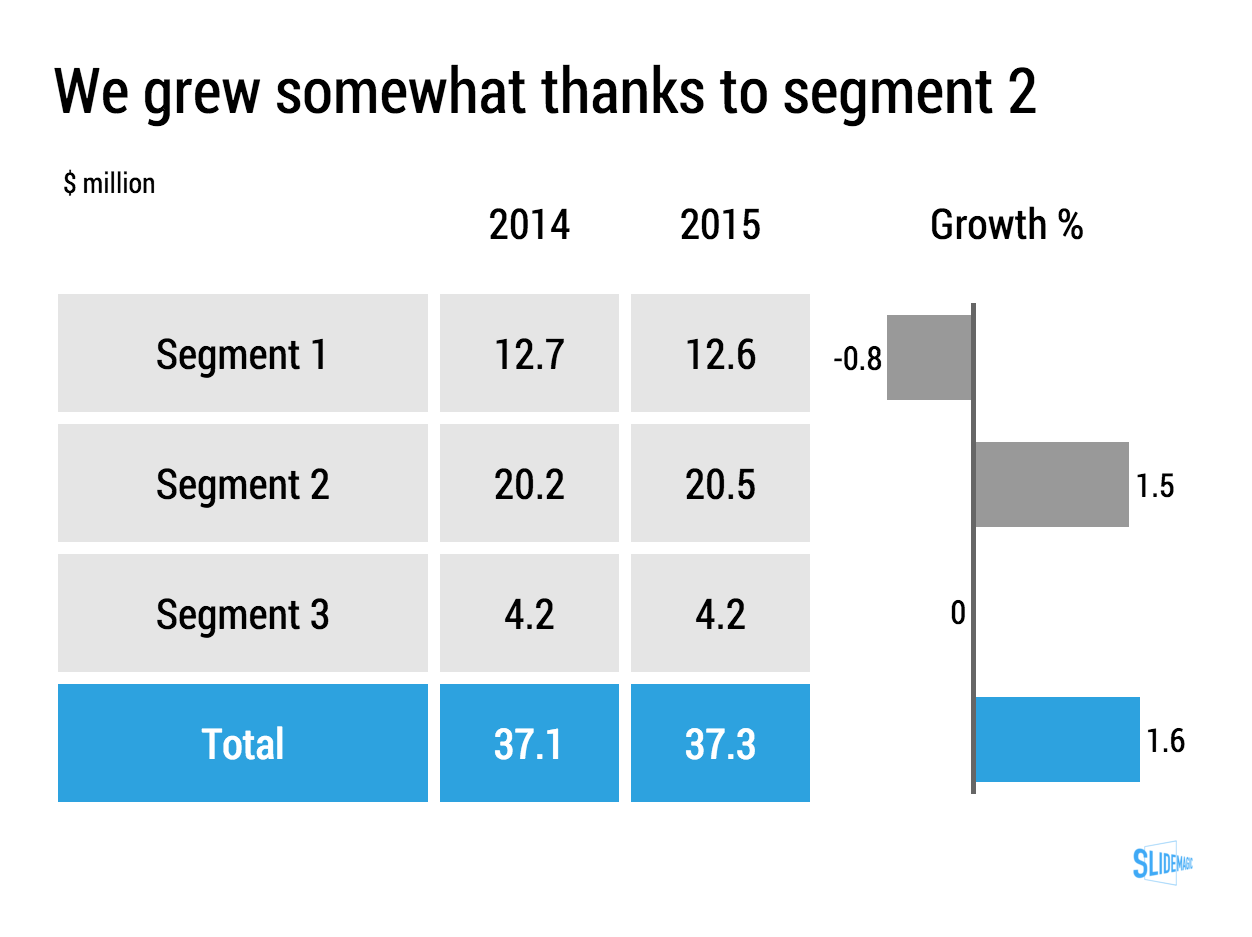
Many large companies grow only a few % points per year. They are large and mature businesses. And many quarterly investor presentations have charts like this in them:

When things don't change that much, a stacked column chart like this one might not be the best way to show the data, maybe a good old table is better. Stacked column chart show the relative proportion of values at the expense of legibility, especially for small categories that can be hard to read. If nothing changes in the proportions, a table will be easier to digest.

For these big companies, analysts do not focus that much on the absolute numbers, it is the differences in growth percentages that matter. To give the growth numbers more visual power, a combination of a table and a bar chart can be a powerful visual tool.

You can clone this chart and others that I used on the blog into your own SlideMagic account buy clicking this link.


SlideMagic: a platform for magical presentations. Free student plan available. LEARN MORE
PowerPoint conversion is now live

PowerPoint conversion is now live

PowerPoint conversion is now live in the SlideMagic app. The back office workflow is still a bit improvised, but it works.

I see many users requesting PowerPoint conversions of the SlideMagic templates, in the hope that they can use the simple SlideMagic slide manipulation functionality in good old PowerPoint. That will not work in most cases. All elements of a SlideMagic chart line up beautifully in a grid, and when converted to PowerPoint, all these blocks become individual PowerPoint shapes. If you do not touch them, they look great, but try to make changes to a slide layout, and you have to go through tricky resizing and re-alignment exercises. It is this type of work that probably makes up 50% of my bespoke presentation design work and which was the main driver to try to automate it.

Before committing to developing SlideMagic, I have tried extensively to program a smart PowerPoint template that could do similar things, but I could not get it to a level that was simple enough for a layman designer to use it. Believe me, I tried (really hard).

I hope that SlideMagic users will feel increased confidence to give the app a try now that they know that there is always a way back to PowerPoint, if they want. But at the same time, I think users that have given the app a real opportunity to show itself (create one presentation start to finish), will see the limitations of PowerPoint and make the switch.

Whether there will be a PowerPoint import feature as well? The answer is a definitive "no". Because of the fundamental differences in design approach SlideMagic takes, it is not possible to convert PowerPoint into SlideMagic presentations.

Let me know your feedback here in the comments or via jan at slidemagic dot com. Not yet a SlideMagic user? Sign up here.

SlideMagic: a platform for magical presentations. Free student plan available. LEARN MORE
Two related product stories

Two related product stories

Sometimes, your company has 2 products with similar, but different stories. Pitch the products in full detail sequentially duplicates some of the common parts of the story (and bores the audience) A generic pitch followed by example 1 and example 2 makes the product pitches too weak.

A possible solution that I recently applied to a medical technology startup:

  • Layout the basic idea behind the innovation that is shared between the products, not necessarily as a pitch, but more to educate the audience
  • Set up the company as a combination of 2 parts
  • Do a full pitch for product 1 (without repeating the basic concept that was explained in the introduction)
  • Do a slightly shorter pitch for product 2, just highlighting the differences in the technology for product 2 compared to product 1.

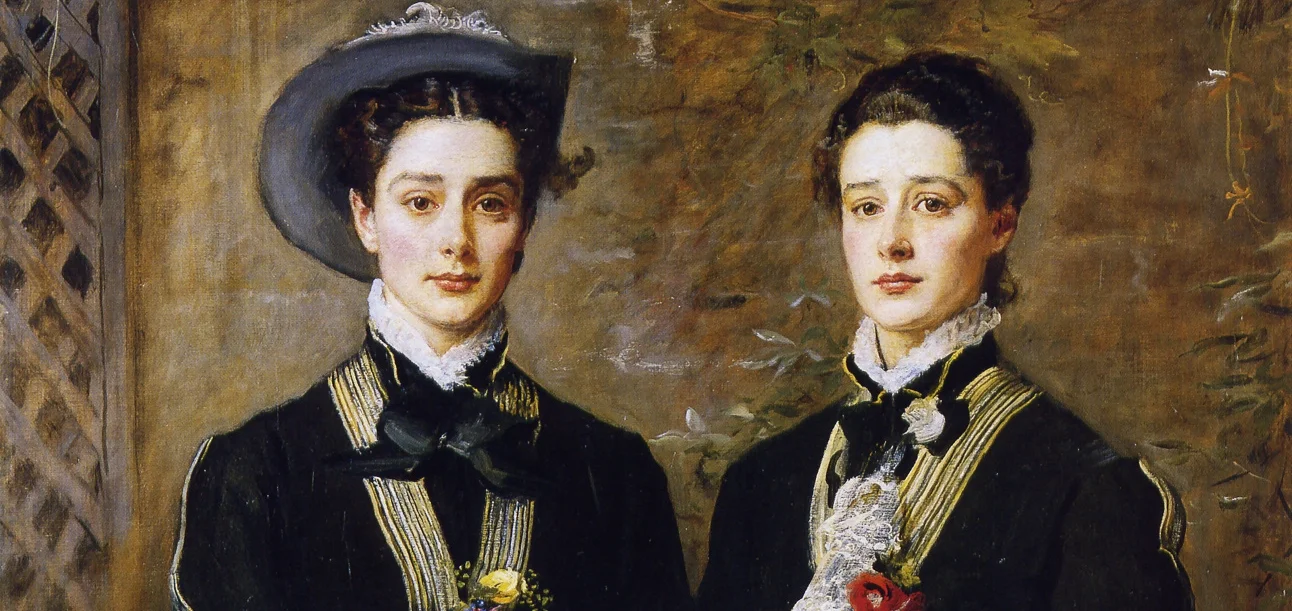
Art: John Everett Millais: Twins, Kate Hoare and Grace Hoare, 1876

SlideMagic: a platform for magical presentations. Free student plan available. LEARN MORE
Citrix slide make over

Citrix slide make over

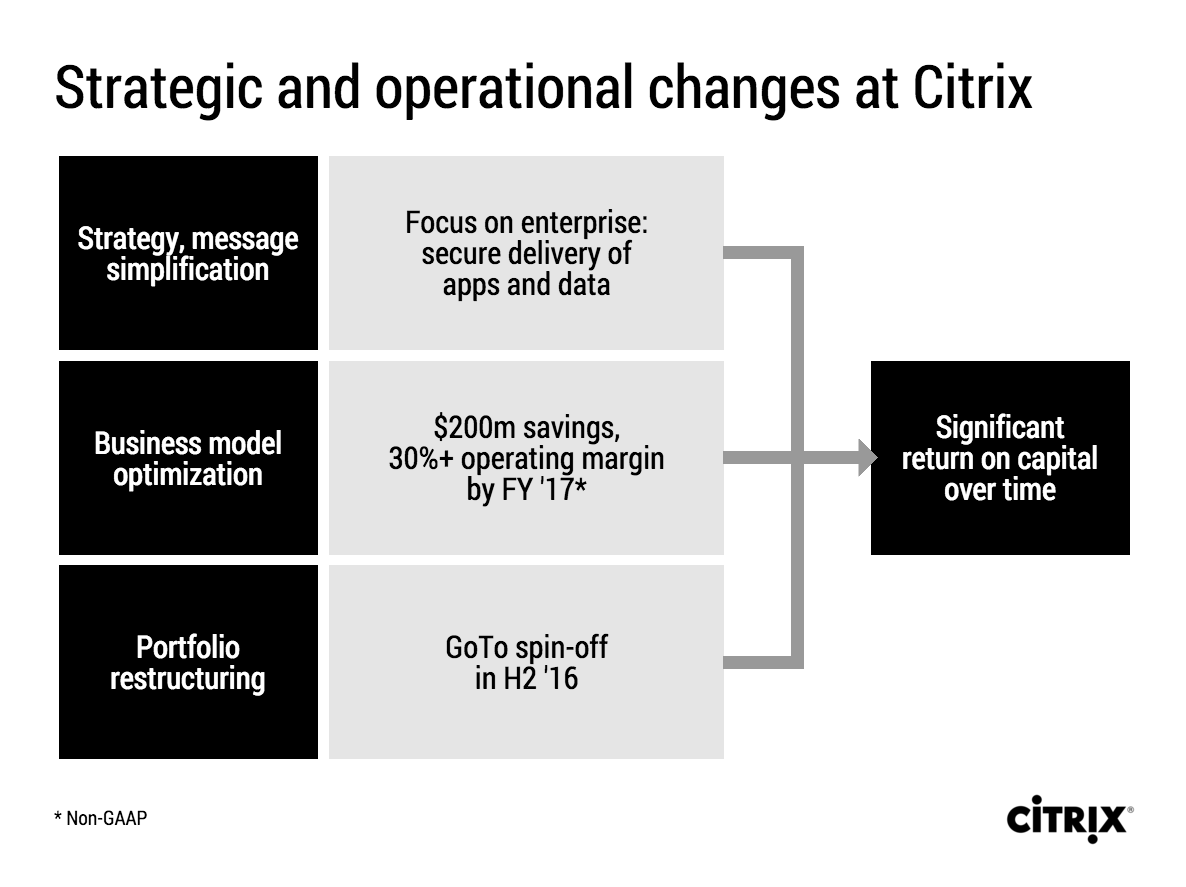
Citrix announced a corporate restructuring recently. The slides that were used are typical of many corporate PowerPoint presentations. Here is an example:

This slide looks like it came straight out of the consulting report that preceded the decision to make the changes. There are a number of things that can be improved:

  • The look & feel does not match Citrix' clean black and white corporate identity
  • The slide uses a standard Microsoft PowerPoint smart object, with "dirty" gradients
  • No attention has been given to typography: "H2'16" is orphaned on a 2nd line, the light boxes are too narrow to contain 3 lines of text
  • Messages are repeated on the left and right side of the chart
  • There is a cause and effect relationship in the chart (we do this and get ROC in return) that is not reflected in the way it is laid out.
  • The headline is a but woolly.

I tried to fix these issues in this quick makeover in my presentation app SlideMagic. I kept the 30% margin and $200 cost cut info in the business model optimisation box, although you could argue that that is an outcome of the strategy as well. A true business model optimisation would be "price increases" or something.

If you want you can copy and clone this slide to your own SlideMagic account by clicking this link. Not yet a SlideMagic user? Sign up here to try it out.

SlideMagic: a platform for magical presentations. Free student plan available. LEARN MORE
iPad Pro and presentation design

iPad Pro and presentation design

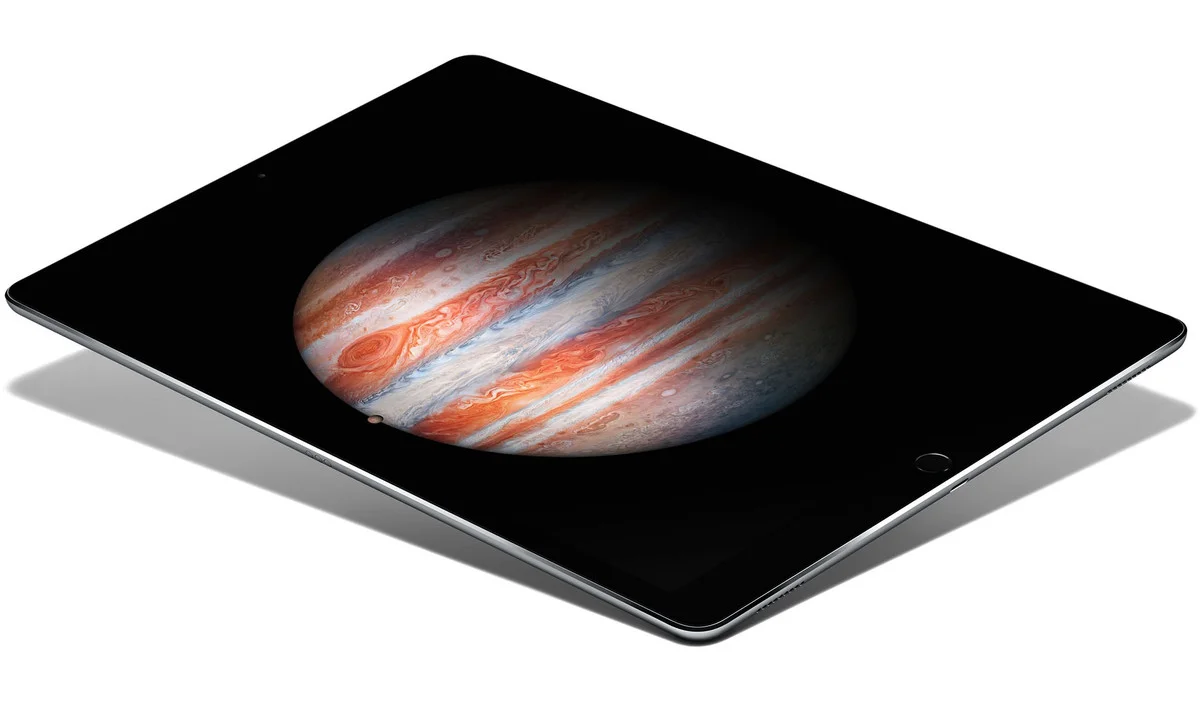
I have been reading the reviews of the Apple iPad Pro and the Microsoft Surface Pro with great interest. Analyst Benedict Evans and many others claim that iOS/Android powered devices will replace OSX/Windows computers as the main computing tools we use.

Illustrators and designers seem to love the devices. Big surfaces with a precise pencil signal the end of the expensive Cintiq devices.

Writers (bloggers, journalists) complain that they miss the mouse/track pad on these devices. It is hard to go back and forth from keyboard to screen to move quickly through text and cut/paste sentences.

Presentation design might actually be a good fit for a bigger tablet, if you can make things run smoothly without the need for the attached physical keyboard. It would require a redesign of the user interface though, the mouse-based UI is too complicated, and the current mobile UIs are too counter-intuitive, many functions are hidden. SlideMagic might fit the bill, I am going to find out soon.

Still, there is the difference between "it works great" and mass adoption in big enterprises...


SlideMagic: a platform for magical presentations. Free student plan available. LEARN MORE
Convert SlideMagic presentations to PowerPoint

Convert SlideMagic presentations to PowerPoint

Many people have asked for this feature. I might have found a partially automated solution for this. Partially means, slides are converted automatically, but the overall workflow is still manual.

Before I start investing a lot of resources (time and money) in developing a fully automated solution, I want to test demand. Soon, I will be adding a "PowerPoint" button to SlideMagic, but in the interim, you can email to (ppt at slidemagic dot com) an editable link of your presentation (generate it via the SHARE menu in SlideMagic) and we will send you back a PowerPoint file.

It is important to send the link using the SHARE function, nobody but you can open the links in your browser for privacy/security reasons.

Make sure that you have the Roboto Condensed font installed on your machine. It is a free font provided by Google

  1. Exit PowerPoint
  2. Go to the Roboto Condensed download page
  3. Tick the 400 and 700 boxes
  4. Download using the "arrow down" icon at the top right
  5. Double click the downloaded files to install the fonts
  6. Re-open PowerPoint

Roboto Condensed cannot be installed on iOS devices. If you want to edit your converted SlideMagic presentation in PowerPoint for iOS consider replacing the Roboto Condensed font for Helvetica Neue Condensed. Here is how to swap fonts across an entire presentation on a Mac. But hey, SlideMagic runs pretty well in Safari on iPad, no need to convert to PowerPoint for this.

Some disclaimers:

  • It is a partially manual solution, please be patient, delivery can be instant or take some time.
  • A human will open your presentation, we are nice people and unlikely to read it all in detail and/or post things on the Internet though. Still some corporate compliance regulations might have an issue with this
  • There might be glitches in the quality of the conversion, if so, we would like to hear about them.

You will see that the end result looks pretty decent and small text edits work great, but - and this is the reason I created SlideMagic - if you want to make fundamental edits to a SlideMagic slide in PowerPoint you will hit the limitations of PowerPoint. For example, adding a row or column to your grid and getting everything to line up nicely is a small operation. I suspect you will quickly go back into SlideMagic, do the edit there, and convert again. Hopefully, in the end you will just forget about the conversion and stay inside SlideMagic.

So, hopefully the option of converting your SlideMagic presentation to PowerPoint will give you increased confidence to try it out, there is nothing to lose, you can always fall back to good old PowerPoint.

Not a SlideMagic user yet? Sign up here.


SlideMagic: a platform for magical presentations. Free student plan available. LEARN MORE
"This is my usual introduction"

"This is my usual introduction"

"When I put up the first [incredibly busy bullet point] I start of with this introduction before I take people through the slide"

Usually, these introductions are great. They come out naturally, in a conversational style. Next time:

  1. Use that introduction as the opening of your presentation, add a visual slide here and there to support the story. And don't stop there, finish the entire presentation in that style
  2. Second best option. Put in a black slide before your busy opening slide and tell that introduction without encouraging people to start reading your bullet points.

SlideMagic: a platform for magical presentations. Free student plan available. LEARN MORE