The eyes need to smile

The eyes need to smile

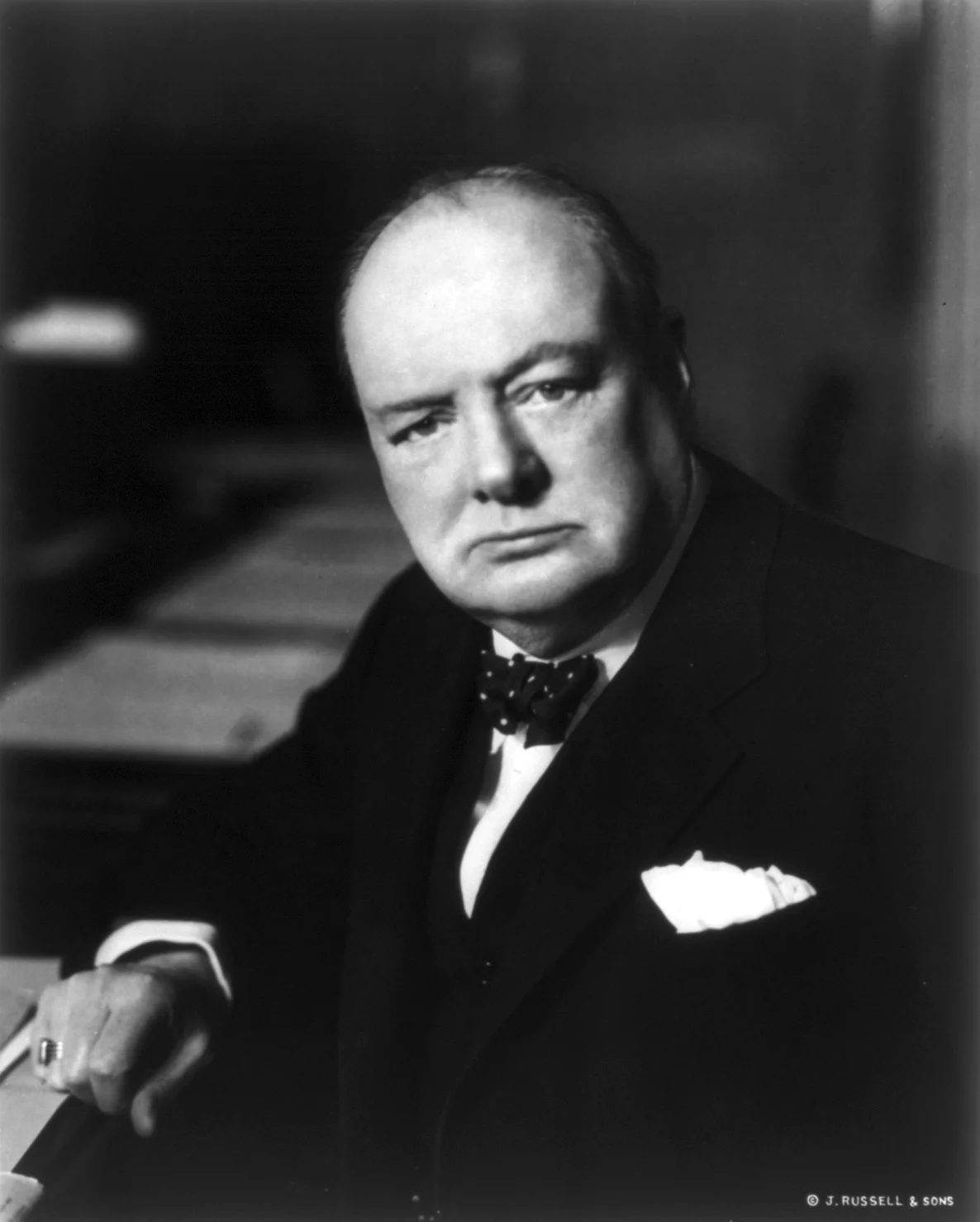
Selecting profile pictures for a presentation or web site is always tricky. My advise is to take a huge amount of photos to have as many options as possible to select the best one.

The first and most obvious selection layer are obvious mistakes. Closed eyes, the tie not sitting straight, basic face expressions.

The second layer is more tricky. If you look carefully at a portrait image, it is usually possible to guess the sort of mood the subject was in. The face can be smiling, the eyes not. The person can look embarrassed, amused, shy, uncomfortable, curious.. Pick the one that suits best.

Think about this when your picture is being taken. Look at the lens of the camera, the way you would want to look at a potential investor or client standing in front of you. Professional actors can do this for every possible mood they want to project. For you, it is enough to do what comes naturally to you.


SlideMagic: a platform for magical presentations. Free student plan available. LEARN MORE
Teach them how to think about you

Teach them how to think about you

This debate on the Fred Wilson blog whether you should look at Twitter in terms of monthly active users who log in, or (the much larger number of) people who view/get exposed to tweets is an important lesson in investor presentation design: sometimes you need to educate your audience how to think about you.

Investors like benchmarks that they can compare quickly across stocks, like features of car: EPS, CAC, churn, MAU, eye balls, beta, EV/EBITDA. If your company does not fit the traditional pattern you need to make sure your audience understands it.


Image from WikiPedia

SlideMagic: a platform for magical presentations. Free student plan available. LEARN MORE
Clever categorisation

Clever categorisation

Categorisation is a key skill for presentation designers. Raw material usually consists of lists of bullet points: some are detailed, some are generic, some are important, others not, some overlap, sometimes lists are not complete.

Moving around these points, grouping, categorising them is an important part in the design process. Next is the decision what issues to tackle on what slides. Where can you condense, where do you need to break things up over multiple visuals.


Image from WikiPedia

SlideMagic: a platform for magical presentations. Free student plan available. LEARN MORE
No longer a power user

No longer a power user

Back in the 1990s, buying a new computer used to be something very exciting, today it is the replacement of a work tool after the previous one breaks down.

As a presentation designer I used to fit in the category of "power users", people that need to manipulate images and store large files. No longer, for my work, I can use an average computer and everything will be just fine.

Portability is not as much as a big deal as it used to be. I can access all my files online. I focus my creative design work to my calm office environment and need a simple device to run a presentation in a meeting or make last-minute edits if necessary. And when I move around, I want that device to be as light/small as possible. (Five years ago I used to carry around a 3kg 17" laptop).

What is important though is the largest screen I can get my hands on. This is such an improvement in productivity.

Now, my personal hobbies (electronic music creation), complicates all this. It needs huge hard drives and processing power...

Decisions...

SlideMagic: a platform for magical presentations. Free student plan available. LEARN MORE
A business card web site

A business card web site

I made a brief side step into web design last week, when a VC fund for which I created the fund raising presentation needed a web presence as well.

This fund (like many other businesses), needed a simple "business card", a decent, professional-looking web presence that works on all types of browsing devices. It was not trying to sell a product to consumers, it was not giving access to a content library, it was not powering a market place. 

Many of these business card web sites look poor:

  • People pick the wrong platform. A template that offers too many features, that can only be maintained by a web developer.
  • People let the design be driven by the menu structure that the template offers, rather than the content
  • People enthusiastically create active content sections (blog, news, links to social media pages) that then are not maintained.

For business card web sites, keep things very simple, but over-invest in the design of the web site. And design does not mean spectacular effects, video, and clever popups. Does the page look balanced and good (on both large and small screens). Pretty much like you would design paper/print work.


SlideMagic: a platform for magical presentations. Free student plan available. LEARN MORE
Your SlideMagic creations

Your SlideMagic creations

From the SlideMagic presentations that people have shared with me, I can see that the app is used in unexpected ways. I would like to understand better how you use SlideMagic. If you feel comfortable with it, you can send me your SlideMagic presentation (jan at slidemagic dot com). I will keep things to myself, and might even drop in some improvement suggestions here and there.


SlideMagic: a platform for magical presentations. Free student plan available. LEARN MORE
Freelancer at capacity

Freelancer at capacity

After McKinsey, I now spent almost 14 years as a freelance designer. And my work has gone through a pattern that many others are experiencing as well:

In the beginning you run after every piece of work you can get your hands on, invests tremendous amount of energy in projects to over-deliver, producing work that would not meet today's quality standards (I sometimes cringe when I encounter my early design work). At dinner parties you have a highly elaborate pitch of what you do, and what you don't do (that story changes monthly).

After a while your work pipeline starts building up. Reputation spreads, and happy customers come back to you for more work. You become more efficient at what you do. And at some time, that efficiency starts eating into your work. You try to please everyone and the only way to do it is to start cutting corners. The result: stress and work that is not as great as it could be. Designs still look a lot better than when you started out (you have learned a lot along the way), but the sparkle in the eye of the client is less bright than it used to be. I hit that point a couple of years ago.

I made a conscious decision to change things. Only accept projects that I knew I could add great value, and take things all the way. This means saying "no" to a lot of distractions. Creative work requires a lot of concentration and even the shortest coffee chat can render an entire morning useless. Out go:

  • Clients who want to salami slice your pricing
  • "Oh, just do a quick polish"
  • Favours to friends and family, I can't afford it
  • Deadlines that get moved forward
  • "We can meet tonight at 22:00 if you want"
  • "The meeting is tomorrow"
  • "Let's just meet for quick coffee, we can start working in 2 weeks"

The result: much better work and happier clients. The problem is that you have to go through the first 2 phases in order to be able to pull of the third one.



Image taken from WikiPedia

SlideMagic: a platform for magical presentations. Free student plan available. LEARN MORE
Conference booth slides

Conference booth slides

Presentations that run in conference booths have a few special requirements

  • Smaller screens, probably a 16:9 aspect ratio. One set of people will stand close to watch it, the other will see the screens far in the distance. The screens become part of the overall branding of the booth. For the latter group, it is important the the graphical look & feel of your company pops out. Not through the use of big logos, but by applying the corporate colours boldly.
  • Viewers are unlikely to watch through the whole thing, but rather look at a slide here and there out of context. There is no one nearby to explain, each slide needs to stand on its own. This calls fro big bold visuals, with a clear headline that spells out the message of the slide.
  • Go for a relatively slow page rotation. If you are focused in the office, the presentation might run very slow, you have read the slide 10 times over before it goes on to the next one. In a conference booth, especially with more screens, things can start to look ver nervous when each screen is moving quickly. 
  • Related to this. If you keep the differences between the layout of the slides similar, the page transitions will look less dramatic, creating a calmer overall feel of the presentation

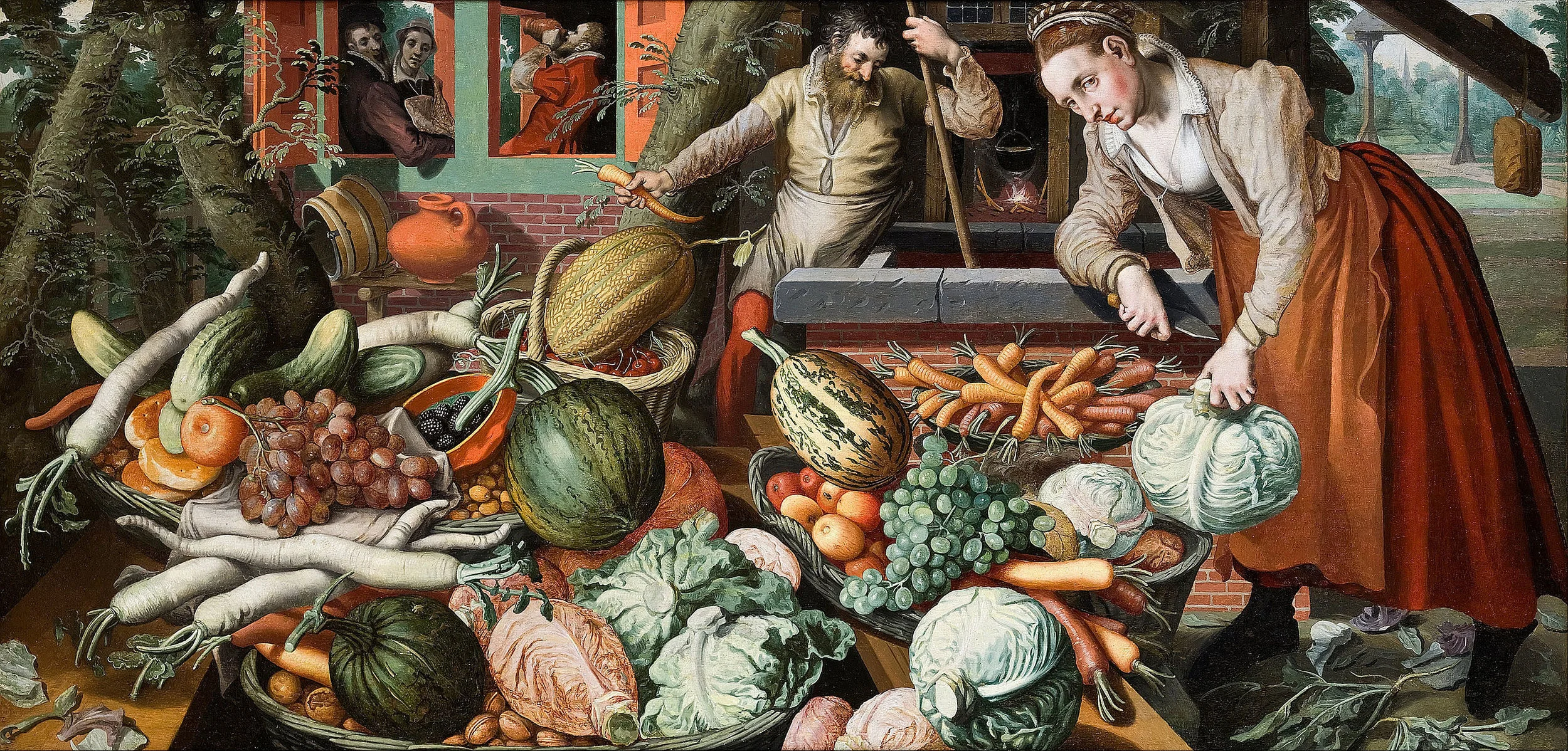
Art: Pieter Aertsen, Market Stall, 1569

SlideMagic: a platform for magical presentations. Free student plan available. LEARN MORE
The competitor analysis first

The competitor analysis first

Whenever I need to get my head around a new presentation I often start with scribbling a map of competitors and the differentiation that my client has versus them. The result is a messy table full of scribbles which is definitely not the right end product to put in a presentation.

It informs however the whole story. Now that everything is on a piece of paper in front of you, you can start to think about what story you need to convey all this information.

Most management consultants stop at the busy table. That is the end of the analysis and the beginning of the presentation design.

SlideMagic: a platform for magical presentations. Free student plan available. LEARN MORE
Explaining complex things

Explaining complex things

If your technology is very complex, you have 2 challenges:

  1. Still explain the principle of the technology in a simple way
  2. Show that the incredible complexity is an asset that is hard for competitors to copy

Don't mix the two. If you cannot resist and make the explanation of the basic idea behind your technology complex, people won't get it. If you oversimplify things and hide the complexity, people will think that this is something obvious and not worth investing in.

You need to separate (sets of) slides.


SlideMagic: a platform for magical presentations. Free student plan available. LEARN MORE
Too good to be true

Too good to be true

If this is the main message of your presentation, very few will believe you, unless you have a very credible explanation why you can offer a free lunch where others can't. "It is like magic" will not cut it. 


Image by Eva Peris

SlideMagic: a platform for magical presentations. Free student plan available. LEARN MORE
Searching for images inside one specific site

Searching for images inside one specific site

In order to make a nice profile slide about a company, you need to find good images of their products, ads, head office building (no, not the reception desk). One good trick to mine one specific web site for images is to go to the main Google Image search page: https://images.google.com/, and enter a query that says "site:domain.com". Here are the images that are stored on slidemagic.com.

SlideMagic: a platform for magical presentations. Free student plan available. LEARN MORE
It takes too much time...

It takes too much time...

Some new users of my presentation app SlideMagic complain that you cannot import any existing PowerPoint presentations, you have to start from scratch to design your pitch. "This will take me too much time!"

There are 2 reasons why SlideMagic does not import PowerPoint presentations (export is OK though):

  1. Technical: SlideMagic uses a very strict slide layout, which simply cannot be matched (automatically) to the wide variety of PowerPoint designs
  2. Behavioural: SlideMagic aims to make corporate communication simpler and less time consuming. The fact that it takes too much time to re-create a PowerPoint presentation one-for-one in SlideMagic probably says something about your presentation. SlideMagic has excellent tools and templates to take your message and show it in simpler form.

If you really need to import that one complex PowerPoint slide, you can always use a screen shot and import it as an image.


Image by Alexandre Duret-Lutz on Flickr


SlideMagic: a platform for magical presentations. Free student plan available. LEARN MORE
Brief memo by Churchill on brevity

Brief memo by Churchill on brevity

Still relevant today:

SlideMagic: a platform for magical presentations. Free student plan available. LEARN MORE
Quotation marks in presentations

Quotation marks in presentations

Quotation marks never come out right when you use large, bold, typography. Below is a nice idea by the designer of Gary Vaynerchuck. One huge, big, quotation market centred across the text. Note that the quotation mark is in a far bigger font size than the rest of the text.

SlideMagic: a platform for magical presentations. Free student plan available. LEARN MORE
Quotes in presentations

Quotes in presentations

Most quotes in presentations do not add to the story:

  • Too long to read
  • Too many buzzwords and generic language
  • Given by a person nobody has ever heard of
  • Given by a person with a position that is not very impressive (junior analyst at unknown consulting company)
  • Give by a person who is very famous but has nothing to do with the subject (Ghandi)
  • Used too many times

What can you do better? Find the right person, and get them to say something specific, clear, and simple: "This solution saved the launch of product [x]!" 


UPDATE February 2018: I have added a new post about using quotes in PowerPoint to the blog

SlideMagic: a platform for magical presentations. Free student plan available. LEARN MORE
When your deck is actually OK

When your deck is actually OK

I get a lot of queries from startups on a tight budget that want the best presentation possible to raise their next round of financing that pretty much determines the survival of the company. Many of these projects I actually turn down when I see that the presentation is actually pretty decent. Extracting fees for a bespoke presentation design will not give them the right return on investment.

Here are some things I watch out for when deciding when a presentation is pretty decent for an early-stage VC round (which is a different audience than a major late-stage growth round, a TED talk, a pitch to a major customer)

  • The slides have a decent look and feel: consistent, large font sizes, different colours than the standard PowerPoint colour theme
  • It is almost instantly clear what it is that you are actually doing
  • It is very clear why the company is different from what is out there, and/or why the particular innovation is so hard to do/hard to copy
  • The presentation does not contain buzzwords, empty, hollow language and/or other padding
  • The presentation has a sense of realism to it, forecasts and plans are ambitious, but not crazy, you see that the presentation is written by sensible people

Image from WikiPedia

SlideMagic: a platform for magical presentations. Free student plan available. LEARN MORE
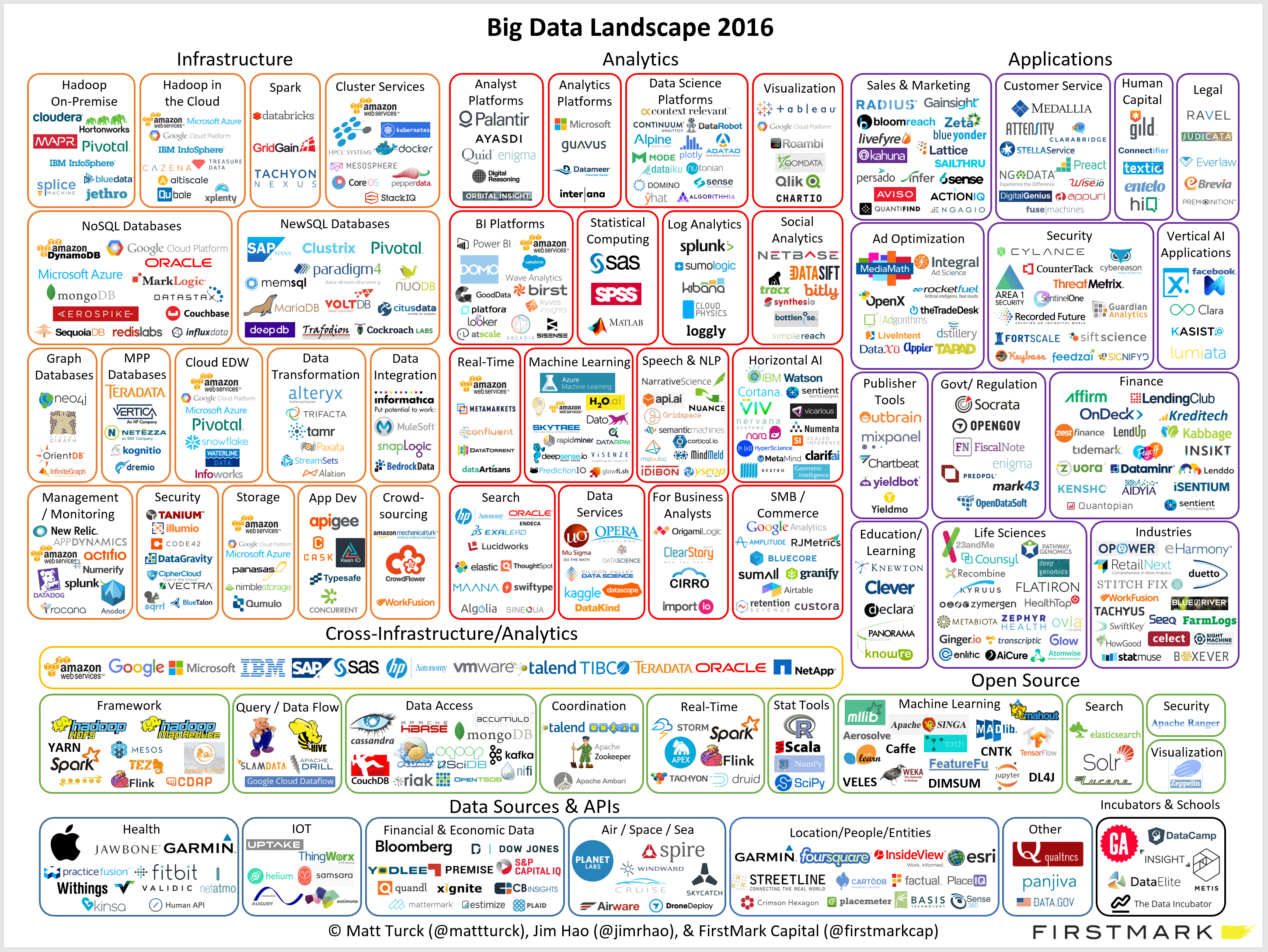
Ponder charts

Ponder charts

Not every PowerPoint slide is meant for presentations to a big audience. Some charts are meant for pondering behind a big screen. The one below is an example (made by FirstMark Capital).

Venture capitalists love these industry overviews full of logos and sectors. You could make this chart cleaner:

  • Replace logos with small text boxes
  • Perfectly line up all these tiny text boxes in a grid
  • Replace the rounded-corner shapes with shaded rectangles without a framing line

But that chart would be less fund to ponder....

SlideMagic: a platform for magical presentations. Free student plan available. LEARN MORE
Red flags

Red flags

This blog is read by many fellow presentation designers. Here are some of my clues that warn me when a potential project could be difficult to get right. 

  • The CEO (or anyone else who actually has to give the presentation) is not involved enough in the process, so you do not hear first hand what the person actually wants to say
  • The potential client says "we just need a polish" of existing slides, because 1) she wants to negotiate the project budget and/or 2) [worse] she thinks that after all the work the company invested in the slides it is not possible for an outsider to turn things upside down and start fresh, better.
  • The project deadline moves forward to a few days from now leaving no time for creativity
  • The project deadline moves backward
  • Every change, edit, discussion requires a full in-person meeting with many people in the room, including small punctuation edits in slide headlines
  • There are conflicting story lines: 1) multiple messages for multiple audiences, or 2) "this is what we want to say, but we cannot really say it"
  • "We want a presentation like this" (with an attachment of a poorly designed presentation)
  • We give you total creative freedom except for a), b), c), d), and e)
  • Any question re the content of the presentation gets avoided, with "just let us know the cost and the time it will take you"

Designers should look out for these warning signs and people tendering project should look in the mirror.


SlideMagic: a platform for magical presentations. Free student plan available. LEARN MORE
Management vocabulary

Management vocabulary

This picture by Anouk Zwager has an interesting list of common management vocabulary in the Netherlands. Part of these words sound perfectly fine to an English speaking audience, but in a Dutch context, with many words in the Dutch language available it just does not feel right.

I will try to translate, some of them might not work:

  • To roll out
  • To make an areal approach
  • To hook up
  • To smack on something
  • To sound board (verb)
  • To hit a marker stick in the ground
  • "Bila" short for bilateral discussion
  • To benchmark
  • To level
  • To secure (like you do with a ship wreck)
  • Low hanging fruit
  • Quick wins
  • To scale up
  • To wrestle
  • To harmonize
  • To shoot at something
  • Commitment
  • To press ahead
  • To shoot on goal
  • To tick the box
  • To hit the gas
  • Hands on
  • To "further develop"
  • To crystallise
  • To adjust downwards
  • Out of the box
  • To "communicate further"
  • Pro-active

SlideMagic: a platform for magical presentations. Free student plan available. LEARN MORE