Uncovering secrets

Uncovering secrets

I heard the same thing from 2 sources this week. When we design, we are not really creating something new, but we are uncovering a secret that was there hiding in plain sight for billions of years.

Peter Thiel, co-founder of Paypal in the context of building innovative businesses:

John Frusciante, guitarist of the Red Hot Chilli Peppers, on creating music:


Image from WikiPedia

SlideMagic: a platform for magical presentations. Free student plan available. LEARN MORE
Presentation design without the design

Presentation design without the design

Most business presentations can be done perfectly without sophisticated and complex visual concepts. That image of an elephant balancing on a ball, or a 3 dimensional constellation of rotating database cylinders might not be necessary to get your point across.

Instead focus on the non-design challenges:

  • Finding nice full page images that can introduce the problem you are trying to solve
  • Recutting, regrouping, re-wording the key problems and your solution in a very clear and crisp table
  • Deciding what are the key statistics and data you want to use to show that your solution works and that the company is having momentum
  • Organising the more "boring" facts about your product/company in some decent looking tables in the back of the deck (team, product offering, pipeline, terms, etc.)

Full page images, tables, and simple graphs, that's all  you need (and all you will find in my presentation app SlideMagic). Doing more complicated things is more risky:

  • A perfectly executed simple slide looks a lot better than an amateurish looking effort at something that is more than you can pull of.
  • You can hire an expensive graphics designer to do the concept for your, but her style will be dramatically different from the slides you want to add yourself to the deck last minute

Keep it simple, and do that really well.

SlideMagic: a platform for magical presentations. Free student plan available. LEARN MORE
Presentations are short cuts

Presentations are short cuts

Many of a company's operational processes have become a lot more efficient over the past decades, partly with the help of automation and computers.

Above the factory floor, middle management of corporations gets more efficient as well. Computers take over routine tasks, and slide/dice data so it becomes easier to make decisions.

Human communication among decision makers is pretty inefficient. People are bad at formulating and selling their ideas. Presentations have helped though: they have replaced long-winded memos and forced people to get to the point faster. Visuals are easier to digest, and more importantly, it is faster to skip through useless pages of a presentation (PGDN, PGDN) than looking for "the meat" in a text document.

This realisation might help you with the design of your everyday presentations. It should look decent. It should get to the point. It should show interesting, unusual, unexpected facts and insights. You want to get to a decision, you are not aiming to publish a complete, scientific document.

Here is where my presentation app SlideMagic comes in, adding even more shortcuts to make corporate decision making more efficient, and less cumbersome, boring and time consuming.


Image from WikiPedia

SlideMagic: a platform for magical presentations. Free student plan available. LEARN MORE
Beyond the presentation

Beyond the presentation

The investor or sales presentation is not the only thing your audience will check out:

  • Do you have a proper email address or are you still using your gmail?
  • Is your LinkedIn profile consistent with the claims in the presentation?
  • Does your web site have the latest company logo and is free from cheesy stock photos?

If you do not have much to share with the public yet on your web site (you don't have any customers yet, your product is not finished, etc.) it is often better to keep things brief (Coming soon, we are working on [...]) in a really crips and professional look, than padding the page with marketing buzzwords and claiming that your are a Fortune500-like company with 20 offices, delivering flexible and scalable ROI to 100s of clients around the world.


Image from WikiPedia

SlideMagic: a platform for magical presentations. Free student plan available. LEARN MORE
Flags in flags

Flags in flags

I don't think they were the first to use this concept, but is still very nice. A Norwegian Airlines ad.

SlideMagic: a platform for magical presentations. Free student plan available. LEARN MORE
The real competition

The real competition

As a CEO you are paranoid with competitors who are doing things that are very similar to what you are trying to do. But that is usually not the competitive differentiation you need to emphasise in a sales presentation, especially if you are a tiny startup.

The real challenge will often be to get the client to break away from her current practice. Either a big established product, or maybe she is not investing at all in the sort of solutions you are trying to offer.

In my case as the CEO of presentation app SlideMagic, I could pitch it against other new and small presentation solutions that are out there in the market. But that is not the choice people need to make. I even would not consider PowerPoint to be my competitor for a feature-by-feature comparison. I am competing against the inefficient approach to presentation creation and delivery in corporations. And that is a real challenge :-) 


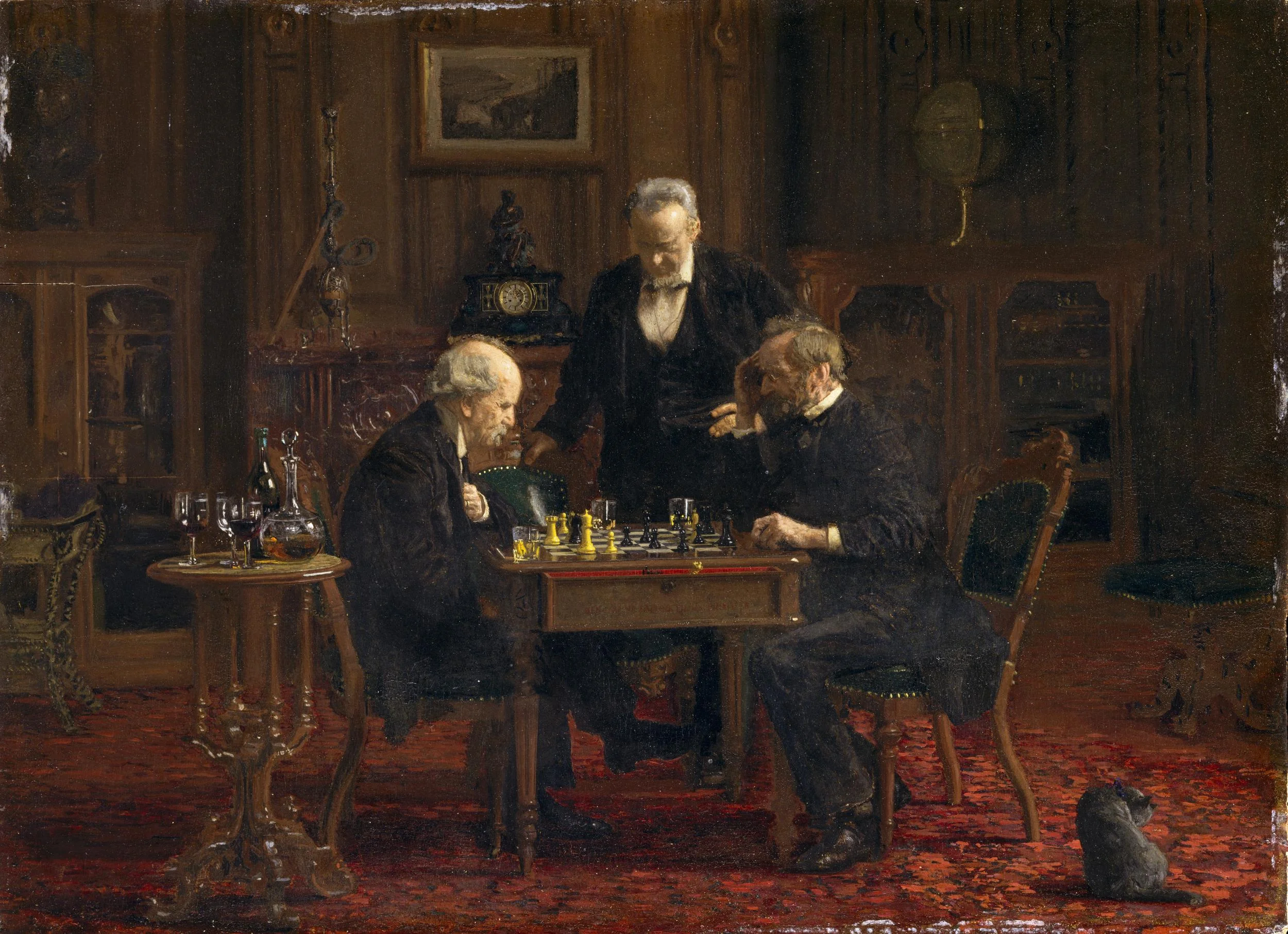
Art: The Chess Players, by Thomas Eakins

SlideMagic: a platform for magical presentations. Free student plan available. LEARN MORE
Two ways to look at the valuation of your company

Two ways to look at the valuation of your company

Two different storylines about the same company:

  1. CEO: I am running a great company: we are getting really good traction and be able to double sales to $1m in the next year. 
  2. Strategic acquirer: these guys have a piece of technology that is the missing piece in my system back end that can generate $200m in revenue next year.

You are not pitching yourself, you are pitching an audience. Understand it.


Art: The Cholmondelay Ladies, by an unknown artist.

SlideMagic: a platform for magical presentations. Free student plan available. LEARN MORE
30 x 10 feet

30 x 10 feet

A SlideMagic user asked the the other day what to do with a 30 x 10 feet (10 x 3 meter) projector screen that he was supposed to use in a presentation. A 10 x 3 meter screen has a 3:1 aspect ratio and is incredibly wide and "low". Displaying a regular 4:3 slide on it will leave huge black bars to the left and right of the slide.

The first decision you need to make is whether you want to use the entire screen or not. Pro: you can create spectacularly large slides. But there are drawbacks:

  • A huge screen might overpower you, the speaker
  • It is actually very hard to design slides in this unusual format. Image crops are not natural, and there is almost no avoiding to putting content in boxes from left to right on the slide
  • Finally, it is work to do the above

If you decide to go for the full big screen redesign, then you do not need to create a 30 x 10 feet custom slide format in PowerPoint, any 3:1 aspect ratio will do.

No, my presentation app SlideMagic does not support custom screen aspect ratios, that would go against its philosophy.

SlideMagic: a platform for magical presentations. Free student plan available. LEARN MORE
Talking is the best briefing

Talking is the best briefing

A story line skeleton is hardly ever the best briefing for a presentation. It is useful for an analyst who has the fill in the missing pieces of data, not to convey a powerful sales or investor message.

The better approach is to set back and talk things over, that's when big ideas come out.


Image from WikiPedia

SlideMagic: a platform for magical presentations. Free student plan available. LEARN MORE
The magic is still the same...

The magic is still the same...

With some clients I am involved for many years. For example, for one client I designed the initial investor pitch when there was not much more than a screen mockup. Now years later, they are ready to raise another funding round with an operational product and paying customers.

Over the years, the company had tweaked their investor pitch and diluted it. Usage stats, go-to-market strategy, mile stones, a lot of "standard" stuff that buried the magic of the product. Sitting down with them, we discovered that this investor pitch will actually be very similar to the one we did years ago. Show the magic of the product, with one difference, this time it is for real.


Image from WikiPedia

SlideMagic: a platform for magical presentations. Free student plan available. LEARN MORE
The audio recording test

The audio recording test

Next time when you do a pitch in a 1-on-1 meeting record the audio (obviously ask your meeting guest). Back in the office, play it back with the slide presentation closed. Hit pause after every major point and scribble/sketch a quick chart you would use to make that point. When finished, compare your scribble with your slide deck and make the required changes.


Image on WikiPedia

SlideMagic: a platform for magical presentations. Free student plan available. LEARN MORE
But it looks so simple!

But it looks so simple!

Often when I produce a slide with simple rectangular boxes and just once accent colour plus a black and white image (hey that looks like a SlideMagic slide), I get the comment that "things look really simple, unsophisticated".

No icons, no shadings, Helvetica, no drop shadows, no rounded corners, no gradients, no nothing.

Here is the trick: it is the composition of the slide that makes things sophisticated. And that is the hard part to get right. Look at the work of the famous Swiss graphics designers of the 1960s. Most of them designed posters with the very same tools that you have in your hands when opening PowerPoint.

Look some of the simpler posters, look at your slide, look back at the poster, look at your slide. Spot the difference, and fix it!. It is layout, not fancy graphics.

And, my presentation app SlideMagic makes it a bit easier than PowerPoint or Keynote.

SlideMagic: a platform for magical presentations. Free student plan available. LEARN MORE
Make up the financials?

Make up the financials?

It is impossible to predict the financials of a business that does not exist yet correctly. And therefore, every financial prediction you see in a startup pitch is made up. Is there any point in doing it? I think you should.

Numbers are a powerful way to check your story for consistency. You cannot sell to more than 6b people on earth, if you are tripling an existing market, are all constraints you should think about. If takes more variable cost to make something than the price you charge, something is wrong. If you want to sell to 10 large Fortune 500 customers, but you only have one sales person in the office, something might not be right. If you plan to hire 300 people next year, that means 1 a day, how are you doing so far?

The key is to translate top level numbers to things you can touch. Sales are customers x products per customer x a price they pay for it. Sales costs are sales people. Etc. etc.

People are not be convinced by the $100m sales in year 5 because your spreadsheet says so. They will believe that you are someone who know what she is doing when the logic behind the $100m stacks up.


Art: Victor Dubreuil, Money to Burn, 1893

SlideMagic: a platform for magical presentations. Free student plan available. LEARN MORE
Big meetings or email input

Big meetings or email input

Usually big meetings to collect input on a presentation draft are an inefficient use of time. Conversations get side tracked, people make ambiguous comments, introverts who might have intelligent points to add do not speak up (and vice versa). For smaller comments, it is best to have them send to you by email.

There is one exception though: when the overall way to pitch the story is not clear, you have to discuss it with everybody present. Otherwise you end up going back and forth in numerous iterations with a fundamental re-write of the whole pitch. When you do run this kind of meeting, try to keep it focussed on that subject: the overall approach to the story, and not editing sentences and headlines on individual slides.

SlideMagic: a platform for magical presentations. Free student plan available. LEARN MORE
Sales versus investor presentations

Sales versus investor presentations

CEOs are used to doing the company's product sales pitch. When they look for investors or acquirers for their company, it is temping to just press play and do that same sales pitch again. But they can be very different stories.

An investor needs to hear the sales pitch. It makes her believe that the company makes products that people want to buy. Also, it shows that the company CEO is actually good at selling (or not). But investors needs more: strategy, financials, margins, funding requirements, and a more explicit comparison versus the competition than you would put in the sales deck.

Potential acquirers might not be interested at all in the sales pitch. Maybe they are considering to buy the company for a very specific asset they need. (Technology, people, distribution). Acquirers need a very specific, tailored presentation. To make it, you need to put yourself in their shoes and resist the temptation to hit "play" and run the sales pitch.


Image from WikiPedia

SlideMagic: a platform for magical presentations. Free student plan available. LEARN MORE
Video briefing

Video briefing

You know how to give that perfect sales presentation, but do you sales reps in the field as well? Probably not. One way to get them to say the right things is write the messages down in bullet points that can be read of the screen. But that does not create the most engaging presentation for your potential customers.

A better approach might be to record yourself delivering the presentation on video and share that with people in the field.

SlideMagic: a platform for magical presentations. Free student plan available. LEARN MORE
"It takes too much time to get to the solution"

"It takes too much time to get to the solution"

Clients say they get this feedback after giving a pitch. The initial reaction to this would be:

  • Cut slides from the deck
  • Take the specifics out of your text, make it shorter and more high level
  • Combine multiple slides into one

The danger of this is that you end up with a few slides of highly generic and dense bullet points.  Remember:

  • Slide count does not equal time spent presenting them
  • Smacking someone with the solution in their face instantly takes away the opportunity to lead them by the hand in an interesting story that covers the problem you are trying to solve.
  • The best way to sell the solution is to sell the problem

Here is what I do:

  • Create a super short intro slide that explains the audience what you solve and what you do. So they can stop guessing about the point you are trying to get to.
  • Now, lead people through a sequence of visual slides that highlight the problem, slowing down sufficiently to make sure that the audience "feels" the issue. "Production cost is too high" is too generic. Why is it so expensive, and why could no one do it cheaper until today?
  • Then, present your solution and use the framework of the problem you set up in the previous section to mirror your product against markets that are out there in the market today

Image by David Felstead on Flickr

SlideMagic: a platform for magical presentations. Free student plan available. LEARN MORE
Natural stock photos

Natural stock photos

I stumbled across yet another stock photo site that tries to offer "real" rather than cheesy, stages stock photos: Twenty Twenty (www.twenty20.com)

What I like: good images, big library, useful "collections". Pricing is relatively steep for the casual user (starting at $20 per image, or a $225 monthly subscription for 25 images compared to some of the free stock image sites that are popping up everywhere. Still, only marginally more than the big brand stock photo sites.

My prediction: iStock and shutterstock will add a "non-cheesy" filter option to their image sites soon.

SlideMagic: a platform for magical presentations. Free student plan available. LEARN MORE
PowerPoint 2016 now lets you customise toolbars

PowerPoint 2016 now lets you customise toolbars

In the latest PowerPoint 2016 software update, Microsoft started to fix one of the last remaining issues in a great product: customisation of the top tool bar. Here is a screen shot of what is new:

Things are limited to just these functions though. In PowerPoint 2011 it was possible to add any function you want to the top bar. File, save, and definitely print, are not the actions a PowerPoint user needs to access all the time. What I would like to see are buttons to align and distribute objects, and move things to the front and the back. Here is my toolbar from PowerPoint 2011:


Image from WikiPedia

SlideMagic: a platform for magical presentations. Free student plan available. LEARN MORE