Viewing entries in
SlideMagic

Coming soon

Coming soon

Search results in the SlideMagic app show up as small screen shots of slides in SlideMagic’s blue colour at the moment. It would take a lot of bandwidth to send over the full slide designs when previewing templates.

I am making changes now on the server to make it possible that slide previews show up in your own colour scheme, with your own corporate logo on it, and in the layout you prefer(4:3, 16x9, black background, dark background).

The app will be upgraded first, after which I will make the feature available for paying subscribers on the web site as well. Users who prefer PowerPoint downloads will be able to download PPTX layouts with their own colours and logos already activated.

Work in progress.

Photo by Lindsay Henwood on Unsplash

SlideMagic: a platform for magical presentations. Free student plan available. LEARN MORE
My preferred 16:9 layout for presentations

My preferred 16:9 layout for presentations

I just pushed a big update to SlideMagic (2.4) to the server and it contains a brand new 16:9 slide layout, the slide title. Most monitors today are widescreen, but unlike movies, I think 4:3 slides look much better. Text lines that run across the entire slide are hard to read, and wide screen slides always force you to make very “stretched” slide layouts.

The side title is the best of both worlds. The title of the slide is moved to the left, and the slide contain area is scaled up now that it has more space at the top. It stays in a 4:3 ratio though. The footer and logo is also moved to the left, creating even more space. The entire design shows up without black bars on a wide screen monitor. Below is an example.

It follows an approach I already blogged about in 2016

Screenshot 2020-07-09 11.45.33.png

SlideMagic has now 4 screen modes, and you can switch instantly between them:

  1. Traditional 4:3 narrow

  2. 16:9 wide screen

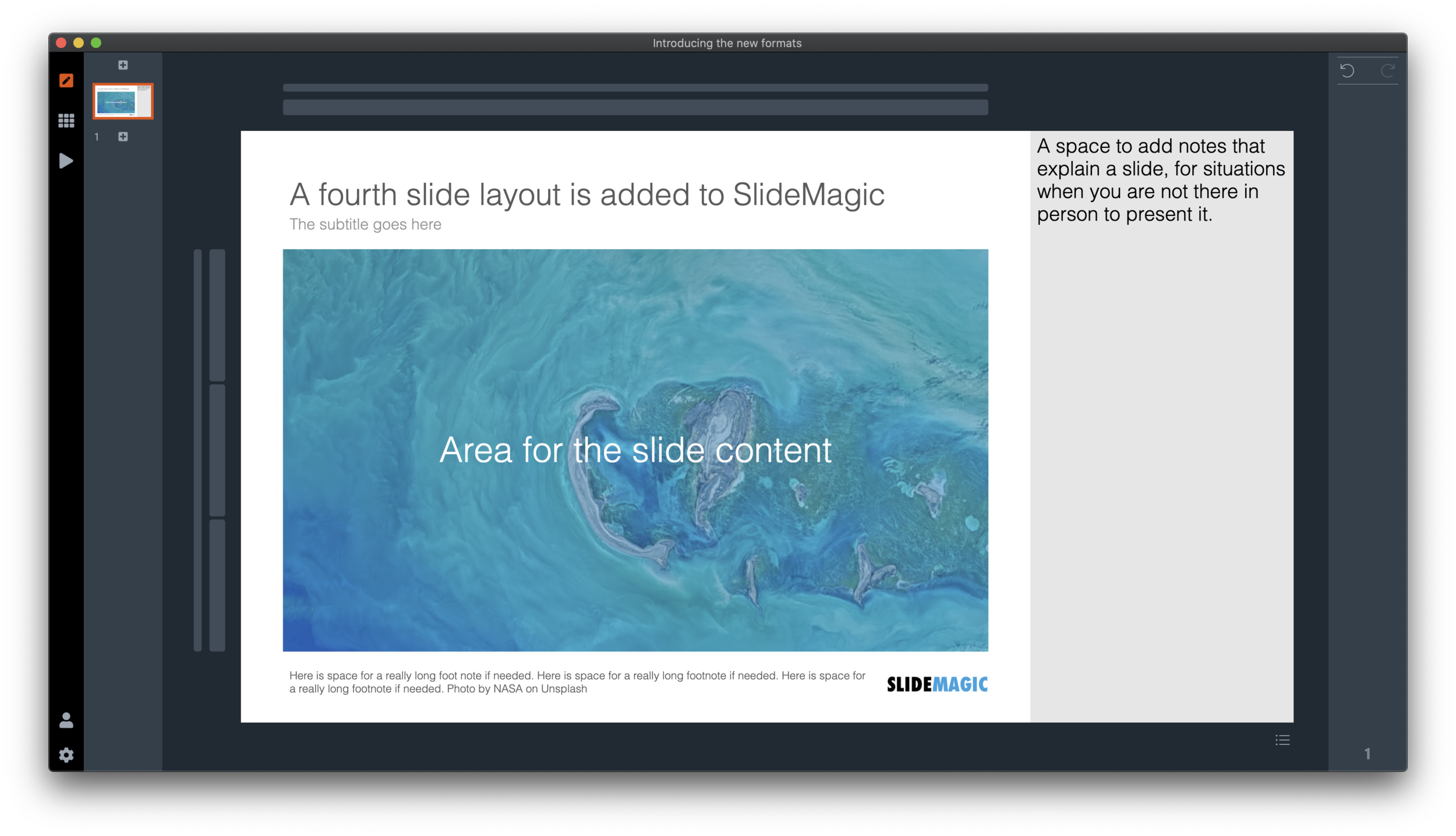
  3. A 4:3 slide with an explanation panel to the side to leave notes for when you are not there in person to present the slide

  4. The new and shiny 16:9 side title

Soon, I will rerun the PowerPoint conversion algorithms on the server to increase the size of the SlideMagic PoiwerPoint template database with 25%, each slide will now be available in the new format as well,.

Screenshot 2020-07-09 15.46.36.png
Screenshot 2020-07-09 15.46.55.png
Screenshot 2020-07-09 15.46.45.png
Screenshot 2020-07-09 15.46.24.png

(Hmm, the side panel needs some more padding, I will fix that [Fixed in 2.4.1]). There are a number of other new features introduced in version 2.4.

Screenshot 2020-07-09 15.47.20.png

It is now also easier to select the “frame” element of the slide, I added 2 thin selection bars next to the regular grid selectors.

Also the right-to-left mode is completely rewritten (SlideMagic is based in Tel Aviv :-)) so that the side panel and side title show up in the right place.

Version 2.4 is a major update, please report any glitches you might experience.

SlideMagic: a platform for magical presentations. Free student plan available. LEARN MORE
"Operating system updates" for presentations

"Operating system updates" for presentations

Every year Apple releases operating system upgrades for computers, tablets, and phones. Your apps and documents have the same content, but look slightly different. I am trying to push this concept to the world of presentations.

It has already happened (sort of). The slide-out panel to right changes the look and feel of your presentation without changing the content. Over time, I have made subtle changes to font sizes and layout proportions, which means that every SlideMagic presentation in the world will have a slightly different look. Switching to a dark slide background turn the colours of your presentation upside down (in a good way), far beyond just making the background black.

I will try to push this further, by adding more layout options , your slides will look entirely different, including the ones you made 6 months ago, but you can always switch back to another layout format.

Photo by Michael Held on Unsplash

SlideMagic: a platform for magical presentations. Free student plan available. LEARN MORE
What is new in V23

What is new in V23

Some new features in version 2.3.23 of the SlideMagic desktop app:

  • Super-fast responses when resizing your main window, or reshuffling slides in the story view, even if they contain big images. If the app does not need to re-render an image, it won’t. Rescaling slides is now done by your computer’s graphics processor directly, rather than my bespoke code.

  • More clever image repositioning when you change the aspect rate of a shape by expanding and collapsing boxes. Still not perfect, but the app starts to do the right thing.

  • Changing the slide aspect or background has now been added to the “view” drop down menu, so you can switch back and forth really fast without having to go through the settings menu.

  • Subtle changes to the user interface, that makes the app look sharper on higher resolution displays.

The app will try to update itself in the background, or if you are impatient, go here to download the latest version immediately.

Photo by gdtography on Unsplash

SlideMagic: a platform for magical presentations. Free student plan available. LEARN MORE
Slide template for a RACI matrix

Slide template for a RACI matrix

On request of a user, I have added templates with a RACI matrix to the SlideMagic database. (It does not happen often, but this is the first time I actually heard about this consulting framework, the responsibility assignment matrix). In SlideMagic it is super easy to manage all the columns and rows of the table. If your colleagues are not ready for SlideMagic yet, use the app to create the chart, then export to PowerPoint.

Screenshot 2020-07-05 12.46.16.png

SlideMagic: a platform for magical presentations. Free student plan available. LEARN MORE
How to change the default colour in SlideMagic

How to change the default colour in SlideMagic

SlideMagic has a simple colour scheme: lots of variations of white, black, and grey, and one strong accent colour. Why?

SlideMagic is all about making presentation design efficient. This simple colour layout almost always looks great, and is very recognisable when you set the accent colour to the dominant colour in your logo.

How do you customise SlideMagic to your own preferred colour instead of SlideMagic blue?

  1. Go to the settings menu by clicking the cog wheel in the bottom left of the screen

  2. You have 2 options to set the new accent colour:

    • Upload an image, after which the app will extract suggested colours from the photo (pro-tip: upload your logo)

    • Enter an RGB code directly

  3. Go back to your slides and the whole deck will be set in the new colour scheme. Also notice that the app itself changes its user interface colour to the complement of the presentation colour you picked.

Screenshot 2020-07-02 17.32.53.png
Screenshot 2020-07-02 17.30.50.png
Screenshot 2020-07-02 17.19.39.png
Screenshot 2020-07-02 17.33.14.png


SlideMagic: a platform for magical presentations. Free student plan available. LEARN MORE
Quick update

Quick update

As usual during the summer, things are a bit quieter on the blog at the moment. But instead of me and my family traveling the world, I am turning the SlideMagic rendering engine upside down. I focus mainly on performance. You might not have noticed, but the current app is re-rendering slides frequently, especially with screen resizes and in the story view mode. In the new version, these re-renders will go down to almost zero. Furthermore, I am making the app respond better to different screen resolutions and sizes.

My approach to writing the app is similar to the way I (used to) build financial models. Start simple, complicate and add things, and then clean up and simplify again. Dramatic simplification fo the code will enable me to think about a selective number of new features again

Photo by Lukas ter Poorten on Unsplash.

SlideMagic: a platform for magical presentations. Free student plan available. LEARN MORE
URL juggling

URL juggling

Some readers noted that the slidemagic URL sometimes returns an error. As a result I am juggling the URLs fo the app, template store and blog once more. The slidemagic.com URL will now point to the main site and app, the newly acquired slidemagic.blog will point to the blog that I host with squarespace. The blog.slidemagic.com URL will be phased out.

I am putting redirects in place so that everything keeps on working as it should. My main focus is the 10+ year archive of blog posts. My SEO ranking might drop a bit, but this is not my main worry (yet), as I am still focussing on getting the users that are trying out the SlideMagic app to keep on using it, before ramping up marketing. SlideMagic is not a catch-convert-sell slide template business (there are thousands of those), but an attempt to find a way to change the way people make presentations, which requires some patience.

If you are interested in the details: squarespace does not really work well with subdomains (blog.slidemagic.com, instead of www.slidemagic.com), and does work well with the Cloudflare content delivery network + DDOS protection (Israel-based web sites are not always popular). Pointing a blog.slidemagic to squarespace, also means that you have to point the “naked domain” slidemagic.com to squarespace, which then clashes with my server etc.

Let’s hope it all goes back to normal soon.

Photo by Harrison Moore on Unsplash

SlideMagic: a platform for magical presentations. Free student plan available. LEARN MORE
Working on improved image cropping

Working on improved image cropping

Working with images is turning out to be one of the most powerful uses of SlideMagic. The built-in image search gives access to an endless flow of great images, and the grid makes it really easy to layout these photos in a beautiful and consistent way on a slide.

Aligning images has always been difficult in presentation software (it is only worse in word processors), and that bit is solved by the SlideMagic grid. Next up is image cropping. Most design tools use some sort of overlay that allows you to mask/reveal an image. Even as a professional designer, I still struggle with this.

Screenshot 2020-06-16 16.40.04.png
Screenshot 2020-06-16 16.40.11.png

In SlideMagic, you simply drag an image around in a box to decide what part of the photo you want to reveal. I am working on 2 improvements:

  • Showing the entire image in semi-opaque when you are editing/dragging it around to give you. a better orientation of what you are doing

  • Creating a way to keep the image focused on the most relevant part regardless of changes to aspect ratios or zoom levels of the photo. At the moment, I store to image positioning versions (one for 16x9 and one for 4x3), but in future releases I want to automate this

The challenge here is to offer something that works without turning SlideMagic into a complicated photo editor. Work in progress.

SlideMagic: a platform for magical presentations. Free student plan available. LEARN MORE
Organisation charts

Organisation charts

Organisation cultures are changing. Traditional hierarchies becomes less important, and project teams often become the engine of doing things. Also outsiders such as freelancers do not fit in nicely in big structures. At my time in McKinsey in the 1990s, we could have full meetings about whether a line should be dotted or not, and who would have to be drawn slightly higher than someone else on a page. Mistakes here were especially painful in a presentation to the management team.

Screenshot 2020-06-11 09.51.32.png

Organisation chars in presentation are tricky for two reasons: it is hard to get all the boxes right on the page from a technical point of view, and it is hard to make everyone happy that the hierarchy and lines of the boxes reflect reality.

At the request of a user I have added a few more organisation charts to the SlideMagic slide template database. Complex organisation diagrams are not SlideMagic territory (if they are. hard to draw, the audience must also find them hard to understand). Instead, I created a few simple templates that can lay out the structure of an organisation in simple way, cutting the amount of lines, and increasing the size of text boxes.

If you present your chart as a a rough summary of the organisation rather than an exact reflection of hierarchy, you might just get away with it. If you pretend to be precise, people will nitpick..

The “connector” element in SlideMagic is still the weakest drawing tool and I am thinking about a new diagramming user interface now that my front end HTML design skills have improved significantly over the past year. As usual, the problem is not technical. Also in PowerPoint with its more sophisticated diagramming interface, it is hard to get connecting. lines to do what you want. They always angle and bend in a different way than you want them to.

Screenshot 2020-06-11 09.52.31.png
Screenshot 2020-06-11 10.08.49.png

The SlideMagic grid structure comes in really handy when changing screen aspect ratios, or adding/deleting columns in your organisation chart. Everyone lines up instantly. In PowerPoint rebalancing an org chart is major surgery.

In the mean time, feel free to reach out and/or email sketches of organisation diagrams you think cannot be generated from the current template database, and I will do my best to add them to the collection.

SlideMagic: a platform for magical presentations. Free student plan available. LEARN MORE
Some UI improvements

Some UI improvements

Version 2.3.18 went up with a few improvements including 2 noticeable ones:

Screenshot 2020-06-04 12.48.23.png
  • A much brighter app user interface colour. As you know, SlideMagic mirrors the colour you use in your presentation: if your presentation uses blue, the SlideMagic app accent colours (to show things you selected for example) will turn to its complement: orange. Up until v2.3.18, this was the exact colour opposite, creating problems for users with muted, very dark accent colours. In the latest version I forced up the brightness and saturation of the app accent colour so that it clearly stands out in all cases. Look how that orange is now popping out for my SlideMagic blue colour.

  • An improved image user interface, where the crop modes “center”, “contain”, and “cover” are now clearly highlighted. Also, SlideMagic now shows the mega bytes an image consumes as soon as you select it. Sometimes, a very large image is actually not that big in storage, but the opposite happens as well, that tiny image on your slide takes up 10MB of space and as a result you are compressing down the entire slide deck. Now it is easy to catch these memory eaters quickly and compress the image if needed. Compression no longer “flattens” the image effects (greyscale, blur, flip), so you can re and undo these on the compressed image as well.

Screenshot 2020-06-04 12.53.20.png

Download the latest version of SlideMagic for Windows or Mac to try it out.

SlideMagic: a platform for magical presentations. Free student plan available. LEARN MORE
Preserve image positioning when switching between 4x3 and 16x9

Preserve image positioning when switching between 4x3 and 16x9

SlideMagic swaps instantly between traditional and widescreen aspect ratios. The slide content stays nicely in the slide frame, everything stays aligned and you can revert instantly.

Because SlideMagic does not distort aspect ratios of images (no stretching or squeezing), the positioning of an image changes slightly if you switch between a narrow and a wide screen layout. This can be annoying for images where positioning is a big deal (compare the lined up eye lines of a series of portrait images versus a long-distance shot of a mountain range). If you switch aspects 5 minutes before your meeting, your presentation is misaligned. (This is obviously still a lot better than PowerPoint where everything would stretch and move to unpredictable places when picking a different screen format)

Well, SlideMagic fixed this last hitch as well. I just released V2.3.17 (download SlideMagic here for both Windows and Mac) which now keeps 2 sets of image size and crop frames, one for each slide aspect ratio. You switch back and forth, so will the image positioning. Make sure to double check each image once in both aspect ratios, and the settings will be saved together with the presentation.

Screenshot 2020-06-02 12.28.06.png
Screenshot 2020-06-02 12.27.08.png

For future releases I am studying more advanced image analysis, where I could automatically recognise a face in an image for example, and lock in the position of the eyes (maybe the first true “AI” application in SlideMagic).

SlideMagic: a platform for magical presentations. Free student plan available. LEARN MORE
Dynamic slides generated on the fly

Dynamic slides generated on the fly

Version 2.3.16 of the SlideMagic presentation app went up last night (download it here for either Mac or Windows). The major new feature in this release is the dynamic generation of slides (at least, the first steps).

There are different types of template search queries entered on the SlideMagic server. People look for a specific framework (e.g., ‘BCG matrix’), a specific layout (‘3 bullet points’), but then there is a whole lot of more descriptive queries to are a better match for an image search site (‘house’ , ‘diabetes’). While I could populate the database with hand-made slides for each of these terms, it is more efficient to let technology do the work for you.

So at the moment, when the server gives up and returns a “no slides found” message, the user gets offered the option to run an image search instead with the same keywords. After picking an image, the SlideMagic app turns it into a framed slide with proper image credits that can form the basis for a new slide design. This slide is created on the fly, without the need to store templates on my server. So the number of slides that SlideMagic can produce now goes into the millions rather than hundreds.

The screen shots below give an overview of the flow as it stands at the moment:

Screen Shot 2020-06-01 at 17.47.08.png
Screenshot 2020-06-01 17.47.30.png
Screenshot 2020-06-01 17.47.52.png

Obviously a slide with a simple image is still pretty basic. I am looking into expanding this approach with colour matches, and more interestingly analysing images for white space, with suggested pre-population of text placeholders on the image.

All these slides can be converted to editable PowerPoint files with a simple click. At the moment, this feature is implement in the app, not yet on the web site.

Work in progress.

SlideMagic: a platform for magical presentations. Free student plan available. LEARN MORE
All the way back to 2008

All the way back to 2008

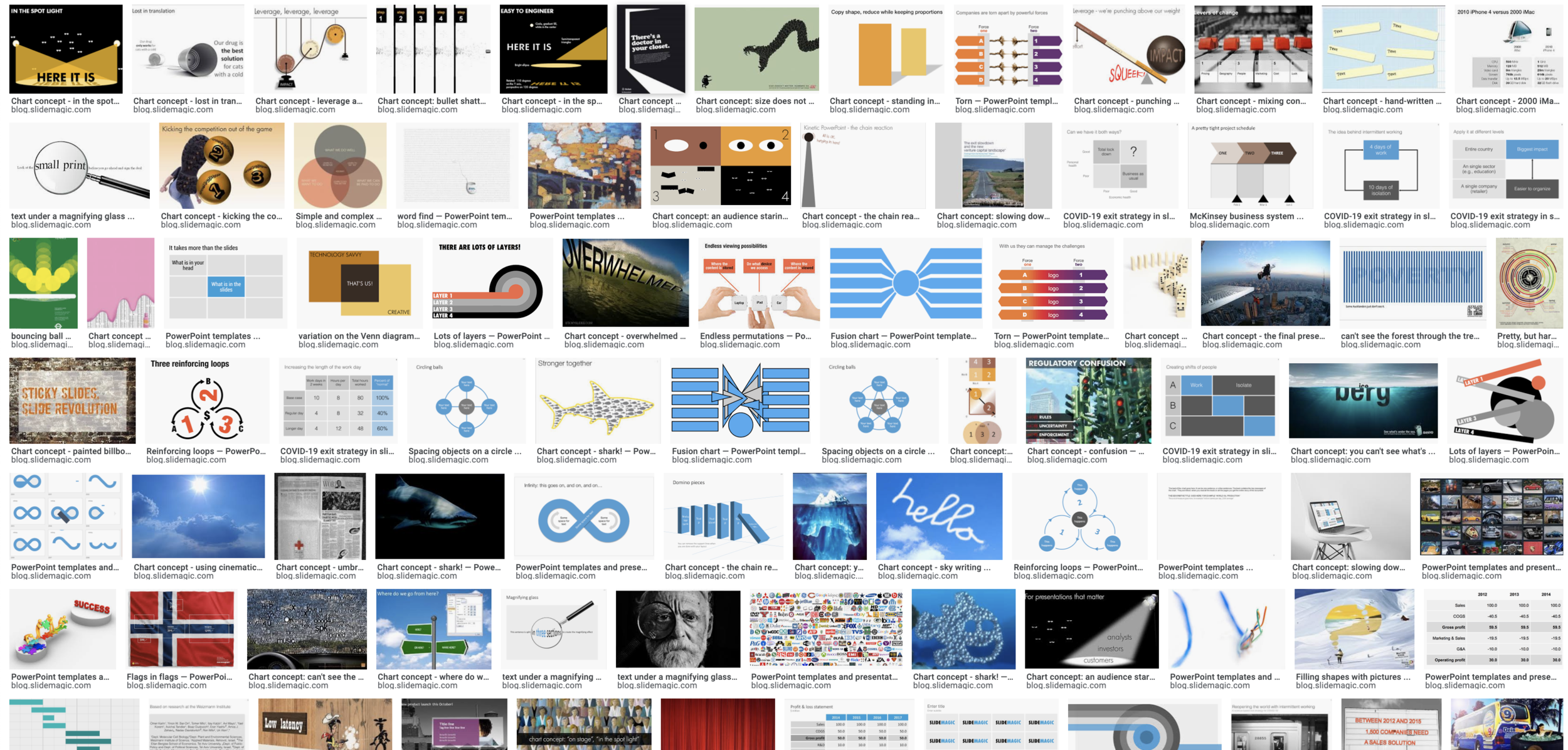
Now and then I dive back into the 12 year archive of my blog and see some or the early slide layouts I made. This Google image search pops up many of them.

Screenshot 2020-05-25 06.34.34.png

While many of these layouts are now still available as templates in SlideMagic, some of them, especially the early ones are a bit different:

  • “Slides that stick” orange and brown

  • Lots of hand written fonts

  • Unusual visual analogies

  • Most of them are definitely not for the layman designer…

Yes, I made have been a bit more “daring” back then (and remember, most of these designs actually were taken from actual client work), but I still think that I am on the right track with my current sober, simple, easy-to-make layouts. Less artistic, but far less time wasted by smart people that can use their energy to do more useful things that creating presentation slides.

SlideMagic: a platform for magical presentations. Free student plan available. LEARN MORE
How to make a CV slide

How to make a CV slide

I am starting to work on a standard slide deck to present your CV, with me as the test subject. The first page is done. I like these type of time lines, because they communicate a lot of the basics about a person (years, employment, locations, education, etc.) in one slide, without making it too crowded. The rest of the presentation will cover more background.

Screenshot 2020-05-13 08.02.05.png

They way to set the slide up is to start with a fine grid, create the major divisions based on your professional work history, then start refining. Notice how I left the consulting-style table labels (‘Employer’, ‘Role’, ‘Location’, etc.) out because it is very obvious from the chart what the rows mean, and these labels would take valuable space/destroy the balance of the layout.

In general, I think 4x3 slides look better than 16x9 ones. 16x9 is made for movies, 4x3 has a more pleasing balance for graphic design. These type of timelines are an exception though, the amount of left-to-right information makes the 16x9 format very useful. SlideMagic switches back and forth at the press of a button.

You can find the slide here in the template store, or simply search for “CV” in the desktop app.

Screenshot 2020-05-13 07.46.56.png

You see how the search algorithm recommends other slides for highlighting career backgrounds and teams.

Screenshot 2020-05-13 07.59.47.png

There is more work coming up on the CV slide deck, stay tuned.

SlideMagic: a platform for magical presentations. Free student plan available. LEARN MORE
New slide templates

New slide templates

A busy day today: i completed a 2nd submission for the PowerPoint plug in, hopefully ticking all the boxes (well, except one that is actually an issue with the Microsoft Javascript API). Let’s hope for the best.

So no long-read, deep blog post today, still I found a few minutes to upload some new slides into the database. Soon, I want to get 1,000 layouts in the database, and we are making good progress towards to that goal.

Here are today’s additions. Remember that you can bring the colour of the images back once you download them into the desktop app.

Screenshot 2020-05-12 17.37.00.png

Image by 272447 from Pixabay 

SlideMagic: a platform for magical presentations. Free student plan available. LEARN MORE
COVID-19 exit strategy in slides

COVID-19 exit strategy in slides

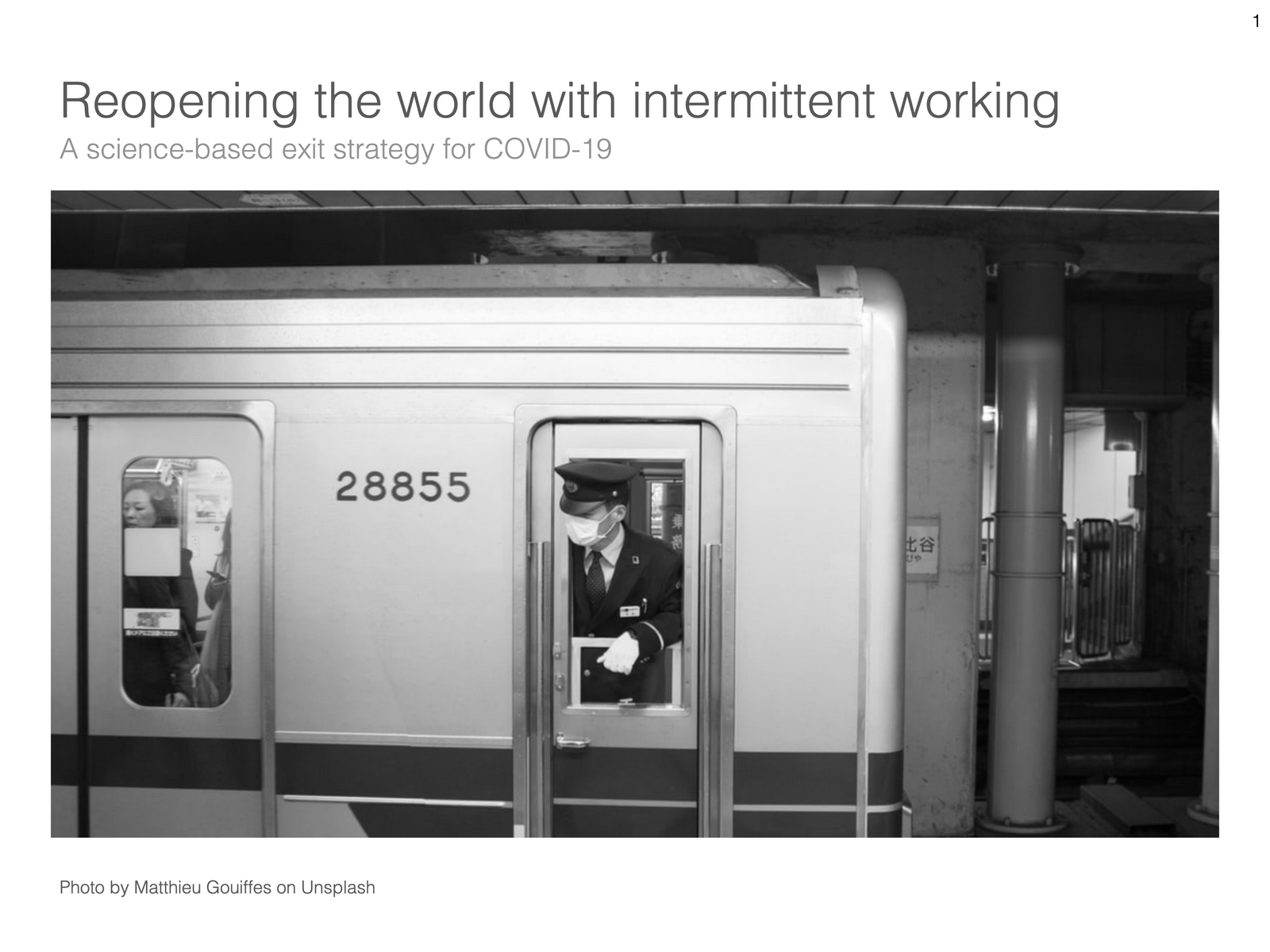
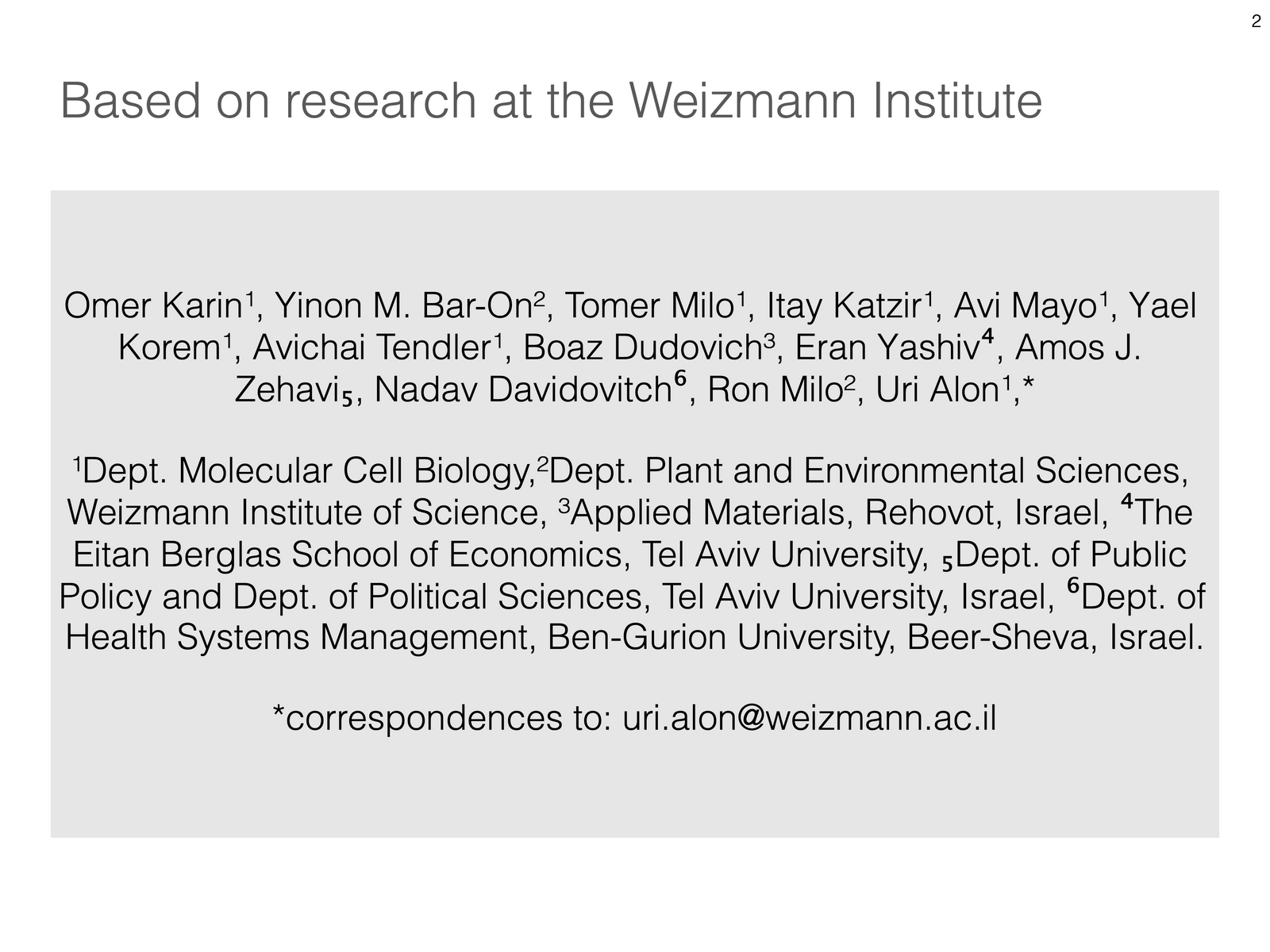
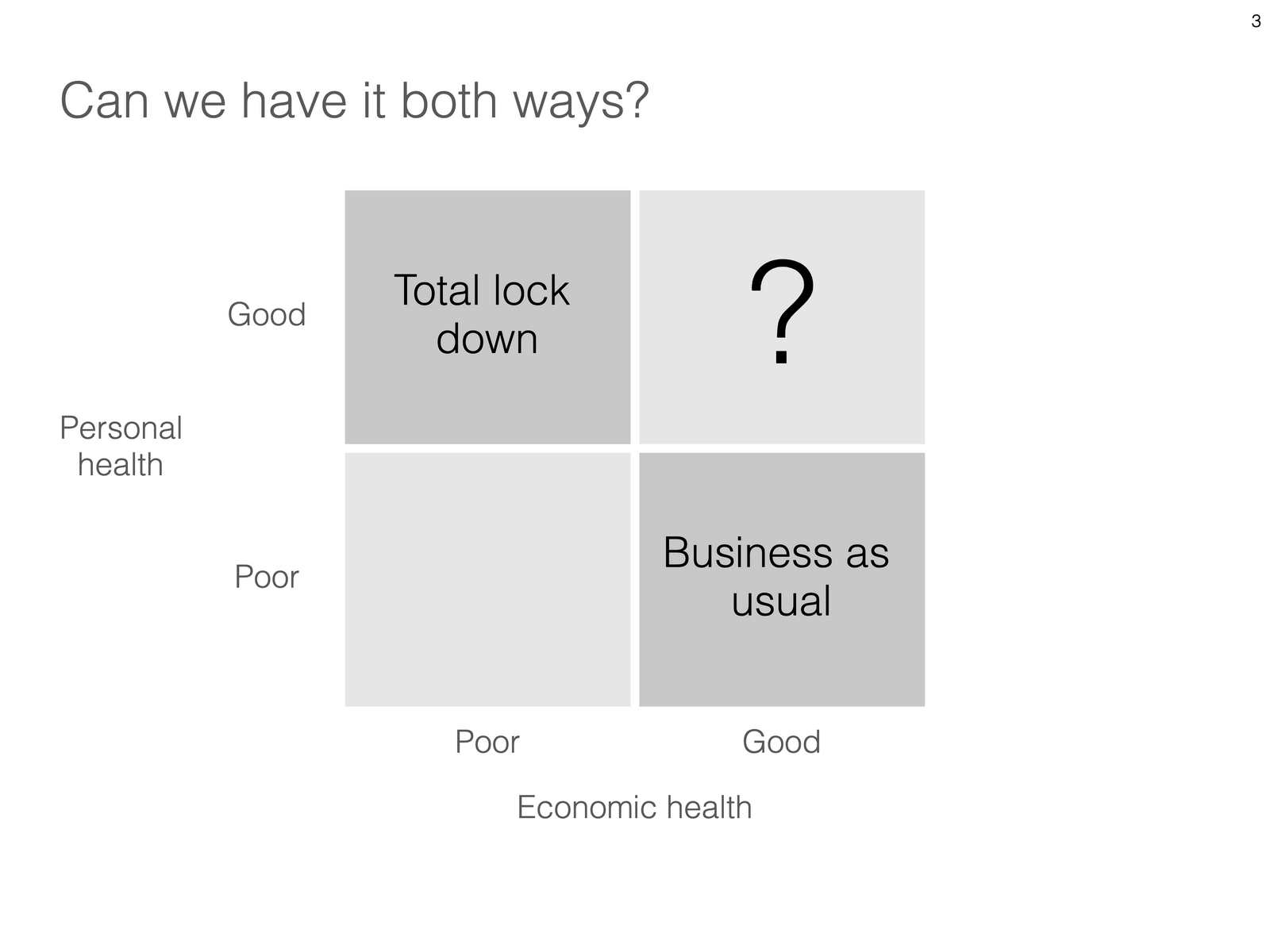
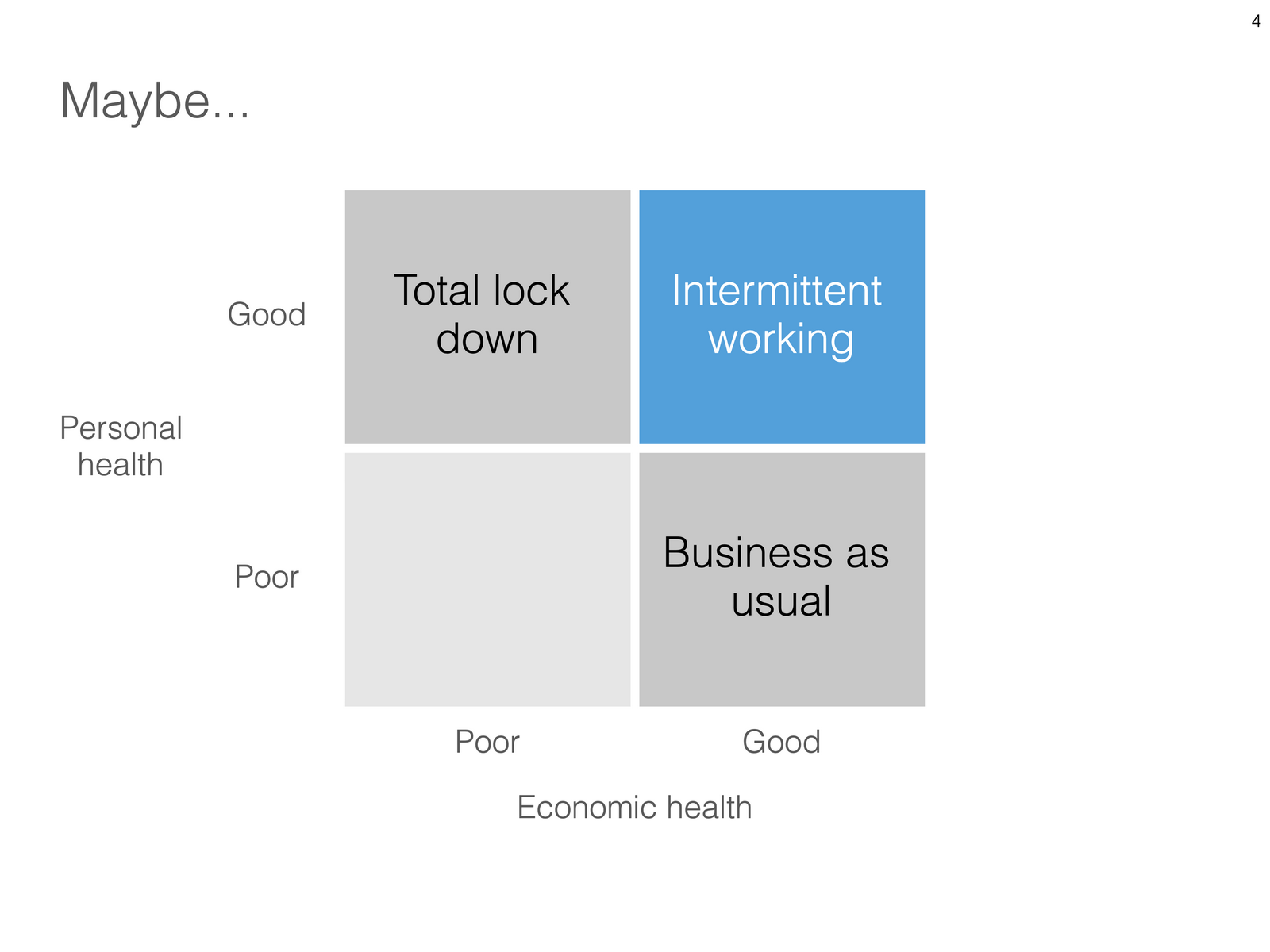
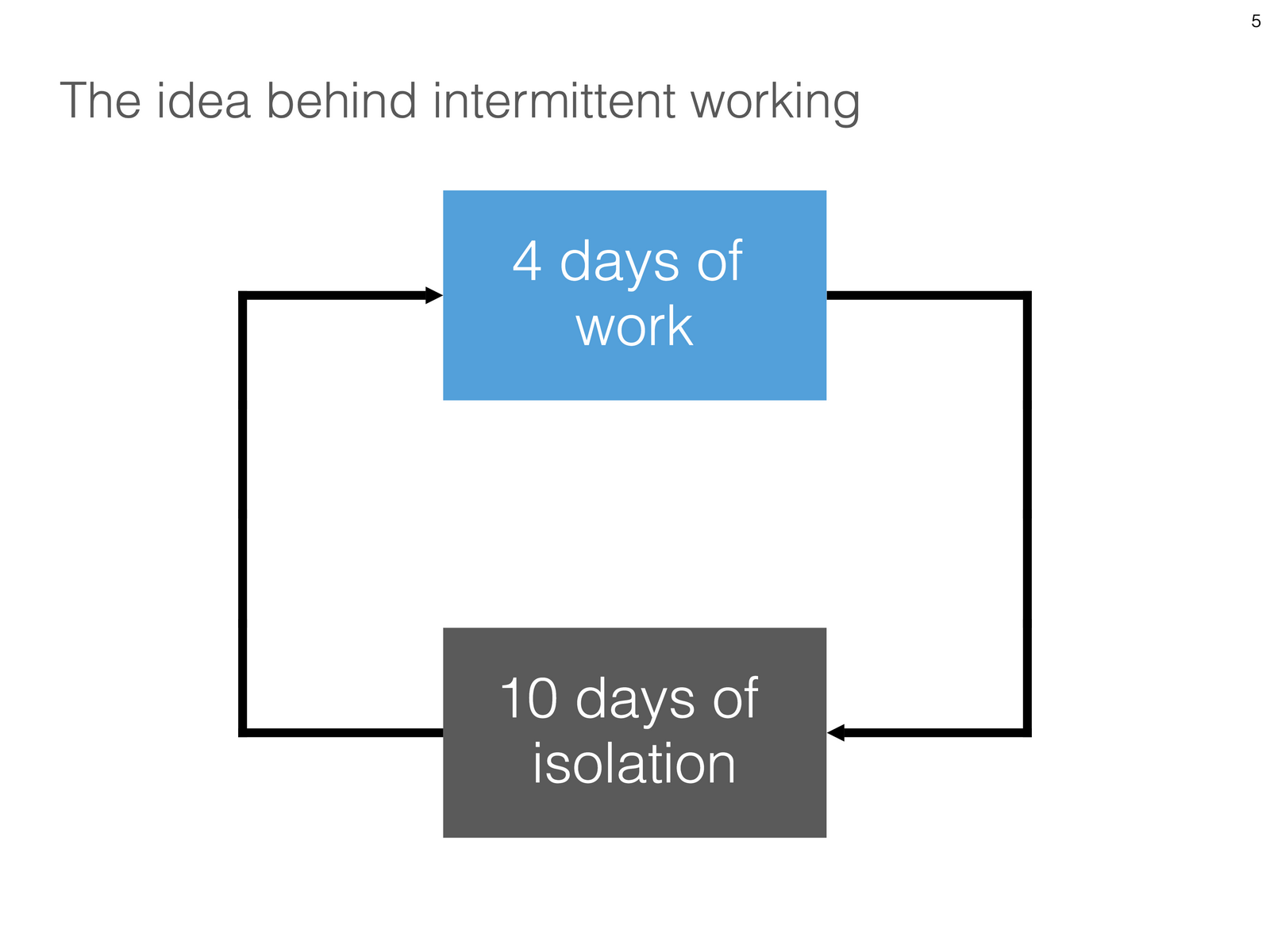
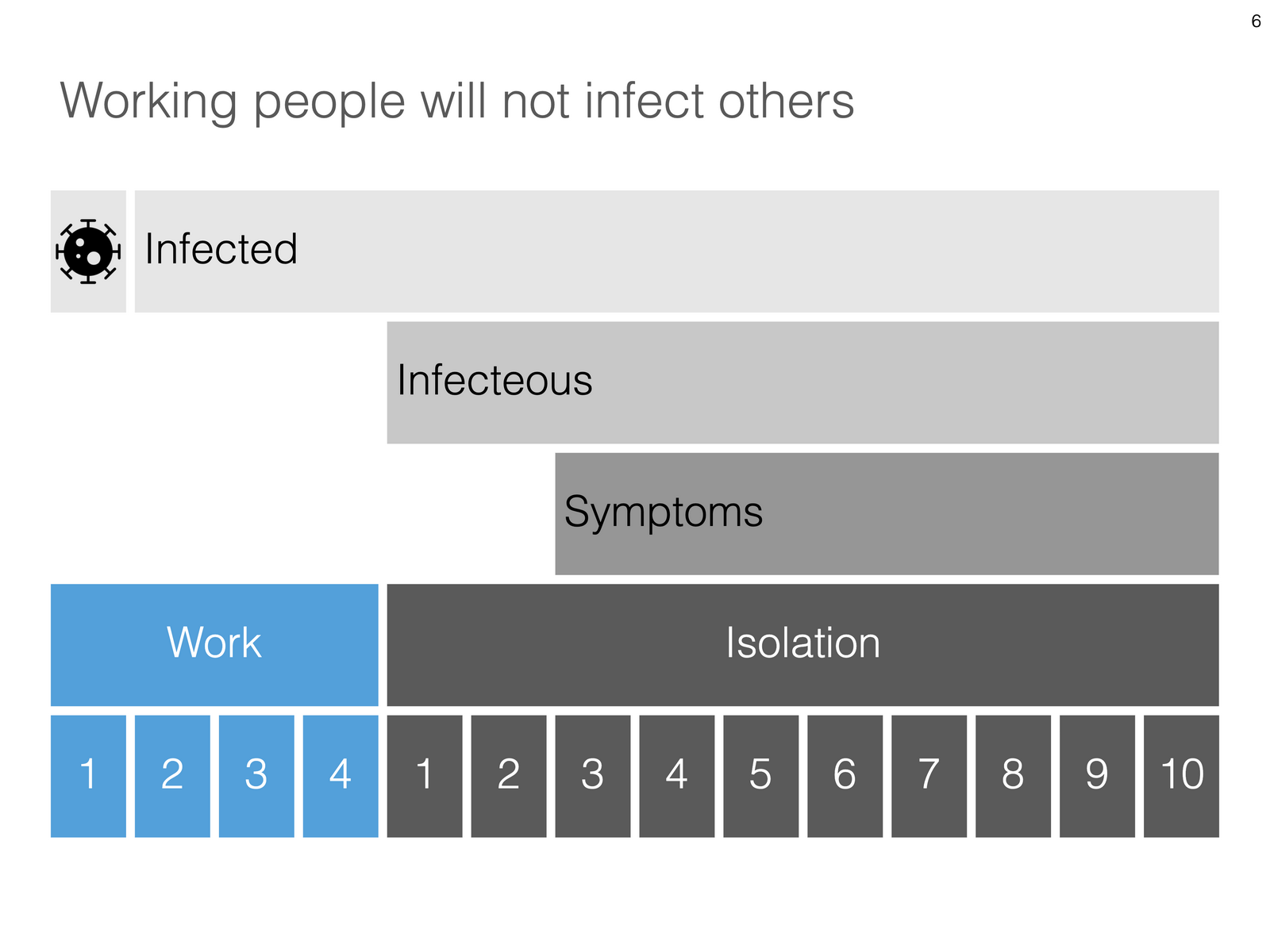
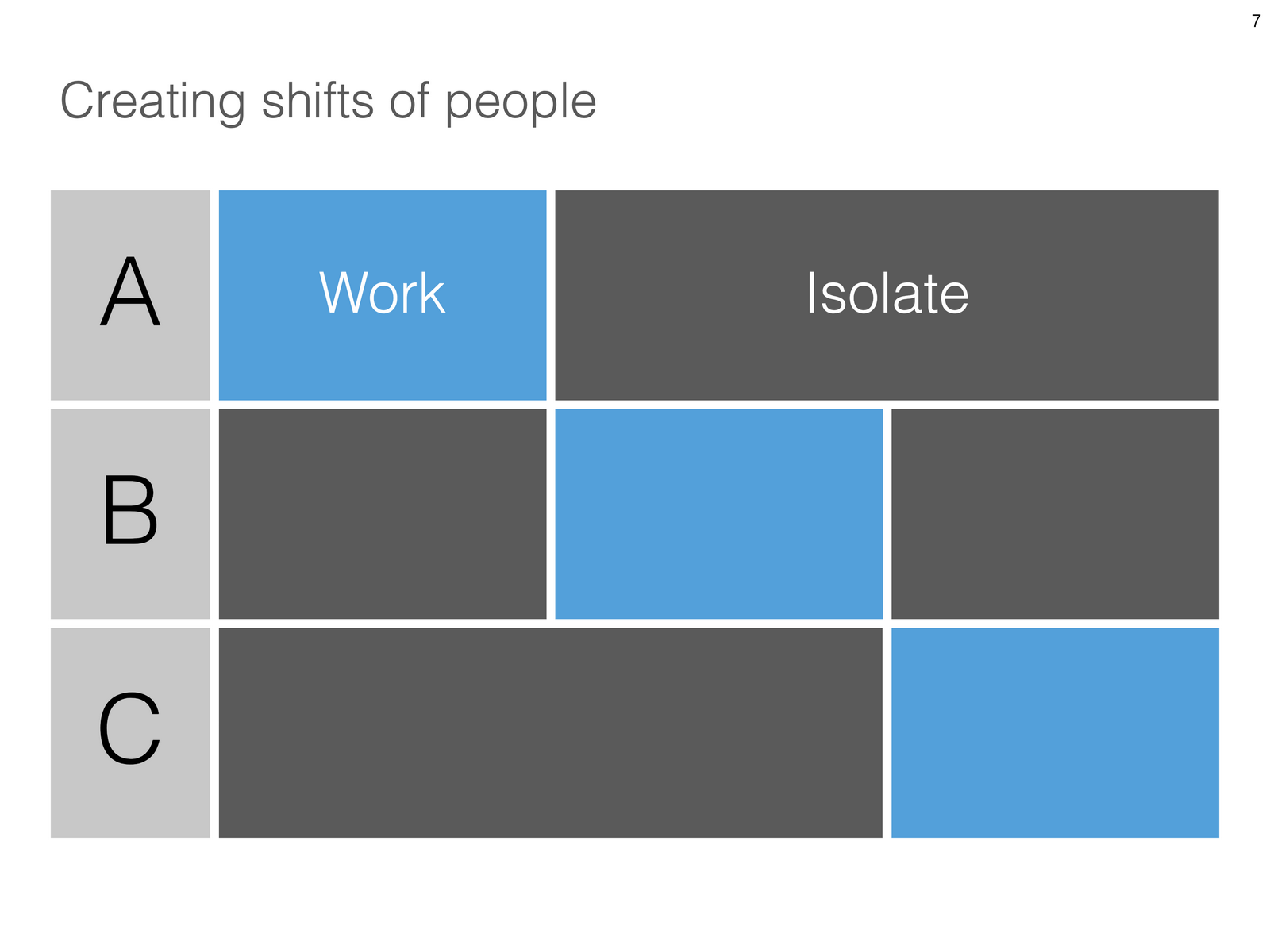
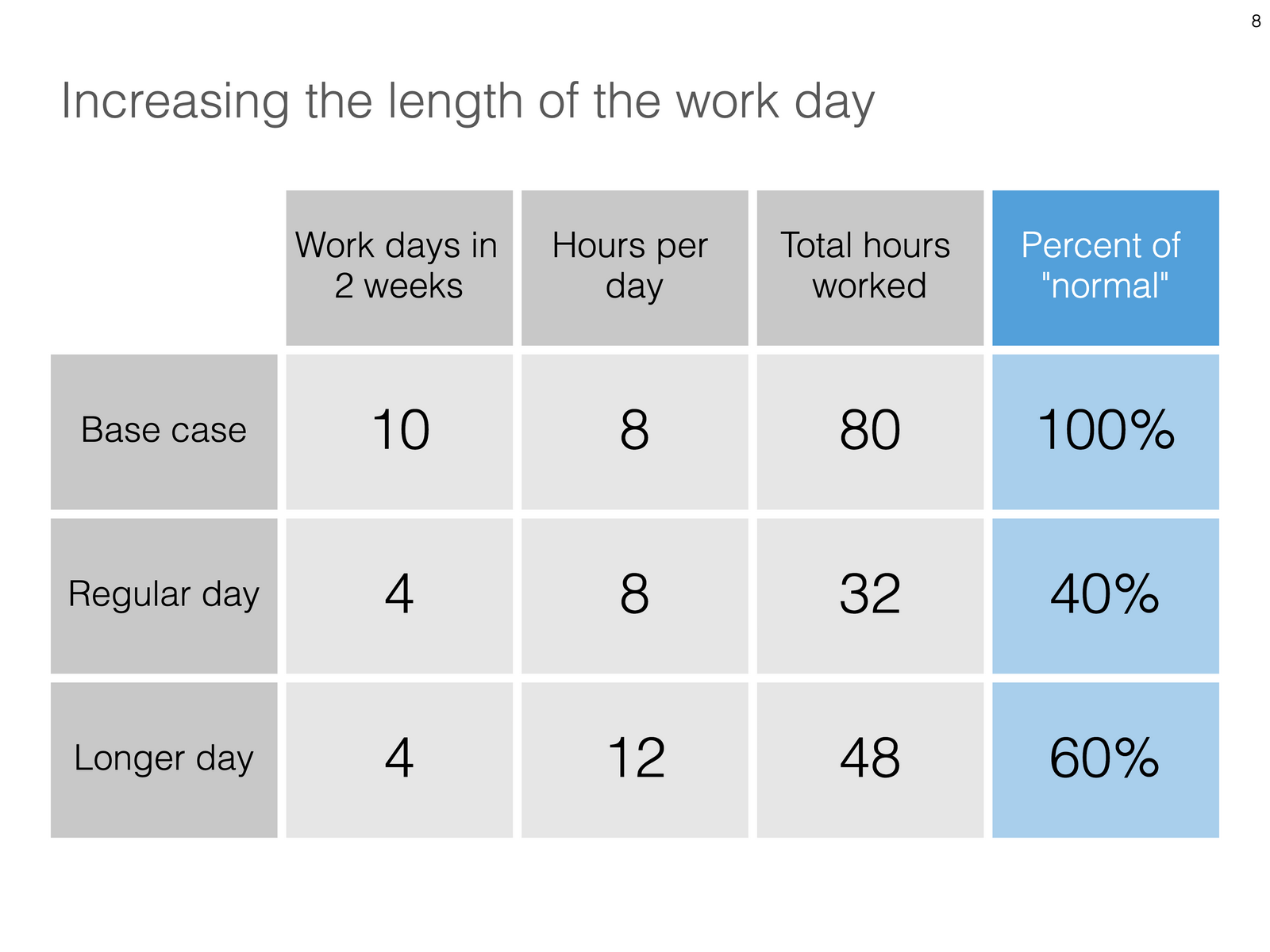
Uri Alon and other researchers at the Weizman Institute just south of Tel Aviv here in Israel have been working on an innovative idea for a COVID-19 exit strategy: intermittent working: let people work 4 days, and go into isolation for 10 days. Even if someone gets infected on day 1 of the work shift, the person will only become infectious during the isolation time, after which symptoms will appear. In that way, the economy can get going, while the infection rate of the virus will come down.

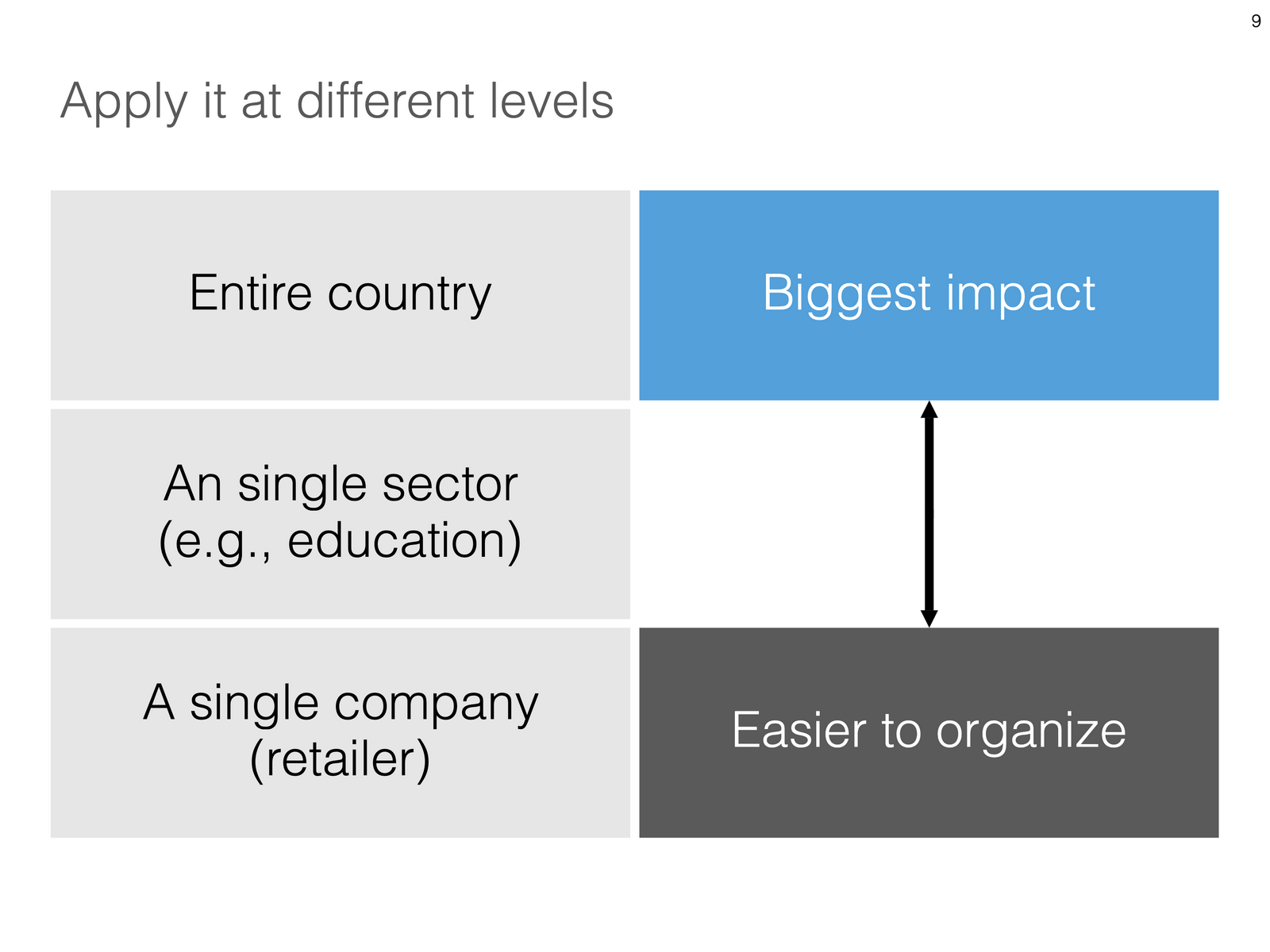
I think the idea is great, but I cannot see it adopted at a country level by politicians. For a specific sector (education?), or a specific company (a retailer with lots of client-facing staff), it could get adopted. Another (maybe even likely) application is to combat a likely second wave of the virus towards the winter. Rather than slamming the full brakes on the economy, go for the intermittent approach.

Communication of this idea is hard though. The researchers started with their scientific paper. Lots of graphs and analysis that shows the statistical impact of their research, including all kind of variables such as the percentage of people that actually stick to the rules. Next up is a video that explains the concept in a much more intuitive way.

I am constantly looking for new charts to the SlideMagic template database, and made a few simple charts that communicate this idea. All of this is done in the spirit of SlideMagic: very simple charts that are really quick to put together. Nothing fancy, but looking decent and doing the job of getting your message across.

Subscribers can download the slides here in .magic and .pptx format. For a limited period of time, every user of the desktop app can access the full slide library there. When adding new slides, search for “COVID-19” in the app, and they will pop up for you to use.

SlideMagic: a platform for magical presentations. Free student plan available. LEARN MORE
PowerPoint plug in update

PowerPoint plug in update

An update on the development of the SlideMagic PowerPoint plugin. One of the main reasons my first submission to Microsoft was rejected is that the current version of the plugin does not run on PowerPoint 2013 and the Windows 7 operating system, largely because I pretty much ignored Internet Explorer as a browser option. Microsoft itself does not really support Windows 7 anymore. The other problem is that it is actually hard to debug a plugin for Office 2013, I tried actually buying a copy, but you cannot get it anymore… On top of that, it turns that you cannot run multiple versions of Office on one computer. The strange situation is now that in order to develop add-ins for the latest versions of Office, you actually need to do that on a super old machine. If there is anyone reading this who can help, please reach out.

Capture.PNG

But OK, challenge accepted. I will begin to ‘dumb down’ the server response to calls from within Office applications. I can test the rendering of the screens in Internet Explorer 11 (just installed it), and have to hope that rest works in Office 2013 without testing. Hopefully the second submission will get accepted.

The current version still works but requires some level of computers skills and courage to get it to work.

Image by Masaru Kamikura

SlideMagic: a platform for magical presentations. Free student plan available. LEARN MORE
App features in a row

App features in a row

I created a few new images to show the features of the SlideMagic presentation app. I am started to feel very good about where SlideMagic is going. This post is a bit like a 1980s Dutch consumer product commercial where “We, people of [product] recommend… [product]. I, the developer of SlideMagic recommend…. SlideMagic.

Search templates directly inside the app. Currently, the app gives free access to all slide templates in the SlideMagic database

Search templates directly inside the app. Currently, the app gives free access to all slide templates in the SlideMagic database

Instant PowerPoint conversion

Instant PowerPoint conversion

Integrated online image search

Integrated online image search

Integrated online icon search

Integrated online icon search

Patented user interface keeps everything lined up

Patented user interface keeps everything lined up

Dark/light background colour switching

Dark/light background colour switching

Collapsable slide explanation panel when you cannot present in person

Collapsable slide explanation panel when you cannot present in person

Dual monitor support

Dual monitor support

Distortion-free aspect ratio conversion

Distortion-free aspect ratio conversion

Photo by Yunming Wang on Unsplash

SlideMagic: a platform for magical presentations. Free student plan available. LEARN MORE
Integrated Pixabay image search

Integrated Pixabay image search

Pixabay offers a large database of free stock images. The site has become increasingly useful over the past years. In 2020, free images are now often better than paid stock photos, simply because the designer/photographer tries less hard to add effects and edits to the original photographs. (This is all written from the perspective of a corporate presentation designer, there are probably other people out there who value edited images).

Each free image site has its own profile. Unsplash has better aesthetics, more natural images. Pixabay has more functional images.

Screenshot 2020-04-30 16.27.55.png

I have now added the ability to search Pixabay images in the desktop app. (Unsplash images, and the Noun Project icons were already present). All implementations are still beta features, as I finalise the approval for the API. (But I am confident I checked all the right boxes).

In-app image search is not just a “lazy” feature. It can greatly improve your presentation design workflow. Especially when it comes to copying, pasting, cropping and positioning images. In SlideMagic, this is just a few clicks. And, because of SldieMagic’s rigid slide grid, every image will always line up neatly with the other elements of your slide.

You can download the latest version of SlideMagic here (2.3.6). Integrated image search requires a pro subscription plan.

SlideMagic: a platform for magical presentations. Free student plan available. LEARN MORE