Viewing entries in
Software

SlideMagic 1.0 sunset, long live SlideMagic 2.0

SlideMagic 1.0 sunset, long live SlideMagic 2.0

Towards the end of October, we will be pulling the plug on the SlideMagic 1.0 server. If you are a SlideMagic 1.0 user, you need to download your presentations as .magic files to your local hard drive, after which you will continue to be able to edit them in the SlideMagic 2.0 app.

SlideMagic 2.0 is vastly superior when compared to 1.0, with much more intuitive user interface, instant PowerPoint and PDF conversion, integrated Unsplash and Pixabay image search, waterfall charts, and a huge template database (SlideMagic 1.0 probably had 20 templates or so), just to name a few features. SlideMagic 1.0 was a web app, SlideMagic 2.0 is a desktop app that also works when you are not connected to the Internet, and has deeper access to your computer’s operating system for things like managing files and copying things between windows.

SlideMagic 1.0 users will be getting a reminder email over then next few days. I do plan to keep the SlideMagic 1.0 user presentations somewhere backed up, but access will be on request and no longer instant as of November 2020.

SlideMagic 1.0 was a necessary step to start the journey, it enabled me to get my head around what a modern presentation app should look like. But it has served its purpose.

The SlideMagic 1.0 log in is here: http://app.slidemagic.com, you can try the new app here https://www.slidemagic.com/app .

SlideMagic: a platform for magical presentations. Free student plan available. LEARN MORE
A clearer pricing model: just subscriptions

A clearer pricing model: just subscriptions

As I focused on the user experience of SlideMagic, I kept a temporary payment engine running, it takes a simple payment, but does not yet manage subscriptions. Subscription management is a bit more tricky, you need to keep user payment details on record securely, and manage renewals, cancellations, updates. That will soon all be tightly integrated with the Stripe payments platform.

In the process, I am now taking down the ‘day pass’ pricing option that allowed you to buy a maximum of 10 slide downloads for the duration of 1 day. I think this confusing what SlideMagic is trying to be: a full presentation solution (as opposed to a by-the-slide template business of which there are thousands on the internet).

Now SlideMagic has 2 offerings:

  • A free model with access to all slides (for the moment) in .magic format

  • A pro model that also includes PowerPoint, PDF conversion, and the ability to add your logo on slides, $99 per seat per year.

The free model gives people a change to get to know SlideMagic, offers a workable solution for users on a low budget (students, etc.). The Pro version is useful for people that need to use SlideMagic for real, share presentations in other formats with colleagues and clients, and need to brand slides in their own look and feel.

I will make sure that the payment engine works in a robust way first, then I will have to resort to modifying the web site with a better illustration of the positioning.

Legal disclaimer: all this can change in the future.

Photo by Catherine Heath on Unsplash

SlideMagic: a platform for magical presentations. Free student plan available. LEARN MORE
Customer service

Customer service

This tweet exactly applies to SlideMagic:

SlideMagic had a few glitches, but unlike established software products, users that suffered got the CEO himself to add designs to the template bank, recover presentations, gave refunds after people claimed they ‘never intended to make that purchase’, deploy patches within a few hours, and say ‘thank you’ even in the very few cases where feedback was not worded that nicely.

I think SlideMagic is getting close to the finish line as a proper and robust product as I am using it intensely myself now. Thank you all for your patience.

Photo by Alexander Andrews on Unsplash

SlideMagic: a platform for magical presentations. Free student plan available. LEARN MORE
Further cleanups

Further cleanups

Things are a bit quiet here on the blog, as I am using my annual blogging summer holiday to cleanup SlideMagic further. New features are frozen for the moment, as I am 100% focussed on making the app as stable as possible and have been posting regular updates frequently. If you are a frequent user of SlideMagic, you should now be running version 2.4.28.

One visible change I have made in the latest version is a slightly larger image zoom slider, you can see it in the screen shot below. I rotated the slider, it now appears vertically, allowing me to give it more space and make image zooming more precise.

Updates should install automatically eventually but you can force an update by downloading the latest version of SlideMagic manually.

Screen Shot 2020-08-24 at 14.39.41.png

SlideMagic: a platform for magical presentations. Free student plan available. LEARN MORE
New arrows are now live

New arrows are now live

The latest version of SlideMagic has the new arrow feature available, finally enabling me to discontinue the dreaded connectors. Arrows are big and bold to show cause-effect relationships or other forces. I made an algorithm to let them do the right thing in terms of layout in various box sizes, and in various aspect ratios, both for horizontal and vertical shapes. In PowerPoint and Keynote it is fiddly to get arrows to look exactly the same once you start changing the angles of the pointer by hand.

When converting to PowerPoint (a pro feature), your arrows will show up as editable PowerPoint arrow shapes.

I can now call SlideMagic 99% feature complete (hmm, line charts?) and will focus on hardening the application to make it absolutely stable.

The legacy connector feature will stay in the background. If you load an old slide that uses it, the legacy arrows will be rendered and you can edit them. If you have to add more legacy connectors, simply shift-click on the connector icon, and you will be given the option to use the old feature.

The new arrows also give me more design freedom to start expanding the template library with new slide layouts that features these ‘fat’ arrows.

Fat arrows are great for showing cause-effect relationships

Fat arrows are great for showing cause-effect relationships

Arrows follow the color scheme of the cell, black on accent, will give you this result

Arrows follow the color scheme of the cell, black on accent, will give you this result

You can place background images behind arrow elements

You can place background images behind arrow elements

SlideMagic arrows are converted to fully editable PowerPoint arrow shapes when converting (pro feature)

SlideMagic arrows are converted to fully editable PowerPoint arrow shapes when converting (pro feature)

Thinner arrows can be created with the line new line drawing feature

Thinner arrows can be created with the line new line drawing feature

SlideMagic: a platform for magical presentations. Free student plan available. LEARN MORE
The perfect arrow...

The perfect arrow...

I am replacing the connectors in SlideMagic with 2 features. The relatively thin lines that connect boxes in a diagram went live yesterday. Currently I am working on the 2nd feature: fat arrows to show cause-effect relationships or other forces.

As I already discussed back in 2017, it is tricky to get arrows to look right in presentation software. The aspect ratio of the containing box, the angles of the arrow, some come out great, others won’t.

image-asset.png

And even if you got one right on your slide by moving the various sliders in the shape, how do you make sure that the 3 below it look exactly the same? Oh, and then you need to insert a fifth one and squeeze everything a bit…

I think I am on to a possible solution. I scribbled an algorithm on a piece of paper, now let’s see how to bring it to life in SlideMagic, and then convert them to PowerPoint. The latter might have to be via an image rather than a dynamic shape. Below is a screenshot of my development machine. Work in progress.

Screen Shot 2020-08-11 at 15.40.55.png

SlideMagic: a platform for magical presentations. Free student plan available. LEARN MORE
The new line drawing mode

The new line drawing mode

I just deployed version 2.4.16 on the server that has the first version of the new line drawing engine of SlideMagic built in. This will be the replacement of the cumbersome ‘connector’ feature that was inherited from SlideMagic 1.0.

Any presentation app needs some sort of approach to drawing lines, especially to connect boxes in diagrams. Freehand drawing and line dragging goes straight against the philosophy of SlideMagic, which forces you to keep everything lined up, evenly spaced out on a grid.

The connectors solved this by micromanaging lines, you have designate a box to be a line box, and then meticulously set the line configuration inside it. The result is a line grid that perfectly scales up and down with your grid. But this can be a pain to maintain, especially if you are working in a very fine grid.

So I can came up with a compromise and added a separate line drawing layer to the ‘frame; of the slide, the background that sits behind the work area of the slide (i.e., not the title and the footnote). Selecting the frame will highlight a Manhattan-like grid of dots, between which you can draw any (straight) line or arrow you want, across the entire slide. This line patter will move with changes to the grid, but - and this is the concession - is not 100% tied to the boxes in your chart. But I think it is a price well worth paying, imperfections are easy to fix.

A side effect, it is now also easy to draw a fat border around a group of boxes if needed.

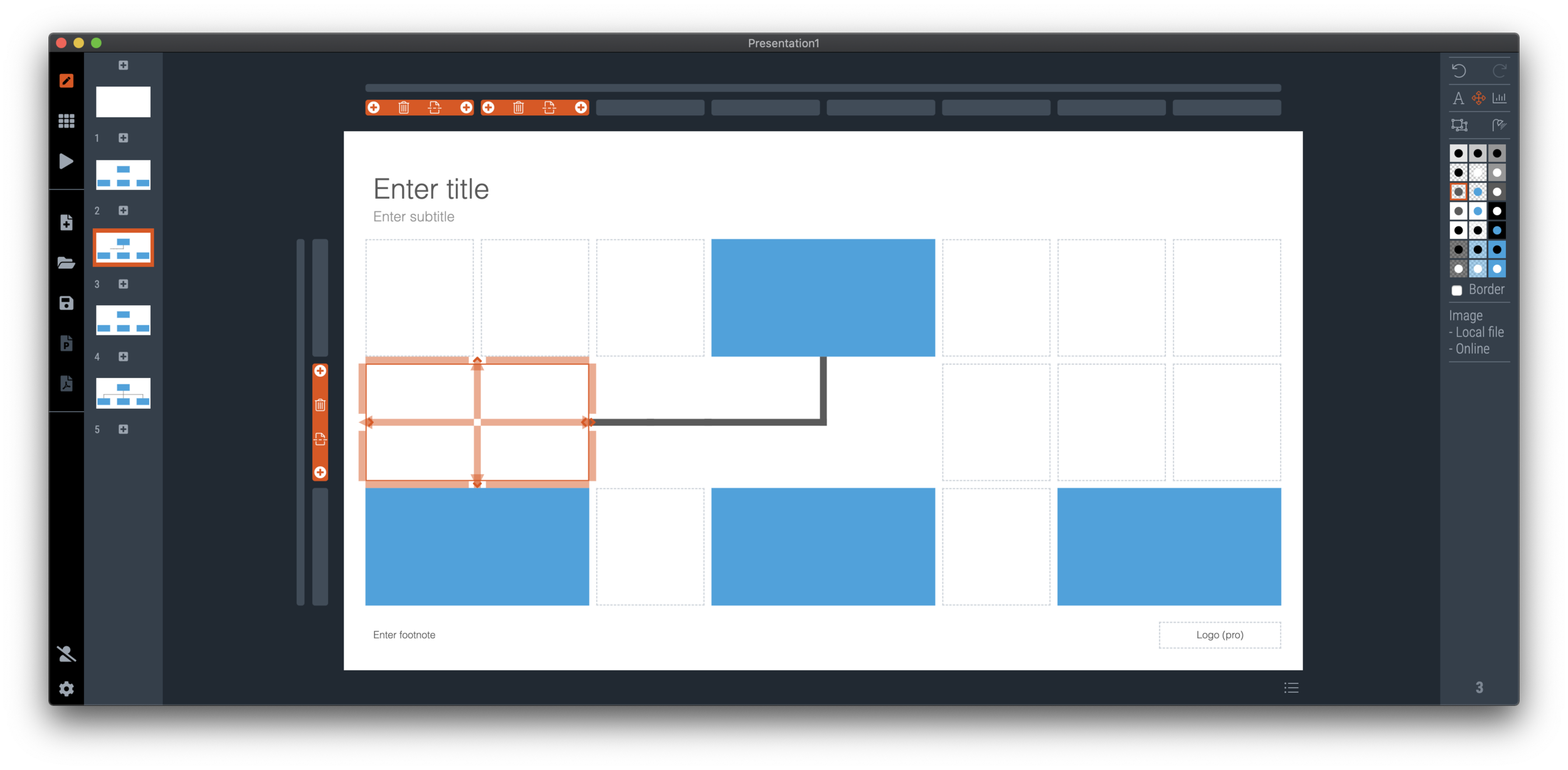
Below is a bare bone organisation diagram.

Screen Shot 2020-08-10 at 6.55.29.png

The old connector system required fiddly editing, see below.

Screen Shot 2020-08-10 at 6.57.18.png

The new line drawing layer makes things easier. As soon as you select the frame of the slide (click the long bar at the top, or the tall column to the left of the slide), you are presented with a grid of dots.

Screen Shot 2020-08-10 at 6.55.39.png

You are free to add lines from dot to dot across the entire slide (yes, even ones at an angle)

Screen Shot 2020-08-10 at 6.55.55.png

All of this makes it easy to connect boxes in the required way in your diagram

Screen Shot 2020-08-10 at 6.56.29.png

Feel free to download the latest version of SlideMagic and play around with the new feature and let me know your feedback. There are a lot of design decisions that I had to make. Keep line editing mode active to go to the next dot, connect line segments in one shape, dragging of lines (or not). I think the current model works, where lines stay on the chart as individual segments. I will need to implement the multi-select on them though, and work on an algorithm that removes double segments, and combines two consecutive segments into one.

SlideMagic: a platform for magical presentations. Free student plan available. LEARN MORE
Fixing the connectors

Fixing the connectors

SlideMagic 2.0 is almost getting to a point where I can call it ‘feature complete’. Once reached, I will be spending most of my time on hardening the application to make it 100% enterprise-grade, before venturing into adding more capabilities.

The last obstacle on the road are the ‘connectors’, a left over from the SlideMagic 1.0 UI that are not very intuitive to use. The connectors where meant to cover the 2 minimal line drawing elements that any presentation app needs to have:

  • The ability to connect boxes in diagrams (flow charts, org charts) with lines and arrows

  • The ability to create a visual flow in a slide with big arrows that show cause and effect

This is very tricky to accomplish in SlideMagic, as the app stubbornly insists on not requiring any freehand drawing or dragging that breaks the slide’s grid, and the current ‘connectors’ make that tension perfectly clear.

I think I might have come up with an elegant solution to this problem:

  1. Simplify the current ‘connectors’ and use them solely for fat/big cause effect arrows

  2. Add a simple grid based drawing capability for connecting boxes.

I got number 2 to work on my development machine, but it still requires a lot of work to make things intuitive, but the hardest part of the work has been cracked.

Luckily there is an advantage that SlideMagic does not have millions of users yet, we can still wiggle the software to get product/market fit, something almost all presentation design apps have failed to reach. Work in progress.

Photo by Charles Deluvio on Unsplash

SlideMagic: a platform for magical presentations. Free student plan available. LEARN MORE
Update

Update

I have entered my usual summer blogger schedule (fewer posts) and am now working really hard to get SlideMagic 2.0 right. The feature list for SlideMagic 2.0 is now almost completely implemented. In software, there are always more things to add, but the product as it stands at the moment is starting to get very useful. Over the last 2 weeks I put in very big changes that might not look big from a user’s perspective, but required huge changes under the hood:

  • The new '“side title” layout (my preferred)

  • Slide search previews in your own preferred colour, layout, font style

  • Horizontal and vertical waterfall charts

  • Dynamically generated slides with a relevant image (i.e., unlimited slide in the template bank)

  • Better rendering of slides and images on higher resolution screens

  • Useful image compression in the background

The only big one that remains outstanding is a better way to make diagrams with lines and arrows, the connector solution is not perfect.

In the background I am now tweaking lots of user interface details: how borders fit around thumbs, mouse behaviour when hovering over things, an “endless scroll” is now working for image search, messages that warn you when things go wrong, or when your app is busy searching, making sure that thumbnails distribute nicely over the screen when zooming, minimising the times when the app needs to re-render a slide or image to make the workflow calmer, etc. etc.

I start to look at app design the way I look at slide design. Things need to be absolutely right, and even tiny deviations, irregularities, small mistakes, can really upset me, while most people won’t even notice them. This is what I think ultimately leads to good design, one by one, these details do not matter, I you add them all though, something works without you having an ability to point your finger at exactly why.

If you tried SlideMagic 3 months ago, you almost won’t recognise it (sort of), today (at the moment of writing, version 2.4.12 is the latest one). Work in progress

Screen Shot 2020-07-29 at 14.14.41.png
Screen Shot 2020-07-29 at 14.17.10.png

SlideMagic: a platform for magical presentations. Free student plan available. LEARN MORE
Slide search results in your own colours

Slide search results in your own colours

After updating to the latest version of SlideMagic, your slide search results will no longer appear in SlideMagic blue, 4x3 aspect, but in your own personal colour palette, and in your own preferred screen size.

Screenshot 2020-07-15 12.34.15.png
Screenshot 2020-07-15 12.34.59.png
Screenshot 2020-07-15 12.35.51.png
Screenshot 2020-07-15 12.37.02.png

Unlike most template banks, SlideMagic now generates slides on the fly the moment when you search for them, rather than serving pre-fab files. This opens interesting opportunities for future features :-). Work in progress.

SlideMagic: a platform for magical presentations. Free student plan available. LEARN MORE
"Operating system updates" for presentations

"Operating system updates" for presentations

Every year Apple releases operating system upgrades for computers, tablets, and phones. Your apps and documents have the same content, but look slightly different. I am trying to push this concept to the world of presentations.

It has already happened (sort of). The slide-out panel to right changes the look and feel of your presentation without changing the content. Over time, I have made subtle changes to font sizes and layout proportions, which means that every SlideMagic presentation in the world will have a slightly different look. Switching to a dark slide background turn the colours of your presentation upside down (in a good way), far beyond just making the background black.

I will try to push this further, by adding more layout options , your slides will look entirely different, including the ones you made 6 months ago, but you can always switch back to another layout format.

Photo by Michael Held on Unsplash

SlideMagic: a platform for magical presentations. Free student plan available. LEARN MORE
What is new in V23

What is new in V23

Some new features in version 2.3.23 of the SlideMagic desktop app:

  • Super-fast responses when resizing your main window, or reshuffling slides in the story view, even if they contain big images. If the app does not need to re-render an image, it won’t. Rescaling slides is now done by your computer’s graphics processor directly, rather than my bespoke code.

  • More clever image repositioning when you change the aspect rate of a shape by expanding and collapsing boxes. Still not perfect, but the app starts to do the right thing.

  • Changing the slide aspect or background has now been added to the “view” drop down menu, so you can switch back and forth really fast without having to go through the settings menu.

  • Subtle changes to the user interface, that makes the app look sharper on higher resolution displays.

The app will try to update itself in the background, or if you are impatient, go here to download the latest version immediately.

Photo by gdtography on Unsplash

SlideMagic: a platform for magical presentations. Free student plan available. LEARN MORE
Working on improved image cropping

Working on improved image cropping

Working with images is turning out to be one of the most powerful uses of SlideMagic. The built-in image search gives access to an endless flow of great images, and the grid makes it really easy to layout these photos in a beautiful and consistent way on a slide.

Aligning images has always been difficult in presentation software (it is only worse in word processors), and that bit is solved by the SlideMagic grid. Next up is image cropping. Most design tools use some sort of overlay that allows you to mask/reveal an image. Even as a professional designer, I still struggle with this.

Screenshot 2020-06-16 16.40.04.png
Screenshot 2020-06-16 16.40.11.png

In SlideMagic, you simply drag an image around in a box to decide what part of the photo you want to reveal. I am working on 2 improvements:

  • Showing the entire image in semi-opaque when you are editing/dragging it around to give you. a better orientation of what you are doing

  • Creating a way to keep the image focused on the most relevant part regardless of changes to aspect ratios or zoom levels of the photo. At the moment, I store to image positioning versions (one for 16x9 and one for 4x3), but in future releases I want to automate this

The challenge here is to offer something that works without turning SlideMagic into a complicated photo editor. Work in progress.

SlideMagic: a platform for magical presentations. Free student plan available. LEARN MORE
Some UI improvements

Some UI improvements

Version 2.3.18 went up with a few improvements including 2 noticeable ones:

Screenshot 2020-06-04 12.48.23.png
  • A much brighter app user interface colour. As you know, SlideMagic mirrors the colour you use in your presentation: if your presentation uses blue, the SlideMagic app accent colours (to show things you selected for example) will turn to its complement: orange. Up until v2.3.18, this was the exact colour opposite, creating problems for users with muted, very dark accent colours. In the latest version I forced up the brightness and saturation of the app accent colour so that it clearly stands out in all cases. Look how that orange is now popping out for my SlideMagic blue colour.

  • An improved image user interface, where the crop modes “center”, “contain”, and “cover” are now clearly highlighted. Also, SlideMagic now shows the mega bytes an image consumes as soon as you select it. Sometimes, a very large image is actually not that big in storage, but the opposite happens as well, that tiny image on your slide takes up 10MB of space and as a result you are compressing down the entire slide deck. Now it is easy to catch these memory eaters quickly and compress the image if needed. Compression no longer “flattens” the image effects (greyscale, blur, flip), so you can re and undo these on the compressed image as well.

Screenshot 2020-06-04 12.53.20.png

Download the latest version of SlideMagic for Windows or Mac to try it out.

SlideMagic: a platform for magical presentations. Free student plan available. LEARN MORE
Preserve image positioning when switching between 4x3 and 16x9

Preserve image positioning when switching between 4x3 and 16x9

SlideMagic swaps instantly between traditional and widescreen aspect ratios. The slide content stays nicely in the slide frame, everything stays aligned and you can revert instantly.

Because SlideMagic does not distort aspect ratios of images (no stretching or squeezing), the positioning of an image changes slightly if you switch between a narrow and a wide screen layout. This can be annoying for images where positioning is a big deal (compare the lined up eye lines of a series of portrait images versus a long-distance shot of a mountain range). If you switch aspects 5 minutes before your meeting, your presentation is misaligned. (This is obviously still a lot better than PowerPoint where everything would stretch and move to unpredictable places when picking a different screen format)

Well, SlideMagic fixed this last hitch as well. I just released V2.3.17 (download SlideMagic here for both Windows and Mac) which now keeps 2 sets of image size and crop frames, one for each slide aspect ratio. You switch back and forth, so will the image positioning. Make sure to double check each image once in both aspect ratios, and the settings will be saved together with the presentation.

Screenshot 2020-06-02 12.28.06.png
Screenshot 2020-06-02 12.27.08.png

For future releases I am studying more advanced image analysis, where I could automatically recognise a face in an image for example, and lock in the position of the eyes (maybe the first true “AI” application in SlideMagic).

SlideMagic: a platform for magical presentations. Free student plan available. LEARN MORE
Dynamic slides generated on the fly

Dynamic slides generated on the fly

Version 2.3.16 of the SlideMagic presentation app went up last night (download it here for either Mac or Windows). The major new feature in this release is the dynamic generation of slides (at least, the first steps).

There are different types of template search queries entered on the SlideMagic server. People look for a specific framework (e.g., ‘BCG matrix’), a specific layout (‘3 bullet points’), but then there is a whole lot of more descriptive queries to are a better match for an image search site (‘house’ , ‘diabetes’). While I could populate the database with hand-made slides for each of these terms, it is more efficient to let technology do the work for you.

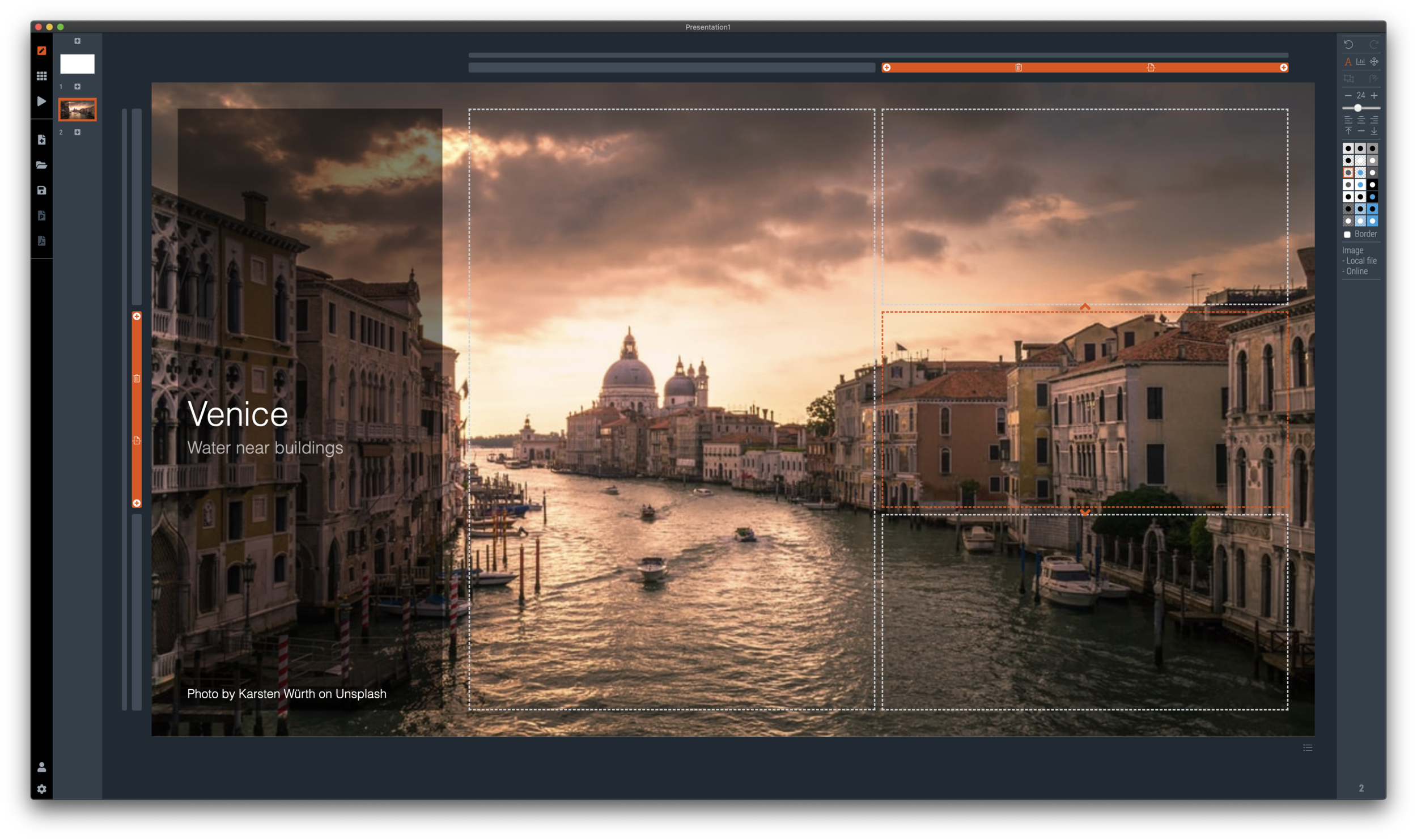
So at the moment, when the server gives up and returns a “no slides found” message, the user gets offered the option to run an image search instead with the same keywords. After picking an image, the SlideMagic app turns it into a framed slide with proper image credits that can form the basis for a new slide design. This slide is created on the fly, without the need to store templates on my server. So the number of slides that SlideMagic can produce now goes into the millions rather than hundreds.

The screen shots below give an overview of the flow as it stands at the moment:

Screen Shot 2020-06-01 at 17.47.08.png
Screenshot 2020-06-01 17.47.30.png
Screenshot 2020-06-01 17.47.52.png

Obviously a slide with a simple image is still pretty basic. I am looking into expanding this approach with colour matches, and more interestingly analysing images for white space, with suggested pre-population of text placeholders on the image.

All these slides can be converted to editable PowerPoint files with a simple click. At the moment, this feature is implement in the app, not yet on the web site.

Work in progress.

SlideMagic: a platform for magical presentations. Free student plan available. LEARN MORE
Do you need Excel training or model training?

Do you need Excel training or model training?

This tweet caught my attention:

I spent a decade as a strategy consultant at McKinsey crunching spreadsheets, mostly company valuations. And all of those, I did with the very basic Excel functionality: simple calculations between 2 cells.

Like PowerPoint, Excel is packed with fancy features that actually distract form what you are really need to worry about: setting up a proper model. Complicated formulas collapsed in one cell create opportunities for bugs to sneak in. Also, when you need to expand or adjust your model, it is a lot easier when everything is neatly laid out in front of you. In all my models, I could understand the flow of calculation line by line.

The golden rule of analysis applied: “if it looks wrong, it is probably wrong”. (In the 1% of cases this is not true, you are probably on course to receiving a Nobel prize for a major new insight).

I did invest some time in finding a way to make my spreadsheets look good. Numbers rounded, cells aligned. If you are staring at something that looks scrappy, you will treat it as a scrappy back of the envelope.

The exception to all of this might be cases where you treat Excel as a database application. Setting that up properly will require some training.

Photo by Wonderlane on Unsplash

SlideMagic: a platform for magical presentations. Free student plan available. LEARN MORE
PowerPoint plug in update

PowerPoint plug in update

An update on the development of the SlideMagic PowerPoint plugin. One of the main reasons my first submission to Microsoft was rejected is that the current version of the plugin does not run on PowerPoint 2013 and the Windows 7 operating system, largely because I pretty much ignored Internet Explorer as a browser option. Microsoft itself does not really support Windows 7 anymore. The other problem is that it is actually hard to debug a plugin for Office 2013, I tried actually buying a copy, but you cannot get it anymore… On top of that, it turns that you cannot run multiple versions of Office on one computer. The strange situation is now that in order to develop add-ins for the latest versions of Office, you actually need to do that on a super old machine. If there is anyone reading this who can help, please reach out.

Capture.PNG

But OK, challenge accepted. I will begin to ‘dumb down’ the server response to calls from within Office applications. I can test the rendering of the screens in Internet Explorer 11 (just installed it), and have to hope that rest works in Office 2013 without testing. Hopefully the second submission will get accepted.

The current version still works but requires some level of computers skills and courage to get it to work.

Image by Masaru Kamikura

SlideMagic: a platform for magical presentations. Free student plan available. LEARN MORE
Better image search UI

Better image search UI

Version 2.3.5 of SlideMagic went up this morning. The interface for searching images from within the desktop application now looks a lot better in a grid layout that takes into account portrait or landscape aspect ratios of photos.

Screenshot 2020-04-28 11.33.58.png

I will further improve the in-app image search soon, with a preview ability to test the image in your slide, and combining more than one image bank provider. A lot is changing in the world of online stock images at the moment, to the extend where I often find free images to be of better quality than paid ones.

Business presentations are different from ads or consumer graphics design projects: picking the right image and getting the credits right is what matters. More to come soon.

The image search API calls are still a beta feature with limits on the amount of searches per hour and/or the image resolution, as I need to make sure my (unusual desktop) app gets the back linking and credits done in agreement with the image bank provider.

One more feature was added: tool tips for the app icons after feedback from a user. Leave your mouse stationary for a second, and the app will suggest what you can do here. Most icons and actions are obvious, but while placing them, I realised that indeed a few things were hidden and/or unclear.

You can download the latest version of SlideMagic here.

SlideMagic: a platform for magical presentations. Free student plan available. LEARN MORE
Stories coming next

Stories coming next

I am using the current quiet to beef up the usefulness of SlideMagic. Next up are stories, bundles of slides with a coherent story that stitches them all together: startup pitches, board updates, budget plans, CVs, strategy reviews, etc.

The slide decks are easy for me to create, I need to solve a technical and a design challenge:

  • Technical: the whole SlideMagic architecture is based on individual slides, I need to start linking them together to stories.

  • Design: I need to come up with an intuitive user interface to browse and select stories easily.

Work in progress.

Photo by Erik Brolin on Unsplash

SlideMagic: a platform for magical presentations. Free student plan available. LEARN MORE