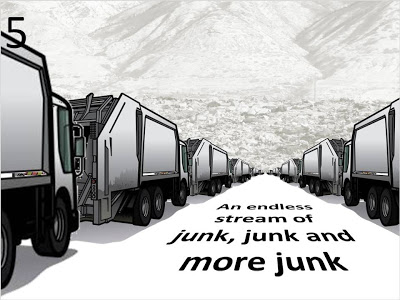
The trash keeps on coming - extending 3D objects

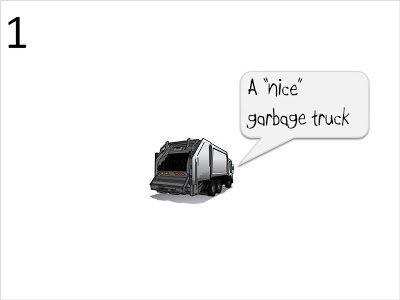
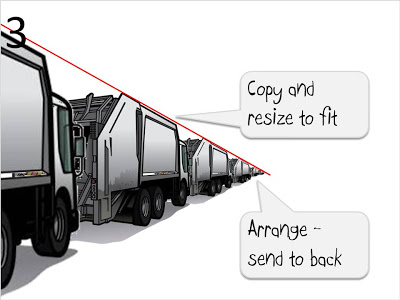
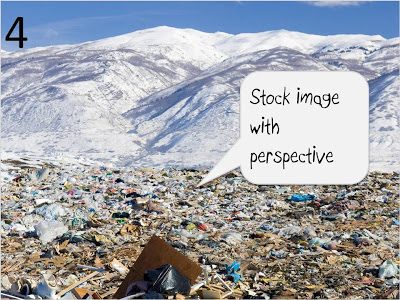
Depth of field is an under-used technique in PowerPoint. Here is an idea for a slide I used for a client that has a powerful solution against spam. Repeating and object many times can give dramatic effects.
More 3D tricks here.

SlideMagic: a platform for magical presentations. Free student plan available. LEARN MORE

What presenters can learn from book cover design

Presentations shared online are different from the "classical" setup of a presenter giving a live talk backed up by some visuals. Online presentations need to stand on their own, without verbal explanation, and need to be able to attract viewers without the help of "please sit down, the presentation will start now".
Seth Godin posted some good thoughts about what makes an effective book cover. Jeff Bailey asked the question whether this only applies to books. The answer is no. Especially when your presentation has to stand out in SlideShare or on the notice board near the university coffee machine.

SlideMagic: a platform for magical presentations. Free student plan available. LEARN MORE

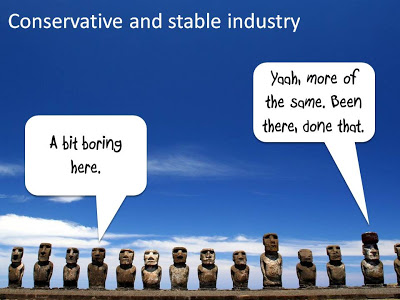
Chart concept - stable industries, not much going on here

Certain industries do not seem to be subject to change (but maybe a new startup is about to change all this!). I like to use images of the moai on Easter Island to visualize this kind of market environment.
Photo credit: Natmandu. For these type of "real" images it is much better to go to sites like Flickr then to stock image sites (check the image license though).

SlideMagic: a platform for magical presentations. Free student plan available. LEARN MORE

Using impressionist painters in PowerPoint slides

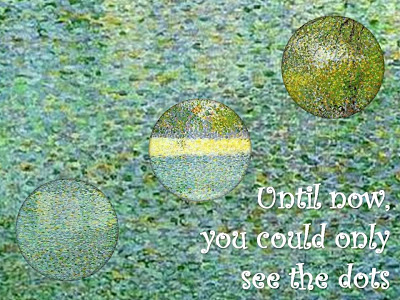
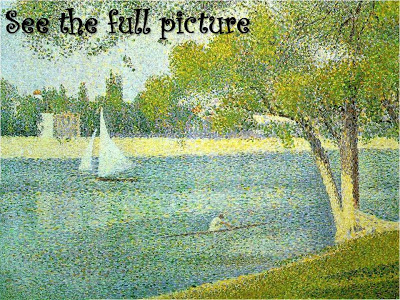
My life and business partner Anat Naschitz has a strong interest in the arts. She recently created a chart for a client that needed to show how its solution makes it possible to see beyond the dots and construct the full picture (in a medical application).
The painting "The Seine at La Grande Jatte" by Seurat is an example of the pointillism style. An approach similar to the CYMK technique used in many printers today. (Seurat starred in a previous post on this blog as well).
The round cutouts were made by setting the background of the PowerPoint shape to "slide background". The curly font used is Curlz MT.

SlideMagic: a platform for magical presentations. Free student plan available. LEARN MORE

Screen shots made easy with Aviary

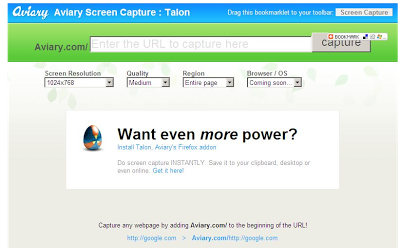
Mashable pointed to this usefull tool yesterday. Aviary is an "in-the-cloud" image manipulation utility (trying to take on Photoshop and others). To lure more users to their site, they have created a neat screen shot capture tool (bookmark this URL).
I use screen shots a lot, and until now relied on CTRL-PRT SCR, followed by a paste into a PowerPoint slide. (For example to extract tag clouds from Wordle) Two drawbacks:
  • A huge, very wide image (I have a large screen resolutions) gets plopped into your slide that you need to crop by switching the PowerPoint zoom to 33%
  • A partial web page image (PRT SCR only captures what's on the screen)
The Aviary tool is more useful:
  • Simple: type in aviary.com followed by the URL you want to capture, for example aviary.com/http://ww.axiom.co.il if you want to make a screen shot of my corporate site www.axiom.co.il.
  • The image (covering the entire web page including parts that are not on the screen) opens up in a basic image editor for cropping.
  • You can save the image for future use

SlideMagic: a platform for magical presentations. Free student plan available. LEARN MORE

Looooong shadows to add depth

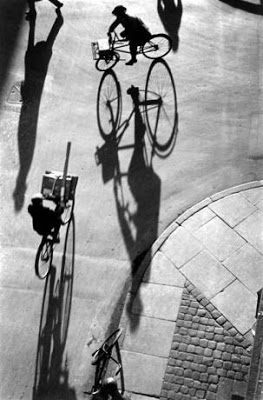
Long shadows can add great perspective to a slide. Lucky Luke needs them to show off his speed. Photographers like Heinrich Heidersberger have used them nicely in photo compositions (see the "Street Scene" image below)
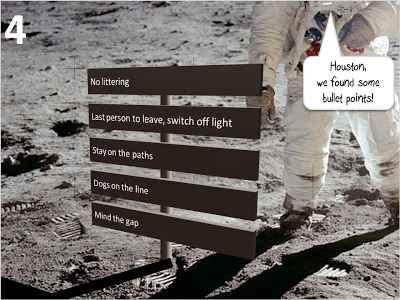
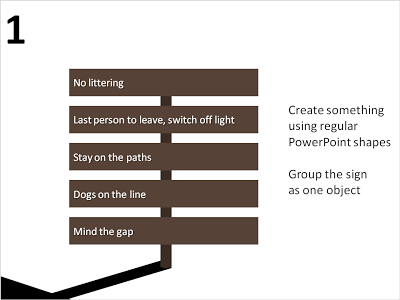
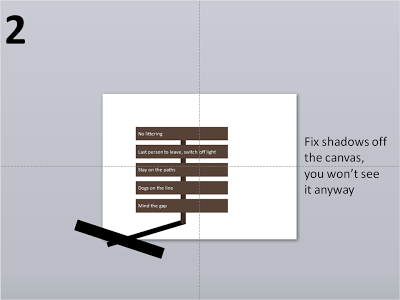
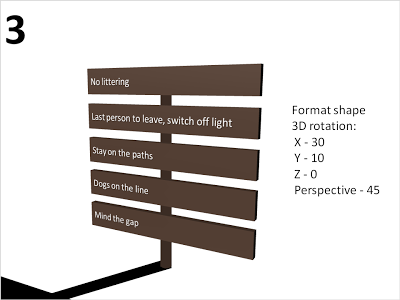
They are very easy to make in PowerPoint. I suggest forgetting about the built-in shadow functions of PowerPoint, they can be tricky control. Instead, draw your shadows using rectangular boxes. Below a chart that can be used as a setting to display the 3 (or so) key messages of a presentation on a final slide (excuse the bullet points):
SlideMagic: a platform for magical presentations. Free student plan available. LEARN MORE

Filling PowerPoint letters with an image background

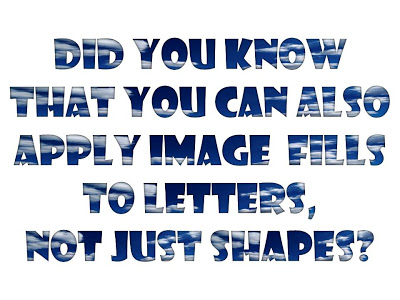
A neat trick. Select your text, go to "format" and select "text fill". The font I used in the example below is "Showcard Gothic".

SlideMagic: a platform for magical presentations. Free student plan available. LEARN MORE

Evernote - your note pad always with you

Presentation design needs time. Squeezing out the last slides the night before the deadline will make your presentation look like, well, a document that was squeezed out the night before the deadline (most management consulting presentations). Give yourself lapse time to complete your presentation. A day of work spread out over a week gives much better results than sprinting from 18:00 to 02:00.
Most ideas come at times and places when you least expect it, and when you don't always have a note book around. Evernote seems like a useful tool. Capture things on whatever device is convenient, but most importantly, archive it and make it searchable. This archiving is the most important feature I think. Finding notes, mobile phone images, yellow stickies, I lose most of them.
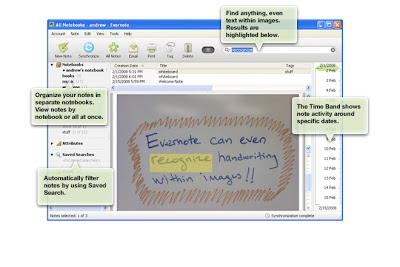
Maybe a special case of Fred Wilson's "watch later" concept: stumbling on things when you do not have time to deal with it, putting it away somewhere for later access.

SlideMagic: a platform for magical presentations. Free student plan available. LEARN MORE

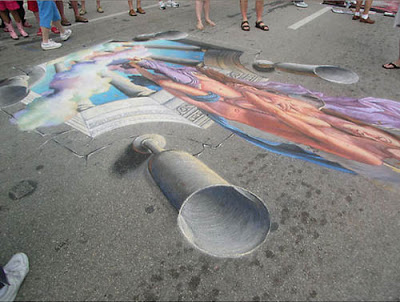
3D pavement art

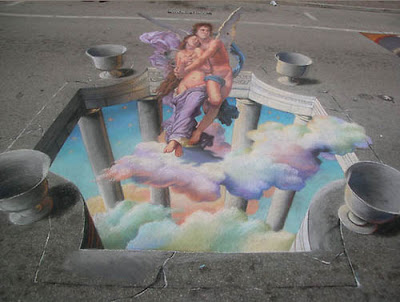
Three dimensional street artists try to create the illusion of a 3D composition jumping out of a flat surface. It results in some stunning pictures. Especially interesting are the images taken not from the viewing position but from the side, giving you an opportunity to see the enormous distortion the artist applies to make his effect work.
Some 3D pavement art links:
A video how Edgar Mueller goes about making one of his creations:

SlideMagic: a platform for magical presentations. Free student plan available. LEARN MORE

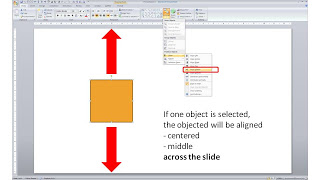
One click centering across the slide

Usually you use the align tool bar buttons (essential tool bar elements) to line up/center multiple objects. If you just select one object and hit a "Align Center" or "Align Middle" button, PowerPoint will center the object across the slide.

SlideMagic: a platform for magical presentations. Free student plan available. LEARN MORE

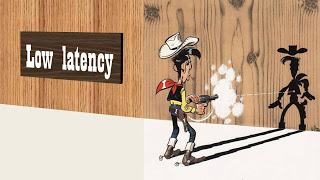
Chart concept - Lucky Luke and low latency

Cartoons can enhance a presentation. You need to strike a fine balance though with inviting a laugh from the audience, and trying to get your point across. People do not have time to read through a cartoon plot. The idea behind a slide should be instantly recognizable. Using classical cartoons can help. People have seen them before. Here is one that can be used to describe the low latency of a technology product. Lucky Luke, the man who can shoot faster than his own shadow. That's pretty low latency. The extension of the cartoon with PowerPoint shapes is not perfect. I used the "oak" standard texture, and the "Playbill" font to give that nice Wild West feel.
SlideMagic: a platform for magical presentations. Free student plan available. LEARN MORE

Interior shadows can be a nice change

When people (ab)use shadows in PowerPoint, they mostly use the drop shadow, to make an object stand out from the canvas. The opposite, the interior shadow can give a beautiful effect as well. It makes the object, or letters fall back in the background.
See the example below of a slide taken from my presentation about fund raising presentations (explaining a bit about my personal and professional background).
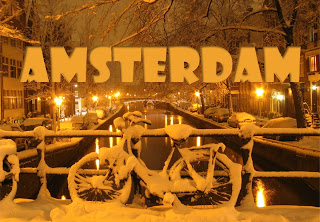
Make sure the direction of the shadow is always vaguely similar to the lighting in the background, the Amsterdam street lights in this case. Use a character color that is similar to the tone of the image.
SlideMagic: a platform for magical presentations. Free student plan available. LEARN MORE

The blunt photo composition

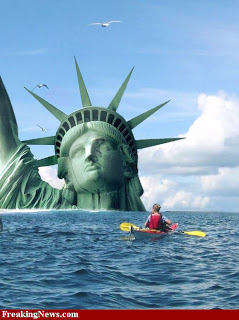
Technology allows you to create almost any photo composition. Professional use PhotoShop, but you can get some pretty good results in PowerPoint as well. As with many technology tools, the fact that they are available does not mean you have to use them. 
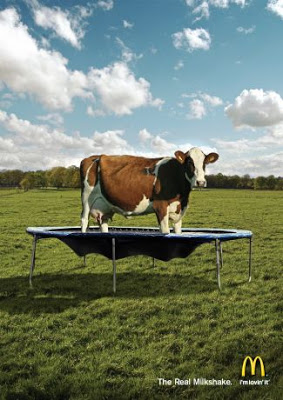
Photo compositions that are "blunt" are more likely to invite a laugh from your audience than help you make a serious point. My opinion. What do people think? (McCow taken from Ads of the World)
For some great Photoshop creative work check out FreakingNews.com
(This post-flood New York image by Mandrak)

SlideMagic: a platform for magical presentations. Free student plan available. LEARN MORE

A professional presentation does not mean a slick presentation

Seth Godin picked a T-shirt print provider based on a clean and professional looking web site and a straightforward pricing policy because it conveyed a sense of trust. There are lessons for presentation designers here.
It is good to invest in your presentation design. Over-doing the graphics though might give a negative return on investment:
  • Highly complicated and sophisticated slide backgrounds
  • Big graphical elements in the template, repeating on every page, leaving no space for the actual chart
  • Drop shadows, bevels, glows, gradient fills, and reflections galore
  • Professional, highly detailed, illustrations exported from Illustrator into PowerPoint
  • Spectacular animations and slide transitions
  • Beautiful, but too obvious/cheesy stock images
We can all imagine a slick sales person (cars, kitchens, insurance). Do we trust them?

SlideMagic: a platform for magical presentations. Free student plan available. LEARN MORE

How into insert an Adobe Shockwave Flash animation into PowerPoint

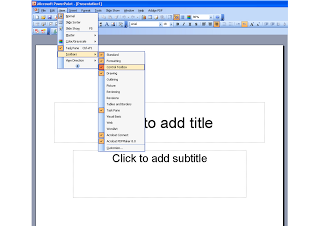
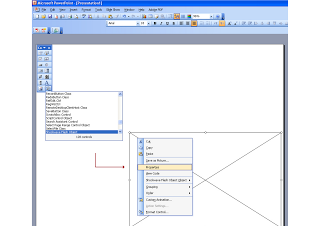
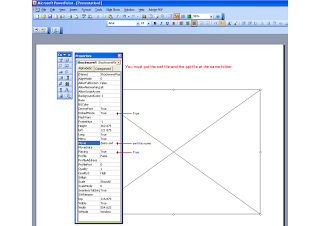
Maybe because Flash files are not a Microsoft format, integrating them into PowerPoint is a bit tricky. Here is how to do it. Make sure that the .SWF file is in the same directory as the PowerPoint file. Click on the images for a larger picture. When sending the presentation via email, it is best to ZIP the 2 files (PPTX and SWF) into one document. Still there is a high risk that the receiving party will not manage to see the Flash animation correctly. Do not use this for the critical slides in your deck. Thank you Karin Mazor for pointing this out to me.
SlideMagic: a platform for magical presentations. Free student plan available. LEARN MORE

Chart concept - Ahoy! Full steam ahead...

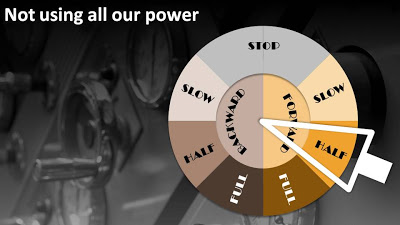
People are not using all the resources they have. Engines are running at half power. There is all this untapped potential out there. How to visualize this?
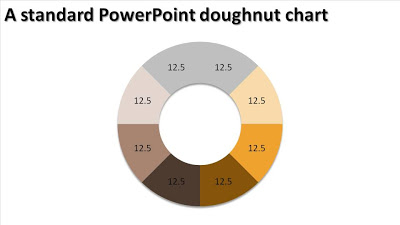
The engine room and a nice classical nautical engine control handle. You can use a standard PowerPoint "dougnut" chart (a pie chart but with a large hole in the middle) to create one.
Interesting, in the early days these handles would actually ring a bell in the engine room after which the people downstairs could adjust the power to the engine.

SlideMagic: a platform for magical presentations. Free student plan available. LEARN MORE

Chart concept - Fog! But I can see clearly now....

You have a great new business tool that makes everything and anything completely transparent instantly. How to put this in a PowerPoint slide? In comes the fog concept.
The secret:
  • Set a nice "Zen" image as the slide background (right-click the background, choose "Format Background" and select an image)
  • Create some clouds from the "Insert Shapes" menu. Give the clouds a gradient fill ("Format Shape", "Fill", "Gradient Fill"), set the gradient type to "Radial", gradient stop 1 is 0% transparent white, stop 2 is 50% transparent
  • Draw a big rectangular shape (or any shape in fact) and - here comes the trick - set its fill to "Slide Background Fill"

SlideMagic: a platform for magical presentations. Free student plan available. LEARN MORE

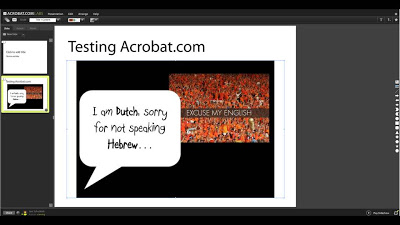
Testing acrobat.com in the cloud presentation tool

Acrobat.com is Adobe's software-as-a-service initiative and it went live recently. The presentation tool is still in beta but can be tested here.
I am making a (small) u-turn on all these in the cloud office tools. A recent shift to part-Mac/part-PC working has showed me that (unlike spreadsheets and databases) the learning curve for working with a new presentation is actually not that high. Let's whether either Adobe or Google docs can take on Microsoft's dominant position in office software. I am less optimistic about the changes of completely new startups trying to do the same thing. Especially given that Microsoft will come with its own in-the-cloud offering with a user interface that is very similar to the desk top version.
SlideMagic: a platform for magical presentations. Free student plan available. LEARN MORE

Do you think your mission statement is the best presentation opener?

I have rarely seen one that is. When people want to introduce themselves, they often feel an urge to justify their existence through a mission/vision statement. They think hard, carefully weigh every word, makes sure everything is in there (employees, customers, value, the environment) and out comes the all encompassing sentence. Why are there so very few mission statements and tag lines that mean something, let alone people can remember (man on the moon by the end of the decade; 10,000 songs in your pocket, we try harder, crush Reebok, etc.)?
  • The curse of knowlege: the statements means a lot to the person who wrote it, but the boiled down summary sentence fails to convey the complex thoughts to a cold audience
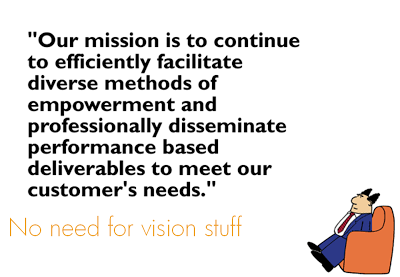
  • Generic, hollow language, buzz words in a sentence that is far too long (the attached is an example generated by the hilarious Automated Dilbert Mission Statement Generator, but it seems that they took down the link).
  • Lack of credibility (a French bank claiming that it is the most customer service oriented institution on the planet will be greeted by laughter)
Mission statements can be great as a group exercise to think about your company, what you stand for and what you want to achieve. But unless you are working to put a man on the moon by the end of the decade, they are hardly ever worth putting up as a slide if you only have 20 minutes to get your audience excited about your idea.
This blog post is one in a series in which I describe the full length "speaker notes" to the somewhat minimalist slides in my presentation about VC pitch presentations for entrepreneurs.

SlideMagic: a platform for magical presentations. Free student plan available. LEARN MORE