The Wolf

My role in some presentation projects reminds me of the character "The Wolf" in Pulp Fiction. The clock is ticking, (many) people are running around, but the presentation is not progressing towards a final end product...


You can call in The Wolf if you really have to, but these situations are best avoided. And, the talents of a professional presentation designer are most useful in stress-free situations. Energy spent on cranking out the deck comes at the expense of creativity.
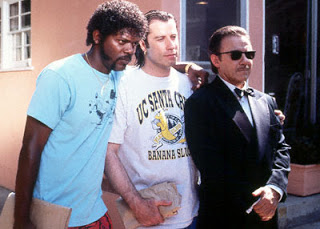

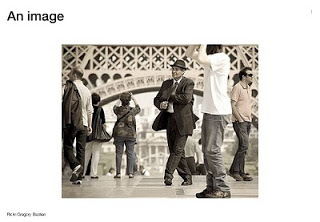
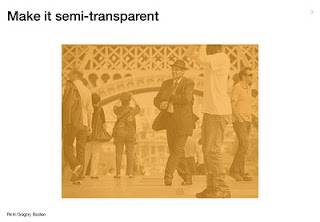
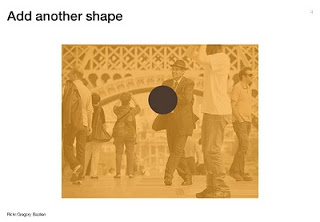
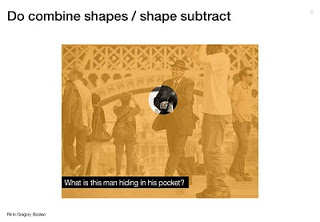
I hope Miramax does not mind me borrowing these videos and images, it might just remind people to buy a copy of this classic movie to watch it again this weekend (Affiliate link to Amazon).

SlideMagic: a platform for magical presentations. Free student plan available. LEARN MORE
Visualizing the curse of knowledge

I often have to explain the concept of "the curse of knowledge": it is actually harder for an expert to explain something than a reasonably intelligent outsider (here is why presentation designers should be reasonably intelligent :-) ).

Dan and Chip Heath use a musical metaphor in their book "Made to Stick":
  1. The presenter thinks of a musical piece and imagines the full symphony orchestra giving all it can
  2. He taps the tune with his fingers on the desk, it all makes perfect sense
  3. The audience sees/hears someone tapping...
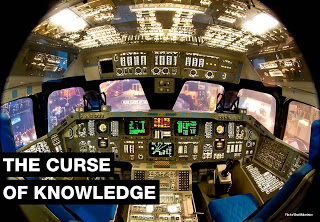
For executives who are keen to load their slides with data for an external audience, I use the cockpit analogy. A pilot can interpret all the signals of all the instruments in a split second and understands the situation the plane is in. The novice needs a bit more time to digest the information...


Thank you Brett Morrison for this beautiful picture of a Space Shuttle cockpit.

SlideMagic: a platform for magical presentations. Free student plan available. LEARN MORE
Setting default fonts for PowerPoint data charts

When you insert a data chart in PowerPoint, chances are that the font in which they pop up is the default Calibri. Why? Because you did not bother to change the fonts in "design" "fonts" "custom fonts". Set the heading and body fonts to whatever you want it to be, and you save yourself a lot of time re-formating data charts.

SlideMagic: a platform for magical presentations. Free student plan available. LEARN MORE
Oh no, you left some features out of the deck!

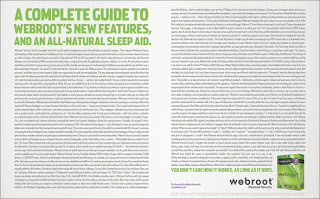
This ad by Webroot Internet Security reminded my of many discussions with clients in the technology sector. The VP Product is meticulously scanning the slides to make sure ALL the product features have made it in the deck.The result: a bored audience that will not understand the value your product brings.


Still, there is a way to include them though, but with a different headline: cram them all in page using a neat table in 7pt font with a title: "Powerful specifications". The audience will believe you without reading all the text.

Via Ads of the World.

SlideMagic: a platform for magical presentations. Free student plan available. LEARN MORE
Getting the latest logos

Corporate logos get used a lot in presentations: our customers, our partners, our competitors. You find them via Google image search. When you do, make sure you get one in a good quality (earlier post), but more importantly go to the home page of the company you are looking for to check whether you got the latest logo, and/or the logo in the right colors. Don't just rely on Google image search.

SlideMagic: a platform for magical presentations. Free student plan available. LEARN MORE
Help, my CEO can't present!

I heard this complaint a few times. "My CEO can't present. She goes off on a tangent. Ignores the slides. Stutters. I create these beautiful slides for her, but somehow it is a waste of time."

Usually, CEOs are good story tellers (that's how she got the top job). How can you make sure that she gets the best out of the slides that you prepare for her?
  1. (Really) listen to the story the CEO wants to tell, and adjust the slides to that. What sequence, what anecdotes, what examples
  2. Have the courage to cut slides, CEOs have the confidence to stand up with a black screen and just talk.
  3. Finish the preparation of your slides early and force her to PRACTICE. It is easy to "sell" to a CEO to invest an hour to practice a presentation: "we'll just try for 10 minutes, and if that goes well, we'll skip the rest of the rehearsal." A first practice run never goes well, not even for Steve Jobs who practices a few full days to get his major product launch pitches right.
Most CEOs are good presenters.

SlideMagic: a platform for magical presentations. Free student plan available. LEARN MORE
What's in my toolbar

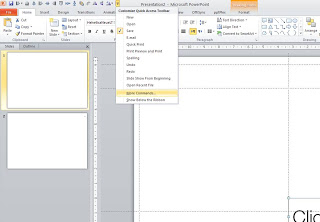
Unlike PowerPoint 2007, it is possible to customize the tool ribbon in PowerPoint 2010 (review). I still use my 2007 workaround in the 2010 version of PowerPoint though. The screen dump below shows those very important buttons that any PowerPoint designer should have always on hand (click for larger image).


  • Save
  • Left, bottom, middle, right, top align
  • Horizontal, vertical distribution
  • Send to back
  • Crop
  • Flip horizontal, vertical
  • Rotate

SlideMagic: a platform for magical presentations. Free student plan available. LEARN MORE

"nonlineair" presentation iPad app

Seth Godin made a wishlist of iPad app and readers of his blog created them. One them is nonlineair: "it lets you import a PDF or PPT file and then jump around. It's not for building slides, it's for navigating them, and even includes a way to drive an external monitor in a clever way." It is available or $10 in the app store, $2 of which will go to the Acumen Fund. I still need to find time to review it.

SlideMagic: a platform for magical presentations. Free student plan available. LEARN MORE

One more post about the closing slide

OK, the comments on my post from 2 days ago showed that I should think a bit more before writing about the last slide in a presentation. Here we go:

1. A good story does not need a slide that says "that was it, please applaud", the story flow in itself should let the audience feel that you have come to the conclusion of your talk. (And what if the audience does not applaud when you ask them to? Awkward.

2. It is good to recap what you discussed though. But recapping does not mean telling the entire story again. Rather think of it what you want people still to remember 4 hours after the presentation. Leave out the buzzwords and the fluff.:
  • "Every teenager sends 3,339 text messages per month.
  • No teenager would want to miss out on our new service"
  • [re-display of stunning key graphic]
  • "Please invest in our 3rd startup that we will bring from PowerPoint to IPO".
Much better than:
  • "The market is big,
  • there is no competition,
  • we have a solid business model,
  • there are interesting exit opportunities in this ever-changing mobile communications landscape that will transform the way young people communicate with each other".
3. It is good to put the "killer graphic" back on the projector, since the brain can anchor an entire discussion/story to an image. People will remember. If you get a lot of questions, this slide will stay on the screen for a long time.

4. Don't say: "I have time for 5 questions". Awkward if there are none, and no questions does not mean a bad presentation.

SlideMagic: a platform for magical presentations. Free student plan available. LEARN MORE

Paul Graham on trends in startup fund raising

Many of the readers of this blog are - like me - designing investor pitch presentations. This 30 minute talk by Paul Graham of Y Combinator gives some interesting perspectives on how the competition between "super angels" and regular VCs has an impact on startup valuations and the startup fund raising market in general. If you are here just to learn about slide design, skip the video.


Watch live video from c3oorg on Justin.tv

SlideMagic: a platform for magical presentations. Free student plan available. LEARN MORE

Benoit Mandelbrot 1924 - 2010

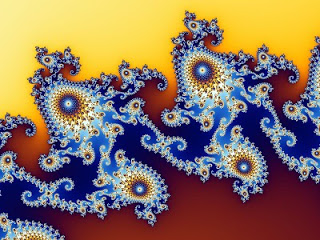
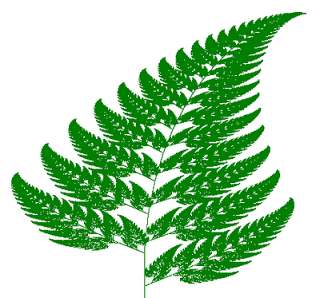
Benoit Mandelbrot passed away. He coined the term "fractal", an endless shape that can be characterized with a relatively simple numerical pattern, leading to some very beautiful visualizations. It always fascinates me how shapes in nature can be defined with a strikingly simple code.


Image credit Wikipedia.

As an example, an artificially created leaf (Wikipedia source):

SlideMagic: a platform for magical presentations. Free student plan available. LEARN MORE

The last slide in your presentation

I came across this closing screen of an ancient King Kong movie (via FFFound).


  1. Vintage closing screens actually make a nice final slide of a presentation, you Google lots of them
  2. Always close your presentation with a sentence that makes it clear that the presentation comes to an end. "End that is how....". Don't say explicitly "well, this is the end". Let questions come up spontaneously, and don't say: "OK, I have time for 5 questions", there just might be chance that no questions will come up (a bit awkward). I have seen many great presentations without questions.

SlideMagic: a platform for magical presentations. Free student plan available. LEARN MORE

Parking lot information overload

A brand new shiny underground parking lot has recently opened in central Tel Aviv under the refurbished Habima theater. It uses small lights to indicate whether a spot is available or not. A great idea. The image below (thank you Eric Nakamura) shows the effect (not the specific lot I am talking about).


But how can you make it even better? Get rid of the red lights. It's information you do not need. Green lights only to mark the free spots, and the parking lot will look a lot calmer.

SlideMagic: a platform for magical presentations. Free student plan available. LEARN MORE

Learning from ancient folk stories

I was just reading some stories from Nelson Mandela's Favorite African Folktales(affiliate link) to my kids and realized how much you can learn from them to create short anecdotes that fit inside your bigger presentation:
  • Very short
  • One to three simple (almost stereotypical) characters
  • Something happens at turn 3. "On the 3rd day..."
  • An unexpected twist at the end: "and this is why monkeys became so good at climbing trees"
These tales were designed to be remembered and passed on for generations. How long does your slide deck stick?

SlideMagic: a platform for magical presentations. Free student plan available. LEARN MORE

Two pies - too much

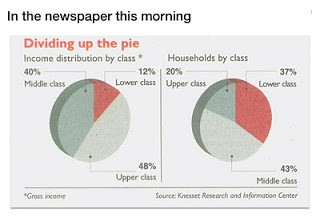
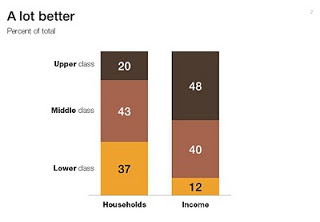
Pies are great to show relative sizes of surfaces, better than bars or columns. When it comes to comparing breakdowns on multiple dimensions though, the column chart cannot be beaten. See this example taken out of Haaretz this morning. What did I fix:
  1. Two columns instead of two pies
  2. Get rid of the 3D effects (earlier post)
  3. Use consistent coloring for data series
  4. Use consistent ordering for data series
  5. First the chart with the number of households, then the chart with the breakdown of income


SlideMagic: a platform for magical presentations. Free student plan available. LEARN MORE

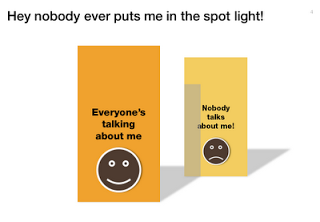
Chart concept - standing in the shadow

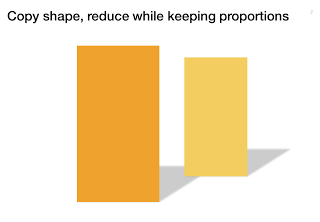
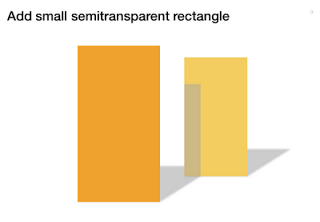
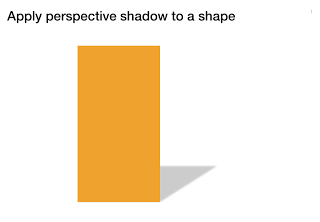
Some issues/people get all the attention, while others never get discussed. The chart below looks a bit like a child's drawing, but the point is to show how you can play with shadows to create the effect.


SlideMagic: a platform for magical presentations. Free student plan available. LEARN MORE

Fundraising dialogue going wrong

Highly amusing video of a fund raising discussion. In many pitch discussions, people talk at each other, but are not really listening, talking to each other. Created by ITHAYER.

SlideMagic: a platform for magical presentations. Free student plan available. LEARN MORE

The secret to great presentation design is...

The bar has been put higher and higher over the past years:
  • Everyone is now able to put text and charts in PowerPoint and project them on a screen
  • (Almost) everyone has discovered where to get beautiful page-filling images
  • Many people have figured out how to clean up a messy data chart
  • More and more people are learning to apply professional typography (PowerPoint gets a bit closer to Illustrator with every release) and coherent color schemes
What is left that is hard to do is the "art part". It can never be automated. Sequencing the right story, knowing what to cut, what to keep in, picking the right analogies, selecting the right images, picking the exact right data visualization option... 

SlideMagic: a platform for magical presentations. Free student plan available. LEARN MORE