HTML to PowerPoint?

HTML to PowerPoint?

I am considering adding a one-way PowerPoint conversion to SlideMagic (i.e., you can export SlideMagic slides to PowerPoint, but not the other way around). The big migration from Windows to Mac happened when Apple allowed you to run Windows on it. In the end, few people did, but the thought that you could encouraged more people to make the switch.

My question. Are there any developers reading this post who can point me to useful open source converters to start with, and/or people that have gained experience with HTML to PowerPoint conversion somehow? Feel free to reach out via jan at slidemagic dot com.


Art: Froanna, the artist's wife: by Wyndham Lewis 1937

SlideMagic: a platform for magical presentations. Free student plan available. LEARN MORE

Role descriptions do not fit in 2 words anymore

Role descriptions do not fit in 2 words anymore

Descriptions of jobs, professions, roles, used to be simple: graphics designer, lawyer, head of sales. In a dinner party conversation, you could usually explain in 2 words how you spend your days in the office.

Not anymore.

Our roles and jobs are fragmenting. Labels are inflated or overused (everyone is a consultant, a founder, etc.). Even companies might have difficulty describing who they are. Are we private equity or venture capital? Are we in the business of consulting or marketing services?

I had the problem myself after leaving McKinsey. It was hard to describe what I actually did. Strategy consulting? Not really. Design? Not really? Business development? Not really. Manage a fund raising roadshow? Not really.

In the end, I stopped trying to fit myself into a specific box. Rather than trying to define what I do by comparing it to known labels (explaining the things I do not do), I actually pitched what I do by well, explaining what I do. My opening is usually "I am a presentation designer, but a slightly unusual one". Then comes a more elaborate explanation.

I think that model works well in almost all pitches, give a people a very rough idea of the box they should put you in, which makes them open to understand what you are all about in more detail.


Art: The Open Door, Peter Ilsted, 1920.

SlideMagic: a platform for magical presentations. Free student plan available. LEARN MORE

Two types of spectacular

Two types of spectacular

Which one?

  1. A spectacular, interactive, 3D, infographic, animation, video, drum rolls, effects, polished visualisation of a pretty well known fact ("smart phone penetration is huge")
  2. A sober representation of an amazing fact ("relapse rates dropped from 75% to 5% with our drug")

If you manage to isolate what is truly spectacular about your story, visualising that is pretty straightforward. Your only challenge with number 2 is to get the basic chart hygiene right (hey, SlideMagic can take care of that)


Art: Knud Bergslien, Skiing Birchlegs Crossing the Mountain with the Royal Child.

SlideMagic: a platform for magical presentations. Free student plan available. LEARN MORE
Be less busy with presentations

Be less busy with presentations

This memo that was sent to the team behind Slack before its preview release resonated with me. 

We are unlikely to be able to sell “a group chat system” very well: there are just not enough people shopping for group chat system (and, as pointed out elsewhere, our current fax machine works fine).

I love the "be less busy" tag line of Slack. I love the stress relief that search provides in Slack (you can always find things if you have to). 

The more I think about it, SlideMagic might actually not an alternative to PowerPoint, it is a broader concept of change in how people in enterprises should communicate, and how they spend their time preparing for this communication. My tool enables this, but it is not the main thing of what it is all about.

SlideMagic enables you:

  • To be less busy with meetings: you can have short, to the point meetings where ideas can be communicated clearly, and decisions can be taken quickly. Documents are simple and clear, and more or less standardised. It becomes a very efficient corporate language.
  • To be less busy with preparing for meetings, Most of the time will go into forming your idea. Once you have your idea, it only should take an hour or so to jot it down in beautiful slides. And a powerful keyword search function across all your slides ensures that you will never have to do double work, rework slides.
  • To lift the spirits of a company by eliminating poor design. Employees work better in a beautiful office. Seeing depressing dense bullet point presentations on every screen, on every printer, on every fax machine, on every projector, in every email inbox, does not add to employee morale.

Now I need to rework somehow in the SlideMagic marketing web site. You do not have to wait for this, you can sign up for SlideMagic right now to be less busy with presentations.


Art: Portrait of an unknown woman, Ivan Kramskoi, 1883

SlideMagic: a platform for magical presentations. Free student plan available. LEARN MORE
New image search habits

New image search habits

There are a number of problems with stock images:

  • Most of them are staged, cheesy, unrealistic images
  • Stock image search algorithms no push up results for photos that include some design elements (some words for example), stuff that is better being taken care of by the presentation designer
  • Many people are over doing the images, trying to use a photograph to visualise a concept that does not really need visualising. The result: an endless string of "stunning" images that distracts the audience rather than support your story
  • Stock images are so over-used that a presentation who uses them now almost look as bad as one that consist of list of bullets. It is an instant recognition: you see the first page of a bullet point presentation, you see the first page of a stock image presentation and you think "uh oh, the next 30 minutes it is going to be one like these"

Here are the steps I go through when trying to find an appropriate visual concept for a slide:

  1. Do I need an image at all? Or can a simple box composition with some text do the job?
  2. If I need images, is there some consistent set of photographs I can use throughout the presentation? Art? People using mobile phones? Retro? Paris?
  3. Do a quick Google Image search with search tools set to "labeled for re-use" to see whether there are any good free/real images out there (always check the actual image for re-use rights, Google might have it wrong)
  4. Try some other free image sources (see my list of free image sources here).
  5. Dive into stock image sites

The free images that are available become better and better by the day. For icons and basic vector diagrams there is now almost a 100% hit rate.


Art: Paris On a Rainy Day, Gustave Caillebotte . Sign up for SlideMagic, subscribe to this blog, follow on Twitter

SlideMagic: a platform for magical presentations. Free student plan available. LEARN MORE

Selling professional services

Selling professional services

Not every product or service is the same, not every sales presentation is the same. Professional services are different from products that roll of the conveyor belt. They have a high level of (human) customisation. Here are some things to keep in mind when designing a presentation for professional services:

  • The look and feel should be serious; think law firm, think management consulting firm
  • Since it is all about customisation, the pitch is all about understanding the client's problem, being able to ask intelligent questions about it, hinting at what a solution might look like.
  • Clients buy the skills of people. Having the people who will be working on the project in the room will help. The presentation becomes almost an excuse to figure out the people on the team

So, in short, the presentation is more a background for the presentation meeting, not the driver of the meeting itself.


Art: Frans Hals, portrait of an unknown man, 1665. Sign up for SlideMagic. Subscribe to this blog. Follow on Twitter.

SlideMagic: a platform for magical presentations. Free student plan available. LEARN MORE
Market sizing in startup pitches

Market sizing in startup pitches

Where to put the market size in your startup pitch? It depends.

  1. Option one is early on in the pitch, when you are convincing investors of the need for your invention. In many cases however, investors will not doubt the size of the market, they doubt whether you can get a share of it. When you claim you have a cure for cancer, the issue is not whether there will be demand, the issue is: does it work. The exception is for cases where everyone thinks a market is small/non-existent: you might have to pull out stats about the number of patients that suffer from a rare disease x the amount of money that people spend on a therapy.
  2. Option two is to put the market sizing towards the back of the presentation together with the business model and revenue scenario forecast of your company. Market size is used to sanity check your financial numbers, rather than convincing investors of the need of your product. For most businesses a bottom up market forecast, works better than a $1b top down number copied from a random research report.

Art: Jean Siméon Chardin, La Brioche, 1763 - sign up for SlideMagic - subscribe to this blog - follow on Twitter

SlideMagic: a platform for magical presentations. Free student plan available. LEARN MORE
Little productivity hacks in SlideMagic

Little productivity hacks in SlideMagic

Recently, I have focussed most of the development work for SlideMagic on improving the workflow. It is the small differences that can make a big difference. Here are two features that you might not have discovered yet:

You can select multiple boxes and edit their design (colours, font size, etc.) at the same time. Great for creating tables quickly or clean up inconsistent font sizes.

In the shape change menu you can tackle multiple shapes in one go. Click another shape and you can adjust its perimeter as well without leaving and re-entering the menu.

You can give SlideMagic a try yourself, the beta version is free to use. Sign up here.


Art: Rabbits by Johann Georg Seitz, subscribe to this blog, follow on Twitter

SlideMagic: a platform for magical presentations. Free student plan available. LEARN MORE

Ban social media speak

Ban social media speak

Self-proclaimed social media experts have taken all credibility out of buzzwords such as engagement, social, conversation, sharing, etc. etc. Clean your investor pitch from social media speak or you run the risk of sounding like a social media expert.

Instead, to describe what users actually do, use human language. To explain how your business gets traction use really hard, quantitative, measures that add up to the bottom line. "Buzz" does not necessarily bring dollars.


Art: Shepherdess With a Flock of Sheep, Anton Mauve, sign up for SlideMagic, subscribe to this blog, follow on Twitter.

SlideMagic: a platform for magical presentations. Free student plan available. LEARN MORE

Kawasaki: the only 10 slides you need in a pitch

Kawasaki: the only 10 slides you need in a pitch

Guy Kawasaki (the person behind the 10/20/30 rule) listed these 10 slides as the only ones you need in a startup pitch to investors. I agree and disagree with him.

I agree that these are more or less the 10 points you need to hit. But in order to hit these points, you might need more (visual) slides. Especially number 2: the problem/opportunity. A one slide explanation might not make the point emotionally. Or number 4: the magic, might take more than one slide.

The biggest problem is not which slides you need, the challenge is how to design them. Design is easy for the straightforward slides: title, business model, go-to-market, management team, projections. The other ones are a bit more tricky.


Art: Rothko number 10, sign up for SlideMagic, subscribe to this blog, follow on Twitter

SlideMagic: a platform for magical presentations. Free student plan available. LEARN MORE

Investors read the blogs as well

Investors read the blogs as well

When pitching your startup it is a waste of time to dwell on educating investors about things that you can pick up by reading the major tech blogs: smart phone penetration, sharing economy, etc. etc. A smart investor is likely to read the same posts as you do.

Put in a place marker slide to make the generic point in 10 seconds, then move on and explain why your particular application of the sharing economy (or another major trend) is so innovative and clever?

If the idea is good, you might convince investors of this point as well very quickly. Then, we move into the territory if you, your partners, and your plan to make it all happen. And that is the toughest part of the pitch. Not from a design perspective (it is easy to draw a few Gantt charts), but the difficult bit is getting your plain straight and convincing investors that you can pull it of.


Art: Old Woman Reading, Rembrandt, 1655 - Sign up for SlideMagic - Subscribe to this blog - Follow on Twitter

SlideMagic: a platform for magical presentations. Free student plan available. LEARN MORE
What did you remember?

What did you remember?

It is a good exercise to go back in your memory and try to recollect presentations you saw, and what you still remember of them.

Chances are that you forgot:

  • The names of the 7 forces affecting that guy's industry
  • That complex logical argument structure
  • The mission statement
  • That inspirational quote
  • The benefits: flexible, scalable, cost efficient, and customisable
  • Etc.

There is a good chance that you still remember:

  • That personal story
  • That detailed but unexpected fact
  • That French accent
  • The Skype message notification icon
  • That image of a container ship that summarised the big idea
  • The button that was missing on the shirt
  • That clever analogy that ran through the entire presentation
  • That unexpected turning/break point in the story
  • The benefit that you get that whole thing up and running 7 minutes 30 seconds
  • Etc.

Now look back at the presentation you are working on.


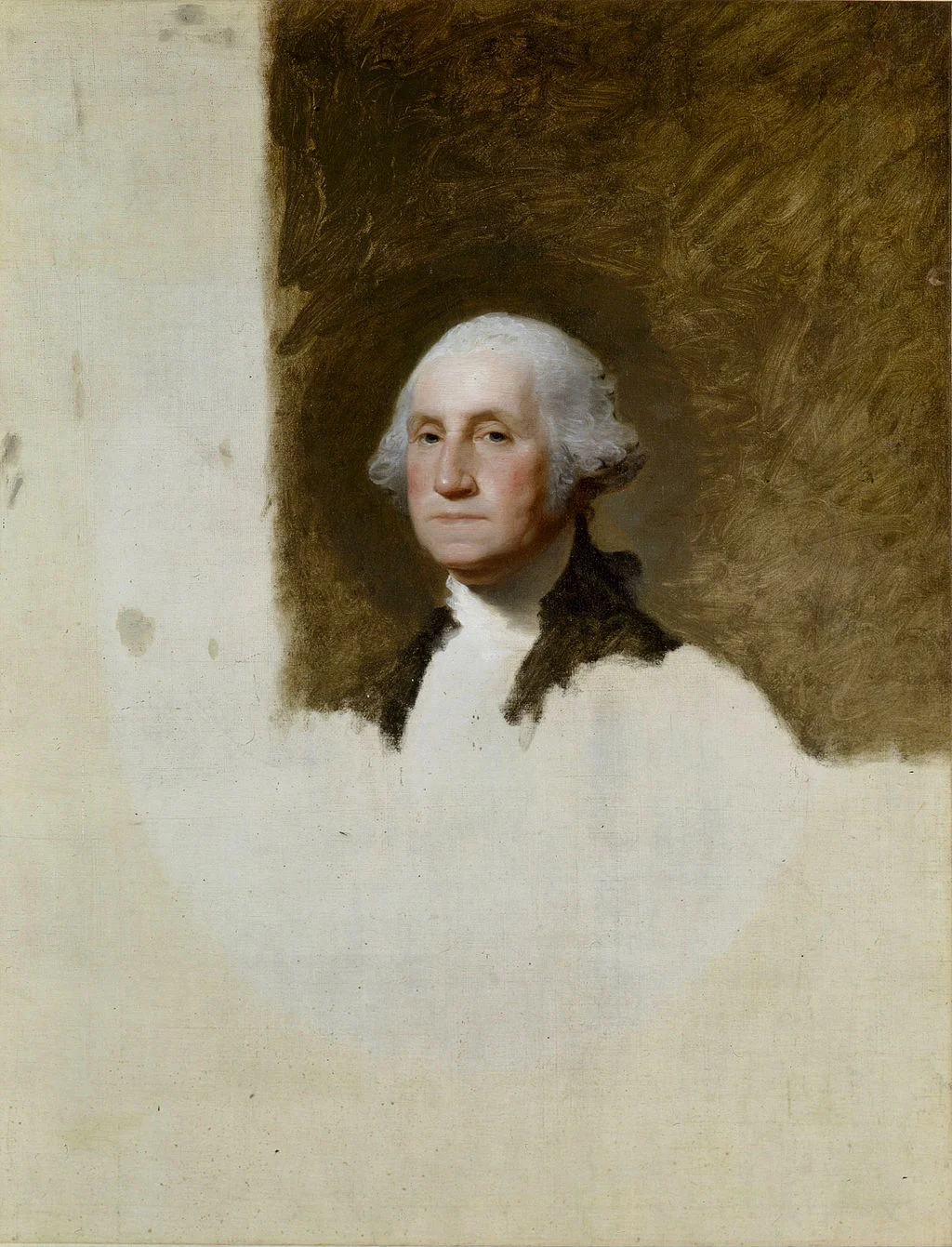
Art: Gilbert Stuart's unfinished 1796 painting of George Washington, also known as The Athenaeum. Sign up for SlideMagic, subscribe to this blog, follow on Twitter.

SlideMagic: a platform for magical presentations. Free student plan available. LEARN MORE
Fancy management theory

Fancy management theory

Your Group CEO has asked you to present her your strategy for the next 3 years. While you have a pretty good idea what you want to do, you are not sure how to present it on slides. You call in the Internet to the rescue and Google delivers an endless stream of Harvard, McKinsey, and other management gurus' perspectives of what a strategy should contain.

The problem is when you put it on a slide, your strategy sounds like a page out of a management theory book. All is in there: visions, missions, governance, change management, stakeholder involvement. In the middle of all the buzzwords it is hard to find your own story.

The other way to present it? Do not use the frameworks to tell the big idea behind your strategy. Tell it in your own way. Once you have done that, use the fancy frameworks as a check list to compare your full strategic plan against. Have you thought about everything?

Frameworks are great for work planning, not for making convincing presentations.


Art: Nicolas de Largillierre, (Details of artist on Google Art Project), Portrait of a Boy in Fancy Dress, 1710. Sign up for SlideMagic, subscribe to this blog, follow on Twitter.

SlideMagic: a platform for magical presentations. Free student plan available. LEARN MORE

Do you have MacBook screen stains as well?

Do you have MacBook screen stains as well?

The anti-reflective coating of my late 2013 MacBook pro has started to peel of. Posting on Apple support forums has not given an answer. I am glad to see a web site staingate.org, that collects images and serial numbers of affected users. I you have the same problem, please add yourself to the list.

Art: Vassily Kandinsky, Composition 6, 1913. Sign up for SlideMagic. Subscribe to this blog. Follow on Twitter.

SlideMagic: a platform for magical presentations. Free student plan available. LEARN MORE

The lone column

The lone column

Most of the time, numbers in graphs look better than numbers in a table. There are exceptions though: when there is just one number, and when there is very little variation among the numbers. During my time at McKinsey, I have seen many examples of "lone columns", column charts with just one number in them, or tables full of tiny column charts with hardly any variations among them.

These charts are not only difficult to read, but they are also very hard to create in PowerPoint or Keynote SlideMagic's grid structure does it in a snap though, but hopefully users won't abuse the app for these type of consulting charts. Sign up for SlideMagic here.


Art: Painting of Trafalgar Square (c. 1865) by Henry Pether. Sign up for SlideMagic, subscribe to this blog, follow on Twitter

SlideMagic: a platform for magical presentations. Free student plan available. LEARN MORE
The only data charts you need

The only data charts you need

I have been designing presentation slides for over 20 years now (scary) and over time stopped using more and more types of data charts.

  • Pie charts: I don't like the way they look, it has to place data labels, it is hard to compare two of them side by side
  • Line charts have ver little presence (duh, a thin line) and I use column charts where possible to visualise time series. Yes, for correlations and hard core scientific data I might have to resort to them
  • Clustered column charts, I find them confusing, it works better to just put 2 column charts next to each other
  • Hybrid charts with 2 axes, very confusing. Again, I split them up into 2.

So, as a presentation designer you can get away with a very limited arsenal of data charts. Here is a quick run down of the ones I use: columns, stacked columns, and bar charts. (You can can guess which ones ship with SlideMagic)

Screenshot 2015-03-15 17.21.32.png
Screenshot 2015-03-15 17.21.01.png
Screenshot 2015-03-15 17.21.12.png

The key to designing good data charts is careful, manual design (the opposite of copy pasting from a spreadsheet). What is the one single message that you want to pop out. What are the 10 to 20 data points that support this. Where to drop the accent colour, to what number of decimals should you round up the numbers. What breakdown categories should you group consolidate. Do I need a graph, or is it clearer to put the numbers in a single table? Data charts take time to prepare, but once you figured out what you want to show, can be produced in 5 minutes.


Art: Willem Claeszoon Heda, Breakfast Table with Blackberry Pie (1631), sign up for SlideMagic, subscribe to this blog, follow on Twitter

SlideMagic: a platform for magical presentations. Free student plan available. LEARN MORE

New PowerPoint 2016 for Mac can beat Keynote

New PowerPoint 2016 for Mac can beat Keynote

The preview of the new Microsoft Office 2016 is out (finally) and I have installed it on my production machine letting it do all my presentation design work for clients. (You can download the Office 2016 preview here)

  • It looks beautiful. PowerPoint 2016 for Mac looks exactly the same as PowerPoint 2013 for Windows. A calm flat user interface. Working in a beautiful software environment always encourages you to create beautiful presentations.
  • The whole interface feels faster, snappier, and smoother, somehow. This is especially true for Excel. The current version of Excel for Mac has a highly annoying latency when entering data in cells. 
  • Subtle changes to the default colours and fonts. Gone are the boring olive greens of the old PowerPoint colour scheme. Calibri light looks great on Retina displays. Gone are the default gradients and drop shadows. Gone are the tick marks in data charts.
  • The commenting infrastructure is nice for collaboration with other people
  • Full integration with OneDrive cloud storage (if Microsoft has guts they should add Dropbox as well, and maybe even Google Drive).
  • Now PowerPoint gives suggested snap lines to place objects, automatically distributing and aligning things on your screen. 
  • The grid behaves more normal with a centimeter ruler. If you accidentally move a grid line (yes, this still happens) it is easy to move it back to the right position. 
  • Now text and shape backgrounds have the exact same colour rendering, an annoying bug in PowerPoint 2011, where despite selecting the same RGB value, colours on text and shapes would render differently.

There are a few important things that are missing:

  • The ability to customise the toolbar at the top (here is where I put my align and distribute buttons for example) (this was possible in PowerPoint 2011)
  • It is still not possible to embed fonts with a presentation saved in PowerPoint for Mac (it works on the Windows version)

I think PowerPoint 2016 is so good that it has gained the edge over Apple Keynote. Recent user interface changes in Keynote have made the workflow a bit slower. You need to navigate around too many menus to do basic things such as colour changes. Keynote looks nice and clean, but this organised UI comes at the expense of usability.

But before PowerPoint can take the trophy, some bugs that are still in the preview need to be ironed out. I am confident that Microsoft will be able to do this over the next few months until the official release. Here wo go:

  • Font rendering: The software UI looks clean and crisp, but the presentation fonts look a bit fuzzy. In Excel, there is an inconsistency of fonts across the spreadsheet. It looks fine towards the top and bottom of the screen, but not in the middle. 
 
Fuzzy fonts on the slide (not in the software user interface)
 
Screenshot 2015-03-12 09.59.56.png
  • The colour picking is not completely fool proof, especially when you want to use it define new theme colours for your presentation
  • There are frequent crashes, save your work
  • Font variations to not come through as in PowerPoint 2011. For the Apple Helvetica font, the bold condensed variant does not pop up for example

But hey, you are developing a PowerPoint killer?

Correct (and therefore my review is biased), I think that PowerPoint and Keynote have too many features, and leave too much design freedom to a layman designer. The result: boring bullet point presentations. My presentation app SlideMagic is trying to address these issues. But that is a separate discussion.

UPDATE: This post was corrected, shape booleans are still present in PowerPoint 2016


Art: Claude Monet, Rouen Cathedral, Facade (sunset), harmonie in gold and blue 1892-1894 Musée Marmottan Monet Paris, France. Sign up for SlideMagic, subscribe to this blog, follow me on Twitter

SlideMagic: a platform for magical presentations. Free student plan available. LEARN MORE
Fitting a data chart into the grid

Fitting a data chart into the grid

Strategy consulting emerged in the 1930s by blending techniques from mathematics, engineering, and economics and apply them to improve company performance. The profession also pioneered new ways of business communications.

  1. Tables, frameworks, and drawings were used to visualise strategic trade offs. A departure from the long-winded corporate memo.
  2. Line, column, and bar charts were simplified and focused on a specific message. A departure with data-loaded scientific graphs

In my management consulting charts, tables and data charts are blended. Often the most important statistic in a table is visualised using some sort of bar chart. See the example below.

Many consultants push this technique too far. I have seen many charts were many, many columns were represented by bar charts. These bar charts had become so small that it is more clear to just stick in the value. If there is very little variation among your data, then using a bar chart does not make the chart much clearer: you get a bunch of bars of roughly the same size (I do not believe in breaking axes). And the worst consulting mistake is the famous bar chart with just one data item.

Screenshot 2015-03-11 12.33.29.png

Getting data charts to line up with text in PowerPoint and Keynote is very tricky. SlideMagic is built around a very strict grid and this data chart grid alignment was one of the hardest things to get right in the design. I think we cracked it and the SlideMagic templates contain a number of slide compositions where data charts and tables are blended.


Art: Sir Anthony van Dyck, Charles I 1600-1649, Sign up for SlideMagic, subscribe to this blog, follow me on Twitter.

SlideMagic: a platform for magical presentations. Free student plan available. LEARN MORE

"Let's start with the slide headlines"

"Let's start with the slide headlines"

This is often how a manager starts a presentation design exercise. For her, it feels very comfortable: the 20 slides are in production, just fill them out, everything is under control. In the next meeting we can check against the agreed headlines and point out empty spots that still need to be completed.

Here is why I usually skip this stage of a project:

  • The slide headlines you can come up with at the start of a project are usually, hollow and descriptive: the market, the competitive advantage, the financials, the team. They do not contain any content
  • Even if you were to push them one level further (3 meetings later), you focus the attention of your manager on editing headlines and shuffling slides. There is the hard to resist urge to word smith the language for endless flow iterations. Still without the actual meat of the presentation.
  • "Empty" slide headlines are great to carve up a piece of work. Team member A gets this data, team member B focuses on that. But, creating the logical fact pack that solves the problem is different from creating the emotional presentation that will convince people to act upon the audience.

So, I actually dive straight in. Create the key slide that hammers home the key point of the presentation. I add backups that support this point (for example a new way to look at the competitive positioning in detail). I add place holders for less important stuff: the work plan going forward, the financials. These can be filled out later.

Meetings that discuss substance are so much more interesting and useful than meetings that discuss process, empty headlines and story flows of empty slides. 


Art: Gray and Gold, John Rogers Cox, 1942. Sign up for SlideMagic, subscribe to this blog, follow me on Twitter.

SlideMagic: a platform for magical presentations. Free student plan available. LEARN MORE

How to pick a nice accent colour

How to pick a nice accent colour

You can't argue about taste when selecting your colours for your look and feel. There is a practical consideration though. Try picking a colour that gives enough contrast with both white and black characters. It creates a lot of possible colour combinations without a lot of colours. Example: SlideMagic blue.


Art: Van Gogh, self portrait, 1889. Sign up for SlideMagic, subscribe to this blog, follow me on Twitter.

SlideMagic: a platform for magical presentations. Free student plan available. LEARN MORE