Full circle

Full circle

Most presentation design processes go through the following circle:

  1. You scribble  a clean, crisp, story on a white board
  2. That scribble gets translated into the first series of charts/placeholders
  3. Now the dilution starts: lots of data, backgrounds, footnotes, and story line restructuring until we have a bloated, generic collection of charts

The successful presentation design project goes further: cutting things back to reach that level of freshness of stage 1. But there is a danger of cutting too much. Throughout the process, the team has gotten so familiar with the material that they have lost track of the starting point of a cold audience. Things that might seem totally obvious to them (after 2 months of work) are not that clear to a first time audience.

Was all the data digging a waste of time? No, it is good to get your facts straight, as long as you don't lose the creativity you had in that first kick off meeting.

As a professional presentation designer, I usually come in in stage 3, lots and lots of data, and my kick interview brings back the thoughts that came up in stage 1. An unfair advantage of the outsider...


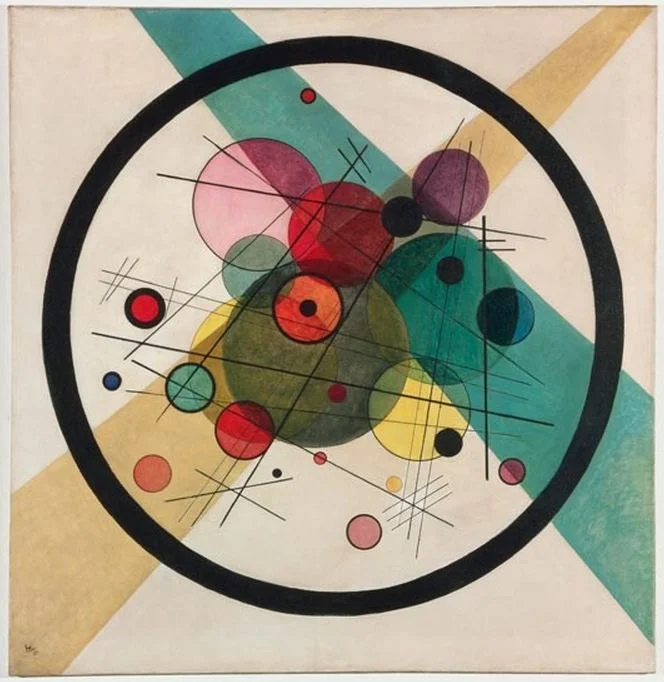
Art: Kandinsky: Circles in a circle, 1923

SlideMagic: a platform for magical presentations. Free student plan available. LEARN MORE
The old tricks won't work anymore

The old tricks won't work anymore

Because they have been used so many times, or maybe better, disappointed so many times, some of the old (and often expensive) tricks of presentation design are not at all that effective anymore.

  • Complicated language. Buzzwords, complicated sentences, clarifying footnotes. This person must know what she is talking about, better believe her.
  • Scientific frameworks. Management consultants loved these. It looked complicated, scientific, they were delivered by smart people. Even if you don't understand the framework, the message must be true.
  • Excel-generated hockey sticks. The highly complicated spreadsheet produces the $500m revenue in year 5 number, all assumptions seem sound, it must be true
  • Noisy/flashy/spectacular videos. Stuff is flying in, drum rolls, this looks professional, these people probably tell the truth.
  • Stunning images. "Yes! We should follow the guy who jumps of a a building with a parachute!" That sun set looks amazing.

I am afraid we are back to humble, human communication again.

And here is the pitch for my presentation design app SlideMagic: make it easy to create slides that look pretty decent/professional, and let you spend the majority of your time creating your story.


Image: fake cathedral ceiling in Rome's Sant Ignazio Church

SlideMagic: a platform for magical presentations. Free student plan available. LEARN MORE
Counting the boxes

Counting the boxes

The first thing I do for almost any slide is "counting the boxes": how many points does each argument have, how many people are there on the team, how many layers to the technology, how many steps in the process.

This drives the layout of the slide: 2 columns with options and 3 arguments each, a 5-step value chain, a 6 x 4 grid of logos, 5 management bios next to each other, 10 columns of sales data, etc. This layout will make sure that your slide looks evenly spaced out. You are also see that in most cases, the (bullet point) list grid structure is actually not the one you need.

PowerPoint and Keynote do not have very strong grid capabilities. Spacing out equally sized boxes across a slide is a pain, and table editing is not much better. And that is why I made the grid structure the central feature of my own presentation app SlideMagic, try it out!


Art: Perspective boxPieter Janssens Elinga, 1623

SlideMagic: a platform for magical presentations. Free student plan available. LEARN MORE
Stale PowerPoint templates

Stale PowerPoint templates

User interface, web design, and presentation are moving quickly. Graphics that looked fresh and new a couple of years ago, now look really stale and old. Look at old version of Windows and Mac OSX operating systems, a mobile phone home screen in 2008, and the PowerPoint template you are still using today.

A large part of this is driven by screen technology. Ten years ago, monitors had lower resolutions and fonts had to be fatter, and rough gradients could still look smooth. Also documents that long reasonable on a 4:3 aspect ratio become harder to read on wider 16:9 monitors as sentences streeeeeetch over the entire screen. Harder to read, and it looks out of balance.

What can you do to your PowerPoint template to make it look less like the 1990s? Here are some steps:

  • Switch to a lighter font. Calibri light looks OK and won't give you any compatibility problems on Macs and Windows.
  • Stop using drop shadows and gradients
  • Remove the old low resolution JPG graphics from your slide template. If you or your corporate communications department insists on having some branding on the slides, but a tiny high res logo at the bottom right
  • Don't use bullet points
  • If you have to use bullet points don't use a hierarchy of bullet points
  • If you have to use a hierarchy of bullet points, keep them all the same font size, and use a dot, dash, smaller dot for the levels (no squares, or other funny characters)
  • On 16:9 screens don't run long sentences in small fonts across the full width of the screen. If you have a lot of text put boxes next to each other (a horizontal list, versus a vertical list)
  • Restrict the use of colour, use the accent colour in your company's logo, well, to make an accent. Stop using bright red, pink, green, or yellow
  • Stop using underline and italic
  • Legal disclaimers, footnotes, and page numbers can be really, really small somewhere at the bottom, only readable for people who press their nose against the screen
  • Get someone in IT to program all these changes into a idiot-proof new PowerPoint template with all the right default shapes, fonts and colours

Another alternative is to starting my presentation app SlideMagic for your presentations!


Image from WikiPedia

SlideMagic: a platform for magical presentations. Free student plan available. LEARN MORE
How to present pros and cons

How to present pros and cons

A question came in on Twitter the other day:

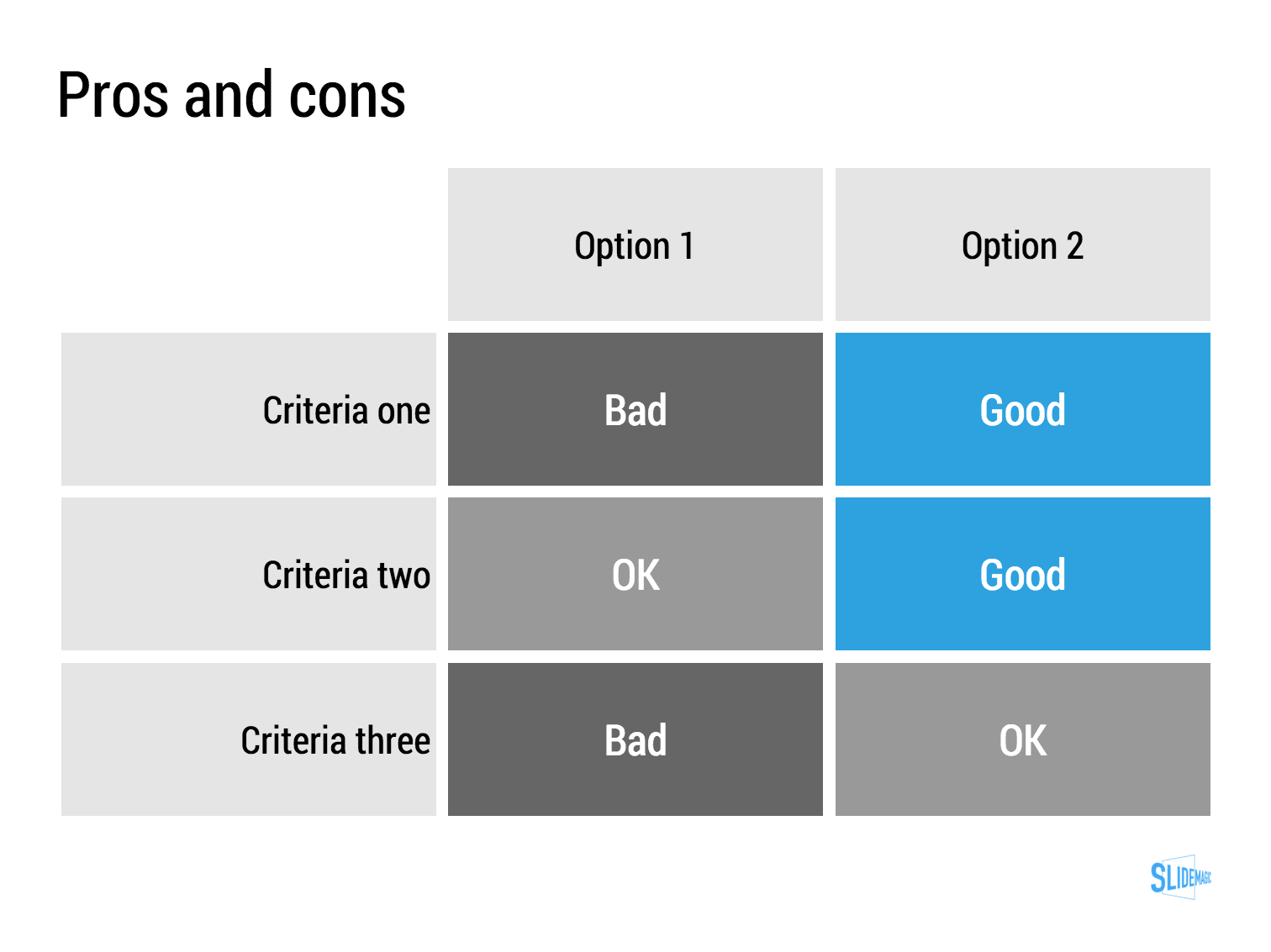
My answer is: a simple table, like this one I prepared quickly in my presentation app SlideMagic (you can clone it to your own SlideMagic account in the presentation template file that contains on the slides I have used on this blog).

The difference between a good pro/con slide and a bad one is not the design in itself, it is how your present the argument. A presentation slide is a tool to get a decision, it is not a laundry list of pros and cons that you evaluated in your analysis. Put your analysis aside, and design from a blank sheet of paper:

  • Group similar arguments together, if an argument is sort of the same, combine them
  • Sort the rows in the table in such a way that things visually line up. For example you start with rows where both options are "good" (all blues), then do the "OK/good"s, then the "OK/OK"s. etc.
  • Isolated and focus those arguments that are going to drive the decision and/or are controversial. "Option 1 is cheaper, option 2 is faster but the what will make the difference is whether we think [criterion 3] is important.
  • Cut words rigorously until you have a page that is still meaningful but does not look cluttered.

SlideMagic: a platform for magical presentations. Free student plan available. LEARN MORE
The impatient audience

The impatient audience

When I am reading I switch in different modes:

  • Losing yourself in a novel and forgetting the time
  • Digging through an article to find the acquisition price that was paid for a company
  • After having failed to resist the click bait title, looking for the answer to the question it raised
  • Absorbing every background aspect of the making of a certain music album

"Newspaper" journalists often get this wrong. They think they are writing for a person sipping a glass of wine and sitting in front of a burning wood fire, while most often they are not.

Hardly any business presentation is digested in the lounge chair. The audience:

  • Has no time
  • Is constantly distracted by calls, emails, messages
  • Thinks that they know it all already and tries to put your idea in a box that is familiar
  • Is clicking down and clicking down and wondering when they get to the point already

The captive TED Talk audience is in the lounge chair sipping wine. The venture capitalist is scrolling down your slides on her mobile while wondering whether the elevator button "1" or "0" will get you to the lobby.

BTW: Happy 2016 to everyone!


Art: Edouard Manet, Young Woman Reclining in Spanish Costume, 1862-1863

SlideMagic: a platform for magical presentations. Free student plan available. LEARN MORE
Back to pencils

Back to pencils

I have tried many tablet note taking apps, but have gone back to the pencil. And of the many pencils I have tried, the Lamy 2000 propelling pencil is my absolute favourite. It is made out of plastic, but has a great feel to it, it has the right thickness, the right balance in the hand and looks great! The origins of the pencil go back to the mid 1960s when the Lamy pencil called in the help of a Gerd Mueller who has previously been designing for the Braun electronics company.

SlideMagic: a platform for magical presentations. Free student plan available. LEARN MORE
Know the risks

Know the risks

In yesterday's post VC Fred Wilson gave another interesting peek inside the brain of an investor:

  • Investors are in the business of taking calculated risks
  • Any investment has risks attached to it, you just need to manage/mitigate them
  • And here is the key point: an entrepreneur who does not see (or does not want to talk about) the risks is an absolute no-go.

Investors are potential future Board Members looking for CEOs they can work with. Act like one.


Image: Painting by Tigran Tsitoghdzyan

SlideMagic: a platform for magical presentations. Free student plan available. LEARN MORE
The broken Apple Keynote interface, is it me?

The broken Apple Keynote interface, is it me?

I have now created many, many client presentations in Apple Keynote. And most of the clients who request a presentation in Keynote rather than PowerPoint are proud that they are willing to use more design-oriented products. For many years, Apple Keynote was ahead of PowerPoint: a cleaner user interface, cleaner templates, those alignment guides that pop up when you want to position an object. And in addition, you were using the same product that Steve Jobs, the master presenter, was using for his slides.

With the latest release of PowerPoint, I think both applications are at par. With each one of them, you can create both beautiful presentations, and horrible decks full of bullet point slides.

The workflow of Keynote though makes me scratch my head. While more complicated tasks are taken care of very well, it is the basic functions such as changing fill colours, font colours, aligning, that drives me crazy. Too many clicks, and I am always looking where to click. Initially I though it was me, but after month and months of trying things are still not getting better.

PowerPoint has a more cluttered interface but after some time working with it your eyes look on locations/icons and you instantly click without having to think. The solution for both programs is clear: create space for one user customisable tool bar. PowerPoint for Mac had one, but it disappeared with the 2016 update, Keynote needs one.

The above partly informed the design of my own presentation design app SlideMagic. You actually need very few functions to create beautiful charts. Most reviews of software tools are still 1990 style: a comparison of features. What you really should be measuring is how fast/easy it is to get a decent end product. Hopefully Microsoft and Apple are not reading this post, so SlideMagic can keep its competitive advantage!


Image of an A380 cockpit from Wikipedia

SlideMagic: a platform for magical presentations. Free student plan available. LEARN MORE
Your audience has heard it before

Your audience has heard it before

You are only aware of your own sales or investor pitch. Your audience (investors, clients) sit through dozens of them. After 10 sales or investor pitches in a certain industry, they probably understood the key industry trends, and in their heads they are wondering how you are different from the others.

Have the "101" slides ready, but the body language of your audience should tell you whether you are the first presentation they are watching, or number 12.


Image by Malcolm Carlow

SlideMagic: a platform for magical presentations. Free student plan available. LEARN MORE
Microsoft Excel versus Google Sheets

Microsoft Excel versus Google Sheets

In spreadsheets, I have now moved from Microsoft Excel to Google Sheets as my favourite app.

  • It is faster to fire up quickly for a small calculation doodle
  • It also snappier in use to do the basic things, entering data and moving around
  • It has some neat functions (like automatically cutting up a string and putting all words, numbers in subsequent columns)
  • While I don't believe in online collaboration of presentations, for models it is actually useful that all the people in the team have access to the laters numbers 24/7
  • Filing and naming of presentation documents is usually pretty organised. With spreadsheets however, I always lose that calculation I did, and the Google search function is really helpful here.

Part of this might be rooted in the way I use spreadsheets: basic functions only, even for the biggest models. I "grew up" with Lotus 123 and early on in my McKinsey career realised that errors in a valuation model can make a difference of billions of dollars. A simple model is far easier to debug because it allows you to see every step in the calculation.

SlideMagic: a platform for magical presentations. Free student plan available. LEARN MORE
"We need to add this bullet"

"We need to add this bullet"

Group editing of a slide deck is difficult, especially if it involves a lot of people, and especially if some of the people editing dial in from a remote location. If you do not have the full view of the presentation (either because you are far away, or you have not been involved in the process that much), you should resist the urge to ask the junior analyst to add "an extra bullet to the slide that say [fill in message]". There is a good chance that that point is already made on another slide.


Art: Dogs Playing Poker by C. M. Coolidge

SlideMagic: a platform for magical presentations. Free student plan available. LEARN MORE
Sales presentation versus strategy presentation

Sales presentation versus strategy presentation

They are different.

  • Strategy presentation. In most cases, the audience of a strategy project recommendation presentation understands the context. A large part of them probably participated in the project (steering committee meetings, interviews, doing analysis). Therefore, the presentation can be highly in your face, conclusions upfront, in a strict logical order. Pretty much like the classic consulting presentation.
  • Sales presentation. Your audience will be less familiar with the background, you need to drag them in a bit slower, show that you understand their problem, etc. And, logic only is unlikely to lead to a sale.


SlideMagic: a platform for magical presentations. Free student plan available. LEARN MORE
Confusing things on purpose

Confusing things on purpose

Some clients don't want to be compared to, seen as, a certain competitor or market alternative. These type of companies might have a very low reputation in the market, typically charge very low prices, or there could be regulatory issues involved where lawyers recommend to change the tone of the pitch slightly.

What you put in, is what you get out. If you confuse, obscure, make it less clear who you are, your presentation will be less powerful. This is especially true for the cold audience who will first try to compare you to a company or concept they are familiar with. If you leave your pitch confused, they will be confused. "Hmm, they are sort of a company A competitor".

The above is especially dangerous when it is not you who has to present the story, but a third party salesforce, if you confuse things, the salesforce will be confused, let alone the potential customers or investors down the chain.

It might be better to take things head on, and almost follow the thought line of the audience: "yes, this sounds a lot like company A", but let me explain why this in fact is totally different". But that takes courage.


Art: Composition VII—according to Kandinsky, the most complex piece he ever painted (1913)

SlideMagic: a platform for magical presentations. Free student plan available. LEARN MORE
Learning from Seinfeld

Learning from Seinfeld

Saturday, I visited one of 4 sold out performances of the stand up comedian Jerry Seinfeld here in Tel Aviv. The setting: 10,000 people in a covered basketball stadium with poor acoustics. Here are some of the things that Jerry did to get through to the crowd. And was interesting to see how effective he was in comparison to the warm up act who had less experience.

  • Timing of punch lines. Know when to keep the flow of words going, know when to pause, and when you pause, pause for a really long time to let a point sink in with the audience.
  • Immediately build a connection with the audience. This is more than speaking 1 word of Hebrew, and more than showing how you appreciate the country. Seinfeld build an entire series of jokes about the experience of fighting traffic and crowds to go to a major event (and leaving it). It created an instant bond with the speaker, but also a shared experience between the members of the audience. This was a good set up for the later sections in his show that often were derived from material targeted at a US audience. Started to throw these types of jokes into the crowd right at the beginning would not have gone down well.
  • Fake eye contact, there was now way that Jerry could see anyone in the audience because of the lights, still he was moving his eyes around and holding them left, right, front, and back as if he was connecting with a member of the audience.
  • It was interesting to see how Jerry ended the show with a punch line, and then boom, said goodbye and thank you, walking of the stage immediately after. There was no time for the "well, this was it..."

Still, you could see that the whole 1 to 1.5 hours without a break is pretty tough even for someone like Seinfeld. You could spot when he was "in the moment" and where energy levels were dropping.

SlideMagic: a platform for magical presentations. Free student plan available. LEARN MORE
Sales presentations versus investor presentations

Sales presentations versus investor presentations

There are differences:

  • The investor presentation contains more content than a sales presentation: financials, strategy, etc.
  • The investor presentation makes a competitive comparison explicit, while usually in a sales presentation you state your competitive advantage without explicitly mentioning competitor names and their strengths and weaknesses
  • A (summary of) the sales presentation should be embedded in the investor presentation to convince the investor that you can sell your product today (she will look at the content of the slides, but also - more importantly - how good a job you do at selling the product)
  • Sales presentations are often too "deep in the trenches" for the big picture investor presentation. Tactical and operational issues are addressed that are very important to close that deal, but add less to the investor pitch 
  • Sales presentations are usually geared towards bigger customers (that merit a customised approach) and do not address self service sales to smaller customers (that could be an equally big, or even bigger part of your business).
  • Sales presentations talk about customer issues today, outside the context of a longer-term roadmap for the company.

Art: a recent painting by Andrew Stevovich, check out his blog, it has detailed backgrounds on how he creates his artwork.

SlideMagic: a platform for magical presentations. Free student plan available. LEARN MORE
Calibri light

Calibri light

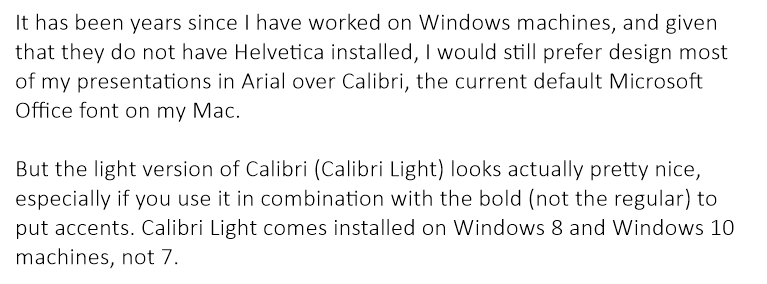
It has been years since I have worked on Windows machines, and given that they do not have Helvetica installed, I would still prefer design most of my presentations in Arial over Calibri, the current default Microsoft Office font on my Mac.

But the light version of Calibri (Calibri Light) looks actually pretty nice, especially if you use it in combination with the bold (not the regular) to put accents. Calibri Light comes installed on Windows 8 and Windows 10 machines, not 7.

Goodbye Arial.


SlideMagic: a platform for magical presentations. Free student plan available. LEARN MORE
Flatten those bullet point hierarchies

Flatten those bullet point hierarchies

They appear often in business presentations: hierarchies of bullet points:

  • A summary point that partly repeats what is said below
    • A sub summary point that partly repeats what is said below
      • A sub sub summary point that partly repeats what is said below

The worst of all bullet point sins: the lone bullet point that jut hangs there without a brother or sister.

Breaking up a problem/story in its components is great for solving problems: you can get a hypothesis quickly and carve up your team to work on each of the individual bits. They might even work as the skeleton of a presentation story flow.

On actual slides though, it is a different matter. These hierarchies are hard to read and process. You read the summary, read the supporting points, then combine the supporting points to internalise the summary again. Too much.

For a presentation, you need to flatten the bullet points. 

  • Kill bullet point hierarchies as much as possible, creating a linear flow
  • Then, spreading out each bullet point on a separate chart (as much as possible).

Ever wondered why my presentation app SlideMagic does not even feature the option of a bullet point?


SlideMagic: a platform for magical presentations. Free student plan available. LEARN MORE
Pushing the analogy too far

Pushing the analogy too far

Analogies are great. You take a concept that anyone can relate to, and use it to explain something unfamiliar. But you can push it too far.

  • An analogy that is complex in its own right defeats the purpose
  • An analogy that only partly fits
  • An analogy for which you cannot find the appropriate professional visuals easily without an advance degree in Photoshop
  • An analogy that is number 12 in a series of completely unrelated analogies for every single concept in your presentation
  • An analogy that is not "serious", it undermines the professionalism of your presentation, a bit of humour is OK, college humour is not.
  • An analogy that is a cliche

Or, like in the Accenture ad below, you are actually insulting your target group.


Good analogies are pretty much the opposite of the above. They are simple, fit the subject, are easy to visualise, and ideally, can cover all aspects of your story.

SlideMagic: a platform for magical presentations. Free student plan available. LEARN MORE
How to write a good cover email pitch

How to write a good cover email pitch

Cover emails that introduce a presentation are very important. It is the first thing the recipients sees. And given that more and more emails are read on smartphones that are not very good at handling attachments (still), they have become more important.

Here  are 2 poor cover emails:

  • One that says too little: "Please see the attached business plan"
  • One that says too much: the whole pitch cramped into the body of the email with out the visual support of your slides

The enemies we are fighting: getting ignored (the email is not opened), or getting deleted/archived before the whole message has had a chance to come across.

What can you do better?

  1. A good subject line. If it is a cold email, use the full space you have, almost like a Tweet. Good subject lines intrigue, they don't have to  tell the whole story. Good subject lines tell more or less what you want.
  2. Write who you are, how you got to the recipient, what you do (no intriguing here, super factual and super short, let the recipient put you in a box) and say what you want. 
  3. The body of the email is all about intriguing. Unlike when you are in the room where you can stand in front of the door to prevent people from leaving, here, it is you versus the mouse click:
  • Think very hard about what the intriguing aspects of your story are. Every pitch has usually only one, or two. (A completely counter intuitive approach to solve an issue, a truly unique team, etc.)
  • Forget about the classical business plan story line, you need to get these intriguing aspects across as soon as possible, BUT think of a story flow that allows you to do that. In most cases you need to educate the recipient a bit before you can deliver the key surprise. 
  • As you add more content, think hard: does this line increase my chance of a response (pick up the phone, click the attachment, write a reply)? Sometimes the best is to keep things short. Cut buzzwords, cliches, any baggage.
  • Look at the typography, line breaks, paragraph lengths. Do the right things pop out?

In short, cover letters:

  • Say who you are, what you do, and what you want
  • Intrigue, even if that means to leaving out a lot of content, and/or mixing up the story flow.

SlideMagic: a platform for magical presentations. Free student plan available. LEARN MORE