Not understanding is not your problem

Not understanding is not your problem

When your project manager tosses a bunch of vague suggestions your way, “ok this deck is easy, we start with the vision, then show the strategic buckets and mirror these against our core competencies”, and you don’t get it, it is not your problem.

Asking for explanations of everything might annoy her. Instead, ask for a quick example. “Which bucket for example?”, and “and can you mirror it against 1 core competence for me”?

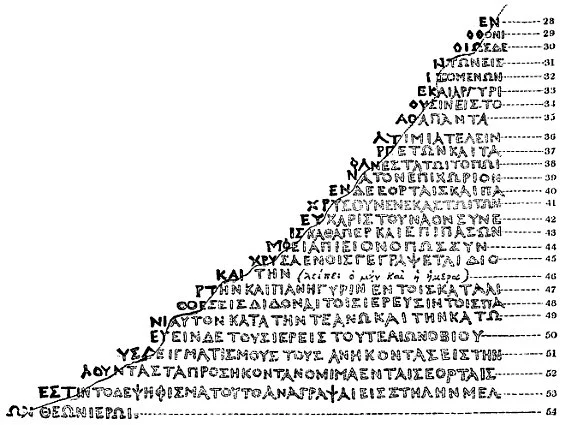
This is like a small “Rosetta Stone” for you, you have decoded this particular case example, now you can take on the rest (and in the process write a presentation with fewer buzz words).

Image by Richard Porson - “Rosetta stone, brought to England in 1802” in Archaeologia vol. 16 (1812), Public Domain, https://commons.wikimedia.org/w/index.php?curid=10617134

SlideMagic: a platform for magical presentations. Free student plan available. LEARN MORE
Nagging does not sell

Nagging does not sell

Seth “stole” my thunder… A blog post about how nagging and insisting without introducing new information or ideas is not going to get you anywhere has been sitting in my mental pipeline for a while. Some examples.

  • People here in the Middle East can be very defensive, and this happened a few times in presentations I attended here around Tel Aviv. After your presentation you get a question, the presenter answers it. The question gets asked again, but it was not really answered. The presenter is not really listening, and more or less repeats the same answer, this time a bit louder. This pattern might repeat itself a few times without a resolution

  • As a startup CEO, I get tons of “spam” emails with subject lines and opening sentences that sound like spam. That first email does not trigger a response from me, but it gets followed up by pretty much the same email, with the same subject line in bold

  • The investor is not going to invest in you, because she does not invest in medical diagnostics companies, and you are a medical diagnostics company. Trying to convince her that she should invest in these companies will get you nowhere. Either move one, or give the pitch of your company a different spin, away from that particular field.

Parents might succumb to repeated pressure and buy calm in the house, pretty much everyone else will just ignore you.

Photo by Dan Burton on Unsplash

SlideMagic: a platform for magical presentations. Free student plan available. LEARN MORE
"Life by SlideMagic"

"Life by SlideMagic"

My amazing wife Anat Naschitz has always supported me in developing SlideMagic behind the scenes. Going forward, she will become more visible to the outside word. Recently, she created a deck to demo SlideMagic to a potential client. We have added these slides and the entire deck to the SlideMagic template database, so they all should be available in the SlideMagic app for you to use in your own presentation, simply search for “anat” and the slides will pop up.

SlideMagic: a platform for magical presentations. Free student plan available. LEARN MORE
Using brands in presentations

Using brands in presentations

It is usually hard to find good images of products made by well known brands that are of high quality, not obstructed by advertising copy and free of copyrights. Free photo site Unsplash is trying to change that by building up a revenue model where photographers post (and get paid for) posting images with brands in it. (Curated for quality by Unsplash and endorsed by the brand in question).

This is very useful for presentation designers. Looking for a nice Harley-Davidson motorcycle? Here you go.

I agree with Unsplash’s observation that advertising has deteriorated in quality over the years.

Screen Shot 2021-06-17 at 6.59.09.png
Screen Shot 2021-06-17 at 6.59.18.png

But on their own web site, they can do a bit better with ads for their new shareholder/investor….

Screen Shot 2021-06-17 at 6.50.27.png

SlideMagic: a platform for magical presentations. Free student plan available. LEARN MORE
PowerPoint cap in a coalition agreement

PowerPoint cap in a coalition agreement

On page 41 of the coalition agreement of the new Israeli government, some restrictions are put on PowerPoint presentations:

  • 10 pages maximum

  • 36 point font minimum

  • 20 minutes maximum

  • Presentations are not a substitute for reading material

Screen Shot 2021-06-16 at 7.56.08.png

I think the last point is crucial: the presentation of your proposal and your working document with all the facts and backgrounds are two documents. Most people now write their working papers in PowerPoint and then are lazy by putting those slides on the screen. If you made something in presentation software PowerPoint, it does not automatically mean that the end product is a presentation.

I offered the government a special version of SlideMagic with minimum font size 36 and 10-slide page limit.


Source on Twitter.

SlideMagic: a platform for magical presentations. Free student plan available. LEARN MORE
Keeping the suspense

Keeping the suspense

The award ceremony of a piano competition builds up to the climax of announcing the #1. But keeping the suspense is not always right. In investor pitches, keeping your audience guessing what it is you actually do, is not a smart thing to do (previous post).

The other day I came across another situation where it did not really work. Email invitation: important org update during the weekly update call. So everyone expects the announcement of a promotion or departure of someone senior. Leave the anecdote, intro, buildup aside. Say what is happening in the first sentence, then provide compliments, congratulations, thank you’s.

Photo by Malcolm Lightbody on Unsplash

SlideMagic: a platform for magical presentations. Free student plan available. LEARN MORE
The spontaneous speech

The spontaneous speech

Here in Israel we had an eventful swearing in of a new government yesterday. The “swearing in” was preceded by a lot of swearing, heckling, and screaming. One of the members of parliament tossed his prepared speech and instead delivered a spontaneous one on the spot, denouncing the behavior of some of his colleagues.

In the world of presentations, many probably have observed this. You work for months on a document/presentation, think carefully about every slide, and then, when put on the spot without your slides, speaker notes and/or projector, you delivery the whole story eloquently and seemingly without any preparation.

Well, not really without preparation. You have been building this story for months in your head. Without the work, the spontaneous presentation would never have worked. It always a good health check for your presentation, “ditch the deck”, and scribble your story if you had to tell it right now without any support. Then compare notes honestly.

Spontaneous speeches are not for everyone. You need to have the plot very clearly in your mind and avoid being side tracked on tangents, losing your energy and ending the story without the punch.

Photo by Steve Johnson on Unsplash

SlideMagic: a platform for magical presentations. Free student plan available. LEARN MORE
The "business side"

The "business side"

There is a strong divide between “tech people” and “business people” in startups. Usually people start in “tech” and then move on to “business”. Tech people usually do not want to get into anything “business” and/or pretend not to understand “business”.

Maybe all of this goes back to high school / university where the introvert technology student never was accepted in the extrovert world of fraternities. Later on their careers they were just amazed by all these people that knew all these important sounding concepts and knew exactly what to say in meetings.

Having made the unusual reverse path from “business” to “tech” some advice:

  • Yes, every technical founder actually needs to understand a few basics of business. It is like having some proficiency in English, know how to ride a bike, drive a car. It is essential in “business” but also in your personal life.

    • Being able to understand a financial statement: P&L, assets, liabilities, equity, debt, cash flows. It is not hard at all. What matters is not so much the technical terms, but the general approach and philosophy behind it.

    • Understanding the basics of law: agreements, liability, ownership. A tiny 2 month course in engineering school I did was probably one of the most important subjects I took on.

  • Ignore and don’t be intimidated by any sophisticated sounding buzzword or concept, if you don’t understand it, ask what it means, or Google the term and you will be surprised how quickly the bubble pops. This is the equivalent of “tech” people claiming their server supports AI-driven cache invalidation (Business people: this does not make sense).

  • Every one can make a pitch or tell a story. Your “tech” background does not automatically imply that you should give the pen to someone else. The flip side of this though is that you should invest time and effort in it, rather than using your background as an excuse not to bother.

  • A career path that start in “tech” does not necessarily have to end in “business”. “Business” is not more important than “tech”. People often confuse “management” with “business”. Some people like running things (management) and that career is measured by how many people report to you, and/or what amount of revenue your are responsible for. There are other careers in “business” where managing people is less important.

Don’t be afraid of the “business side”.

Photo by Hunters Race on Unsplash

SlideMagic: a platform for magical presentations. Free student plan available. LEARN MORE
An actual presentation as a template

An actual presentation as a template

Most companies have some sort of corporate PowerPoint presentation template sitting on the file system. It consists of a title page, some trackers, some bullet point layouts, some picture slides. The template probably looks ago, but as soon as employees start to use it, this is no longer the case.

Why?

  • Most templates are designed as an afterthought, after the logo, web site, letterhead and business card have been approved

  • PowerPoint templates are created by designers who understand graphics design, web/print design software, but NOT PowerPoint and as a result a lot of technicalities go wrong

  • But most importantly: templates are designed on a blank canvas, encouraging the designer to “do something” with all that white space.

A better approach: start with an actual presentation. The general company introduction, a product sales pitch, last quarter’s analyst presentation. Make that deck look perfect and put on the on the file system as a starting point.

  1. The template is designed around actual content, rather than content being forced to fit around a template

  2. Most companies need very specific templates. Consumer goods companies: products/packaging demos, market shares and sales across many channels, consumer research data. Pharma: scientific clinical trial data. Chemicals: process layouts, project maps. Consulting firms: fancy frameworks.

I am contemplating some new ideas for SlideMagic to make the above all a bit easier.

Photo by MagicPattern on Unsplash

SlideMagic: a platform for magical presentations. Free student plan available. LEARN MORE
Better design for legal documents?

Better design for legal documents?

Contracts and other legal documents look horrible and are impossible to read.

Even documents produced by the world’s most prestigious law firms are basically Microsoft Word files in Times Roman font with hard coded formating (i.e., no style sheets or templates, but text is formatted directly to be centered, bold, italic.)

But the content is even worse than the design. Complicated sentences and unclear paragraph structures requires you to look for hidden clauses that could be hugely important for the meaning of the contract. (The legal profession probably has an interest in keeping it this way).

Two improvements:

  • Bring the design, the look and feel, back to 2021. Fonts, white space, paragraph hierarchies.

  • Add a non-binding layman “so what” summary before each paragraph, backed up by the legal code.

As a result contracts will be shorter to negotiate, and people might actually read the terms of use. I might have a look at the SlideMagic terms of use and see if I can give an example…

Photo by Patrick Tomasso on Unsplash

SlideMagic: a platform for magical presentations. Free student plan available. LEARN MORE
Imaginary eye contact

Imaginary eye contact

Eye contact is essential for any presentation. Just think of the speakers you have watched who were staring at the ceiling, the floor, or their slides on the projector.

And eye contact means eye contact. Lock in with a member of audience for a few sentences. Quickly moving from one audience member to the other will make it look like you are looking for someone in the room.

This eye contact with strangers will feel awkward for the presenter, but it does not for the audience. There is a way to make it slightly less uncomfortable though. Call it “imaginary” eye contact. Look at random spots in the (dark) audience, for away to the back. Look in between 2 members of the audience. The audience thinks you are connecting with someone, but you don’t really.

In video calls you need to be aware of the camera as your point of eye contact. If you are looking at the screen, the audience will see that you are “looking down”. The closer you are to the camera, the stronger this effect is. If you are relatively far away from your camera and/or laptop, it becomes hard to tell what you are actually looking at.

One other solution is using an external camera and a teleprompter (Seth Godin created the shopping list for you). You look straight into an angled semi transparent mirror, behind which you position your camera. Direct eye contact news anchor style. This setup is great for one on one discussions. But the picture in the teleprompter is relatively small, so it works less well for group calls and presentations where you have to follow along with slides on the screen.

Photo by Mathew Schwartz on Unsplash

SlideMagic: a platform for magical presentations. Free student plan available. LEARN MORE
Pitching to VCs outside of your home country

Pitching to VCs outside of your home country

Mostly thanks to COVID-19, the venture capital industry is going global. Which means that VCs are increasingly willing to invest across borders. Some implications for investor pitches.

VCs get the confidence to invest further away partly because of increased specialisation. They know exactly what sort of deals to look for, have a very deep understanding of technology in that particular field, and as a result can size up opportunities easily, even at long distance.

[P.S. Something similar happened in my bespoke presentation design business, where I specialised in a very specific type of presentation which is highly similar across borders, and usually have very similar type of clients. This was both important in terms of deciding whether you can do the project, winning a pitch for a project, and making the call whether this unknown client in a different country would eventually pay my fees].

Even more than before, as a startup, you need to do your homework and select potential investors carefully. The upside of this extra work is that if your company fits a specific investor profile, you are very likely to make it through the first investor screen, people will actually look at your deck. “Hmmm, these guys are not from Palo Alto” is no longer relevant. The cost of a brief Zoom call to check you out in person is much lower than a “coffee chat”, so you might score that one as well if the field is relevant.

For a highly knowledgeable investor with an office 5 time zones away, that first deck might have to be more specific than a nice mysterious teaser inviting her to schedule a phone call. You can cut slides with general industry background, but probably need to add data that investors in a specific technology segment are expecting to see (experience from looking at hundreds of other companies in your specific sector).

“How are you to work with on a Board?” already was an important criterion in an investor due diligence. Now the question becomes “how are you to work with on a Board remotely?” Pay attention to cultural differences. I have seen many local Israeli startups make English typos, use English phrases that have an interesting double meaning in street language, try to plan meetings during US holidays or 3AM Pacific Time, make politically incorrect jokes, etc. etc.

The net net of all of this is very positive for both startups and investors.

Photo by NASA on Unsplash

SlideMagic: a platform for magical presentations. Free student plan available. LEARN MORE
Dashboard design

Dashboard design

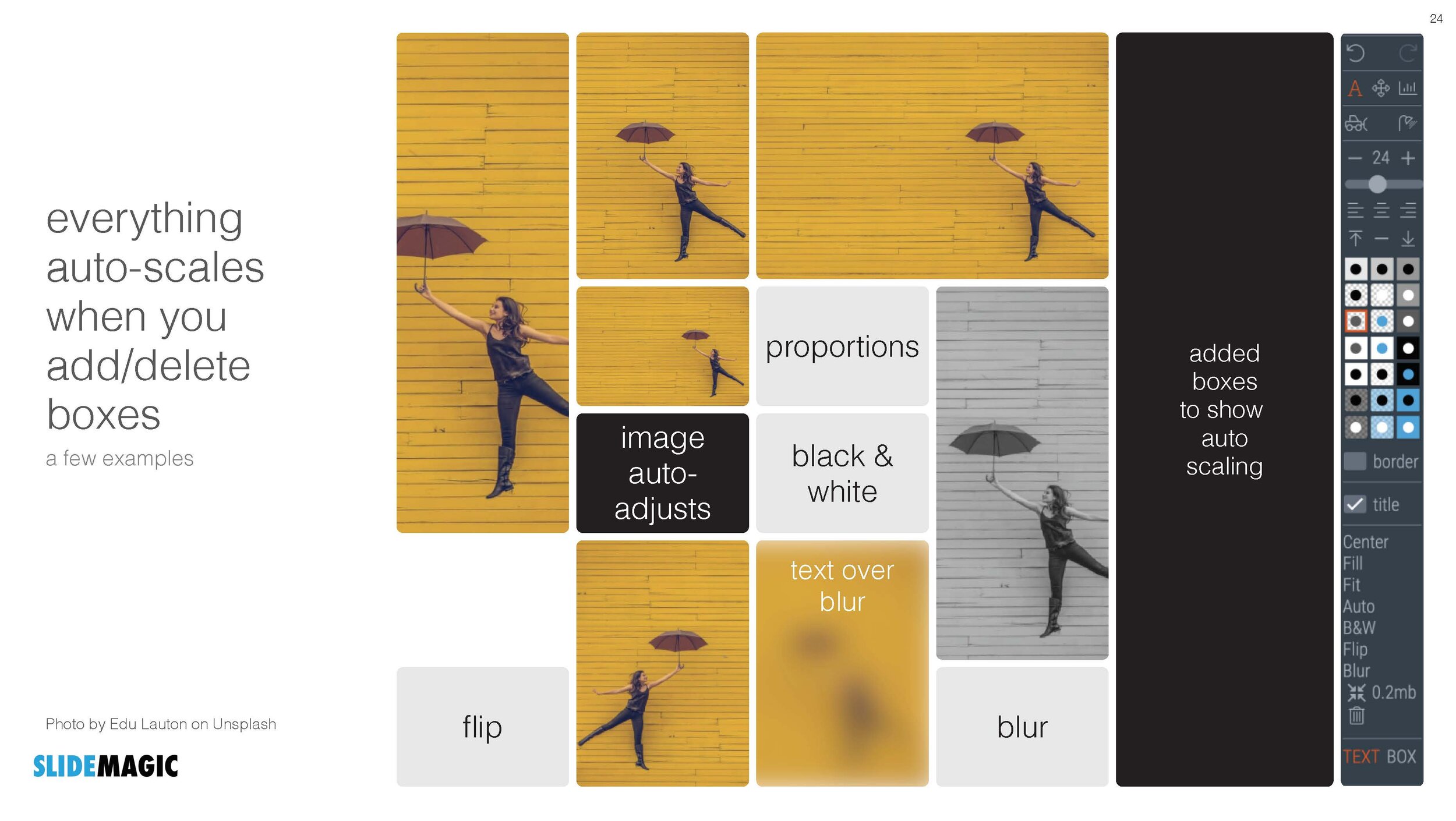
In my current (stealth) side project I need to build many dashboards to show information in different cuts and slices. For me, it is a very interesting experience as I can apply the full arsenal of my slide design experience, but now with dynamic data. I control the full stack of technology: what information to store, how to slice it, what information to show, and how to show it.

Each of the above usually reside in a different person. Management consultants spend time recutting and re-combining data manually in spreadsheets because systems can’t do it. So called “BI” applications take data from systems and spit out an endless amount of bar and pie charts in the hope that it will give some insight in where things are going. Traditional front-end web designers can make data look pretty, but don’t really understand what data is required.

The principles of a good dashboard and a good slide are completely the same. Every detail is important. What information to show, what rounding, what order, what sort of graph, what headings, bold, not bold, margins, right aligned, left aligned., how to group things, where to put subdivisions, etc. etc.

But once you get it right, it will work for a long time.

Photo by Cody Fitzgerald on Unsplash
SlideMagic: a platform for magical presentations. Free student plan available. LEARN MORE
The audience is always right

The audience is always right

Sometimes, you can be so absorbed in your own story that your forget to put in the obvious in your pitch deck.

Yesterday I overheard a healthcare VC reviewing a pitch deck for a new diagnostic tool. Pages and pages about the impressive team, the excellent trial results and robust data, until what the tool actually was diagnosing was revealed on page 15.

An investor who is scrolling through a deck to find an answer to an obvious question is not paying much attention to other information that is put on the slides.

Maybe in this case, this answer was actually written somewhere in page 1 of the deck, but remember that when it comes to presentations, the audience is always right.

Photo by Girl with red hat on Unsplash
SlideMagic: a platform for magical presentations. Free student plan available. LEARN MORE
Tiny data labels

Tiny data labels

This chart shows 2 interesting things. One, Finland was pretty happy under lock down. Two, an interesting way to put data labels on a stacked column chart. The small boxes are always a problem in a regular format. Here you get the combination of the visual effect of the size of the boxes, versus the table of the actual information. This could be inspiration for a future SlideMagic expansion.

I would do some things different though. That row of zeros at the top does not add much. The flags make the whole chart even more busy. And given that this is a comparison, I would have shown the data as a stacked bar chart.

If you were to use me as a bespoke designer, I would actually show this data on a map of Europe, color-coding different countries with maybe only the some of the 2 blue data series. The geographical clustering of the countries is interesting. In addition, I would combine it with one stat about the health impact of COVID in these countries.

If you do not have the software and/or the time to make a chart like this, the solution is easy, take off the data labels completely and make a straightforward stacked column chart.

I found this chart on Twitter, without quoting a source, the format looks like a page in some document by the European Union though.

SlideMagic: a platform for magical presentations. Free student plan available. LEARN MORE
Purging slides

Purging slides

Following on yesterday’s post, here are some examples of slides you could get rid of when you want to make your deck shorter, without diluting the message.

They key idea is to see the difference between an analysis deck and a story deck. The first is your working document and contains all the information, data, that you needed to get to your conclusion. Everything is organized, logical, referenced, backed up. The story deck’s sole purpose is to get your audience to do something, most of the times this will be moving on a sales or investment process to the next stage (i.e., land the invitation for a zoom call).

Some stuff that usually sits in your analysis deck, and is not essential in your story deck (in random order):

  • Detailed competitor analysis, especially when they follow a repetitive framework page after page, competitor after competitor

  • Historical analysis, all the milestones your company went through in the past 5 years

  • Market backgrounds that do not add insight to what is generally known (facebook user base developments, mobile phone penetration, etc.).

  • Any sort of business school framework that was once useful on a whiteboard, but now feels a bit forced because it does not exactly fit your situation (what the audience as you put up the SWOT slide)

  • Scenario and variance analysis and/or backup of financial assumptions

  • Screenshots of stages in your app that do not really differ from anyone else’s (the log in page for example)

  • Etc.

If your page does not ‘scream’ a very important message for your story, you can take it out.

But to contradict myself, sometimes the opposite is true. A seemingly incredibly boring detail can make all the difference to an informed audience. For example, some retention statistic that every investor in the SAAS market is looking at, or a specific statistical benchmark in your clinical trial results.

Happy purging.

Photo by JESHOOTS.COM on Unsplash
SlideMagic: a platform for magical presentations. Free student plan available. LEARN MORE
Three approaches to making your deck shorter

Three approaches to making your deck shorter

Overhead: “No, don’t summarize the presentation, putting more info on fewer slides will just make it harder to read, just send the whole thing”. I see a number of ways you can make a deck shorter.

Compressing. The common approach to shortening a presentation is to take the shortening literally: reduce the physical number of pages. Smaller fonts, combining the text chart and the bar chart on one page, etc. The resulting deck contains the same amount of information, and would in theory take the same amount of time to present.

Dumbing down. The second approach is to make the story simpler. Replace complex chart with simpler headlines, eliminating complex plot tangents. Your presentation shorter, but it lost some information.

Plot writing. Here you try to extract the story from the pile of data and slides. You view your presentation deck as a completely different document than your project presentation. It does not have to be exhaustive, the logic flow does not have to be business school strategy-like, not every strategic option deserves equal wait.

Most people start with compressing. Then, after reading presentation blogs like these, realize that pretty pictures and big words look so much better, but end up dumbing down their deck. Becoming a plot writer is the challenge.

Photo by Nery Montenegro on Unsplash

SlideMagic: a platform for magical presentations. Free student plan available. LEARN MORE
New email updates should work now

New email updates should work now

Yesterday I moved over all email addresses that opted in to a new email update platform. You should have received your regular email updates, just with a slightly different look (the design still needs work). If not, you can re-subscribe here, or reach out to me directly.

Photo by Carol Jeng on Unsplash
SlideMagic: a platform for magical presentations. Free student plan available. LEARN MORE
Your placeholder, not the audience's

Your placeholder, not the audience's

Some slides can stick around forever in a presentation. Over months, maybe even years, they turn into mental placeholders for you, the presenter. You see the slide from the corner of your eye, and you move effortlessly into a section of your pitch.

But the content of the slide might actually no longer resemble what you are speaking about for someone who sees it for the very first time. Time for some spring cleaning in your pitch deck.

Photo by Arno Smit on Unsplash

SlideMagic: a platform for magical presentations. Free student plan available. LEARN MORE
Feedburner RIP - changes to email updates

Feedburner RIP - changes to email updates

A heads up.

Google is shutting down the email subscription service of Feedburner. It probably does not like blogs very much (The Google RSS reader was suspended as well a few years ago). As a result, I need to move the email subscriptions of this blog to a new platform.

The only thing you will notice is probably the format of the email, the rest should work as usual.

SlideMagic: a platform for magical presentations. Free student plan available. LEARN MORE