Working on a DALL-E replacement

Working on a DALL-E replacement

A few months ago, I added a DALL-E AI-image generator to SlideMagic. AI-generated images can be great for presentations:

  • You can get very precise in defining what you want to see, much more so than browsing endless stock images search results that are not exactly right

  • You can make images look visually consistent across a presentation

The DALL-E engine is not accurate enough though. Especially when it comes to humans/faces. Midjourney is doing a far better job at this but is not (yet) providing 3rd party API access to its engine, the only way to get images out is via a web-based interface.

I am starting to look into deploying the same open source models that are actually the basis of Midjourney, directly into SlideMagic. You can see the results below and they look very promising. More to come.
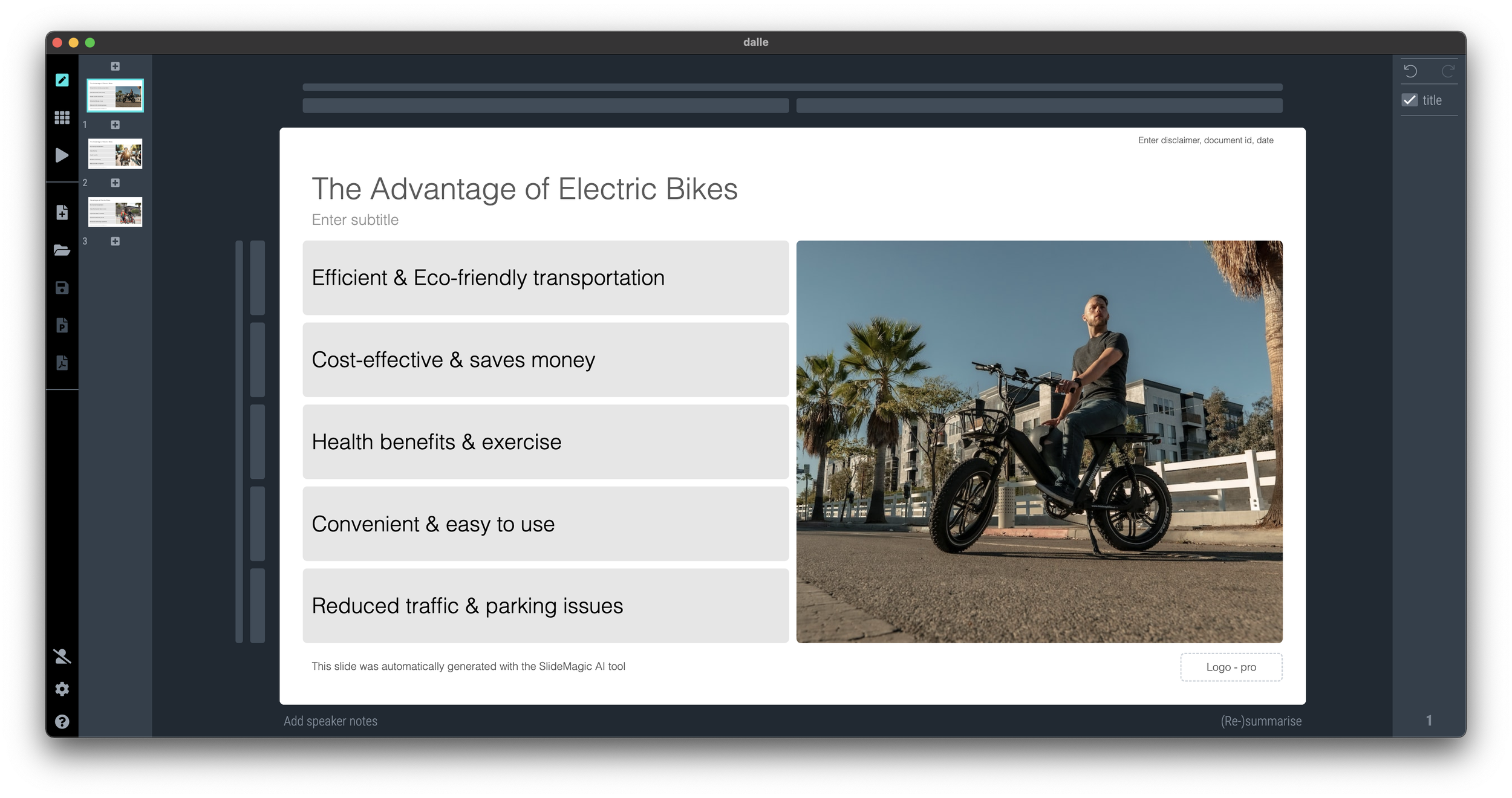
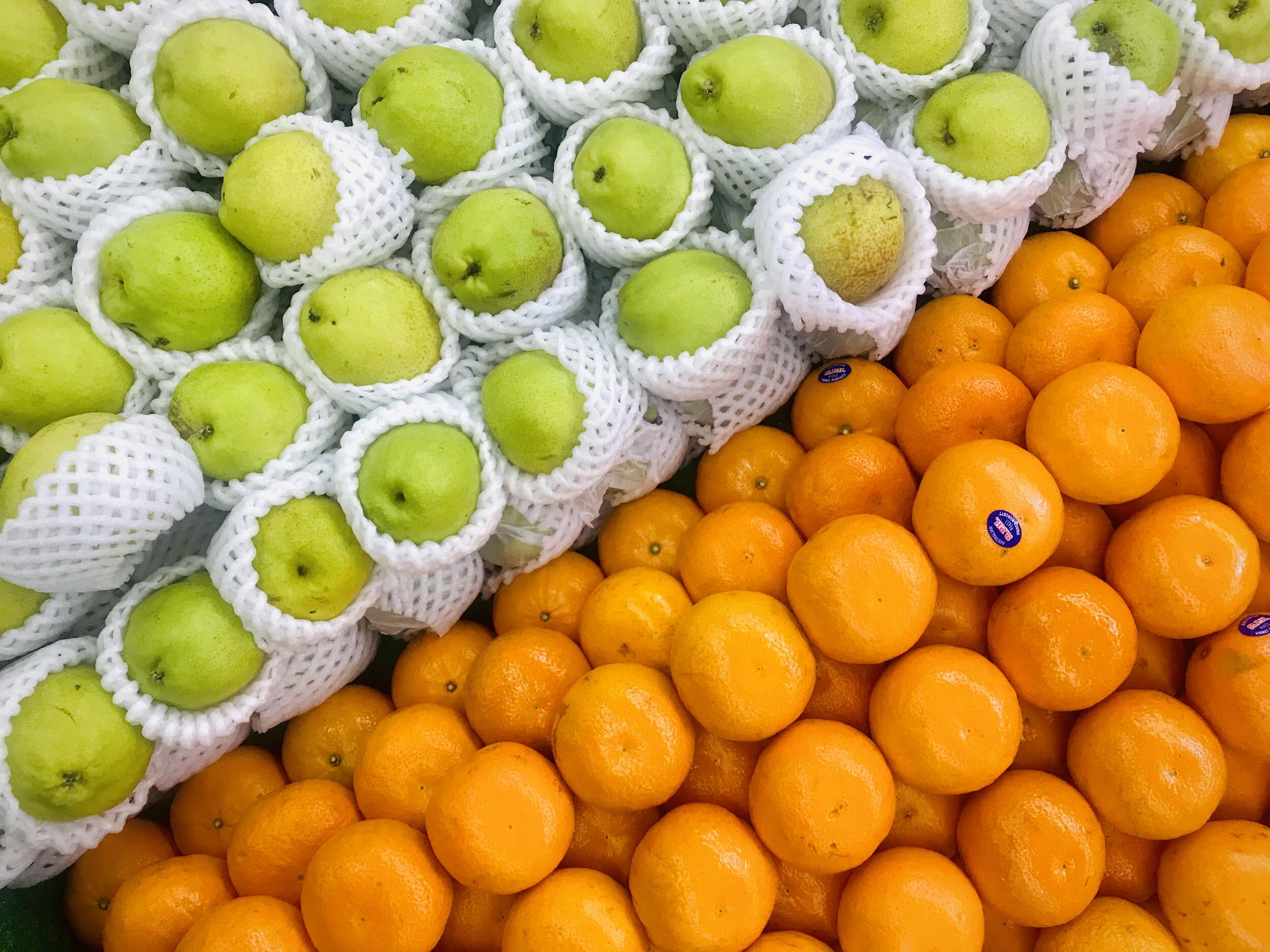
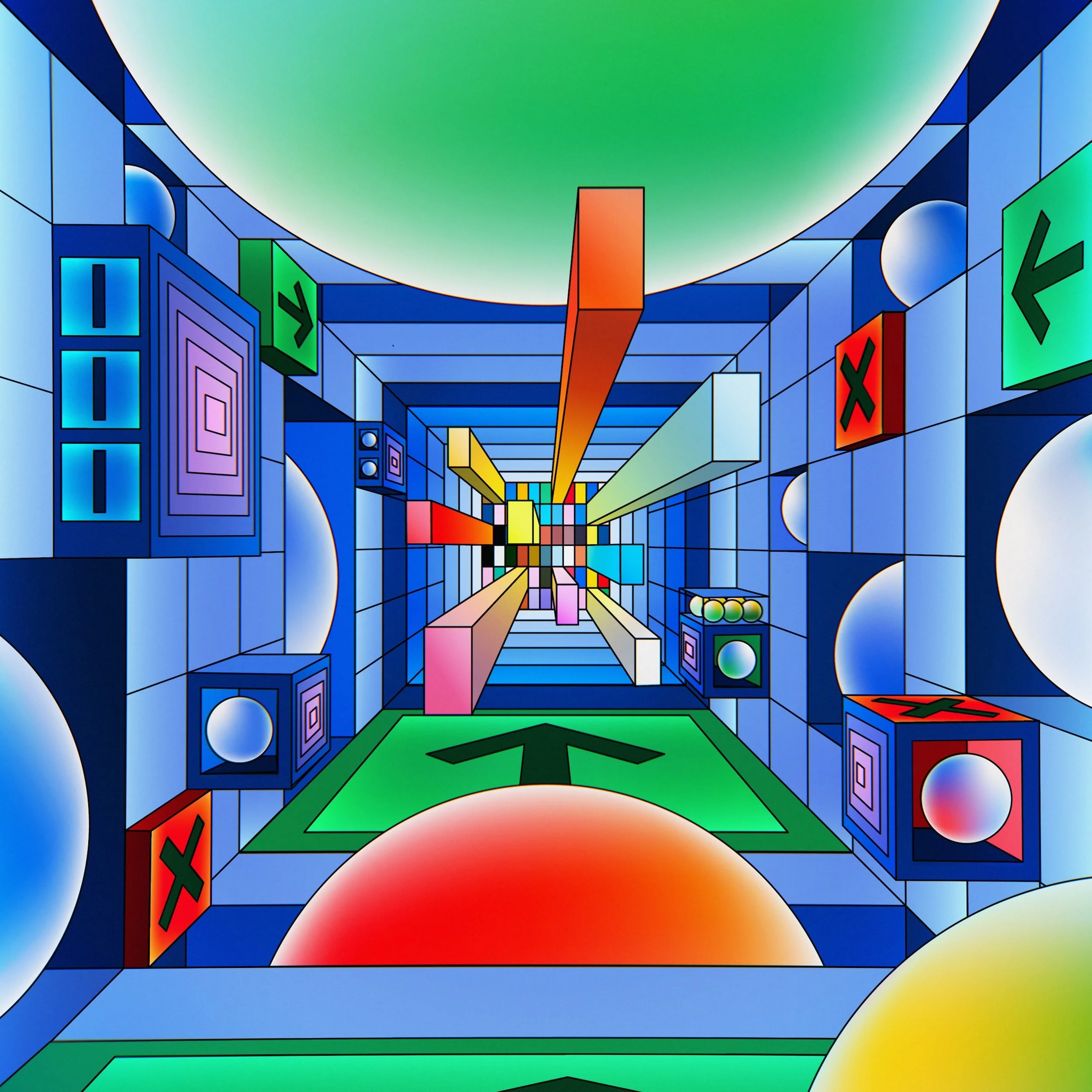
Image found with an automated prompt to a stock image site

Open-source AI-generated image

Very poor result from DALL-E

SlideMagic: a platform for magical presentations. Free student plan available. LEARN MORE
Work in progress...

Work in progress...

See the image below. I am blending AI-generated slides and images, and things are not completely right yet…

SlideMagic: a platform for magical presentations. Free student plan available. LEARN MORE
AI-powered slide summaries

AI-powered slide summaries

Another day, another SlideMatic AI feature.

SlideMagic has a collapsable slide side panel in which you can describe the story of your slide in case you are not present in person to present it to your audience. You can access side panel view from the “view” dropdown.

As of V3.1.3, SlideMagic can now suggested a slide summary automatically with the help of some AI. Simply click “(Re-)summarise at the right bottom of the slide to see the panel get populated. The quality of the results will depend on the amount of text in your slide. See an example below

Using this feature will switch the app to side panel view, you can go back to your preferred slide layout via the “view” dropdown menu.

SlideMagic: a platform for magical presentations. Free student plan available. LEARN MORE
Automated content pages

Automated content pages

I am continuing the gradual upgrading of the SlideMagic AI capabilities. Today, I added an automated content page to the automated story line generator. For each section in your presentation outline, you now get a slides with all sections, plus the current one highlighted. (See the screenshot below).

More updates and refinements to come

SlideMagic: a platform for magical presentations. Free student plan available. LEARN MORE
Automated table generator that compares items

Automated table generator that compares items

I added the second AI-powered slide generator to SlideMagic. It creates a simple feature comparison of the items you enter. So this time it is a single slide rather than an entire presentation layout. See the screenshots below.

It was an interesting learning process to figure out how to “tame” OpenAI and get it to produce consistent outputs and data formats that I can use in layouts. I still need to improve the adjustment of font sizes based on the density of the output. More and better generators to come.

You need to update the app to version 3.1.1. to see the new features (or higher, this was written in June 2023), if it did not happen automatically, simply re-install SlideMagic from the home page.

SlideMagic: a platform for magical presentations. Free student plan available. LEARN MORE
SlideMagic 3.0 with generative AI!

SlideMagic 3.0 with generative AI!

I just soft launched SlideMagic 3.0 that now has a direct backend integration to OpenAI’s ChatGPT (in addition to the AI-based image generator I put in earlier).

My objective was to get the basic engine running. So things are very simple at the moment. When you try to insert a slide, you will see a new option: “AI-generated slides”. Clicking the icon will lead you to a new form where you can input a prompt. Hit “submit” and be patient, and the app will generate a simple presentation layout with separator pages based on your prompt. See the screenshots below.

I am planning to release many, many more of these generators. More sophisticated story lines, chart template generators etc. now that the basics are in place. Next steps for me is more “prompt engineering” (SlideMagic adds a lot of content to the prompt you submit in the background), and expanding my chart generation engine to take in more human-like responses from ChatGPT and turn them into SlideMagic boxes.

The generative AI feature is free for all to use at the moment (as long as it does not hit my OpenAI account too hard), SlideMagic Pro users can export these AI-generated charts to PowerPoint.

SlideMagic: a platform for magical presentations. Free student plan available. LEARN MORE
SlideMagic and generative AI update

SlideMagic and generative AI update

I am continuing to experiment with OpenAI to see how it can help us make presentation design easier. Generative AI feels a lot like the early days of the Internet in the end of the 1990s. People did not really see that “Internet” was not really a unified tool that could do wonders for business, but rather a description for hundreds of different applications and use cases that happen to rely on a web browser.

The same is true for generative AI now. I don’t think that I will come up with the ultimate AI-based presentation tool overnight that can read your thoughts and deliver the slides at the press of a button. Instead, I will try to release bite-size features that can make the life of a presentation designer easier.

And some of these might not even be very clever. Anyone can go to ChatGPT and get it to produce some presentation skeletons or summaries of text. But there are ways to make prompting of the engine better for presentations. You can save a lot of time by having a user interface straight into SlideMagic, and most importantly, it saves a lot of time when SlideMagic creates the slides for you (in .magic and/or .pptx). The latter has nothing to do with AI, but rather improving the slide generation engine that I already built.

Watch this space.

SlideMagic: a platform for magical presentations. Free student plan available. LEARN MORE
Demo story lines

Demo story lines

A live demo of your product is risky in a short standup presentation. Lots of stuff can go wrong (internet connections, etc.) and you might end up spending valuable time on banal things like logging in and out. For short pitches, I would suggest to use screenshots, with the exact messages you want to convey. Point at your lap top with a running demo as evidence that there is indeed a product.

A proper demo of a product can be done in a follow up call. People have understood the basic idea, are interested, and now is the time to dive into the product. And strangely enough, in the era of Zoom product demos are a bit easier since everyone sits very close to a monitor.

Like presentations, it is not recommended to “wing” a product demo. You might end up forgetting to show critical features, hitting bugs, and presenting a rambling user flow. You want to impersonate consistent demo accounts that perform a sequence of actions in a logical way, instead of clicking around randomly to show features.

SlideMagic: a platform for magical presentations. Free student plan available. LEARN MORE
Dashboards and reports

Dashboards and reports

For periodical update meetings, you often can use the same presentation with just the numbers updated. When the audience is internal to the company, many will just use a spreadsheet printout rather than transferring the data to a presentation.

The result, a presentation that looks like, well, a spreadsheet.

  • There is more information presented than needed for the meeting

  • Numbers are highly precise and not rounded up

  • Fonts are tiny, as the spreadsheet tries to show everything on 1 page’s width

  • Colors and fonts are those of Excel, not the company

  • The last 2 rows of the table moved over to the next page

  • Etc.

If you need this report often, it is worth investing some time in setting up your spreadsheet properly.

  • Leave your “engine” untouched and create an entirely new work book that is your “presentation”

  • Get rid of spreadsheet gridlines and show the page cut offs so you get a clear view of the boundaries of your “slides”

  • Set colors and fonts the same way you would do in PowerPoint

  • Now build your slides page by page, by pulling in the data from the engine sheet, round numbers up as you go ( / 1000, show 1 decimal, etc.)

  • With these types of reports, you variability between slides will be in the column widths, not so much in the rows. To keep your “deck” all in one workbook, move horizontally, and add pages to the right rather than below

(Optional) The next level up is to introduce shapes and other graphics in your spreadsheet, and you can get to the same level of finish that you can achieve with regular presentation software.

SlideMagic: a platform for magical presentations. Free student plan available. LEARN MORE
No slides does not mean no presentation

No slides does not mean no presentation

In smaller, informal settings, pulling out your laptop to run through your slide deck can zap the energy of a meeting. For these meetings without slides, it does not mean that this is a meeting with a presentation. In the absence of slides, it can be hard to stay focussed on the story line. You might get lost in tangents, you might miss the important punch line as the waiter asks if you need sugar or milk.

The way you “present” in a slide-less meeting is different from when you are in front of a big audience. But still, you need to rehearse that story, maybe even more.

SlideMagic: a platform for magical presentations. Free student plan available. LEARN MORE
Things ChatGPT is good at (and not)

Things ChatGPT is good at (and not)

ChatGPT can be a useful productivity tool for presentations:

  • Get a basic story line / section outline for. a presentation

  • Improve the language of a text

  • Etc.

When using it, it is important to understand what underlying technology it uses, so you can see understand where it is strong, and where it is not.

  • ChatGPT predicts words based on your prompt and the previous words it has already generated. Therefore, it is really good at “completing” texts that are very common on the Internet. High school essays, business plans, corporate annual reports, product documentations, product reviews, computer code. If your presentation fits one of these, it will work great, if it does not, results are not very reliable.

  • ChatGPT cannot yet do live web searches to enrich its answers. Everything it “knows” is based on its training data set that was cut off in September 2021. Any information that became available after that, is not incorporated in the results.

  • The majority of text available online is in English, so results in other languages will not be as strong.

Back in the early 2000s, Yahoo! was trying to categorize the Internet. Google beat it with a simple approach of tracking to which site other sites point for a certain subject. ChatGPT is a sort of super template: instead of looking for / categorizing text in templates, it simply reads all the templates and predicts what sentence is most likely to come next given the previous ones.

So “generic” presentations are most likely to benefit from ChatGPT. Quarterly budgets, CVs and bios, results from a science project, product launches. But even startup presentations can be pretty generic. Think about a pitch deck of SAAS (software as a service company) that has revenues and can fill pages with data about the typical financial ratios that investors are looking for.

SlideMagic: a platform for magical presentations. Free student plan available. LEARN MORE
Diversity

Diversity

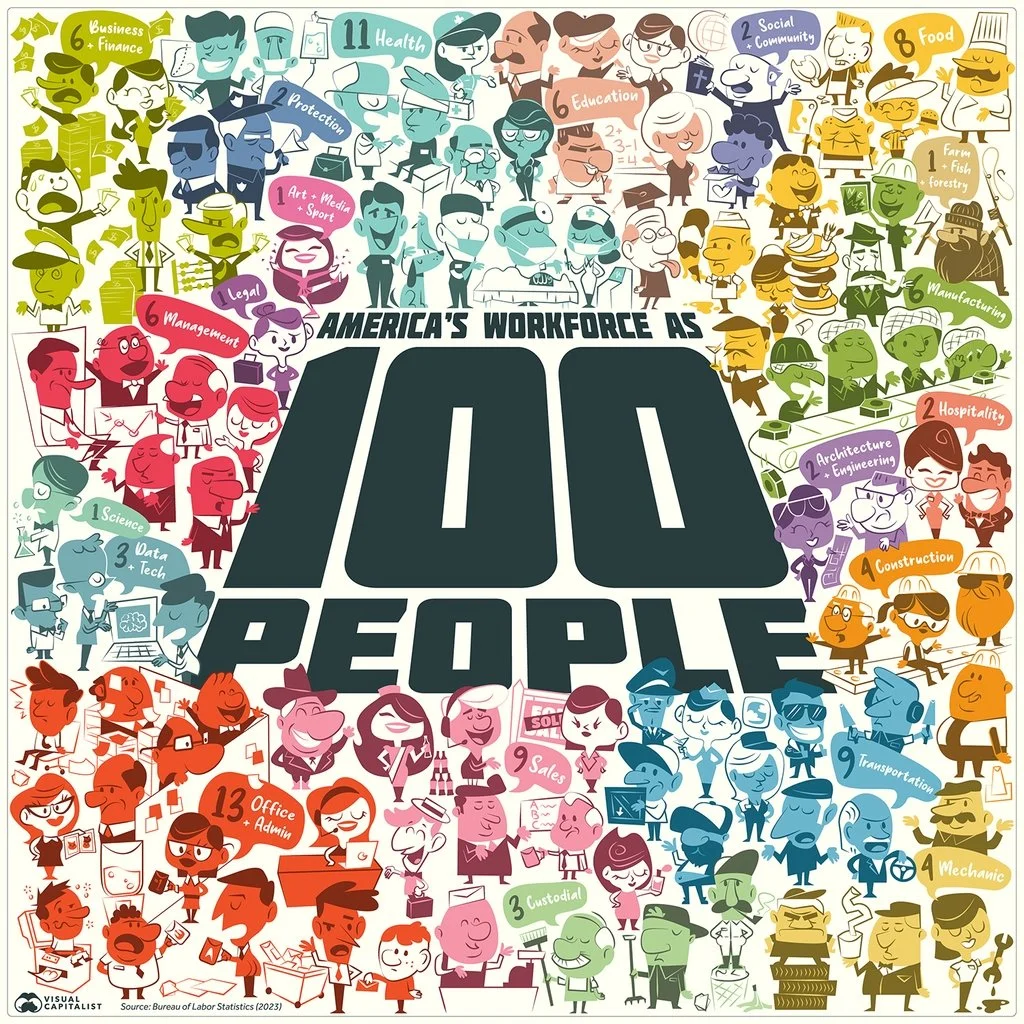
This is an interesting graphical representation of the US workforce:

It is very cute, but does not do a good job at communicating the actual data (percentage breakdown by sector). Also, since this graph tries to make the point of diversity, the characters in the illustration do not represent the gender and race balance of the work force.

One idea to tackle this. Add multiple dimensions of data: sector, gender, etc. to the characters, and then render multiple iterations of the 100 people, each time grouped differently to focus on a specific statistic. The opening slide is a random permutation of the entire group.

SlideMagic: a platform for magical presentations. Free student plan available. LEARN MORE
Shorter or quicker?

Shorter or quicker?

If the time window if your presentation gets cut you have 2 choices: fewer words, or more words per second. Pick fewer words.

SlideMagic: a platform for magical presentations. Free student plan available. LEARN MORE
Good old bars...

Good old bars...

AI is turning the semi conductor industry upside down, and I saw this interesting graphic comparing the market caps of Nvidia and Intel, which look very different from a few years ago.

The circles are cute, but are softening the contrast between the 2 numbers. Two dimensional surfaces look closer together than straight bars, see below.

This is also the reason that I prefer to use stacked columns over pie charts.

SlideMagic: a platform for magical presentations. Free student plan available. LEARN MORE
Prioritize your todo list, the Eisenhower matrix

Prioritize your todo list, the Eisenhower matrix

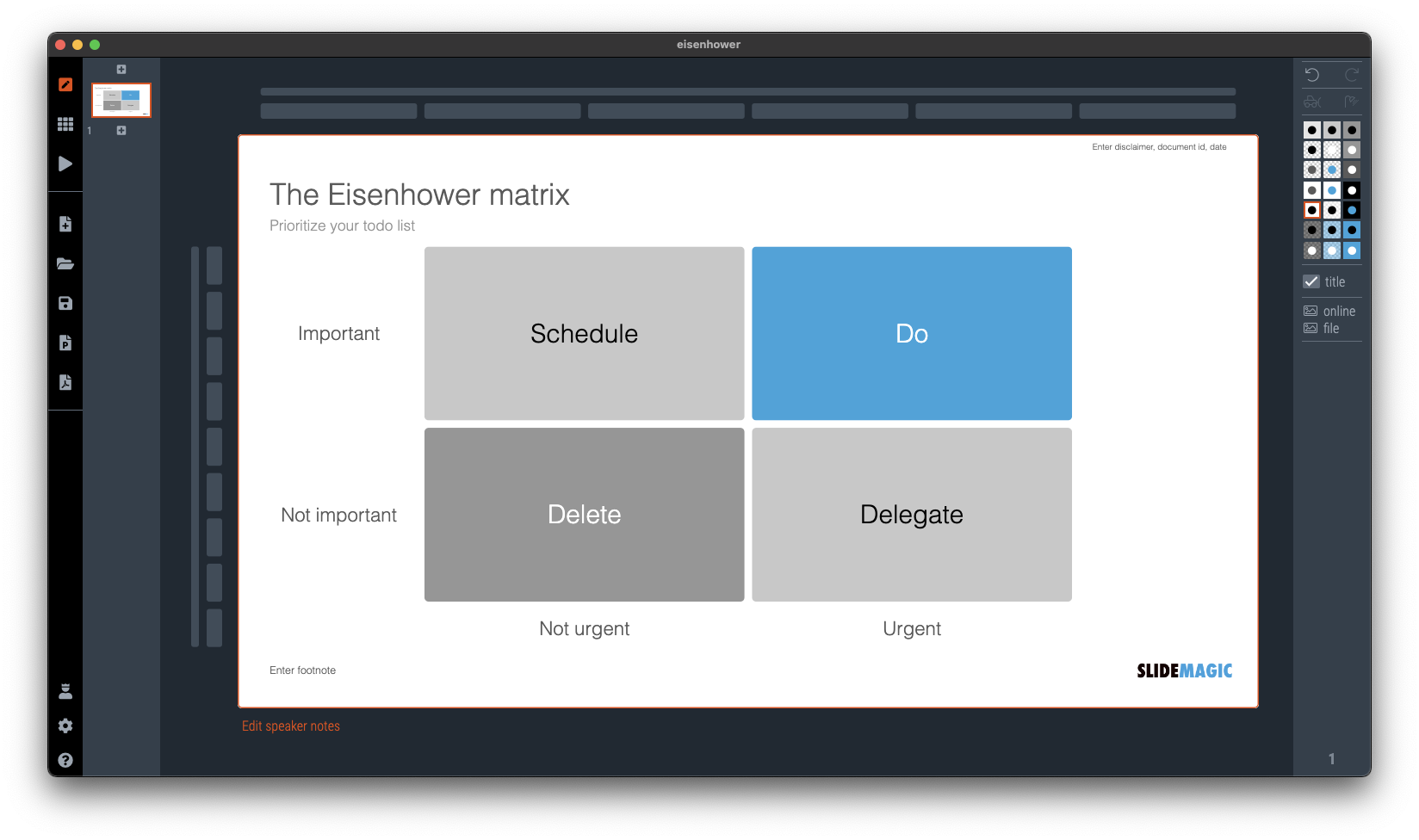
I was talking about prioritizing your time a few days ago and remembered a time prioritization tool that was suggested to me while at McKinsey. It turns out it is called the “Eisenhower Matrix”. I added it as a template to SlideMatic.

They key insight here was to be really rigorous and actually don’t do unimportant, not urgent tasks. The problem though was that all requests added to my desk were important and urgent….

SlideMagic: a platform for magical presentations. Free student plan available. LEARN MORE
Let others do the selling for you

Let others do the selling for you

During our very short (see yesterday’s post) speaking slot to launch a new partnership for 9xchange, we used the slide below. Deal making in healthcare is inefficient because everyone needs to kiss too many frogs in order to uncover their prince.

It got stuck in people’s head, and during the following presentations, presenters kept on referring back to frogs in their own talks. Free publicity.

SlideMagic: a platform for magical presentations. Free student plan available. LEARN MORE
First/short or later/longer?

First/short or later/longer?

When speaking at a conference and you get offered two possible speaking slots: early in the day and very short, and later in the day and a lot longer. Which one to take? Easy, the early/short one.

  • Attendance at conferences drops during the day, your audience is a lot bigger in the morning

  • When people see you speak (early) they are more likely to approach you later, (feedback about) your presentation is an ice breaker

  • In conferences, a really short speech is likely better than a long one. You are not here to close the deal, just to start more conversations. Your short speaker slot is a blessing.

SlideMagic: a platform for magical presentations. Free student plan available. LEARN MORE
Back from a busy week

Back from a busy week

My other venture 9xchange had a a busy week. We announced a partnership with AI-enabled drug discovery company BenevolentAI at the Biomed conference here in Tel Aviv.

On 9xchange, we match buyers and sellers of pharmaceutical drugs that are still in development. Sometimes, a drug no longer fits the strategy of a pharma company, sometimes, a drug fails clinical trials for a specific disease, but might still work for another one.

BenevolentAI has technology to find potential new indications for drugs. Drugs posted on the platform are exposed to its AI engine and results are fed back into 9xchange to broaden the number of matches between buyers and sellers, now taken into account newly discovered indications for which this drug might work.

SlideMagic: a platform for magical presentations. Free student plan available. LEARN MORE
Why does it look like PowerPoint?

Why does it look like PowerPoint?

It is often quick and easy to use PowerPoint to draw a diagram. No need to install and learn new specialized software. A few boxes, lines, a screenshot, and you are done. But why the result totally obvious a PowerPoint slide, even if you are not using the program to present your visual?

Over the past years (decades for some) we have become so used to seeing PowerPoint slides with the built-in fonts, standard color palettes, that most people will recognize it instantly. But when your end product is a screenshot, you don’t have to worry about things like font compatibility and presentation templates.

  • Change colors and fonts to match the document you are working in

  • Let go of the restrictions of the aspect ratios for a slide (4:3, 16:9) and pick something that is appropriate for your diagram.

SlideMagic: a platform for magical presentations. Free student plan available. LEARN MORE
Useful graphics illustrations

Useful graphics illustrations

I am usually not a big fan of illustrations that visualize data. Below is an example (with data from February 2022). The soldiers might as well have been represented by straight bar charts.

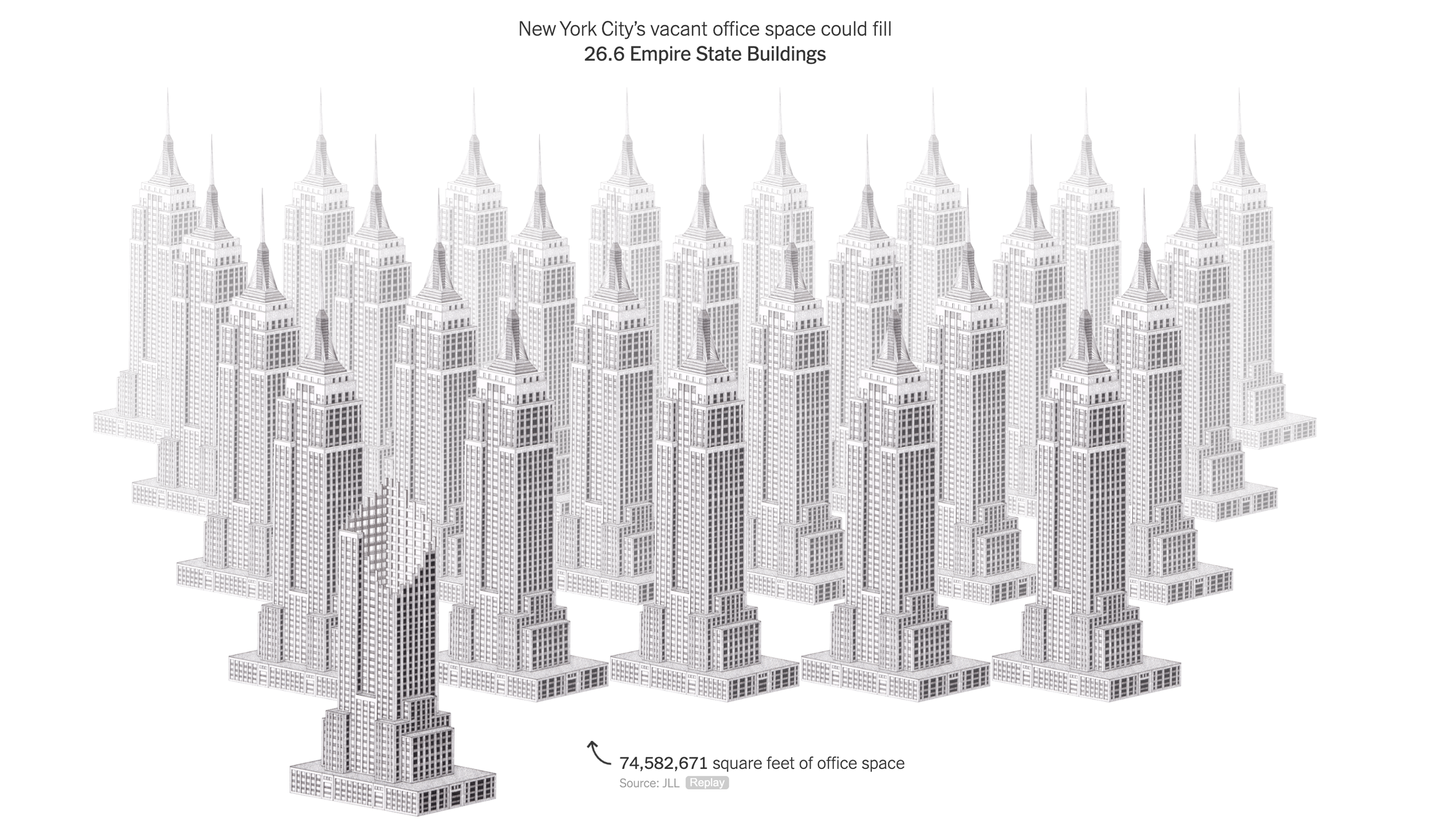
This article in the NYT though, was pretty effective. Representing unused office space with repetitions of well-known landmarks. People can instantly relate to, understand, and internalize the amount of space we are talking about.

(BTW, these illustrations are made by Kaylie Fairclough)

SlideMagic: a platform for magical presentations. Free student plan available. LEARN MORE