Viewing entries in
Layout

Table layouts

Table layouts

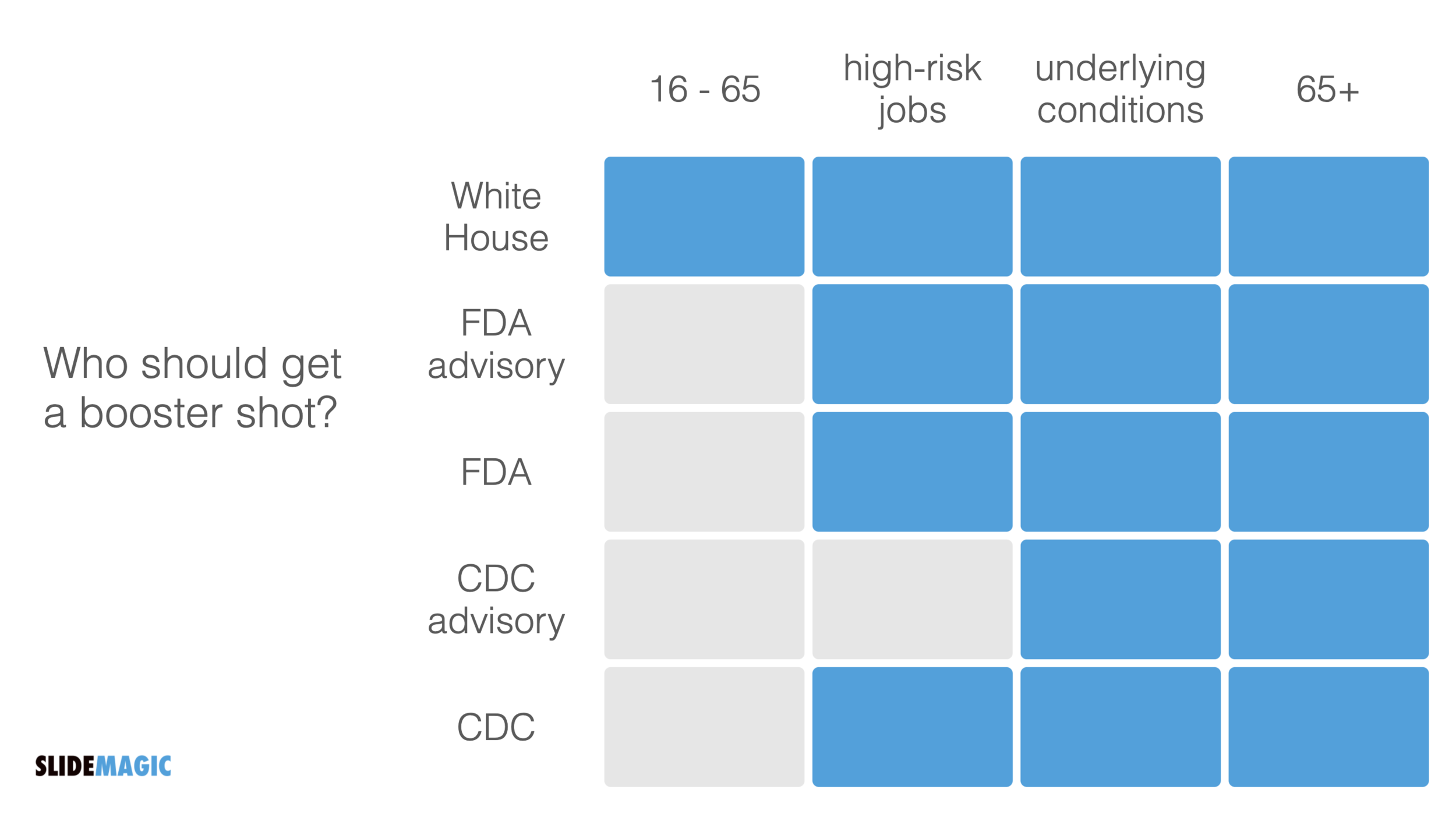
A boxy table caught my eye on Twitter:

Screen Shot 2021-09-30 at 8.48.33.png

The biggest flaw in this table is the White House line, that suggests a separate group of people. Then, you can shift the columns around a bit, until you get this result:

Screen Shot 2021-09-30 at 8.51.44.png

SlideMagic: a platform for magical presentations. Free student plan available. LEARN MORE
The live test

The live test

It can take a lot of time to get your presentation slide just right. However, once you got to that point, it should be super quick to recreate it. You can call this a ‘live test’. Take pen/paper, or open SlideMagic, and create the chart on the fly while someone is watching and listening. “We have 3 options, each has distinct pros and cons, I think number 2 is the best one”. If you are struggling to do this quickly and in a logical flow, your chart is probably too complex to be understood by a live audience. This is similar to a school teacher using the blackboard in the proper way.

SlideMagic: a platform for magical presentations. Free student plan available. LEARN MORE
Rounding numbers in data charts

Rounding numbers in data charts

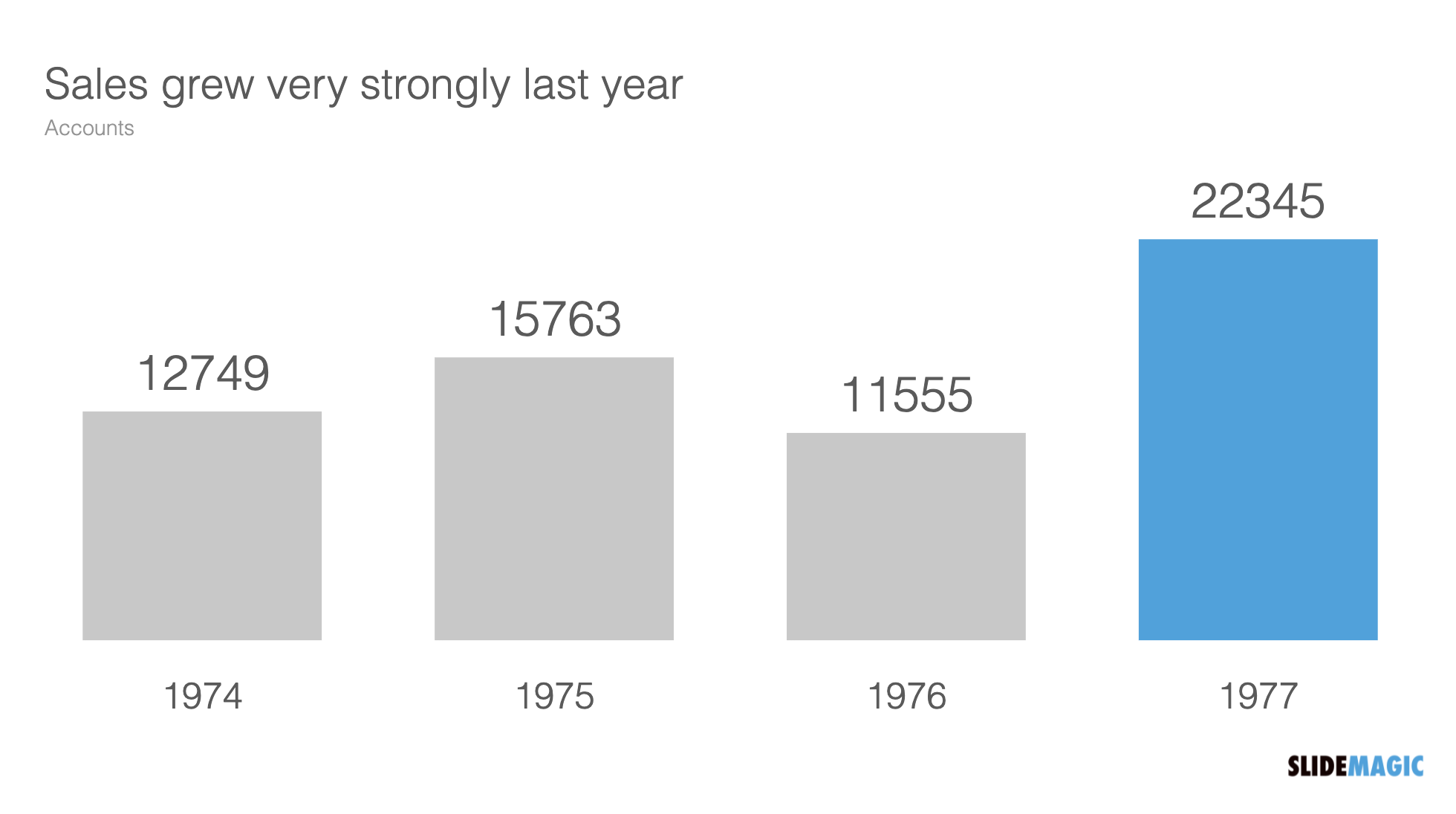
How to round numbers in a data chart? It depends. The chart below does not look very appealing

Screen Shot 2021-09-15 at 10.00.32.png

The numbers are hard to read. This chart can serve 2 purposes. Either show the trend in sales, or show the exact sales figures. To show a trend in sales, simply show the accounts in thousands, and round up to one decimal point:

Screen Shot 2021-09-15 at 10.01.13.png

If you need to provide the actual precise sales data (for accounting or tax purposes), put it in an appendix slide that does not even pretend to show a trend:

SlideMagic: a platform for magical presentations. Free student plan available. LEARN MORE
Visual math

Visual math

Following my post from last week about pi, here is a link to a page full of beautiful visualisations of mathematical concepts. Often, a written formula is not the right way to explain math and proportions….

SlideMagic: a platform for magical presentations. Free student plan available. LEARN MORE
Scaling of data charts in SlideMagic

Scaling of data charts in SlideMagic

In SlideMagic, you do not have to worry about picking the right scale for your data chart. The entire chart adjusts itself to the numbers you type in. See the example below:

Screen Shot 2021-08-31 at 7.33.04.png
Screen Shot 2021-08-31 at 7.33.33.png

To make sure that a consistent scale is used for your entire chart, you need to place all your data points in one shape, instead of using multiple shapes for example for each month.

Screen Shot 2021-08-31 at 7.35.37.png

P.S. I have added this monthly sales comparison chart to the SlideMagic slide library so you can easily use it in your own presentations as well. Search in the app for ‘sales’ and it will pop up.

SlideMagic: a platform for magical presentations. Free student plan available. LEARN MORE
Shuffling

Shuffling

Another slide makeover. I will post the ‘after’ before the ‘before’, since the email delivery service sometimes does not render all the images I put in my blog posts…

And here is the original, created by The Information

Screen Shot 2021-08-10 at 7.32.15.png

What did I change?

  • I shuffled rows and columns to get the biggest possible continuous space of similar blocks, this is visually more pleasing, and groups/ranks players in a better way. (Hmm, should have swapped Instagram and TikTok now that I look at it).

  • I changed the colors, the traffic light analogy does not really work here. The “yes” and “testing” should be very similar in color, while the “no” should be a clear gap.

  • I added a more punchy headline

  • I calmed the whole chart down by simplifying the legend and taking out the logos.

I have added the slide to our template bank. Users of SlideMagic (try it, there is a free version), can access the slide by searching for “social” in the template bank.

SlideMagic: a platform for magical presentations. Free student plan available. LEARN MORE
An actual presentation as a template

An actual presentation as a template

Most companies have some sort of corporate PowerPoint presentation template sitting on the file system. It consists of a title page, some trackers, some bullet point layouts, some picture slides. The template probably looks ago, but as soon as employees start to use it, this is no longer the case.

Why?

  • Most templates are designed as an afterthought, after the logo, web site, letterhead and business card have been approved

  • PowerPoint templates are created by designers who understand graphics design, web/print design software, but NOT PowerPoint and as a result a lot of technicalities go wrong

  • But most importantly: templates are designed on a blank canvas, encouraging the designer to “do something” with all that white space.

A better approach: start with an actual presentation. The general company introduction, a product sales pitch, last quarter’s analyst presentation. Make that deck look perfect and put on the on the file system as a starting point.

  1. The template is designed around actual content, rather than content being forced to fit around a template

  2. Most companies need very specific templates. Consumer goods companies: products/packaging demos, market shares and sales across many channels, consumer research data. Pharma: scientific clinical trial data. Chemicals: process layouts, project maps. Consulting firms: fancy frameworks.

I am contemplating some new ideas for SlideMagic to make the above all a bit easier.

Photo by MagicPattern on Unsplash

SlideMagic: a platform for magical presentations. Free student plan available. LEARN MORE
Better design for legal documents?

Better design for legal documents?

Contracts and other legal documents look horrible and are impossible to read.

Even documents produced by the world’s most prestigious law firms are basically Microsoft Word files in Times Roman font with hard coded formating (i.e., no style sheets or templates, but text is formatted directly to be centered, bold, italic.)

But the content is even worse than the design. Complicated sentences and unclear paragraph structures requires you to look for hidden clauses that could be hugely important for the meaning of the contract. (The legal profession probably has an interest in keeping it this way).

Two improvements:

  • Bring the design, the look and feel, back to 2021. Fonts, white space, paragraph hierarchies.

  • Add a non-binding layman “so what” summary before each paragraph, backed up by the legal code.

As a result contracts will be shorter to negotiate, and people might actually read the terms of use. I might have a look at the SlideMagic terms of use and see if I can give an example…

Photo by Patrick Tomasso on Unsplash

SlideMagic: a platform for magical presentations. Free student plan available. LEARN MORE
Your own style

Your own style

Musicians learn other people’s music, and then use it to create their own style. Architects, painters, writers, chefs, follow a similar trajectory. But even if you are not Beethoven, you have probably acquired skills this way. Carpenters, teachers, mechanics.

When it comes to presentations, use this process as well. Develop a (very small) set of slide layouts that you know how to use well. It becomes a visual vocabulary that you can use to express pretty much anything.

This is why people that spend some time at a management consulting firm can churn out all these slides without effort. This is why simply copying a slide template out of the blue and trying to fit it to your situation rarely gives good results.

SlideMagic has done the hard work for you. You get a consistent style that you can adopt as your presentation style, and each slide is simply a small tweak of a language you have learned to understand.

SlideMagic: a platform for magical presentations. Free student plan available. LEARN MORE
Slide layouts and aspect ratio

Slide layouts and aspect ratio

The aspect ratio of a slide influences the type of layout you come up with. Over the years, presentation slide aspect ratio tend to follow the dimensions of computer screens. The first computers typically had a 4x3 screen ratio (80 x 25 characters of a punch card, sort of resembling an A4/letter format, and probably easier to design when you need to redirect electromagnetic beams in pre-LCD traditional televisions/monitors), while modern machines have wide screens in 16 x 9 ratios (the preferred format in movies).

A 4x3 canvas is very different from a 16x9 canvas when it comes to design (spoiler, I prefer the 4x3).

Most diagrams and frameworks work best when width and height are about the same. When you look at many of the classical management consulting frameworks, you can see that they were originally designed in a 4x3 aspect ratio. Modern interpretations simply stretch them out, making the whole thing look unbalanced.

Screen Shot 2021-04-20 at 7.53.18.png

Process diagrams and tables on the other hand, work great in widescreen format. There is a lot of space for left-to-right steps or columns with information.

What to do?

  • There is nothing wrong with white space. If your diagram needs a 1x1 aspect ratio, put it in the middle of your 16x9 slide and resist the temptation to fill the left and right sides with text or other distracting clutter

  • Alternatively, consider putting the titles of your slide on the side, creating a mover vertical canvas for the body of your slide (SlideMagic can switch seamlessly between different slide title layouts).

Screen Shot 2021-04-20 at 8.02.21.png
Screen Shot 2021-04-20 at 8.04.50.png

SlideMagic: a platform for magical presentations. Free student plan available. LEARN MORE
The five ingredients of a successful startup pitch

The five ingredients of a successful startup pitch

I added the slide used in this tweet to the SlideMagic library. In SlideMagic it is super easy to quickly create a grid with lots of boxes. There is a lot of redundant information on the slide, but the repetition on the other hand serves a purpose here.

Screen Shot 2021-04-11 at 10.17.42.png

Search for “pitch” in the SlideMagic app and it will pop up for you to use (alongside some other investor and musical pitch related slides).

Screen Shot 2021-04-11 at 10.16.00.png

SlideMagic: a platform for magical presentations. Free student plan available. LEARN MORE
Do you need the table headings?

Do you need the table headings?

Spreadsheets and databases need table headings. Humans not always. Look at the two slides below

Screen Shot 2021-03-22 at 11.11.20.png
Screen Shot 2021-03-22 at 11.24.09.png

We know how to recognise car brands, colors. Pretty much every car has 4 wheels. Think of replacing the boring tables with cards or labels, making the slide easier to read, and creating more space for information that is more important to show.

Photo by Valdemaras Januška on Unsplash

SlideMagic: a platform for magical presentations. Free student plan available. LEARN MORE
Dashboard syndrome

Dashboard syndrome

I am following a number of amateur statisticians here in Israel to get insight in how the vaccination campaign is going. This ‘underground’ information sources gives a for better picture of what is going on than the main news media can provide. A better explanation and earlier detection of trends.

Most of these statisticians use the same chart that they update every day. And I noticed that after a few weeks, you actually stop seeing how poorly the chart is designed, your eyes will zoom straight to that one figure that has been updated.

Stock brokers spot the latest share price instantly on a busy ticker board. Mathematicians see the crucial line in the proof on the blackboard.

You , the presentation designer, have become used to your own dashboard. It might be time to take a step back.

Photo by Neil Martin on Unsplash

SlideMagic: a platform for magical presentations. Free student plan available. LEARN MORE
Emphasizing by de-emphasizing

Emphasizing by de-emphasizing

Recently, a SlideMagic user asked for some help with adding “some more color” to a slide. (A table to be included in an internal strategy document).

My response was the opposite, rather than adding color and accents, I took things out. To make things stand out, you can either emphasize these things, or de-emphasize everything else.

Here is the starting point (confidential text removed). Btw., look how neat and organized it already looks, thanks to SlideMagic…

Screen Shot 2021-03-02 at 8.26.36.png

Below my suggestion:

Screen Shot 2021-03-02 at 8.27.22.png

The things I did:

  • Changed color accents

  • Grouped and de-duplicated text boxes that contained the exact same text

  • Changed relative heights of rows

  • Moved title category labels to the top

  • Added the arrows to visualize that the bottom item supports everything else

SlideMagic: a platform for magical presentations. Free student plan available. LEARN MORE
Psychology of young people pondering the COVID vaccine

Psychology of young people pondering the COVID vaccine

I am intrigued by the dynamics surrounding how people make the decision whether to take the COVID vaccine or not. Unlike most other countries, people have the luxury to ponder this decision here in Israel. The government has a real communication challenge here.

We spoke about segments before. If you are a fundamental anti-vaxxer, or have severe doubts about the vaccine safety, you are unlikely to be convinced.

There is a segment of young people though that “can not be bothered”. The personal risk of getting severe COVID is very low. They consider it the same as joining public roads every day. You consciously take this calculated risk, knowing that the probability of getting stuck in a severe accident is very small, especially when you drive safely.

What people forget, is the indirect impact. Big number of people x tiny percentage is still a big number of people at country level. And filled up intensive care units, trigger more lockdowns, more closed restaurants, bars, parties, zoom schools, etc.

I compared the two scenarios in the chart below (search “COVID” in the SlideMagic app to use something like this logic flow in your own presentations for other topics, also put it in the web template bank, download it here).

SlideMagic: a platform for magical presentations. Free student plan available. LEARN MORE
Knowing your audience

Knowing your audience

A follow-up on yesterday’s post about convincing the center when it comes to COVID vaccines.

Most people who create presentations are not marketeers or PR professionals. They hear people (including presentation designers like me), talk about how important it is to think about your audience when crafting slides. And when thinking about the audience, they don’t have much sophisticated data. Insights are likely to be basic: “They do not believe that we can get traction with our search engine that needs to beat Google”.

Global Web Index did research in people’s attitudes towards a COVID vaccine, the results of the findings are put in this visualisation by Visual Capitalist. The main message to me about this pretty but busy graphic is that it is complex, things are not clear cut.

global-attitudes-towards-vaccines.jpg

Here is my summary of the segments, and a possible communication strategy. (You can find this slide in the online template bank, or search for ‘covid’ in the SlideMagic desktop app)

Screen Shot 2021-02-11 at 8.22.16.png

Most business presentations will not have the luxury of a detailed audience analysis, but it is an interesting thought process of running through an imaginary one.

SlideMagic: a platform for magical presentations. Free student plan available. LEARN MORE
"Why are 2x2 so popular in consulting firms?"

"Why are 2x2 so popular in consulting firms?"

I answered a question on Quora:

I can think of a number of reasons:

  1. A 2x2 is a nicer way to present options than a slide with 4 bullet points, a 5 dimensional space can get very complicated

  2. It forces you to think things through thoroughly for holes and overlaps, maybe you start with 2 options, add a third, take a step back and think what actually defines these 3 options, come up with the 2 axis, and then realise you overlooked option number 4 to be complete

  3. A 2 dimensional framework allows you to think about what happens if you move things around, and makes it easy to visualise.

  4. In most cases there are more than 2 dimensions to a problem, but it is hard to visualise (see point 1), and think about. The 2x2 forces you to choose the 2 most important dimensions.

  5. Cultural habit, if you are in a place that uses a lot of 2x2s, you will use it more often, it is a language that people understand easily.

SlideMagic has lots and lots of 2x2, 3x3 and other matrices as slide templates for your to get started. Download the app and get started.

SlideMagic: a platform for magical presentations. Free student plan available. LEARN MORE
A faster way to edit slides

A faster way to edit slides

I have made more improvements to the SlideMagic user interface. Is is now easier to select multiple cells, especially in fine grids.

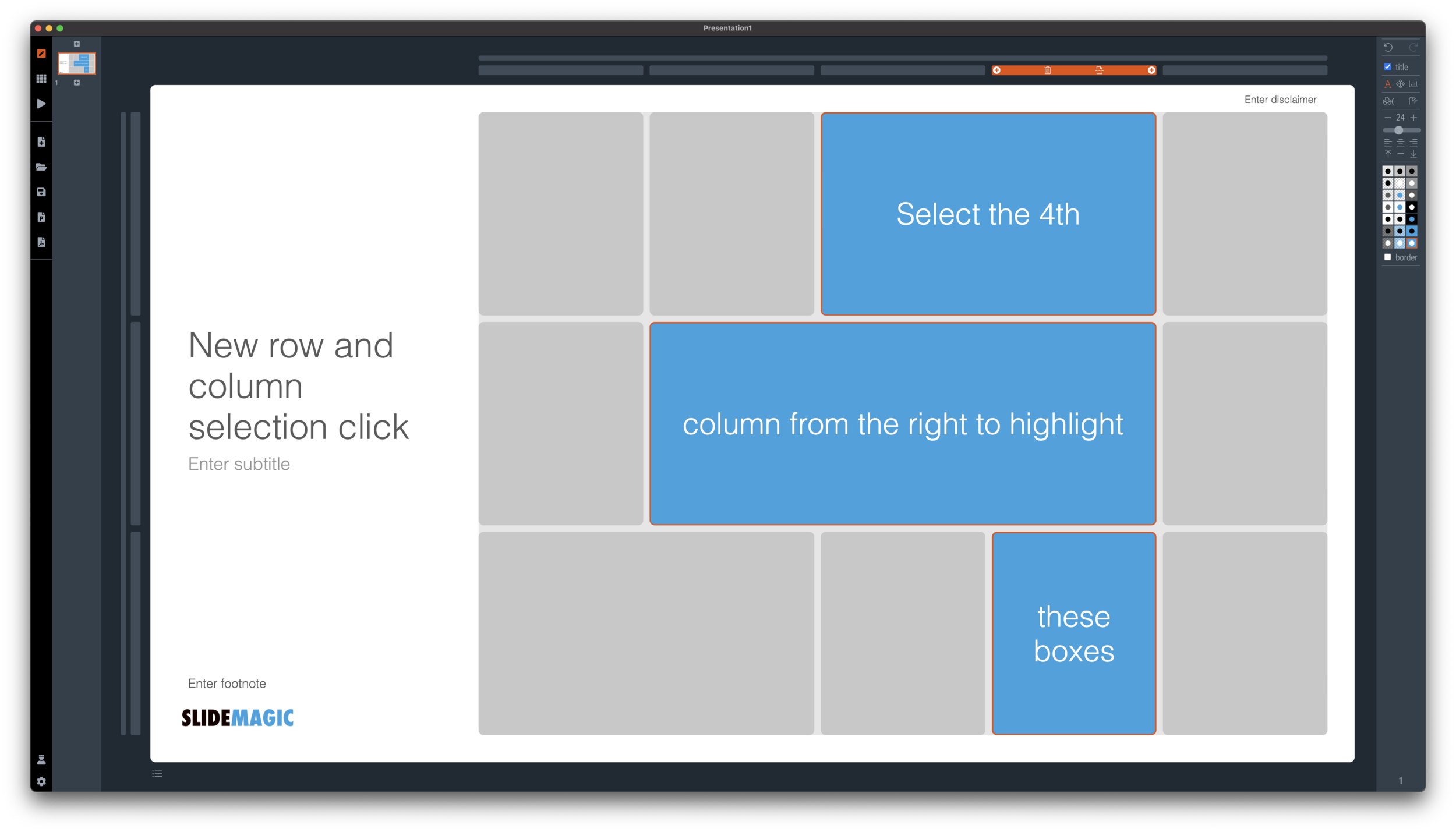
If you select a column marker at the top of the slide, all boxes in your slide that “touch|” the column will be become selected, and you can apply formatting to them in one go (for example, make them all blue).

Screen Shot 2021-01-18 at 17.36.19.png

The same applies for rows, click a row marker, and all relevant boxes in the row line up.

Screen Shot 2021-01-18 at 17.37.58.png

Finally, you can select whole areas of boxes by first clicking a top-left element, then clicking a bottom-right element, and SlideMagic will light up all the boxes that are in between. See the example below.

Screen Shot 2021-01-18 at 17.38.42.png
Screen Shot 2021-01-18 at 17.38.46.png

SlideMagic: a platform for magical presentations. Free student plan available. LEARN MORE
New 'no-title' layout

New 'no-title' layout

SlideMagic works with fixed positions for slide titles, subtitles, footnotes, and logos. Each slide looks organised, consistent, and the same.

Some slides call out for a slightly differently layout. Tracker pages for example. A simple text box that sites right in the middle of the screen. Up until now, SlideMagic would push these text boxes a bit down or to the right because of the required space for the slide title.

With a very simple check mark, I now created the option to remove titles from the slide on a slide-by-slide basis. It is a tiny adjustment to the user interface that can improve the look of layouts significantly. I am still putting a high hurdle when it comes to complicating SlideMagic. This is definitely not a complication!

While the user interface adjustment is easy, behind the scenes, there is a lot going on. Removing the the titles from a slide requires recropping of all the images on a slide. With SlideMagic’s new automatic cropping algorithm, this has now become possible. Imagine doing this for a slide with 40 client logos in a regular presentation design software, after which you come to the conclusion that the slide looked better with a title: re-cutting, re-cropping, re-distributing 40 images again. In SlideMagic, this is a button click.

You can check out the new features as of version 2.6.9

Screen Shot 2021-01-18 at 16.57.04.png
Screen Shot 2021-01-18 at 16.57.31.png
Screen Shot 2021-01-18 at 16.56.44.png
Screen Shot 2021-01-18 at 16.55.56.png

SlideMagic: a platform for magical presentations. Free student plan available. LEARN MORE
It is all about box counting

It is all about box counting

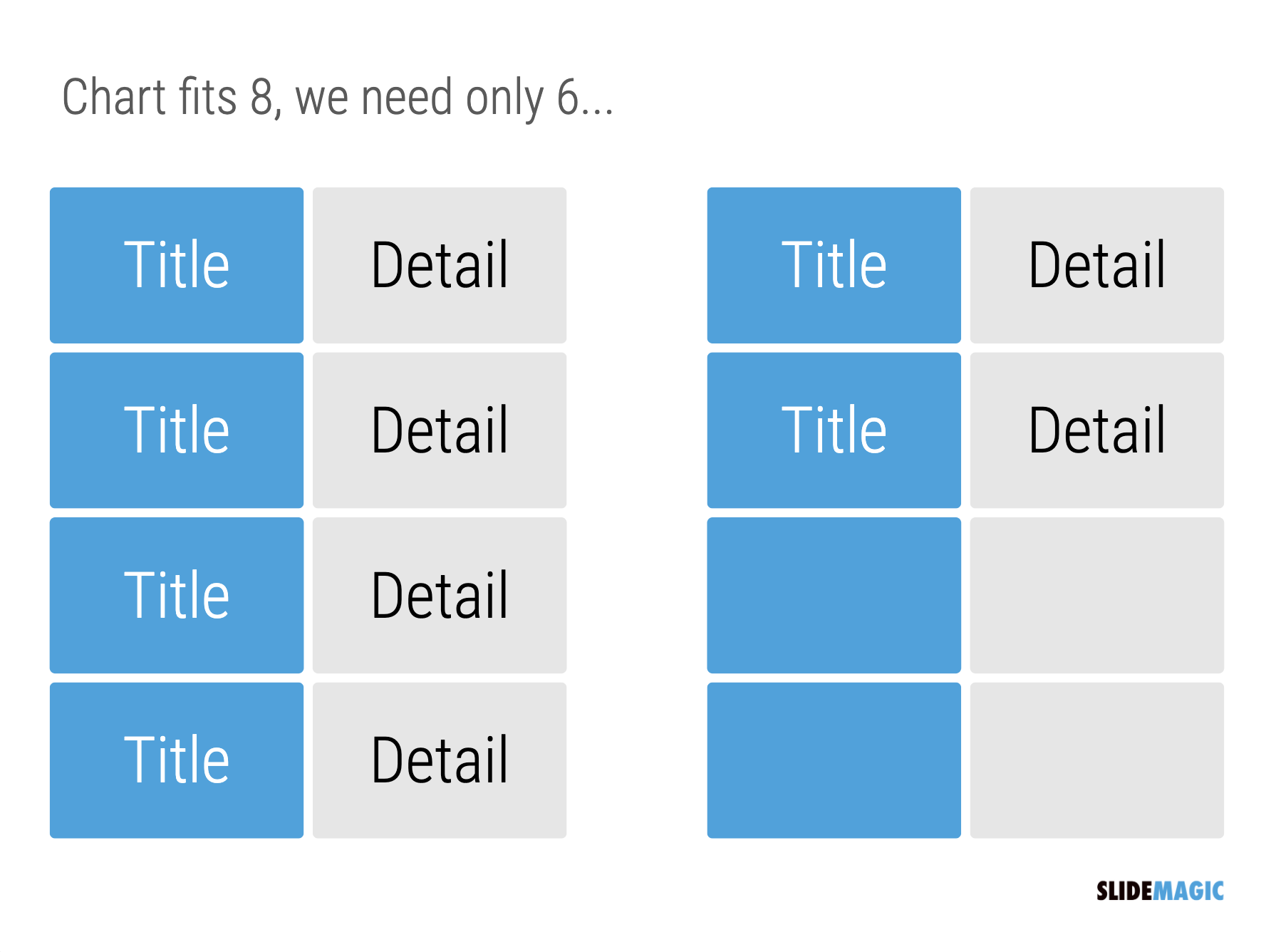
One of the biggest issues in business presentation design is adjusting frameworks to the amount of boxes you need. You had this great slide that fats 8 things, but thing number 5 and number 6 is no longer relevant, so now you need to rehash the whole slide layout…

Screen Shot 2021-01-15 at 10.05.00.png

I think this “bug” in the design process might be one of the biggest reasons for the popularity of bullet point lists: it is super easy to add and subtract things on your slide. And this is also the reason why pre-fab PowerPoint templates are so hard to use. The designer made that super pretty 8-box slide with sophisticated shapes, and 5 minutes before your meeting, you need to get rid of one without destroying the design of the slide…

In SlideMagic things are super easy. Option one: it is easy to adjust the grid layout to match your new box count. Or even better: a new box count might merit an entirely new slide layout. In the latter case, you will have to copy-paste your boxes, but at least SlideMagic takes care of the fiddly task fo lining things up.

Screen Shot 2021-01-15 at 10.05.11.png
Screen Shot 2021-01-15 at 10.05.21.png

Here is a pro tip: box counting is the first thing I do when staring a new slide. How many items, how do they spread across horizontal and vertical dimensions? Can we consolidate points? Should we break them up across multiple slides? Once you have your count, it is easy to find a matching design.

SlideMagic: a platform for magical presentations. Free student plan available. LEARN MORE