Make any presentation look better

Make any presentation look better

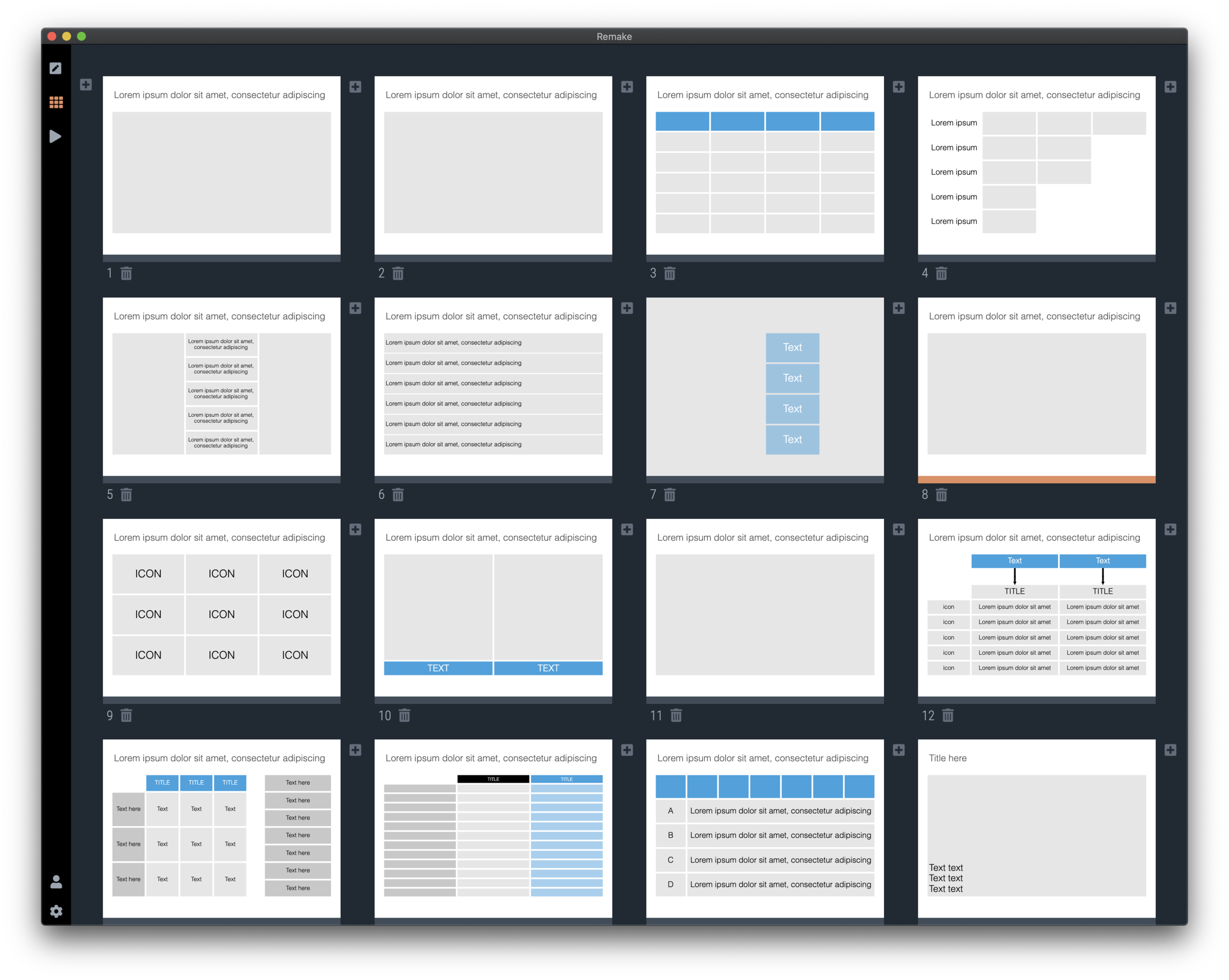
I took a recent draft presentation that came across my desk (in PowerPoint) and took out all the specific / confidential information and images, replacing them with dummy text and boxes.

This was by no means a final deck, but it highlights something that most people get wrong when creating a slide deck: tidying up your layout.

Screenshot 2020-05-26 18.38.18.png

Some slides have a white frame, others having images bleeding off the page. Icons are different sizes. Things are not properly aligned. Get all these things right, and your deck will instantly look good, even without fancy fonts, graphics, colours.

This is easier said than done. In PowerPoint, you have the freedom to place anything, anywhere you want. You realise in the last minute that that particular text needs to go in, well it will always fit.

SlideMagic will not let you get away with this. Grids are strictly reinforced. Many users complain about that lack of freedom. I need that 5th box, and now the whole slide layout cannot handle it. And this, exactly, precisely, the process a professional designer has to go through. Unlike you, she does it instinctively and switches the slide layout. With SlideMagic, you will be reminded (kindly) as well.

Here is a quick layout of what a deck like this in SlideMagic should look like. This is not “super design”, SlideMagic helps you make a decent looking deck in the minimum amount possible. “Super design” requires a lot of investment (time and money), which gets you a great looking deck, but one that is sort of set in stone, it is very hard hard to make changes to it. Great for your IPO road show, less so for an every day presentation.
Screenshot 2020-05-26 18.30.34.png

SlideMagic converts instantly to PowerPoint, here is the same deck ready to share with colleagues who are not using SlideMagic yet.

Screenshot 2020-05-26 18.35.30.png

You can download the latest version of SlideMagic here and check it out yourself. (Notice the little SlideMagic logo that is sitting in my PowerPoint toolbar, it is the beta version of the SlideMagic PowerPoint plug in)

SlideMagic: a platform for magical presentations. Free student plan available. LEARN MORE
Microsoft does not consider SlideMagic templates compelling...

Microsoft does not consider SlideMagic templates compelling...

The SlideMagic office add in for Microsoft PowerPoint got rejected for a second time. There are still some technical issues with getting it to work in Office 2013 (I cannot install this old software anymore to test things), but there were a 2 other reasons given:

  • your offer demonstrates insufficient interaction with our service”. While the Javascript API for other Office solutions (Excel, Outlook, Sharepoint) is very extensive, the only thing you can do in PowerPoint is add an image, add a text box, and add an entirely new presentation in a separate file or browser window. (The latter is what I am using to serve my template, Microsoft does not give me the option to insert slides into an existing presentation.

  • “Our product team have reviewed your offer alongside our validation team and believe that should your offer contain more compelling templates, it would be possible to allow the offer to be published without interaction with the open PowerPoint presentation” I think what Microsoft means is that if my slide layouts were more interesting, users would not have a problem that (the more interesting) layouts would open in a completely separate presentation.

I will continue to try to fix the technical issues where I can, but it is hard to change the fundamental characteristic of SlideMagic: offer really simple templates that save you time to make presentations…

Anyway, the workflow of simply downloading slides from the web site is actually not that bad. Also, Many users actually use the current version of the PowerPoint plugin, the only difference is that it does not appear in the official Microsoft store. I had a quick look at the Google Slides API, which is far more flexible than Microsoft’s one. I think Microsoft leaves a big opportunity untouched by de-prioritising PowerPoint when it comes to the Office Javascript API, hopefully it will change its mind.

Photo by Steve Johnson on Unsplash

SlideMagic: a platform for magical presentations. Free student plan available. LEARN MORE
All the way back to 2008

All the way back to 2008

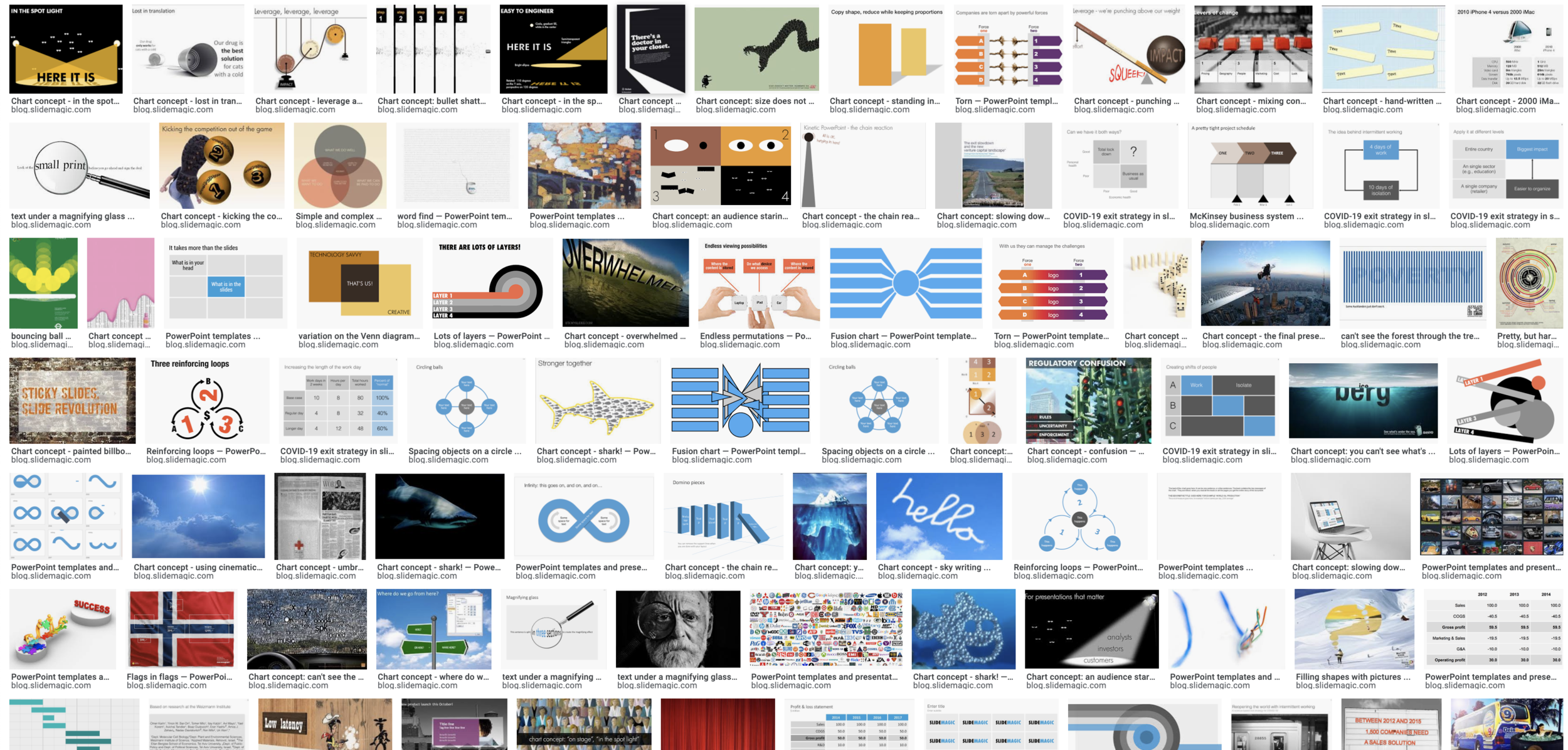
Now and then I dive back into the 12 year archive of my blog and see some or the early slide layouts I made. This Google image search pops up many of them.

Screenshot 2020-05-25 06.34.34.png

While many of these layouts are now still available as templates in SlideMagic, some of them, especially the early ones are a bit different:

  • “Slides that stick” orange and brown

  • Lots of hand written fonts

  • Unusual visual analogies

  • Most of them are definitely not for the layman designer…

Yes, I made have been a bit more “daring” back then (and remember, most of these designs actually were taken from actual client work), but I still think that I am on the right track with my current sober, simple, easy-to-make layouts. Less artistic, but far less time wasted by smart people that can use their energy to do more useful things that creating presentation slides.

SlideMagic: a platform for magical presentations. Free student plan available. LEARN MORE
Do you need Excel training or model training?

Do you need Excel training or model training?

This tweet caught my attention:

I spent a decade as a strategy consultant at McKinsey crunching spreadsheets, mostly company valuations. And all of those, I did with the very basic Excel functionality: simple calculations between 2 cells.

Like PowerPoint, Excel is packed with fancy features that actually distract form what you are really need to worry about: setting up a proper model. Complicated formulas collapsed in one cell create opportunities for bugs to sneak in. Also, when you need to expand or adjust your model, it is a lot easier when everything is neatly laid out in front of you. In all my models, I could understand the flow of calculation line by line.

The golden rule of analysis applied: “if it looks wrong, it is probably wrong”. (In the 1% of cases this is not true, you are probably on course to receiving a Nobel prize for a major new insight).

I did invest some time in finding a way to make my spreadsheets look good. Numbers rounded, cells aligned. If you are staring at something that looks scrappy, you will treat it as a scrappy back of the envelope.

The exception to all of this might be cases where you treat Excel as a database application. Setting that up properly will require some training.

Photo by Wonderlane on Unsplash

SlideMagic: a platform for magical presentations. Free student plan available. LEARN MORE
Working from home and the problem of coaching

Working from home and the problem of coaching

The big Working From Home (WFH) experiment has shown us over the past months that many industry sectors can function perfectly well in the absence of offices. And not only introverts discovered the benefits of not having to go through the commute/dress-up ritual of daily office life.

One thing will fall through the cracks though: coaching of junior people. Our education system produces people that can pass tests, not run companies. New recruits need to look over the shoulder of more experienced people to see how things are done.

When it comes to presentations, anyone can teach herself how to design slides using online resources (and useful tools such as SlideMagic). Learning how to pitch, making a convincing argument, sensing the feel in a room, these are all things that come with experience.

The emerging profession of the highly skilled, highly paid, independent freelancer (I was one of those for more than a decade), consists mainly of people who learned how to do things in a regular company setting, and then broke free. Doing this straight out of school is not possible for most people. You lack the skills, and the credibility to become a service provider.

A good example might be my venture into coding apps. I really understand the target market and the need, the Internet and a 1992 engineering degree taught me how to code, and the result is a usable software product. While I probably could run SlideMagic as it gets bigger, I might not be the person who can run a 200 person strong software engineering team, since I have never been one of these 200 programmers in the trenches working together to manage a very large system.

Photo by Célio Pires on Unsplash

SlideMagic: a platform for magical presentations. Free student plan available. LEARN MORE
V2.3.11 - Improved story view drag and drop

V2.3.11 - Improved story view drag and drop

Version 2.3.11 of SlideMagic just went up and should install automatically (if not you can force a download here). The main updates are to dragging and dropping in story view, that now includes a small animation before you drop a slide into place.

Blunt dragging and dropping can be disorienting as your computer re-renders the story view and you are wondering what just happened. No longer with this small animation. I have experimented with many Javascript libraries to include this effect before, none of them really worked well for my unusual situation: complex slides instead of straightforward images. In the end, I wrote the thing myself and control every aspect of it.

Photo by David Monje on Unsplash

SlideMagic: a platform for magical presentations. Free student plan available. LEARN MORE
Making a presentation when you know you will not even use it

Making a presentation when you know you will not even use it

In many cases, a face-to-face informal (video) meeting is more effective than a formal presentation of slides where you drag your prospective investor or customers through page after page of information.

But just going in for a chat with no clear plan what you are going to say does not work either. You cannot wing a sales or investor pitch. Here you are start missing your slides. A poor use of slides is using them merely as a reminder what topic you are going to address next right at the moment when you are talking. “Ah, yes, of course, the market size, well here we have some interesting stats that show the phenomenal growth of online video and social media…”.

A good use of a presentation is to let the slides make you think about your story (days or even weeks) before the presentation. How to sequence your points, how to explain the technology, how to address the white elephant in the room (and other tricky questions).

Once you are done designing your slides, you are also prepared for the meeting (with, or without the actual slides). The presentation was an excuse to organise your thoughts.

(Product plug: in the SlideMagic desktop app you can make presentations very quickly with lots of templates available and less design details to worry about, it might fit right in for this purpose).

Photo by Faris Mohammed on Unsplash

SlideMagic: a platform for magical presentations. Free student plan available. LEARN MORE
How to make an agenda presentation slide

How to make an agenda presentation slide

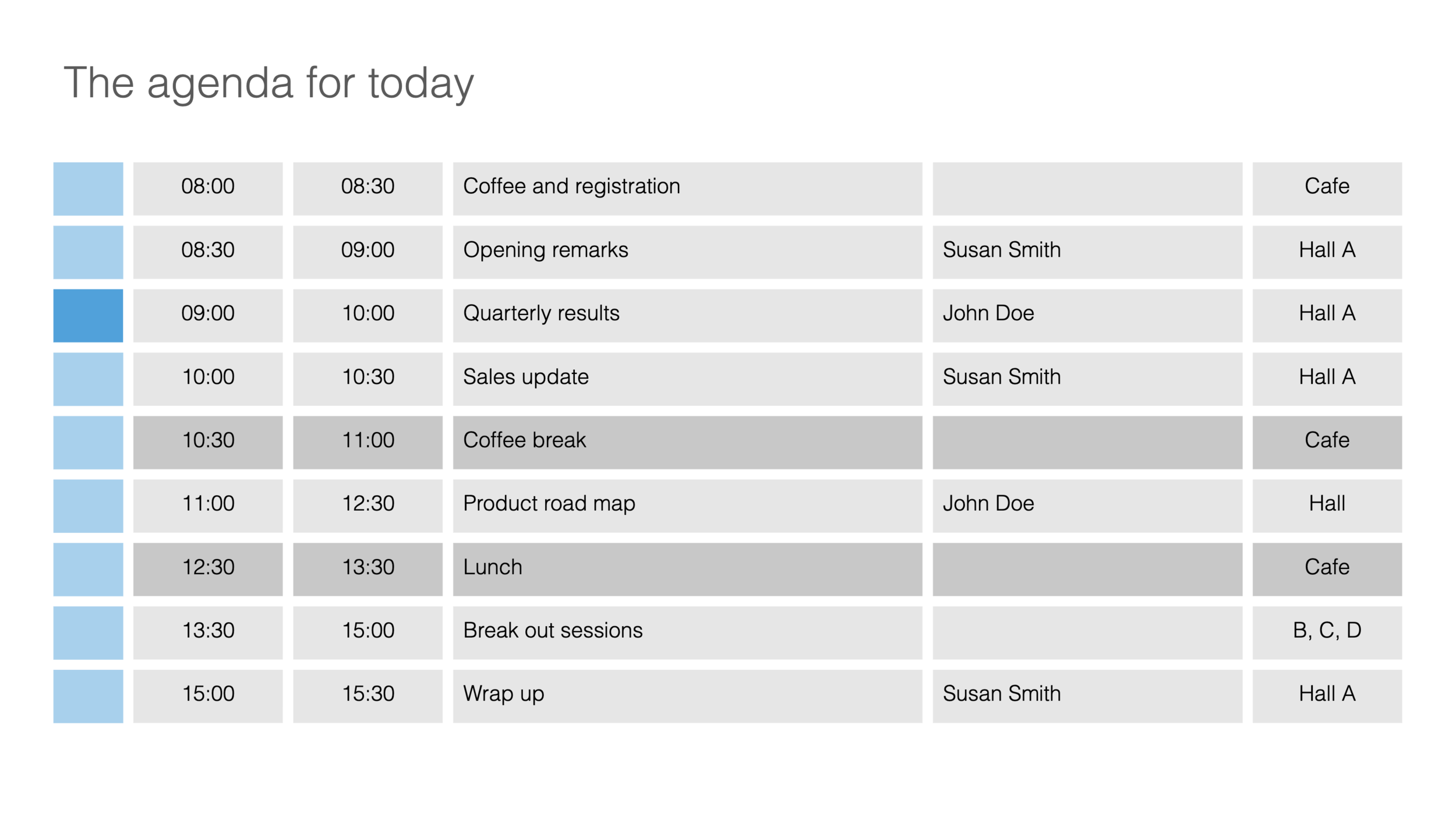
I just added a few more slides to the SlideMagic template database. This time an agenda slide that comes in a number of variants.

Agenda slides are very easy, and very tricky at the same time. Easy, because, well, it is a simple table that does not seem to require any eye for design and/or sophisticated graphics. But, in most design applications getting those boxes to line up properly is an absolute pain. And, agendas change all the time, right up to 5 minutes before the kick off. So you finally got your layout of boxes, when the request comes in to add another line…

This is where SlideMagic shines. The new agenda slide is here, or check out a generic search for agenda slides.

This slide variant is a slightly busy one, with all the information about times, topics, speakers, and locations. Still, I think it can work, people need to know these things in a conference. The SlideMagic library contains other, more minimalist, slides that are better suited as tracker pages to separate sections of a slide deck.

As an introduction offer, access to all slides is free from within the desktop app. Pro users can download or convert to PowerPoint slides. If you are interested in working with these type of layouts and save time, but your colleagues are not (yet) you can quickly make your slides in SlideMagic, and export the slides in order to copy-paste them into a traditional PowerPoint file.

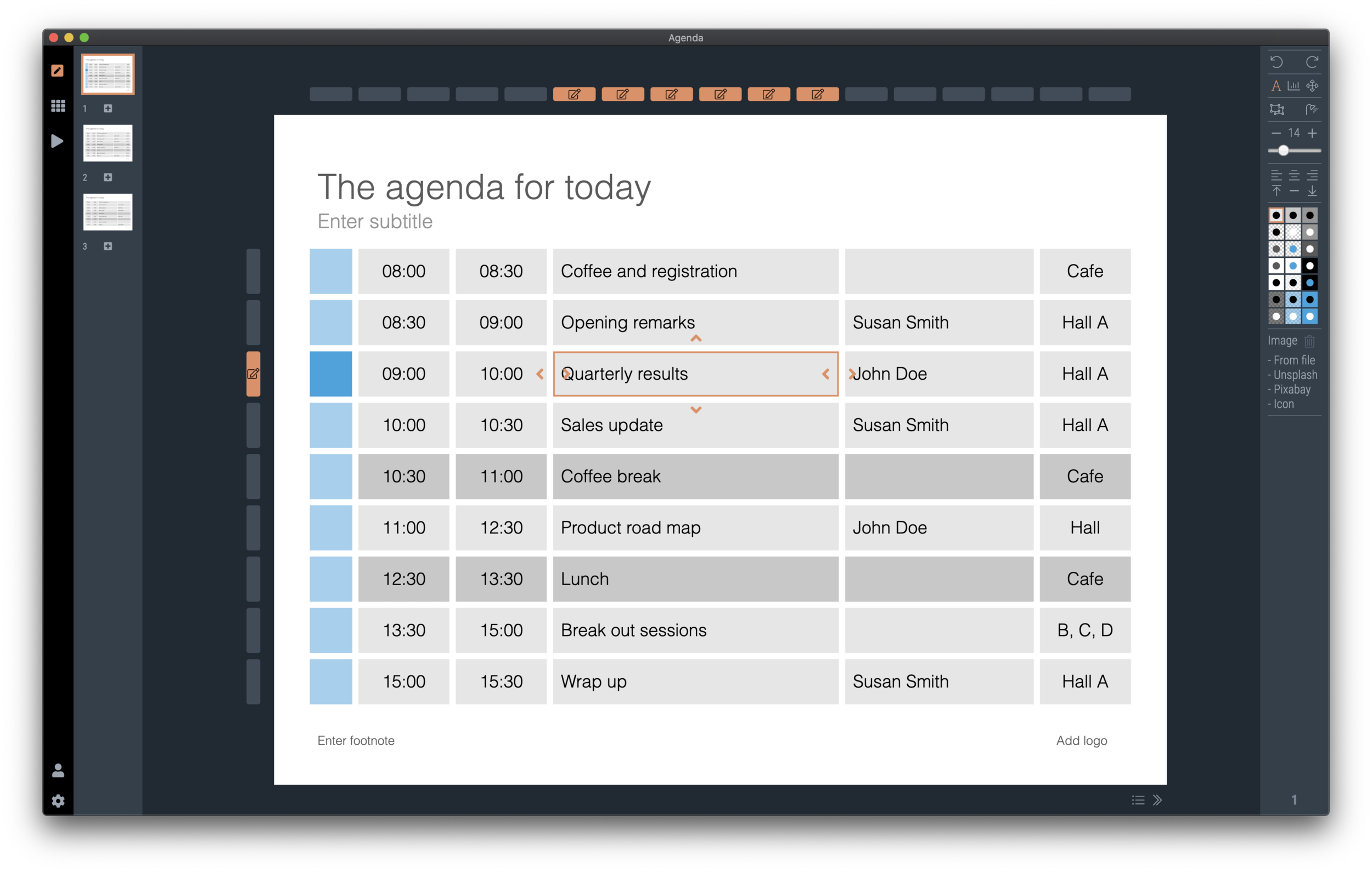
It is easy to make adjustments to an agenda slide in SlideMagic: simply add or remove rows or columns, and the entire grid lines up properly

SlideMagic: a platform for magical presentations. Free student plan available. LEARN MORE
Quora answer to "How to design a good presentation slide for business?"

Quora answer to "How to design a good presentation slide for business?"

Someone requested me to answer: “How do I design a good presentation slide for business?” Here is what I suggested:

This is a very generic question that is hard to answer without the specifics of the point you want to get across. Having said that:

There are many web sites, blogs, and books out there that advocate the principles of good slide design: minimal use of bullet points, use images, no clip art, use graphs, use white space, etc. etc. Everyone can spot a poor slide vs a good slide. The tricky bit is how - as an “amateur designer” - to make a (reasonably) good looking slide that still captures everything I want to say.

Some guidelines:

Find a basic look that seems to work, you can “borrow” from Apple, or other presentation styles that you think look decent and stick to fonts and generic slide layout rules. Personally, I like the style that Swiss graphics designers used in the 1960s a lot: Helvetica font, with a few simple colours. Very easy to copy to today’s presentation software.

Write the headline of what it is that you want to get across. Important: it can only be one message, not 2, not 3, just one key point that the audience should remember. If your whole slide fails, you (and your audience) still have that title to hang on to

Now, think about what you actually need to show to make that point. Here is where people lose it. They addd info, details, data, graphs, that do not contribute or support the headline at all. In that whole spreadsheet, there could be 2 numbers that you need. Be religious about this: you want to make a point, what visual do you need to support it. If you want to make other points, put them in other slides.

Consider more ways to express an idea than words. Use very simple graphics to simplify text. If there is a choice: put 2 boxes with the options with a double sided arrow in the middle. If there is a consequence, but 2 boxes with a single sided arrow. If there is an overlap of interests, use 2 overlapping circles. I would call this “visual verbs”: very simple shapes that instantly communicate what you want to say.

(Product plug: I am developing a software tool that supports some of this, you can check out SlideMagic, which has a free option, to find slide layout to get you started).

Good luck!

Photo by Jon Tyson on Unsplash

SlideMagic: a platform for magical presentations. Free student plan available. LEARN MORE
How to make a CV slide

How to make a CV slide

I am starting to work on a standard slide deck to present your CV, with me as the test subject. The first page is done. I like these type of time lines, because they communicate a lot of the basics about a person (years, employment, locations, education, etc.) in one slide, without making it too crowded. The rest of the presentation will cover more background.

Screenshot 2020-05-13 08.02.05.png

They way to set the slide up is to start with a fine grid, create the major divisions based on your professional work history, then start refining. Notice how I left the consulting-style table labels (‘Employer’, ‘Role’, ‘Location’, etc.) out because it is very obvious from the chart what the rows mean, and these labels would take valuable space/destroy the balance of the layout.

In general, I think 4x3 slides look better than 16x9 ones. 16x9 is made for movies, 4x3 has a more pleasing balance for graphic design. These type of timelines are an exception though, the amount of left-to-right information makes the 16x9 format very useful. SlideMagic switches back and forth at the press of a button.

You can find the slide here in the template store, or simply search for “CV” in the desktop app.

Screenshot 2020-05-13 07.46.56.png

You see how the search algorithm recommends other slides for highlighting career backgrounds and teams.

Screenshot 2020-05-13 07.59.47.png

There is more work coming up on the CV slide deck, stay tuned.

SlideMagic: a platform for magical presentations. Free student plan available. LEARN MORE
New slide templates

New slide templates

A busy day today: i completed a 2nd submission for the PowerPoint plug in, hopefully ticking all the boxes (well, except one that is actually an issue with the Microsoft Javascript API). Let’s hope for the best.

So no long-read, deep blog post today, still I found a few minutes to upload some new slides into the database. Soon, I want to get 1,000 layouts in the database, and we are making good progress towards to that goal.

Here are today’s additions. Remember that you can bring the colour of the images back once you download them into the desktop app.

Screenshot 2020-05-12 17.37.00.png

Image by 272447 from Pixabay 

SlideMagic: a platform for magical presentations. Free student plan available. LEARN MORE
COVID-19 exit strategy in slides

COVID-19 exit strategy in slides

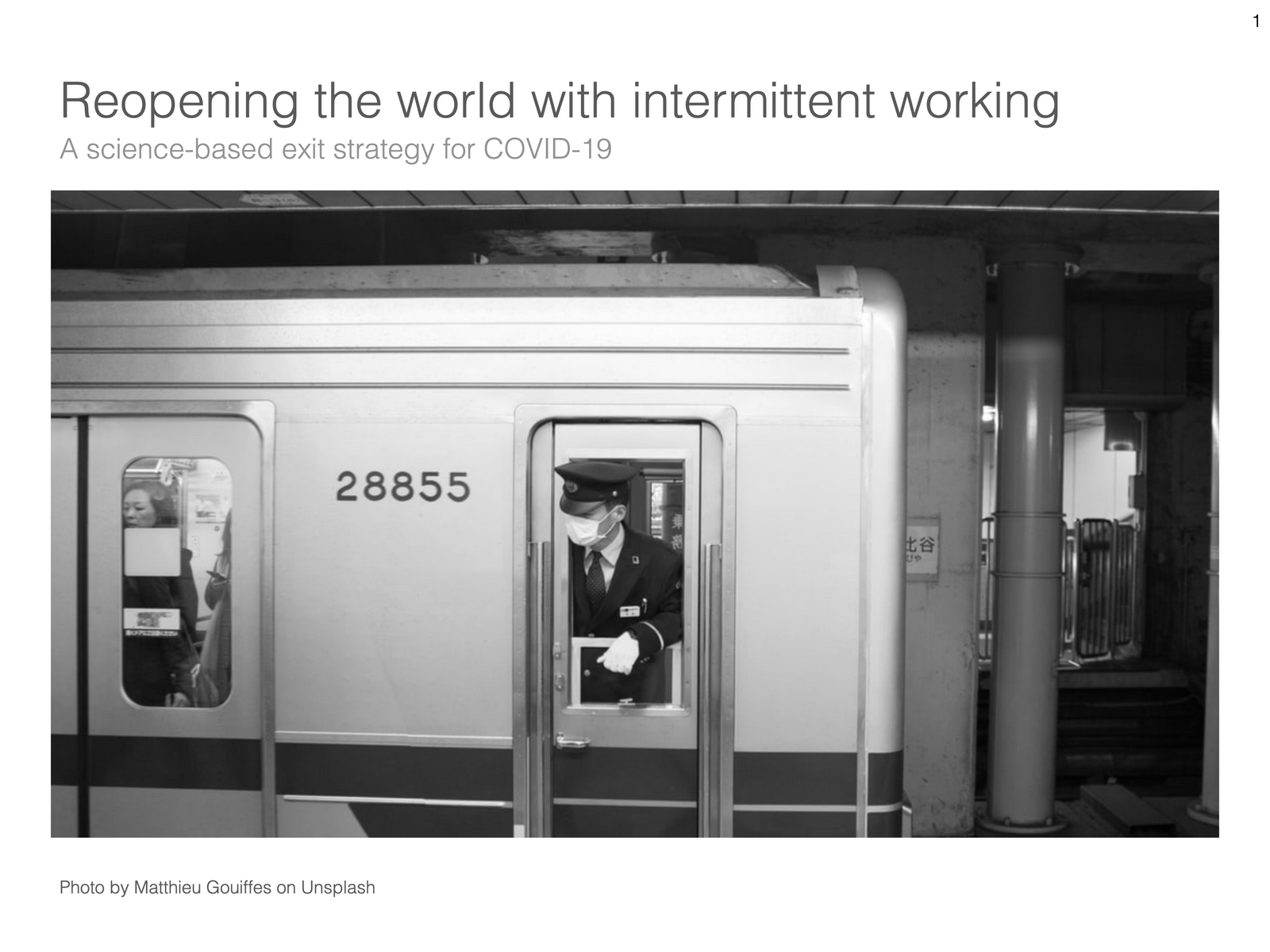
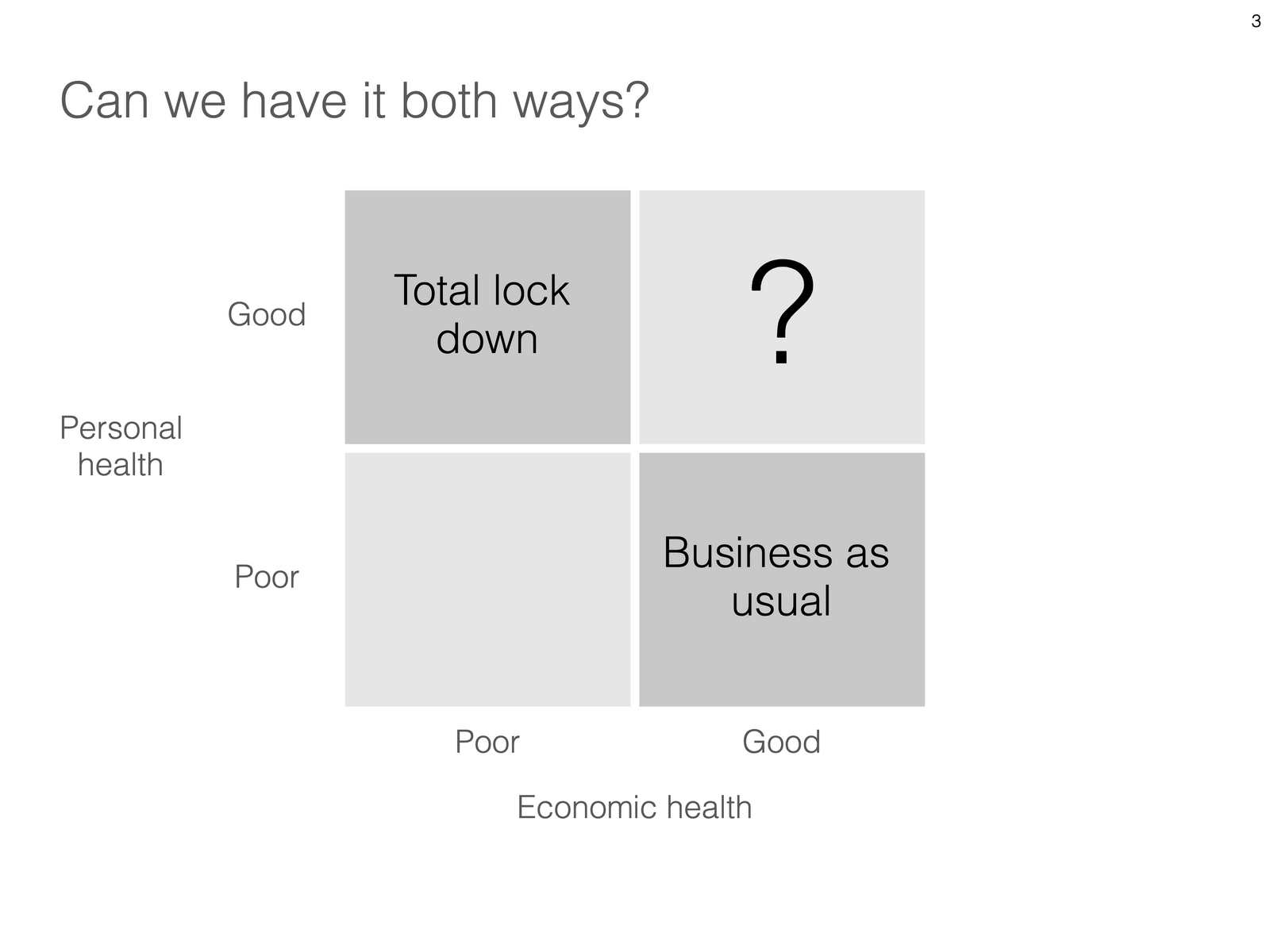
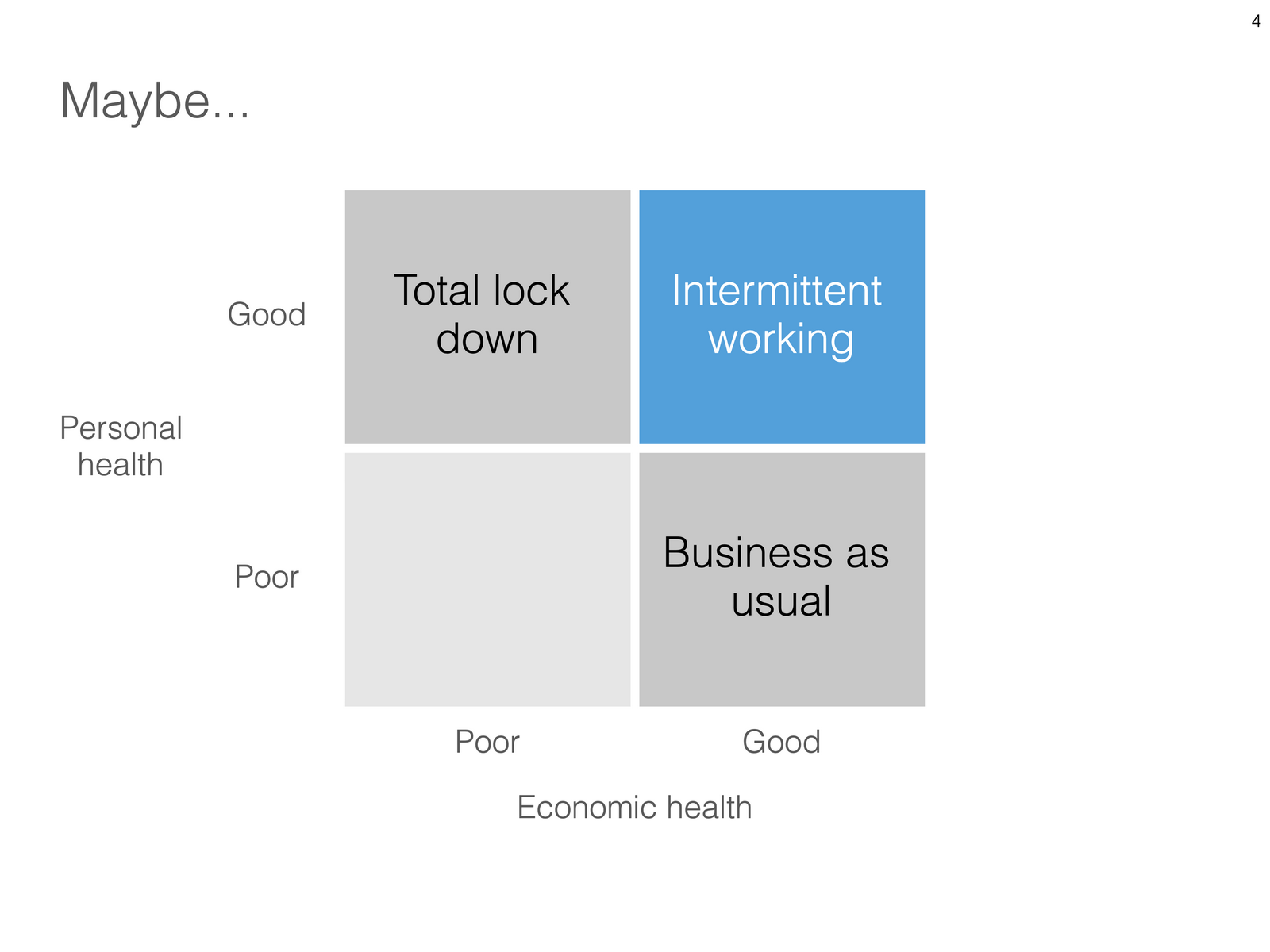
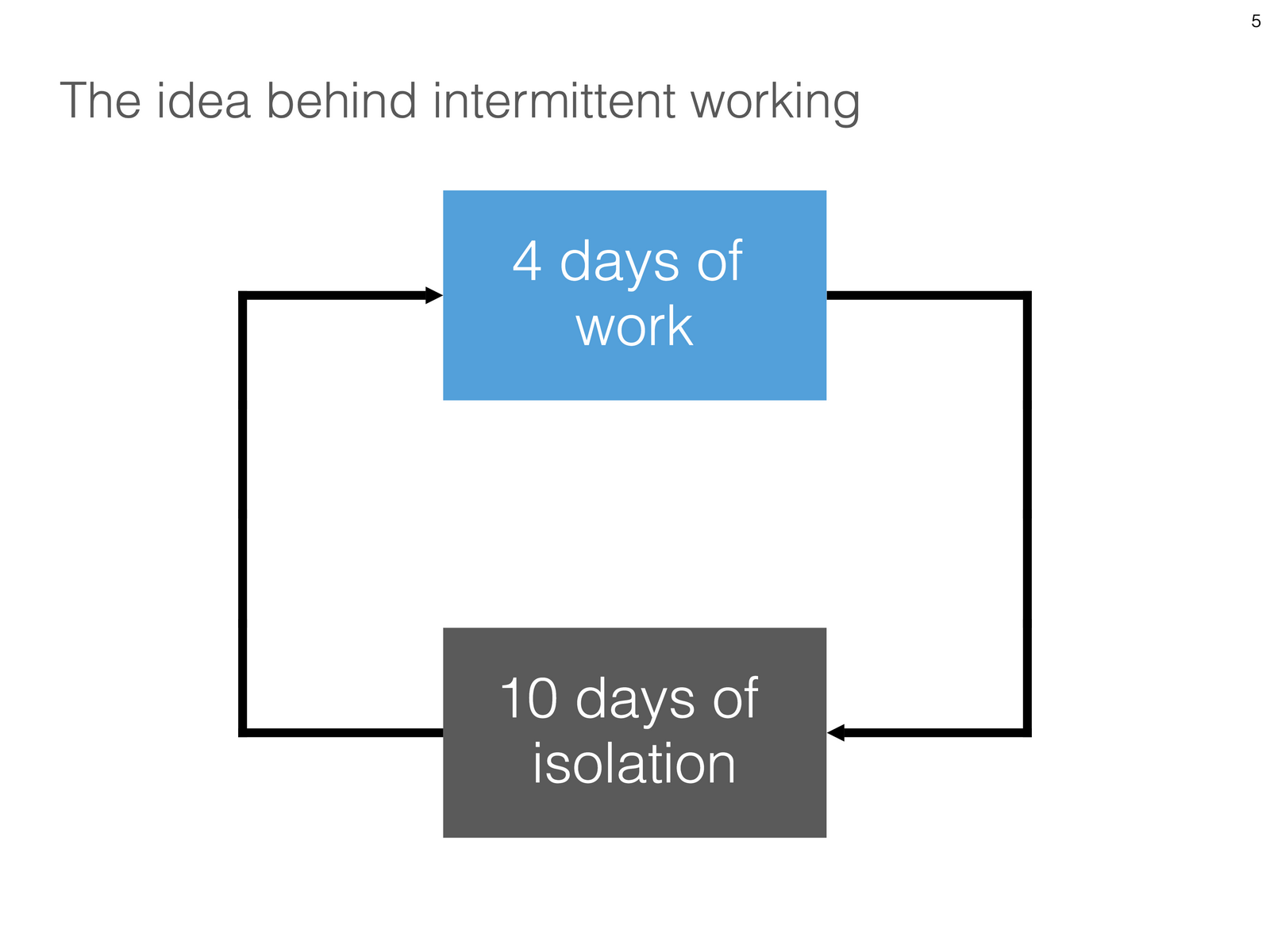
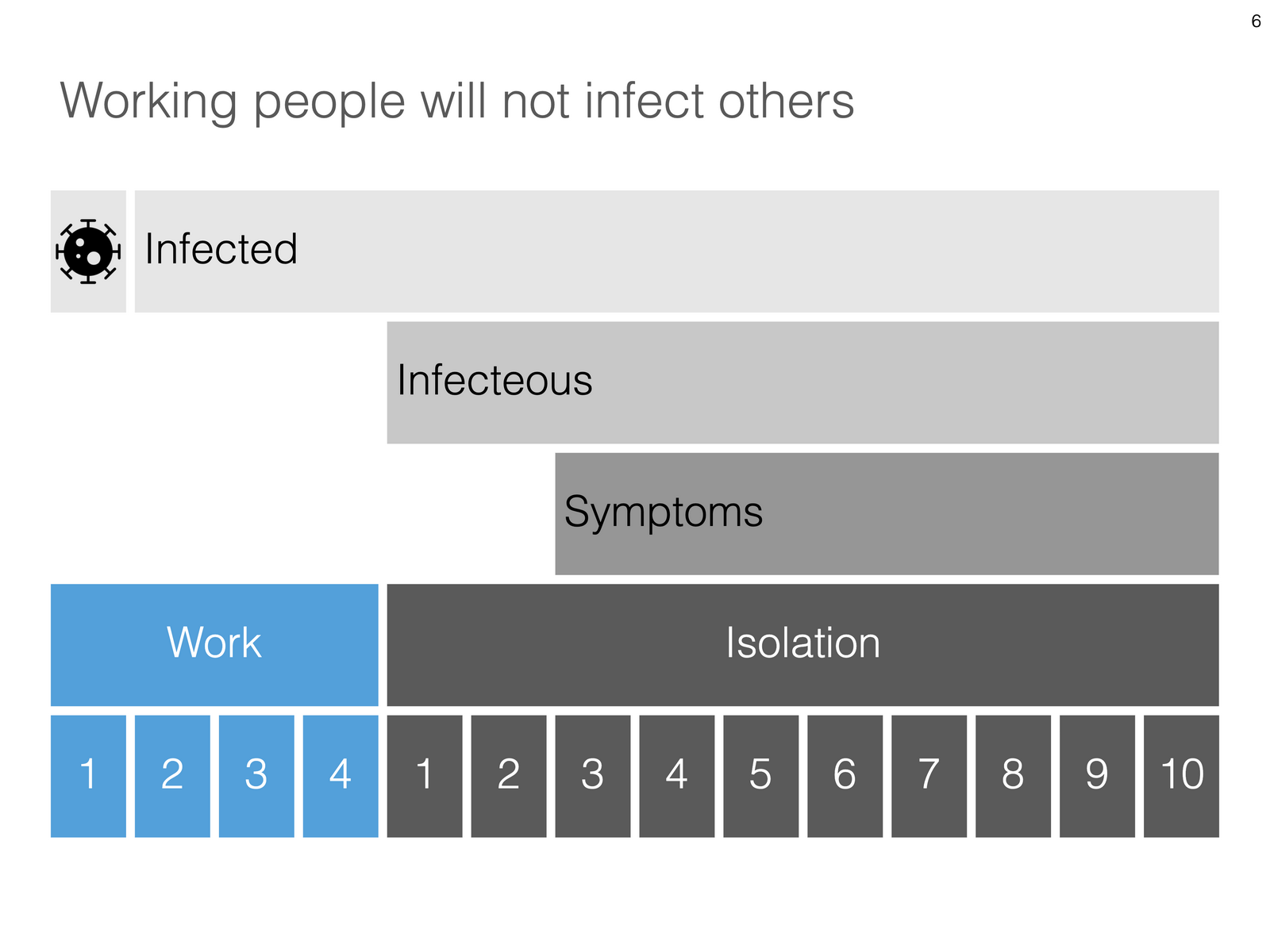
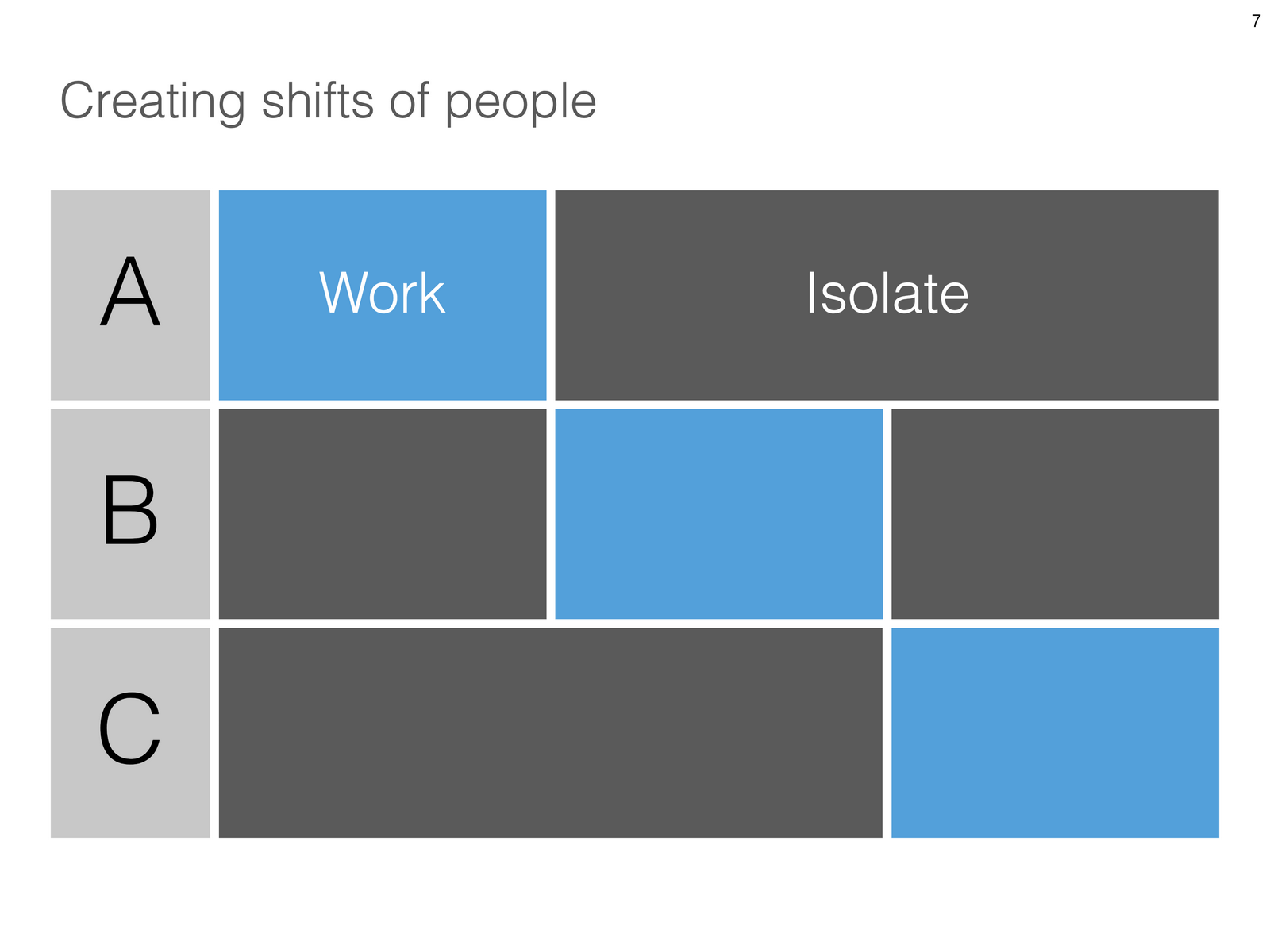
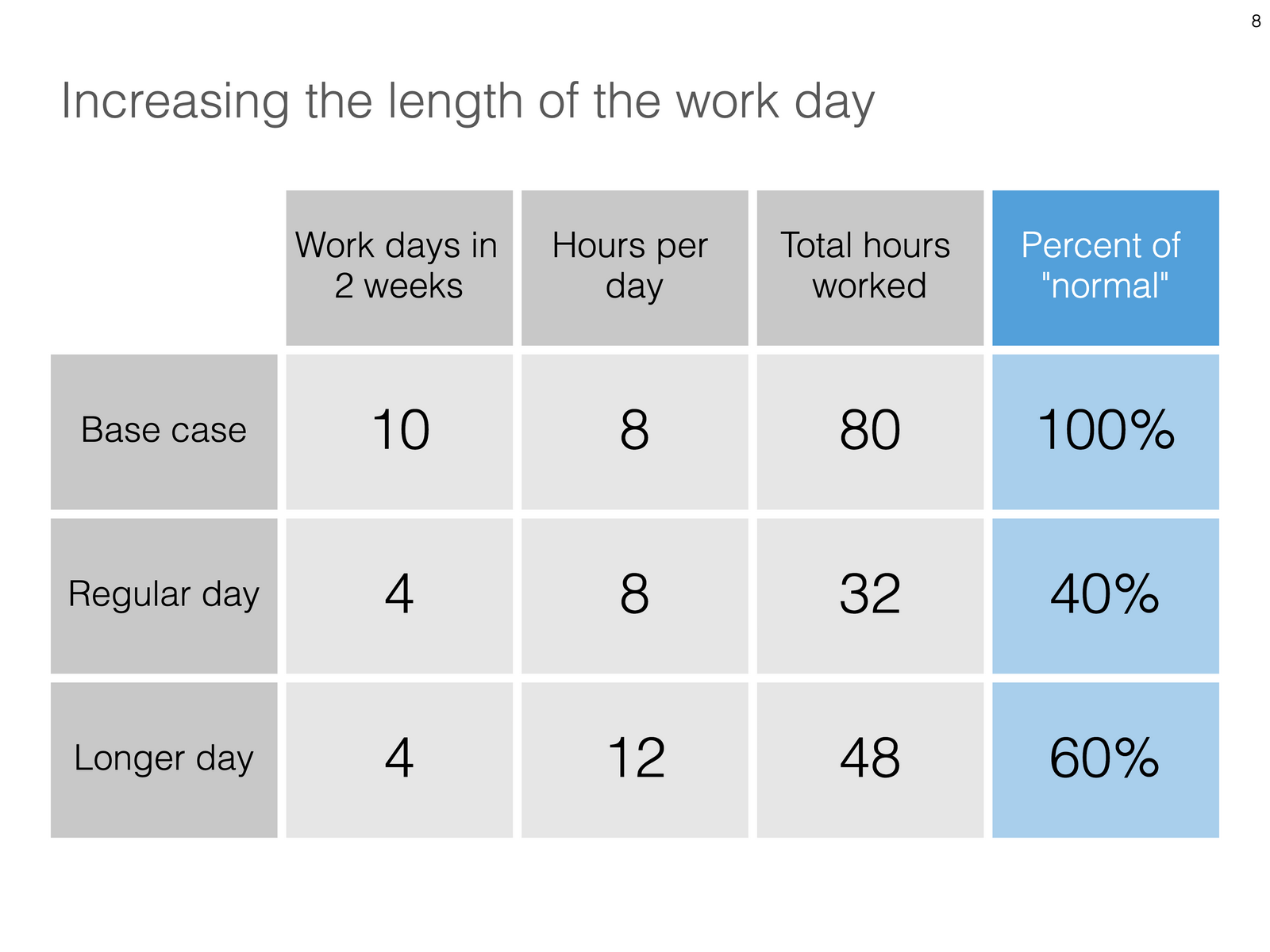
Uri Alon and other researchers at the Weizman Institute just south of Tel Aviv here in Israel have been working on an innovative idea for a COVID-19 exit strategy: intermittent working: let people work 4 days, and go into isolation for 10 days. Even if someone gets infected on day 1 of the work shift, the person will only become infectious during the isolation time, after which symptoms will appear. In that way, the economy can get going, while the infection rate of the virus will come down.

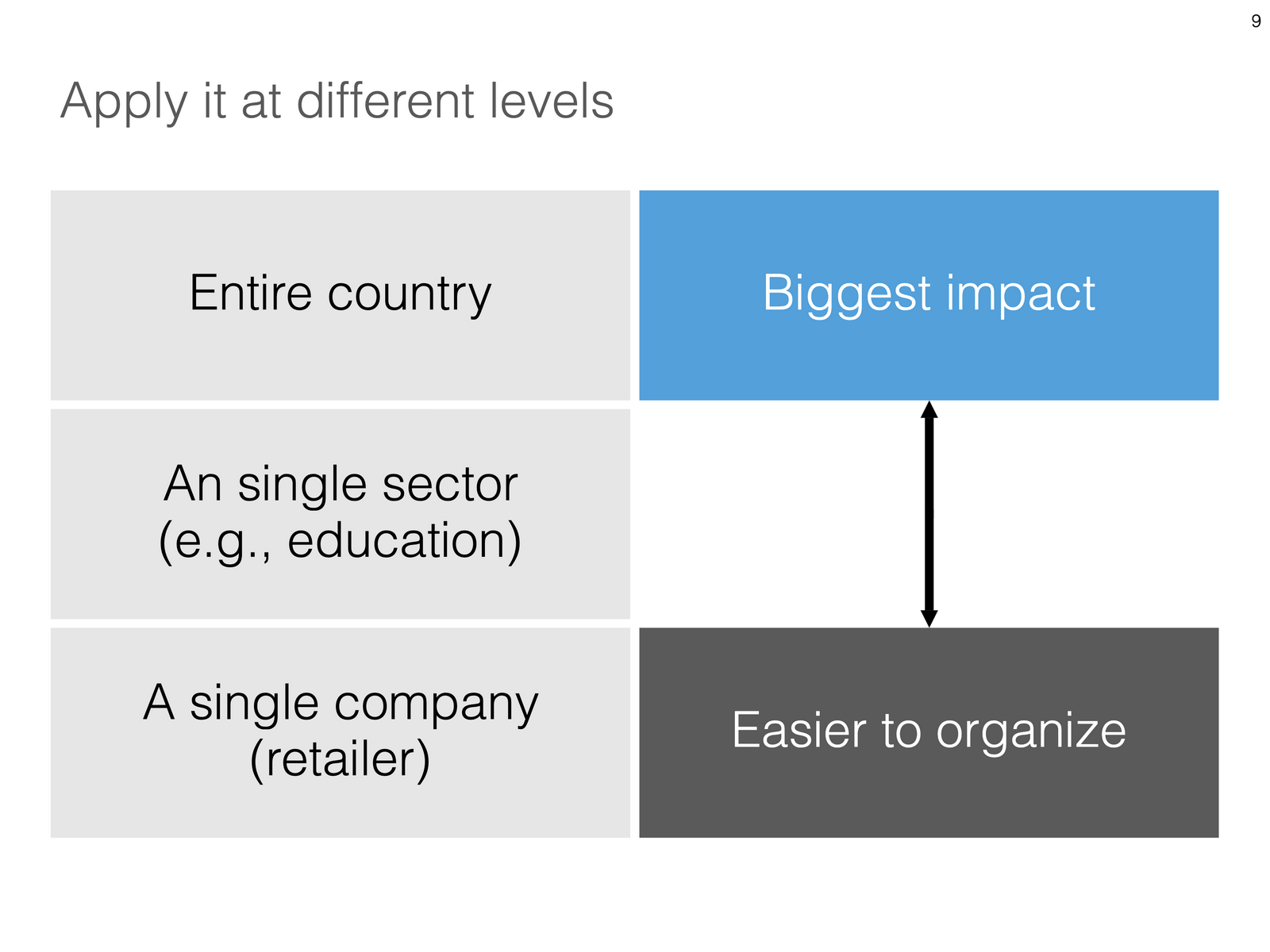
I think the idea is great, but I cannot see it adopted at a country level by politicians. For a specific sector (education?), or a specific company (a retailer with lots of client-facing staff), it could get adopted. Another (maybe even likely) application is to combat a likely second wave of the virus towards the winter. Rather than slamming the full brakes on the economy, go for the intermittent approach.

Communication of this idea is hard though. The researchers started with their scientific paper. Lots of graphs and analysis that shows the statistical impact of their research, including all kind of variables such as the percentage of people that actually stick to the rules. Next up is a video that explains the concept in a much more intuitive way.

I am constantly looking for new charts to the SlideMagic template database, and made a few simple charts that communicate this idea. All of this is done in the spirit of SlideMagic: very simple charts that are really quick to put together. Nothing fancy, but looking decent and doing the job of getting your message across.

Subscribers can download the slides here in .magic and .pptx format. For a limited period of time, every user of the desktop app can access the full slide library there. When adding new slides, search for “COVID-19” in the app, and they will pop up for you to use.

SlideMagic: a platform for magical presentations. Free student plan available. LEARN MORE
Unlimited access to Unsplash images

Unlimited access to Unsplash images

SlideMagic was approved by Unsplash for full access to the API, no more hourly rate limits for searching images. Thank you!

Group.png

Version 2.3.9 of the SlideMagic desktop app also offers a more minimalist image search interface. The selected image gets put straight into your slide, in a proper grid so that it always lines up with the other elements on the page. In the app you can zoom in or out, and move the image (inside its container). The image credit also gets placed in the footnote of the slide (not required by Unsplash as it is a remixed image, but still nice to the photographer, the main obstacle for crediting images I think is not that people don’t want to, but it is a hassle to find the details and put them in your designs).

Hitting an empty search returns a set of random images (because I could :-)).

SlideMagic: a platform for magical presentations. Free student plan available. LEARN MORE
The video call is the new call

The video call is the new call

Some positive culture changes in this time of remote working, from my own experience, and observing my venture capitalist wife:

  • Calls that were, well, just calls, are now almost all video calls

  • Things start on time, on the dot (Germany-style)

  • Small talk formalities are shorter, but much more effective with the video picture present

  • Investors can size up the management team of a startup earlier in the process

  • Body language makes it easier to adjust the flow of the presentation (in cases of boredom, confusion, and/or excitement and interest)

Photo by Thomas William on Unsplash

SlideMagic: a platform for magical presentations. Free student plan available. LEARN MORE
PowerPoint plug in update

PowerPoint plug in update

An update on the development of the SlideMagic PowerPoint plugin. One of the main reasons my first submission to Microsoft was rejected is that the current version of the plugin does not run on PowerPoint 2013 and the Windows 7 operating system, largely because I pretty much ignored Internet Explorer as a browser option. Microsoft itself does not really support Windows 7 anymore. The other problem is that it is actually hard to debug a plugin for Office 2013, I tried actually buying a copy, but you cannot get it anymore… On top of that, it turns that you cannot run multiple versions of Office on one computer. The strange situation is now that in order to develop add-ins for the latest versions of Office, you actually need to do that on a super old machine. If there is anyone reading this who can help, please reach out.

Capture.PNG

But OK, challenge accepted. I will begin to ‘dumb down’ the server response to calls from within Office applications. I can test the rendering of the screens in Internet Explorer 11 (just installed it), and have to hope that rest works in Office 2013 without testing. Hopefully the second submission will get accepted.

The current version still works but requires some level of computers skills and courage to get it to work.

Image by Masaru Kamikura

SlideMagic: a platform for magical presentations. Free student plan available. LEARN MORE
App features in a row

App features in a row

I created a few new images to show the features of the SlideMagic presentation app. I am started to feel very good about where SlideMagic is going. This post is a bit like a 1980s Dutch consumer product commercial where “We, people of [product] recommend… [product]. I, the developer of SlideMagic recommend…. SlideMagic.

Search templates directly inside the app. Currently, the app gives free access to all slide templates in the SlideMagic database

Search templates directly inside the app. Currently, the app gives free access to all slide templates in the SlideMagic database

Instant PowerPoint conversion

Instant PowerPoint conversion

Integrated online image search

Integrated online image search

Integrated online icon search

Integrated online icon search

Patented user interface keeps everything lined up

Patented user interface keeps everything lined up

Dark/light background colour switching

Dark/light background colour switching

Collapsable slide explanation panel when you cannot present in person

Collapsable slide explanation panel when you cannot present in person

Dual monitor support

Dual monitor support

Distortion-free aspect ratio conversion

Distortion-free aspect ratio conversion

Photo by Yunming Wang on Unsplash

SlideMagic: a platform for magical presentations. Free student plan available. LEARN MORE
SlideMagic is a desktop app, and it isn't

SlideMagic is a desktop app, and it isn't

“What, you are making a desktop app in 2020? Well, we (the U.S.) have moved totally into the cloud now, everyone is using Google Docs to collaborate. Maybe people in less developed countries might find your product interesting if it is offered at a low price (i.e., people who cannot afford Google Docs and/or are using pirated copies of PowerPoint. Your next challenge is to make your product available in non-English languages and get sales distribution in these markets (do you need some contacts?).”

OK.

I now start to feel first hand what entrepreneurs go through when talking to others (especially investors) with their product. I am not raising money at the moment, but here is a possible way of answering a question like this.

  • On the one hand SlideMagic is a desktop app, on purpose. Presentation design requires a super snappy interface, and deep access to the operating system (dragging things between 2 files open in a window for example).

  • On the other hand, SlideMagic is not a real desktop app. It is written in HTML and Javascript and runs on Google Chromium, the current web development setup, and the app is updated very frequently in the background (sometimes daily).

  • SlideMagic focuses on 1 (huge) issue in presentations: story clarity and design, not online collaboration, not enterprise security, not cloud file storage, not data analysis, not stunning animations, not knowledge storage and search, not intra-employee information sharing. All these are important issues that have great software products built for them, by billion dollar companies.

  • SlideMagic’s economic setup allows it to do this: a super lean cost base, and a former strategy consultant, presentation designer, computer scientist brain combined in one head to try and get product-market fit for what no one has managed to do: get people to make better presentations. Millions of dollars of VC money, huge teams of people with the objective of dethroning Microsoft or Google is not what were are doing here. SlideMagic needs very little to turn profitable, SlideMagic can afford to take its time with product iterations to get there. Only when the formula catches on, investing is growth is on the agenda.

In short, SlideMagic might sound like a crazy idea, but it is a calculated risk where the whole combination of technology, idea, economics, and entrepreneur is in balance and hangs together. It might not work, but it could work, and when it does, presentations will become a lot better.

You see how I tried to answer the question: factual, reasonable, and even a bit vulnerable. Not every investor will agree with you, not every investor will think she is a fit with your business (these are 2 different things) but every one of them should think that you are a sensible person and see where you are coming from.

Photo by Andre Mouton on Unsplash

SlideMagic: a platform for magical presentations. Free student plan available. LEARN MORE
Warren Buffett's investor presentation slides

Warren Buffett's investor presentation slides

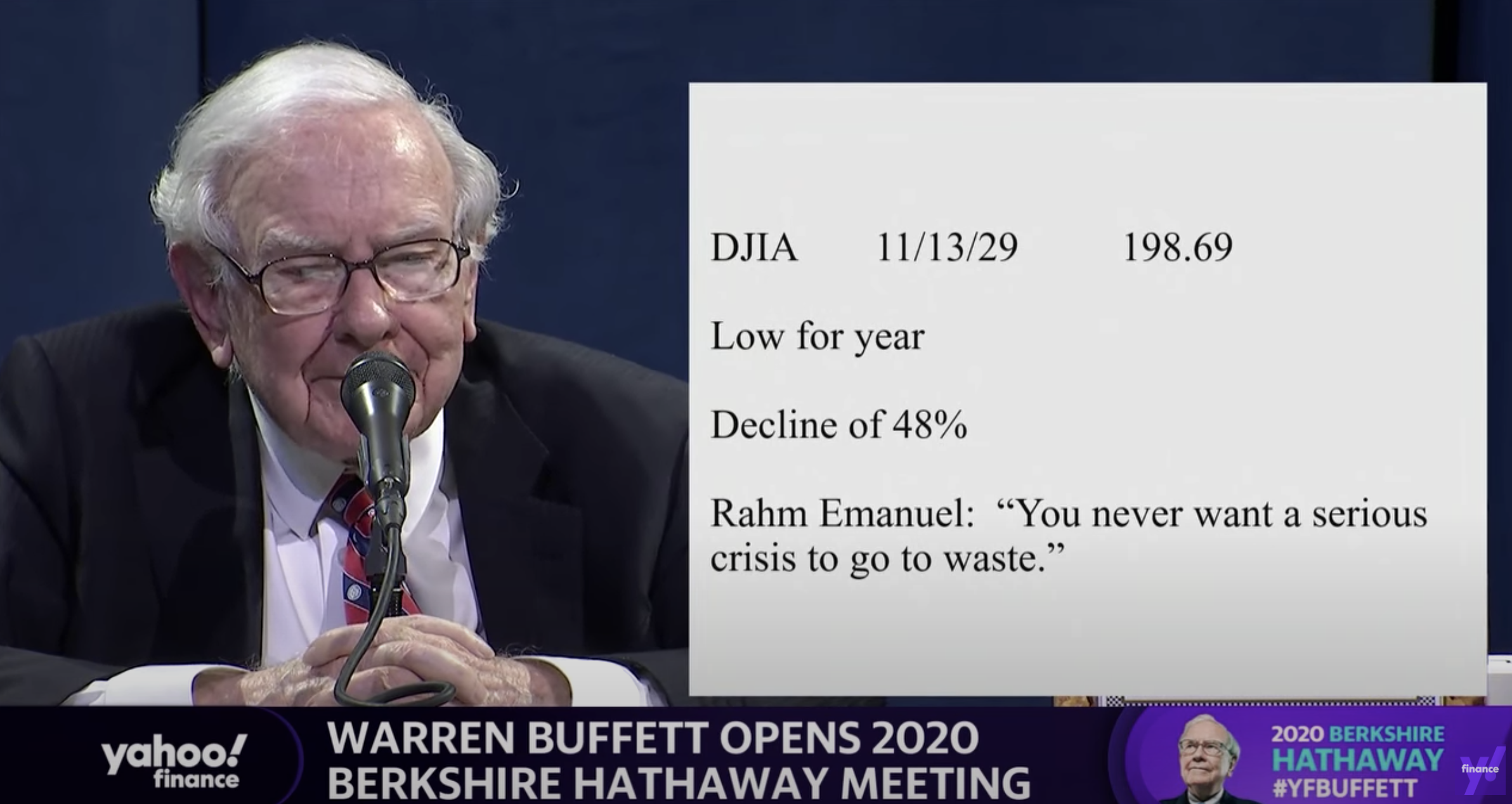
This tweet flew by about Warren Buffett’s slides during his annual investor meeting.

A sans serif font and centering the text would have made it look better, but overall, this slide is actually not that bad. One big message without distractions. (If Warren had used SlideMagic with this template, his slide would have looked like this)

Screenshot 2020-05-03 07.34.29.png

Other slides are less crisp though, as seen in the example below:

Screenshot 2020-05-03 07.24.07.png

But, Warren does not read out the bullet points, he tells a story starting with background about his father. People will read the slide for 2 seconds, wonder about the quote, and then focus all attention back on him.

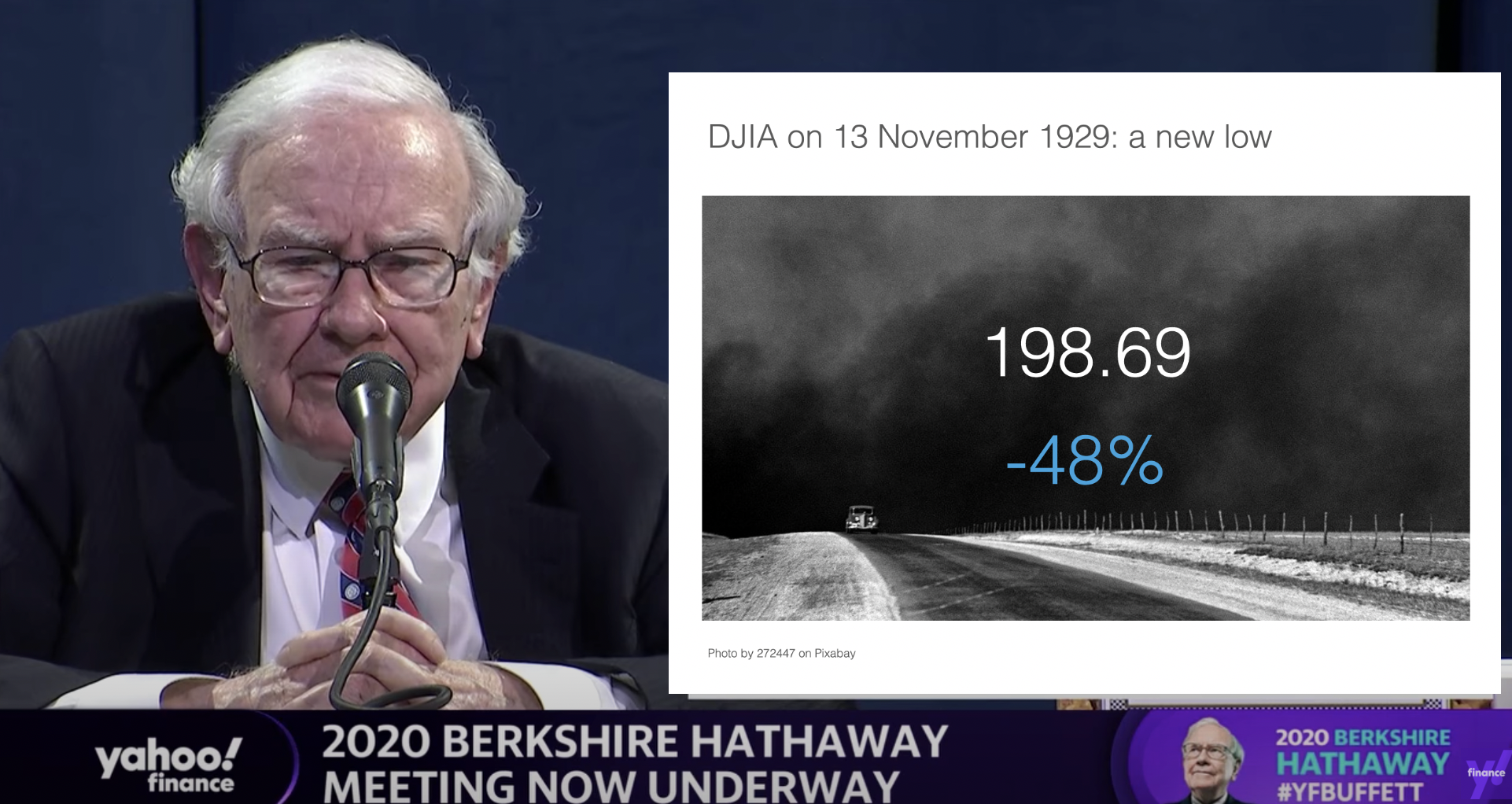
OK, I could not resist, SlideMagic would have produced the following slide (a quick search for “1930” in the built-in Pixabay image search delivers good results)

Screenshot 2020-05-03 07.51.59.png

I would put the quote on a completely separate slide, if at all.

Coming back to the first tweet. If you are Warren Buffett, then you get away with pretty much any slide design. On the contrary, making it all too fancy is a direct contradiction to his modest life style. If you are not Warren Buffett, putting in 2 seconds worth of effort with SlideMagic will definitely make a difference.

I tagged these 2 slide examples with “buffet” in SlideMagic, you can use them in your own designs and find them in the presentation app, or download them here.

SlideMagic: a platform for magical presentations. Free student plan available. LEARN MORE
Integrated Pixabay image search

Integrated Pixabay image search

Pixabay offers a large database of free stock images. The site has become increasingly useful over the past years. In 2020, free images are now often better than paid stock photos, simply because the designer/photographer tries less hard to add effects and edits to the original photographs. (This is all written from the perspective of a corporate presentation designer, there are probably other people out there who value edited images).

Each free image site has its own profile. Unsplash has better aesthetics, more natural images. Pixabay has more functional images.

Screenshot 2020-04-30 16.27.55.png

I have now added the ability to search Pixabay images in the desktop app. (Unsplash images, and the Noun Project icons were already present). All implementations are still beta features, as I finalise the approval for the API. (But I am confident I checked all the right boxes).

In-app image search is not just a “lazy” feature. It can greatly improve your presentation design workflow. Especially when it comes to copying, pasting, cropping and positioning images. In SlideMagic, this is just a few clicks. And, because of SldieMagic’s rigid slide grid, every image will always line up neatly with the other elements of your slide.

You can download the latest version of SlideMagic here (2.3.6). Integrated image search requires a pro subscription plan.

SlideMagic: a platform for magical presentations. Free student plan available. LEARN MORE
"SlideMagic style"

"SlideMagic style"

Even presentations not made in SlideMagic can look like one. Have a look at “Standing on the shoulders of giants” by analyst Ben Evans:

Screenshot 2020-04-22 15.46.45.png

The design approach:

  • One strong accent colour

  • Lots of variations of grey

  • Calm slide layouts

  • Clear grid structure

SlideMagic does not like these circles (yet) though and makes you fit into that boxy look :-).

For your next presentation, put the slides in slide sorter view, and take a step back. Do things look consistent in terms of layout, colour, and the balance between white space vs used space? If you struggle to stick to the discipline, SlideMagic is here to help.

SlideMagic: a platform for magical presentations. Free student plan available. LEARN MORE